
Corpse: Refined
Your death leaves behind a corpse wearing your own skin, holding everything you had on you — recover it and your armor equips itself automatically. Left too long, it slowly decays down to bone.
介绍
Corpse: Refined
A quieter place to keep what you leave behind.
When you die, a corpse appears wearing your own skin and holding everything
you had on you. Recover it, and your gear finds its way back to you — no
digging through menus required.
Features
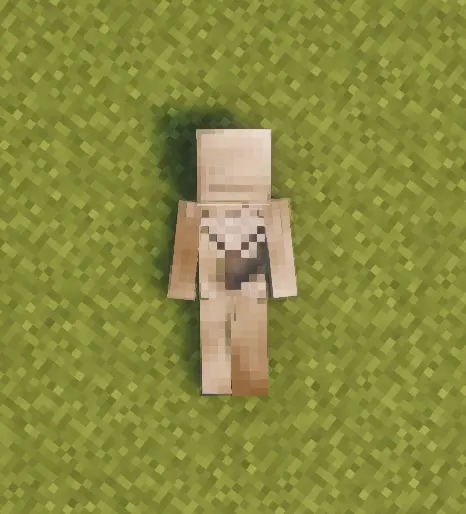
The corpse appears at your death location with your real player skin applied.
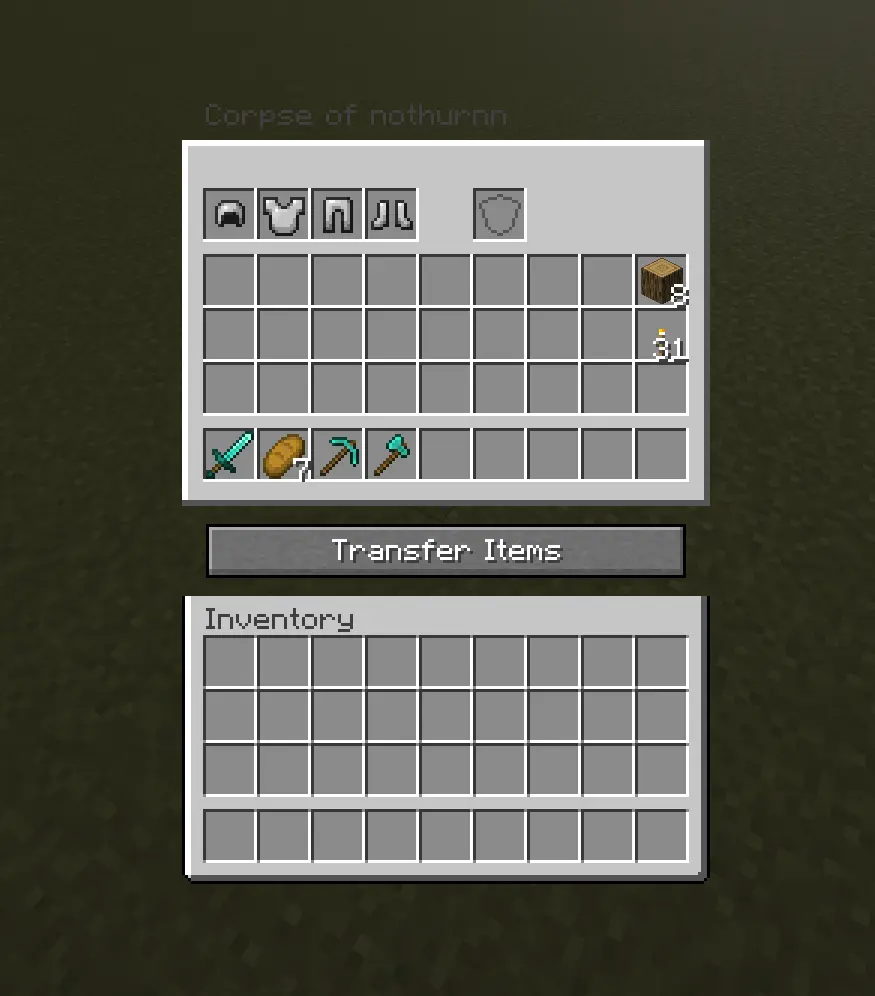
It holds everything you had — general items, armor, and your offhand item —
with no capacity limit.
Right-click the corpse to open it.
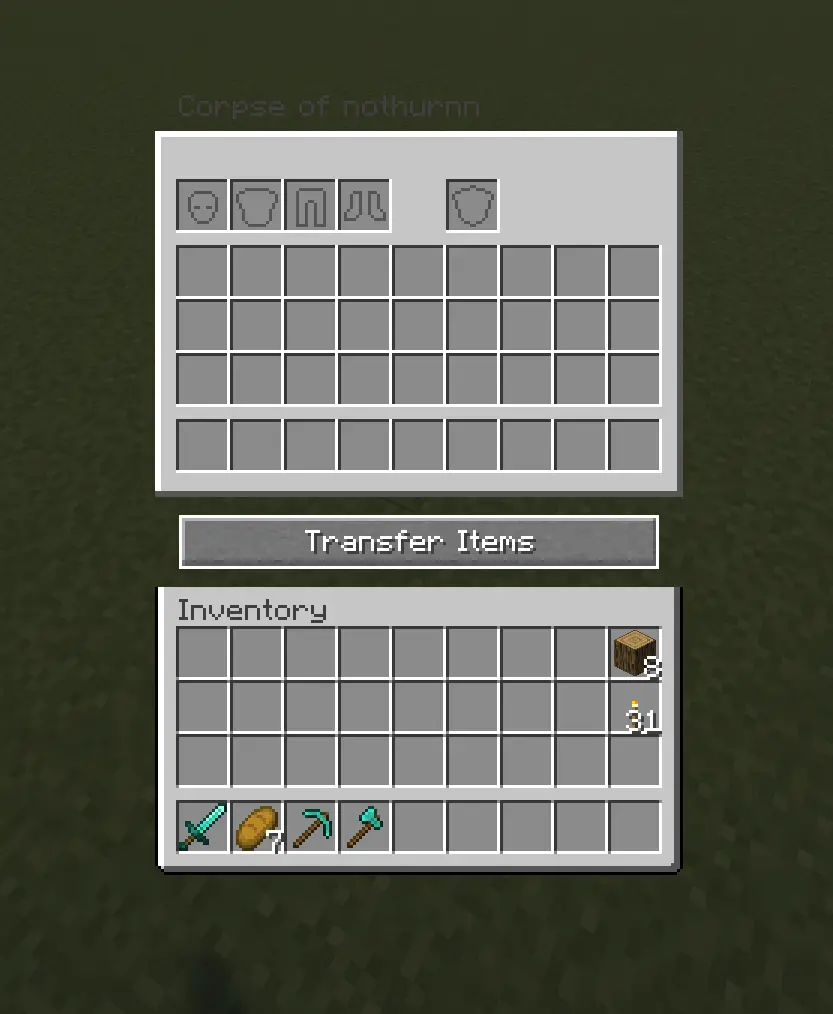
When you recover your items, armor and your offhand piece re-equip themselves
automatically — but only into slots that are currently empty, so nothing
you’re already wearing gets overwritten.
Corpses don’t just disappear once emptied. A shroud slowly forms over the
body, holds, then gradually wears away to reveal a skeleton underneath — your
death site stays marked instead of vanishing.
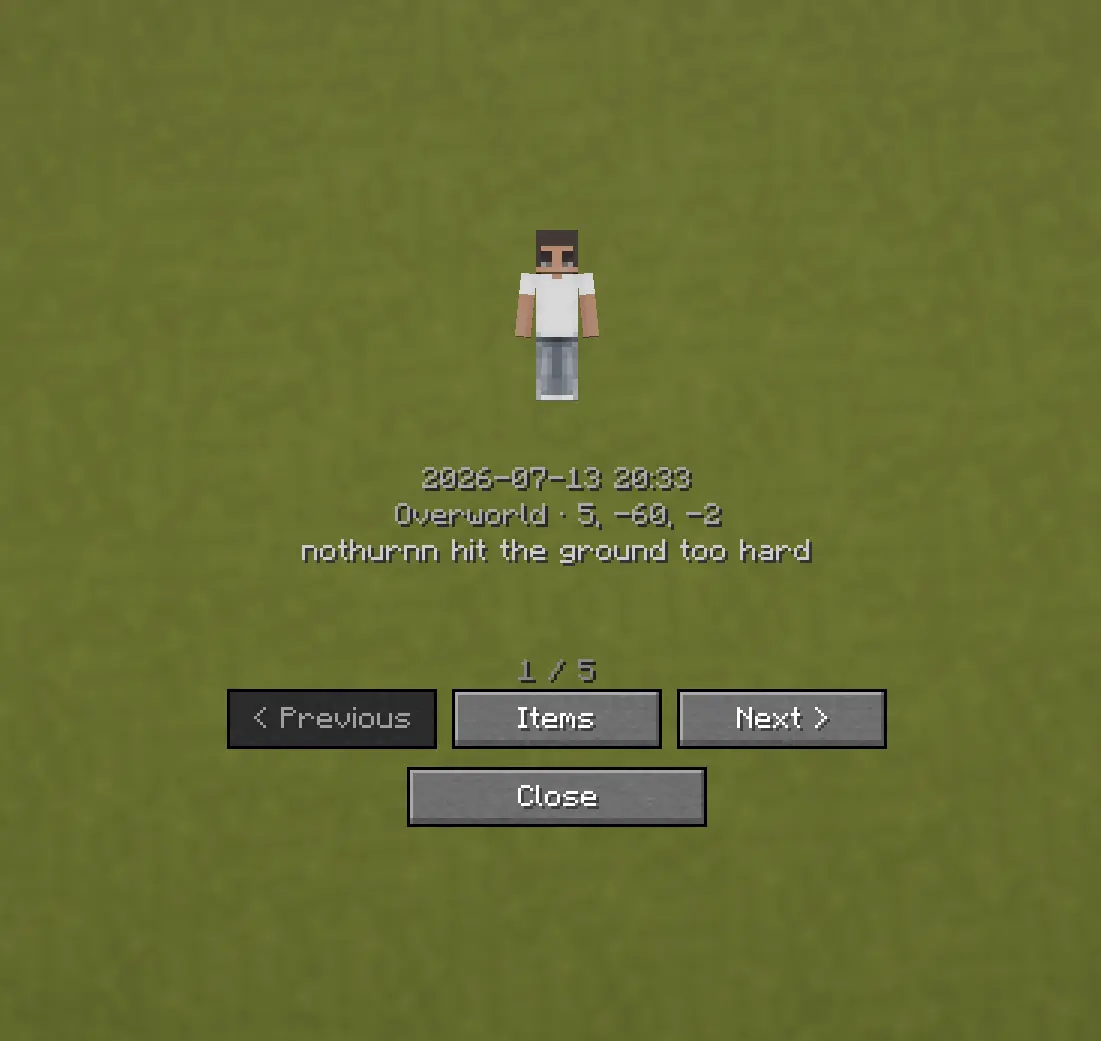
Death History
Press C to view your past deaths — where, when, and what killed you.
Optional Features (Config Options)
- How long the shroud takes to form (
decay_ticks) - How long the shroud takes to wear away and reveal the skeleton (
shroud_erosion_ticks) - Whether a forced hard despawn ever kicks in for very old corpses, and after how long (
force_despawn_enabled,force_despawn_ticks) — disabled by default - [check PlayerCorpseConfig.java for anything else — e.g. owner-only access, lava/fire damage toggle — and add here if present]
常见问题
Corpse: Refined 支持哪些 Minecraft 版本?
Corpse: Refined 支持 Minecraft Java 版 1.19.2–1.21.1,共 3 个版本,可用的加载器:Forge / NeoForge。下载时注意选择和你游戏版本一致的文件。
Corpse: Refined 怎么安装?
先用 PCL2 或 HMCL 启动器安装对应版本的 Forge / NeoForge,再把下载的 .jar 文件放进游戏目录的 mods 文件夹,重新启动游戏即可。开启了版本隔离的,mods 文件夹在 versions/版本名 下面。运行环境:客户端和服务端都要装。
nothurn 的其他作品
查看全部 →
Horror OneBlock
OneBlock survival with horror mobs, dwellers, guns, shaders, and Create automation.

Haunted Sounds
A door creaks. A chest lid shifts. Somewhere close, always matching what's actually around you — nothing caused it.

OneBlock CraftBound: Classic
A custom NeoForge OneBlock mod with phases, rewards, chests, mobs, and a true one-block start.

He’s Watching
Every so often, at the edge of your vision — never straight ahead, gone the moment you actually look.
评论
登录后评论和评分