
Cornball’s Music Player
This mod adds a music GUI that allows you to play most of the music without a jukebox.
截图

介绍
Cornball’s Music Player
Cornball’s Music Player is a client-side Fabric mod that gives you a simple, polished way to play vanilla and custom music from anywhere in-game. Instead of placing a jukebox or manually swapping discs, you can open the mod’s custom music player GUI at any time by pressing M and instantly browse the full supported library from one screen.
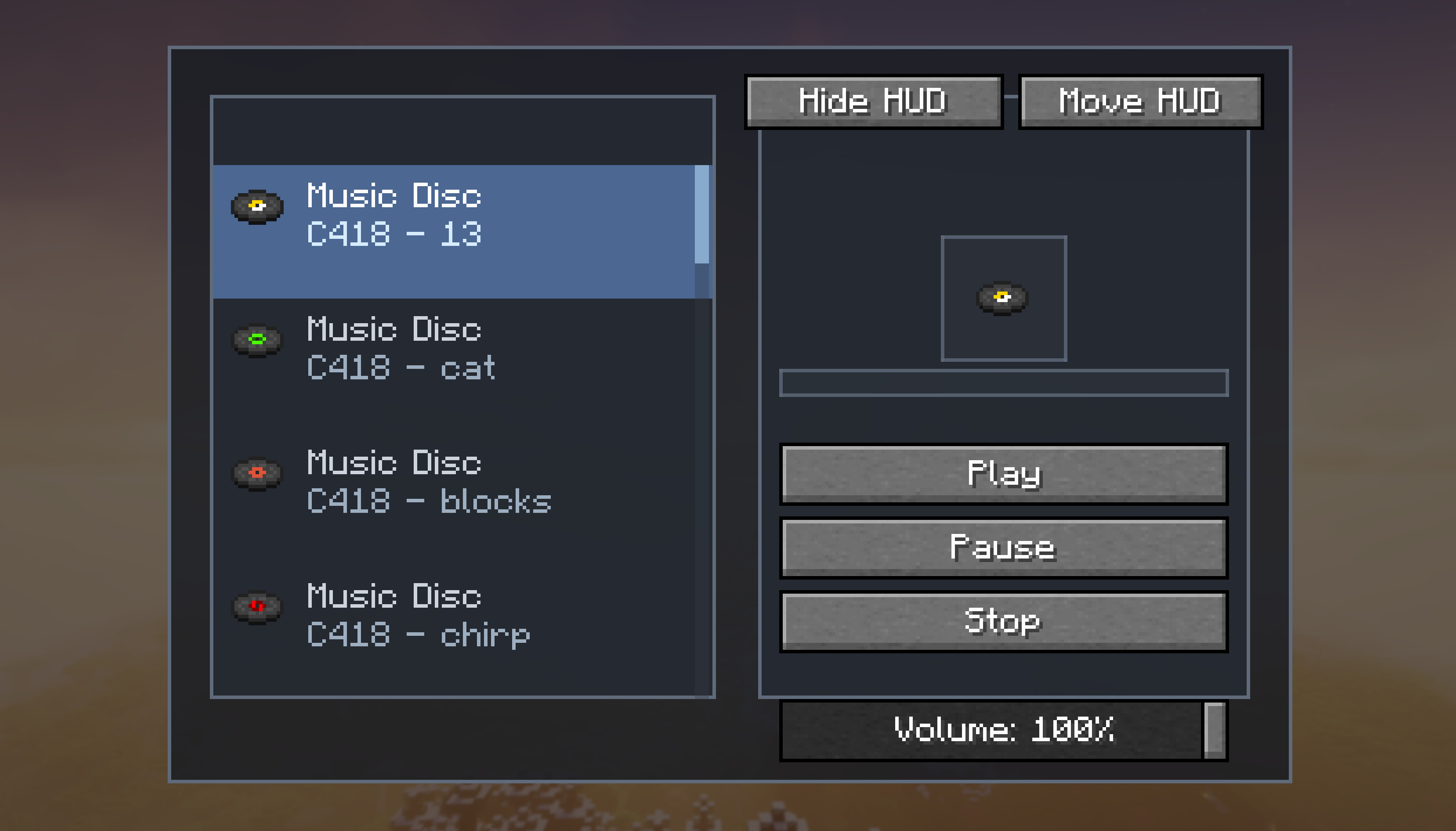
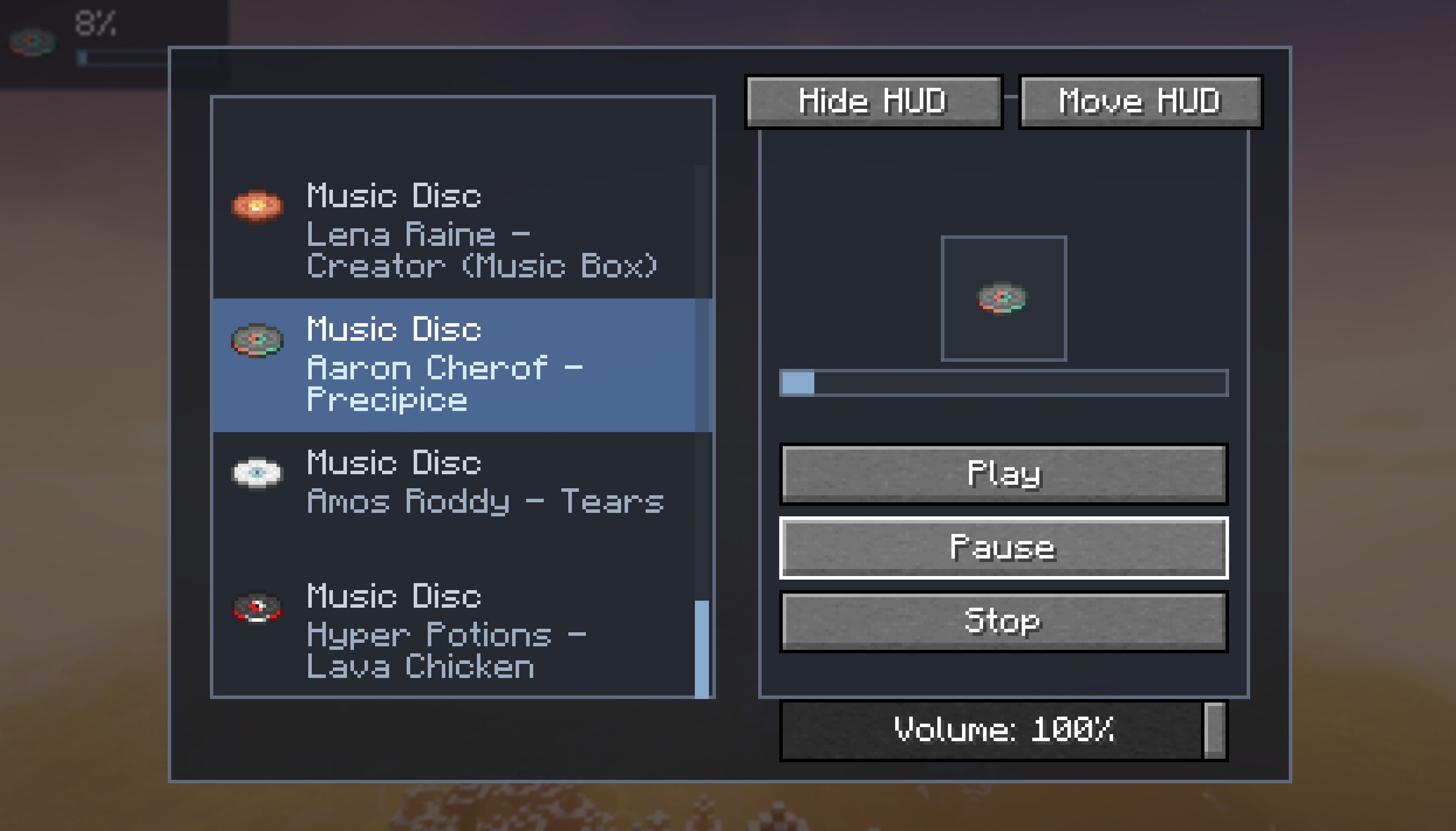
The interface is designed to feel clean and easy to use. The left side displays a scrollable library of vanilla and custom music with each songs icon, name, and song title, while the right side gives you dedicated playback controls and a live view of the current track. Clicking a song starts playing it immediately, and the mod makes sure only one track plays at a time so audio stays organized and never overlaps.
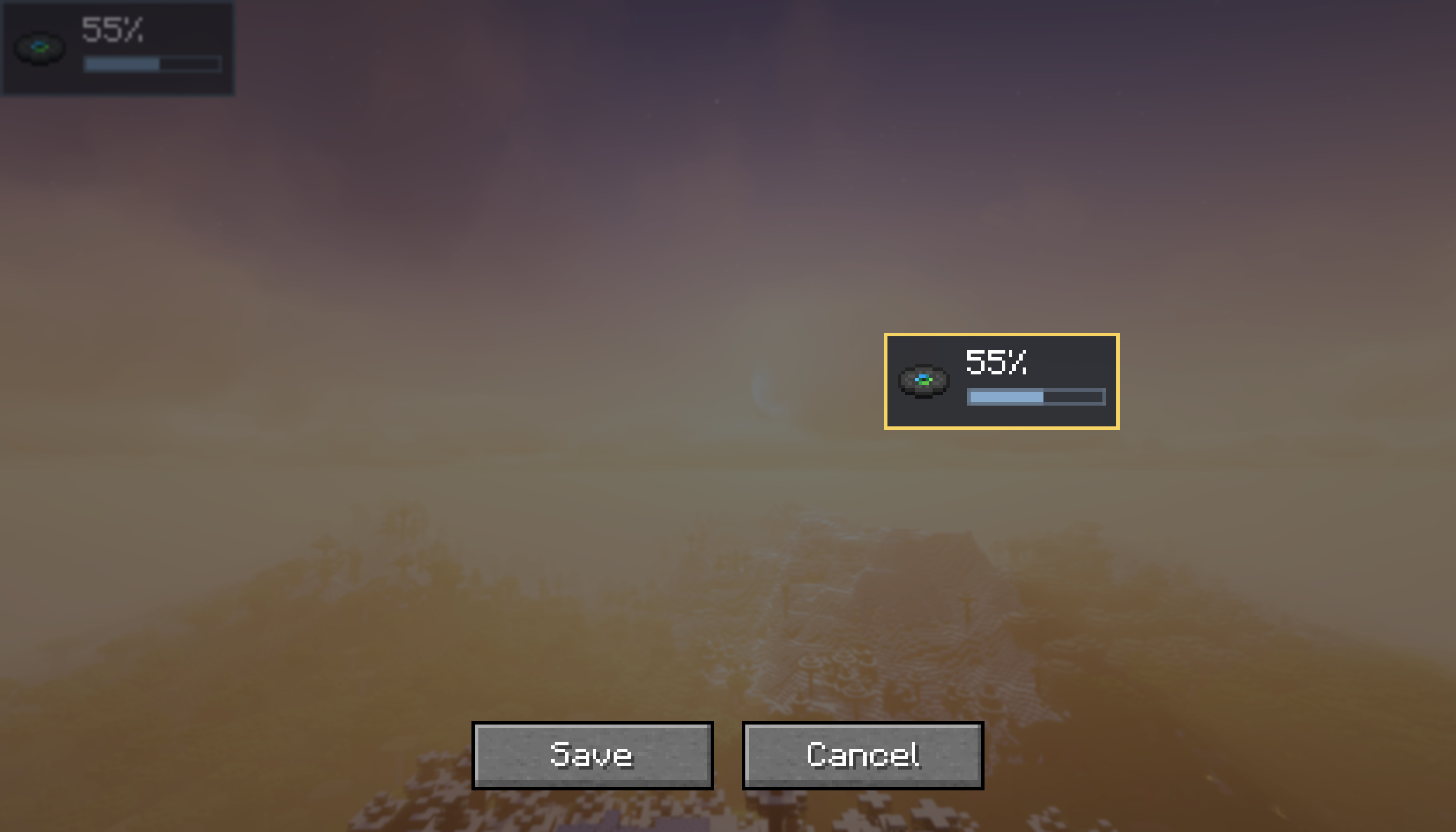
Cornball’s Music Player also includes quality-of-life features that make it much more convenient than a normal jukebox setup. You can pause, resume, stop, adjust volume, monitor playback progress with a built-in progress bar, and keep track of what is currently playing through a compact HUD overlay. The HUD can be moved anywhere on your screen through a placement mode with Save and Cancel options, or disabled entirely if you prefer a cleaner look.
Everything runs client-side, so the mod is lightweight and easy to use. There’s no extra block to place, no complicated setup, and no required config files to get started. Install the mod, launch the game with Fabric, and press M to open the music player.
Features
- Open the music player GUI anywhere by pressing
M - Browse supported vanilla and custom music in a custom scrollable menu
- View song icons, song names, and song titles in the selector
- Instantly play tracks by clicking them
- Dedicated Play, Pause, and Stop controls
- Only one track plays at a time (at the moment)
- Built-in volume slider
- Playback progress bar and time display
- Small movable HUD overlay for current song and progress
- HUD placement mode with Save and Cancel
- Button to enable or disable the HUD
- Custom .ogg music support
Requirements
- Fabric
- Fabric API
To access custom music you first need to put your .ogg into the “tracks” folder found in the “musicplayer” folder inside your Minecraft instance file. Then simply navigate into the local tab inside the mods in-game menu.
Feedback is appreciated and the mod will continue to update with even more music.
常见问题
Cornball’s Music Player 支持哪些 Minecraft 版本?
Cornball’s Music Player 支持 Minecraft Java 版 1.21.11,可用的加载器:Fabric。下载时注意选择和你游戏版本一致的文件。
Cornball’s Music Player 怎么安装?
先用 PCL2 或 HMCL 启动器安装对应版本的 Fabric,再把下载的 .jar 文件放进游戏目录的 mods 文件夹,重新启动游戏即可。开启了版本隔离的,mods 文件夹在 versions/版本名 下面。运行环境:仅客户端。
评论
登录后评论和评分