
CoordsCopy v1
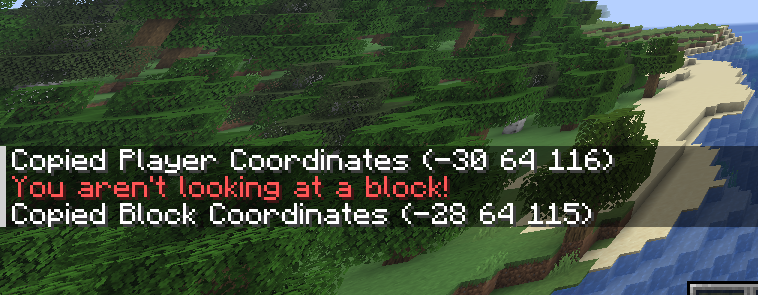
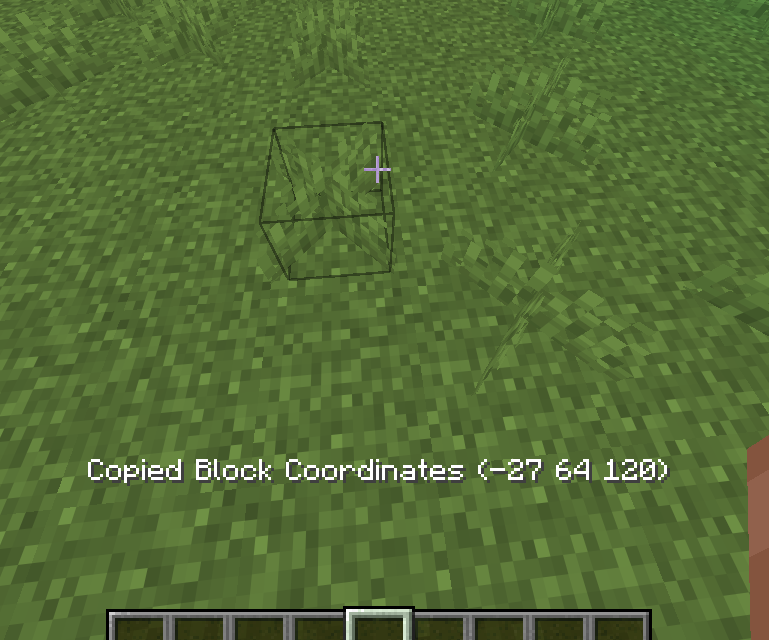
Tired of always manually copying down coordinates of the player's or a block's position? (I am.) Well, now you can copy them easily to the clipboard with the press of a button. 😉
截图
介绍
This mod has been rewritten, visit it on https://modrinth.com/mod/coordscopy.
CoordsCopy v1
IMPORTANT: This mod was archived in favour of v2.0 which uses stonecutter to support all versions from 1.16.5 onward on fabric, forge and neoforge, while keeping the codebase simpler.
A fabricmc minecraft mod which enabled you to copy player coordinates and block coordinates with the press of a button.
The mod provides you with a function to copy the coordinates of the block you’re looking at directly into the
clipboard by pressing one simple button. The coordinates will be formatted in the common format also used in commands, which
is “x y z”, (for example: -34 65 219).
The mod is also able to copy your current player position into the clipboard using another key, formatted the same as the
block coordinates.
Current Features (v1.1):
- Copy player coordinates
- Copy targeted block coordinates
Languages:
- English
- German
- German (Austrian)
Also available on:
This project is licensed under the GNU Affero General Public License v3.0. See the
LICENSE file for details.
常见问题
CoordsCopy v1 支持哪些 Minecraft 版本?
CoordsCopy v1 支持 Minecraft Java 版 1.20.2–26.1.1,共 19 个版本,可用的加载器:Fabric。下载时注意选择和你游戏版本一致的文件。
CoordsCopy v1 怎么安装?
先用 PCL2 或 HMCL 启动器安装对应版本的 Fabric,再把下载的 .jar 文件放进游戏目录的 mods 文件夹,重新启动游戏即可。开启了版本隔离的,mods 文件夹在 versions/版本名 下面。运行环境:仅客户端。
MarioS271 的其他作品
查看全部 →
CatVision
A minecraft mod which gives you Night Vision, even if you aren't a server operator. Inspired by CatEyes by Tee6! :)

QuickCommands
A minecraft mod with GUIs for easy access to useful commands.
QuickCommands
A minecraft mod with GUIs for easy access to useful commands.

BetterLogStrip
A mod to improve log stripping and prevent accidentally ruining your base when holding an axe.
评论
登录后评论和评分