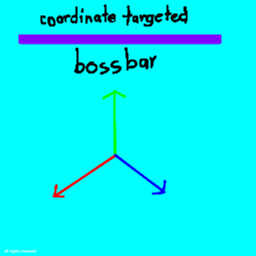
Coordinate targetified bossbar
This project does add coordinate supported bossbar as target ( use vector force not scalar )
介绍
Coordinate Targetified Bossbar
Coordinate Targetified Bossbar adds a customizable bossbar that tracks your progress between two coordinates.
Instead of showing a normal health-style progress bar, the bossbar can represent how far you have traveled toward a target position.
Features
- Create bossbars linked to two coordinates.
- Automatically updates the progress as you move.
- Supports X, Y, and Z coordinates.
- Progress is calculated along the path between the starting position and target position.
- Progress is clamped between 0% and 100%.
- Optional percentage display.
- Supports relative coordinates such as "~", "~10", etc.
- Designed to work in singleplayer.
Commands
Create a bossbar
/bossbar_xyz create <name> <x1> <y1> <z1> <x2> <y2> <z2> [showPercentage]
Creates a coordinate-targeted bossbar.
"showPercentage" is optional and defaults to "true".
Example:
/bossbar_xyz create "Reach the Target" 0 100 0 0 0 100 true
Delete a bossbar
/bossbar_xyz delete <name>
Removes an existing coordinate bossbar.
Edit a bossbar
/bossbar_xyz edit <newName> <x1> <y1> <z1> <x2> <y2> <z2> [showPercentage]
Changes an existing coordinate bossbar’s settings.
How Progress Works
The mod calculates your position relative to the line between the starting coordinate and target coordinate.
For example, if your target is:
Start: 0 100 0
Target: 0 0 0
your progress will approximately be:
Y = 100 → 0%
Y = 75 → 25%
Y = 50 → 50%
Y = 25 → 75%
Y = 0 → 100%
This makes it useful for things such as coordinate challenges, travel goals, Y-level challenges, maps, and progression objectives.
Compatibility
Minecraft: Fabric 26.1.x
Loader: Fabric
Environment: Singleplayer
«Multiplayer support is not a primary target of this mod.»
常见问题
Coordinate targetified bossbar 支持哪些 Minecraft 版本?
Coordinate targetified bossbar 支持 Minecraft Java 版 26.1.2,可用的加载器:Fabric。下载时注意选择和你游戏版本一致的文件。
Coordinate targetified bossbar 怎么安装?
先用 PCL2 或 HMCL 启动器安装对应版本的 Fabric,再把下载的 .jar 文件放进游戏目录的 mods 文件夹,重新启动游戏即可。开启了版本隔离的,mods 文件夹在 versions/版本名 下面。
Meyestone 的其他作品
查看全部 →
Just delete attack cooldown
This mod change the attacking so, no more cooldown but group attack stays!

Just draw-ing on book
Add drawing to the book and quill ( but sorry, bug created by mod: you can't write on Book and Quill anymore but only drawing - fixed in v1.1 )

New item frame texture
This project make item frame texture change to inventory slot ( not fully changed yet )
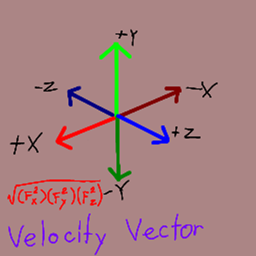
Velocity Vector
This project does add the speed calculator via Vector scale ( F[net] = √(F[x]²)(F[y]²)(F[z]²) )
评论
登录后评论和评分