
Controllable Sounds
Adds an in-game menu (default key: H) with a searchable volume slider for every single sound in the game - not just categories, every individual sound.
截图
介绍
Ever wish you could turn down just the Enderman’s ambient noise, or make the Nether Portal whoosh a little quieter without touching every other sound in the game? Vanilla only gives you broad category sliders (Hostile, Ambient, Blocks…). Controllable Sounds gives every single one of Minecraft’s ~1,800 registered sounds its own dedicated volume slider.
Features
- One key, one menu. Press H (rebindable in Options > Controls > Controllable Sounds) to open the menu from anywhere in-game.
- Every sound in the game, not a curated subset – close to 1,800 individual sliders, covering every mob, block, item, ambience, weather, music track and UI sound Minecraft registers.
- Per-sound volume sliders, each adjustable from 0% to 200%, independent of and stacking on top of the vanilla category sliders.
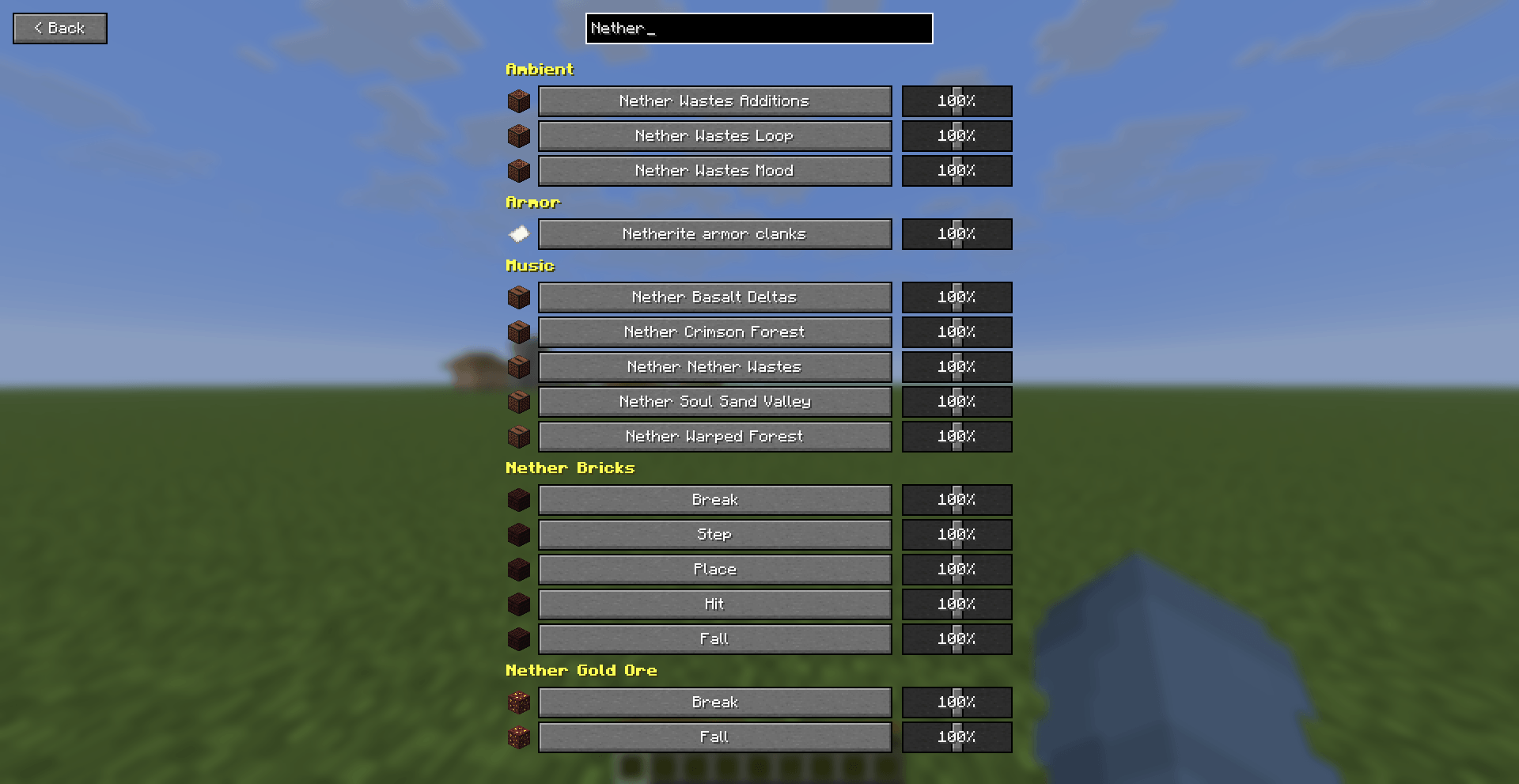
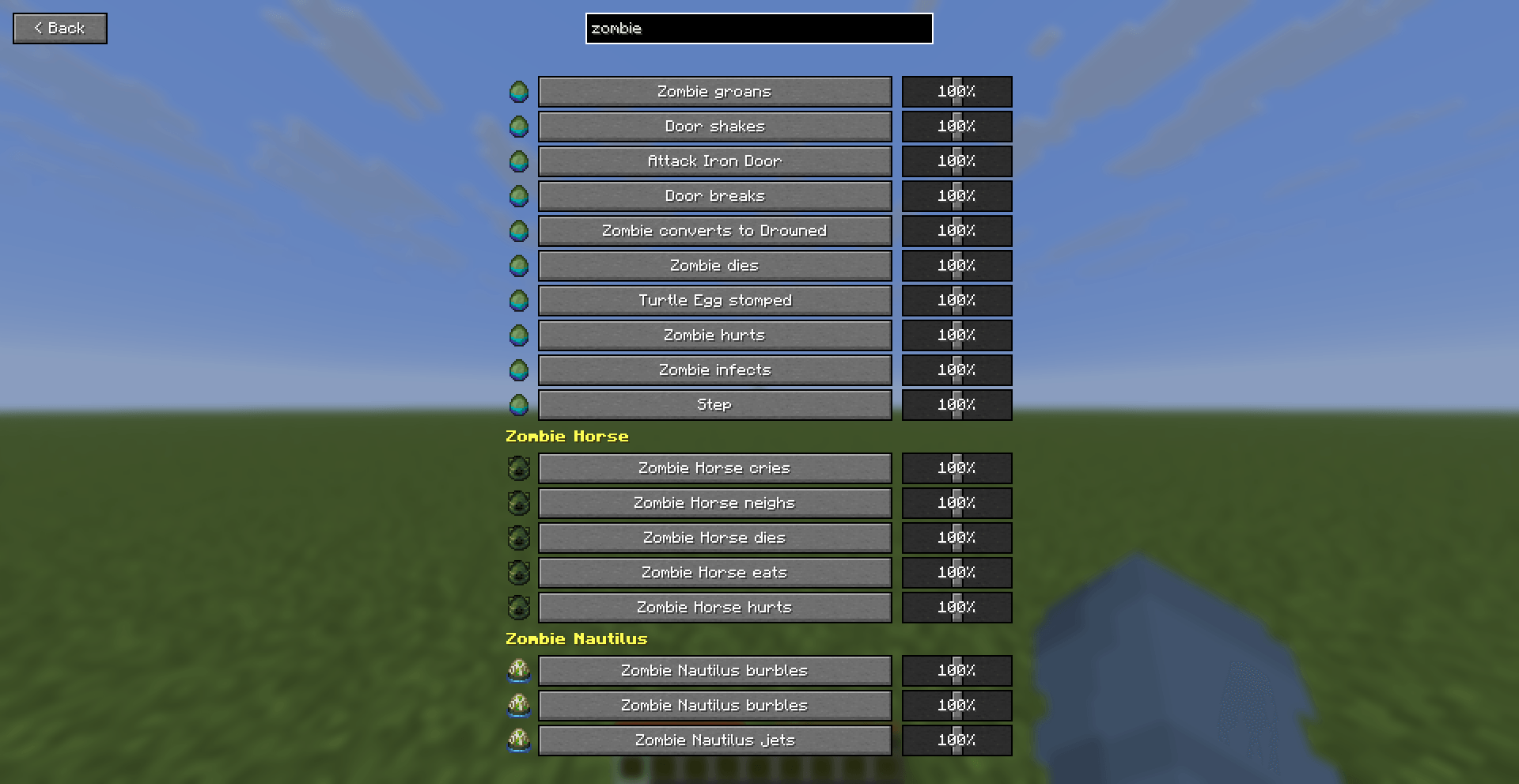
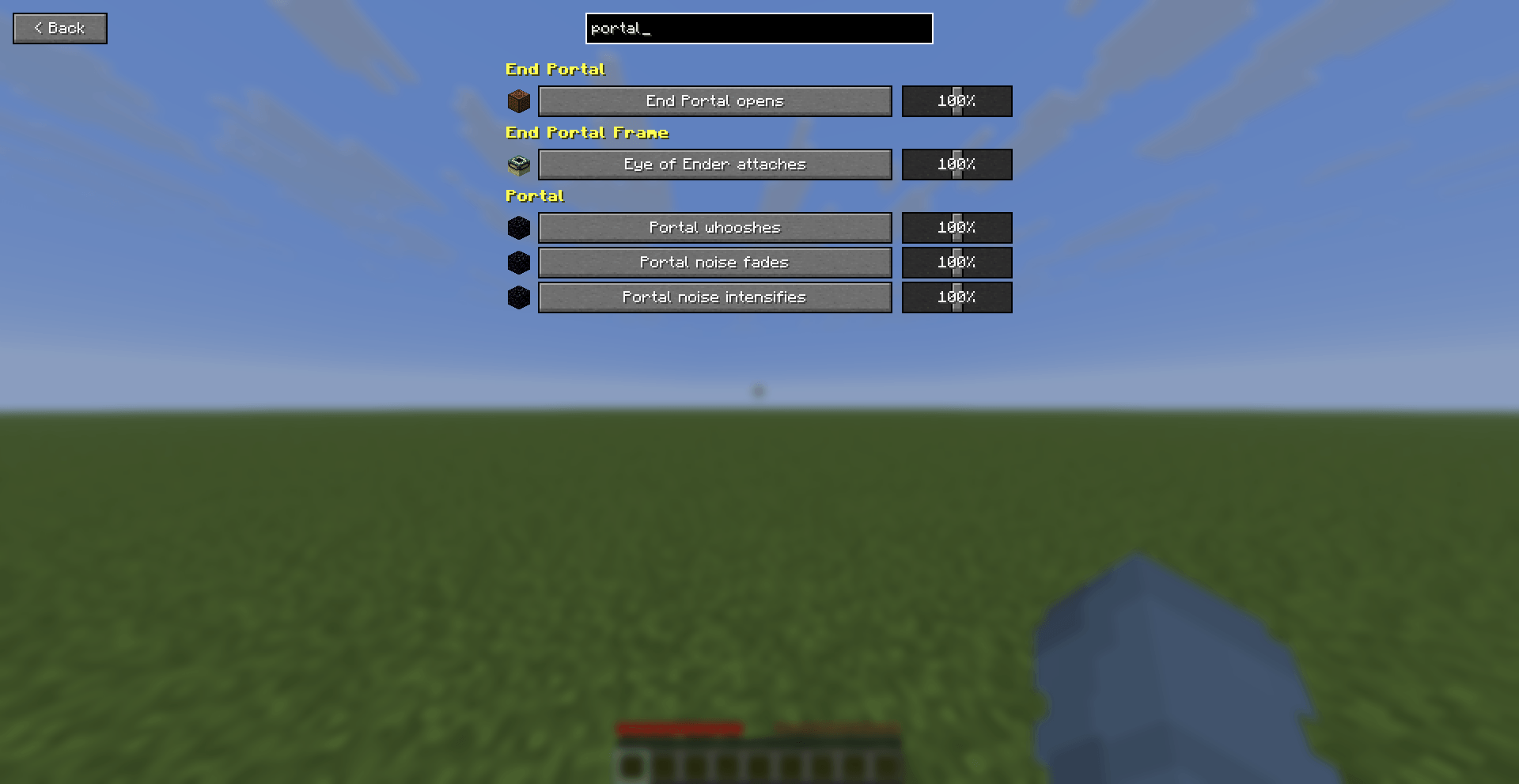
- A “Back” button and a live search box at the top of the menu – type a few letters (“zombie”, “portal”, “note block”) and the list filters instantly, so you’re never scrolling through hundreds of rows by hand.
- Organized into ~360 groups – one per mob, block or item, plus catch-all groups for ambience, weather, music, UI and enchantments – so browsing by category still works even at this scale.
- An icon next to every row – mostly real vanilla item icons (a mob’s spawn egg or head, the relevant block), so the list reads at a glance instead of being a wall of text. Note block instruments even get their own icons, with the Flute (“Ney”) getting a specially hand-drawn one.
- Settings persist between sessions, and changes apply live – move a slider and currently playing sounds update immediately.
- Localized where vanilla is – most sound names reuse Minecraft’s own subtitle text, so they’re already translated into every language Minecraft ships; a few menu labels (title, category names, search box) ship with English and Turkish and fall back to English otherwise.
- Client-side only. No server installation required, safe to use on any server.
Requirements
- Fabric Loader
- Fabric API
Notes
This isn’t a replacement for the vanilla Music & Sound options – it stacks on top of them, so your existing category sliders (Hostile, Ambient, etc.) still apply. With ~1,800 sounds listed, the search box is the fastest way to find a specific one; scrolling works too but is meant for browsing a category, not hunting through the whole list.
常见问题
Controllable Sounds 支持哪些 Minecraft 版本?
Controllable Sounds 支持 Minecraft Java 版 1.21.11,可用的加载器:Fabric。下载时注意选择和你游戏版本一致的文件。
Controllable Sounds 怎么安装?
先用 PCL2 或 HMCL 启动器安装对应版本的 Fabric,再把下载的 .jar 文件放进游戏目录的 mods 文件夹,重新启动游戏即可。开启了版本隔离的,mods 文件夹在 versions/版本名 下面。
Er_Mu1 的其他作品
查看全部 →
Mention
Type @playername in chat to ping them - a ding sound, a red action bar notice, and their name highlighted in bold, visible only to them.

Death Log
Keeps a per-player death history (real date/time, in-game day, dimension, coordinates, cause of death). Check it with /deathhistory.

Better Subtitles
Redraws Minecraft's closed captions with a directional radar-style ping, colorful per-sound labels, and outlined caption text - built for players who need to actually see where a sound

Skill Totem
Find hidden totems across the world to unlock powerful abilities. Activate your skills with the Q and C keys and grow stronger as you explore. A Fabric mod that adds an RPG-style skill system to Minecraft.
评论
登录后评论和评分