
Control Plus
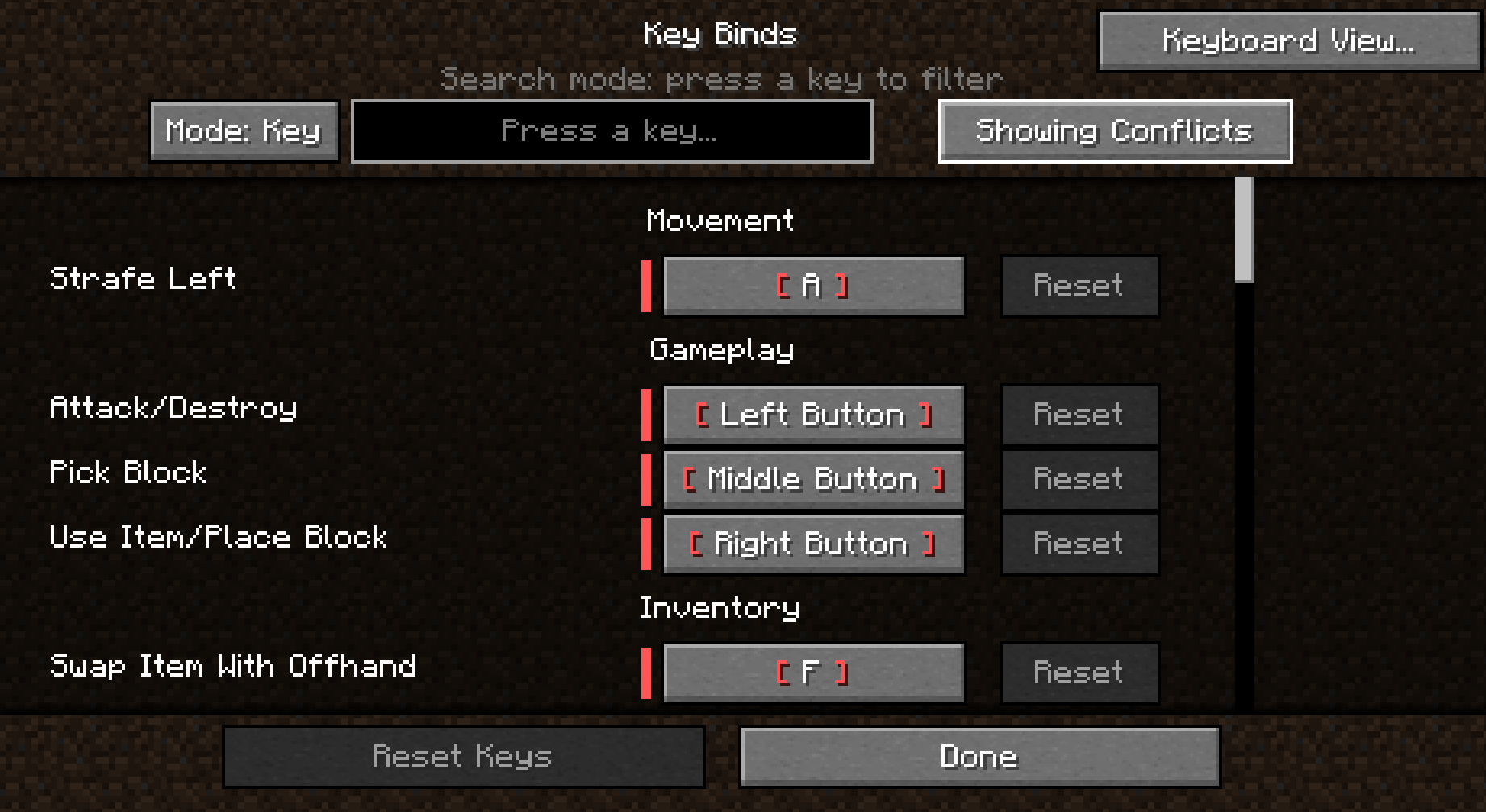
With name and key recognition modes, it adds a powerful search bar to the control menu and a keyboard indicator panel showing which assignment is assigned to which key.
截图



介绍
Controls Plus makes one of the most frustrating parts of Minecraft much easier. It adds a functional search bar to the keyboard bindings panel with two unique modes:
Name Mode: Search for specific keybindings by typing their names directly.
Key Mode: Simply press a key on your keyboard to see which action it is currently assigned to.
Stop scrolling through endless menus to find your keys! For more details, you can check the images or download the mod to try it out yourself.
–
Control Plus – Official License License Type: All Rights Reserved (ARR) Allowed:
You may use this mod in any modpack.
You may create addons, integrations, and datapacks for this mod.
You may create videos and other content using this mod.
Not Allowed:
You may NOT reupload this mod on any website.
You may NOT redistribute this mod in any form.
You may NOT claim this mod as your own.
You may NOT sell this mod or its source code.
All rights belong to the original author.
常见问题
Control Plus 支持哪些 Minecraft 版本?
Control Plus 支持 Minecraft Java 版 1.20.1–1.21.1,共 3 个版本,可用的加载器:Forge / NeoForge。下载时注意选择和你游戏版本一致的文件。
Control Plus 怎么安装?
先用 PCL2 或 HMCL 启动器安装对应版本的 Forge / NeoForge,再把下载的 .jar 文件放进游戏目录的 mods 文件夹,重新启动游戏即可。开启了版本隔离的,mods 文件夹在 versions/版本名 下面。运行环境:仅客户端。
评论
登录后评论和评分