
Consistent Shift
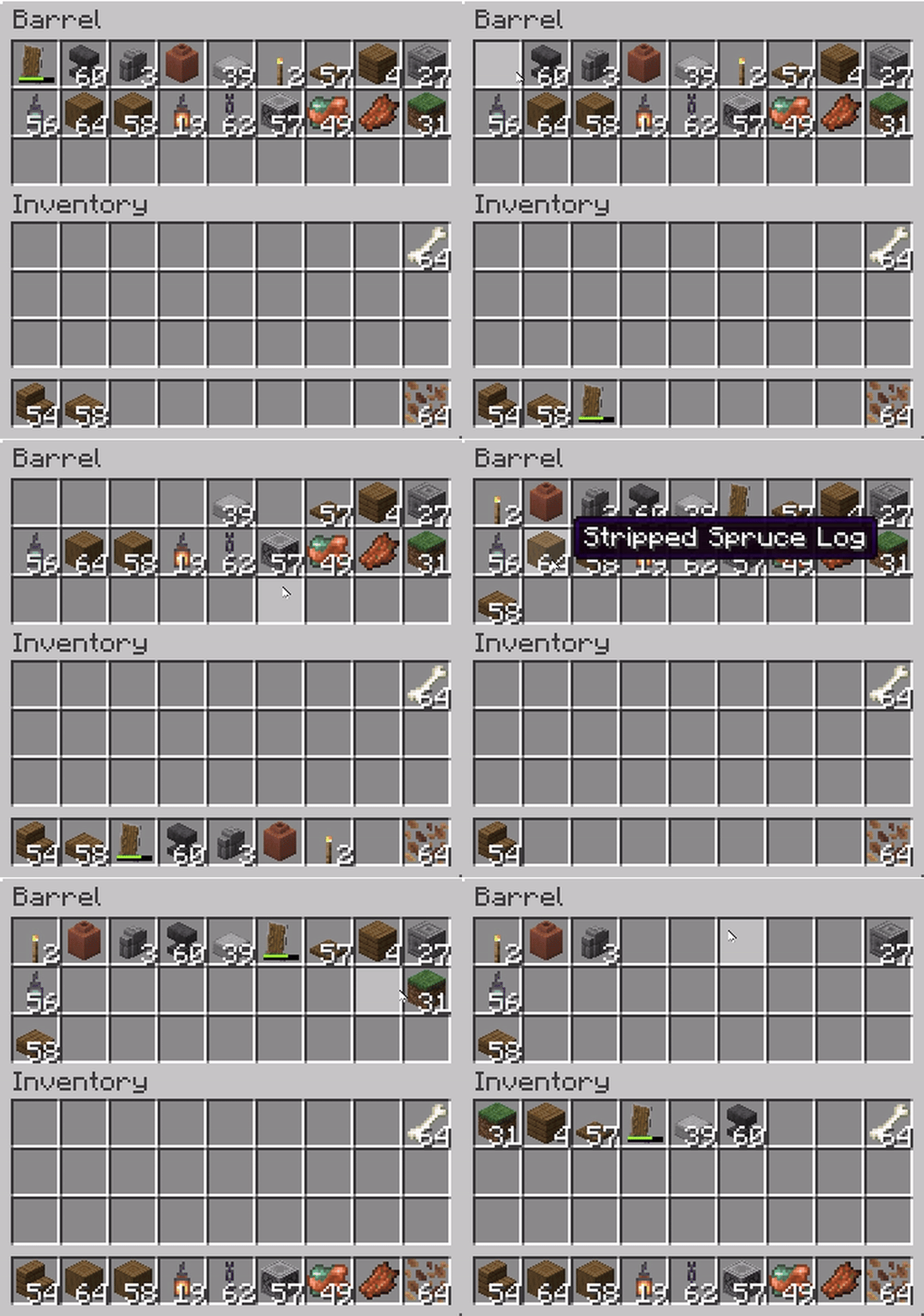
Makes Shift+Click behavior consistent: items from any container are moved left to right, just like in the player's inventory.
截图


介绍

|
      |
💬 Description
Makes Shift+Click behavior consistent: items from any container are moved left to right, just like in the player’s inventory.
Works for chests, furnaces, crafting tables, and all containers.
🔹 GIF Showcase
⚠️ Known Issue
Currently, when using Shift + double-click (Pickup All) in a container, vanilla logic is still applied.
Instead of following the mod’s rule (left → right, starting with hotbar), items are placed right → left across the inventory.
Here’s the difference:
Expected (Consistent Shift):
[Hotbar 1] → [Hotbar 2] → … → [Hotbar 9] → [Main Inventory Left → Right]

Vanilla (current bug):
[Hotbar 9] → [Hotbar 8] → … → [Hotbar 1] → [Main Inventory Right → Left]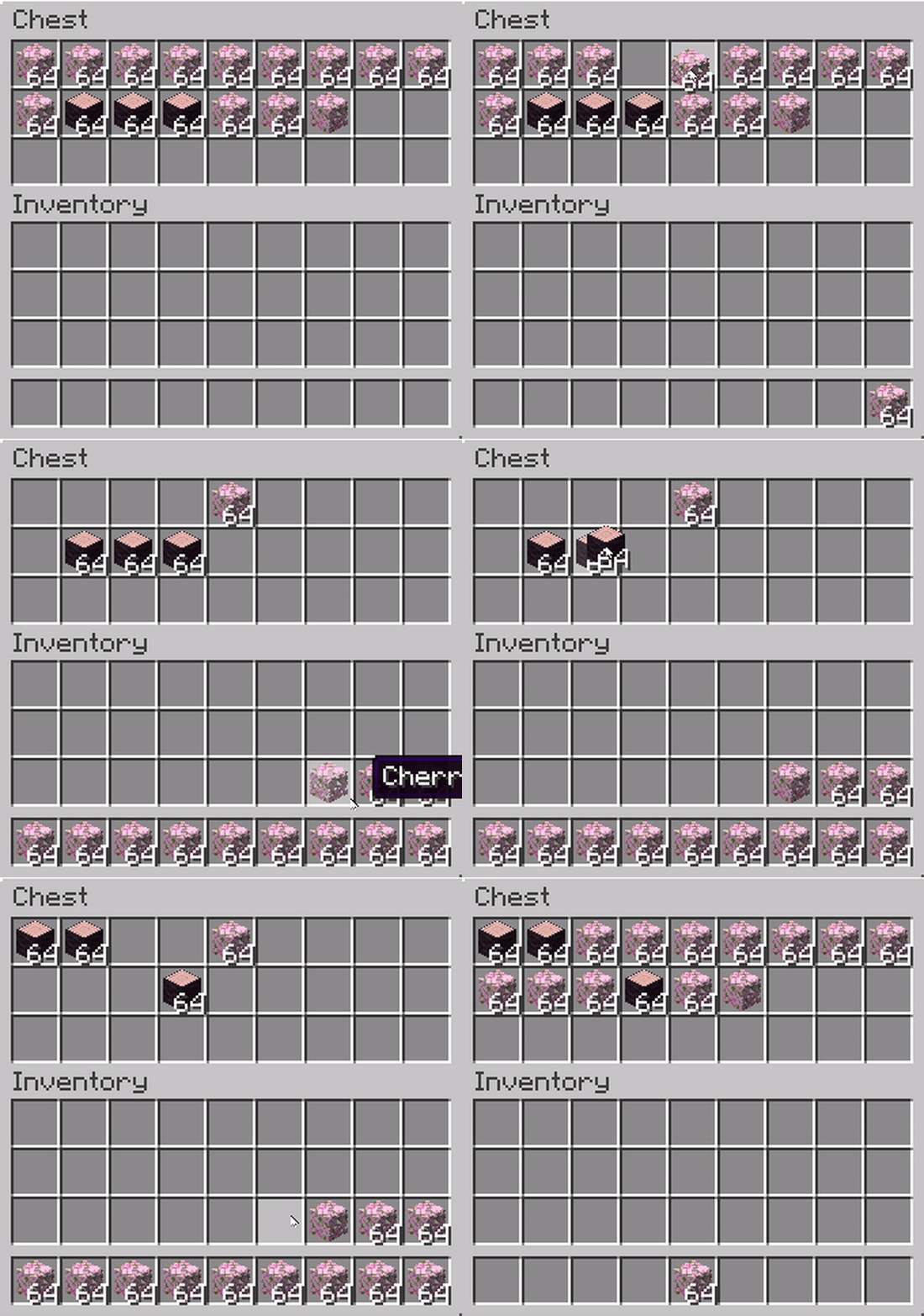
🤝 Contributing
If you know how to fix the Pickup All bug (or have ideas for improvements), feel free to open an issue or a pull request on the GitHub project page.
Community contributions are very welcome!
常见问题
Consistent Shift 支持哪些 Minecraft 版本?
Consistent Shift 支持 Minecraft Java 版 1.17–1.21.8,共 26 个版本,可用的加载器:Fabric。下载时注意选择和你游戏版本一致的文件。
Consistent Shift 怎么安装?
先用 PCL2 或 HMCL 启动器安装对应版本的 Fabric,再把下载的 .jar 文件放进游戏目录的 mods 文件夹,重新启动游戏即可。开启了版本隔离的,mods 文件夹在 versions/版本名 下面。
ZipeStudio 的其他作品
查看全部 →
Talking Heads
为 Plasmo Voice 和 Simple Voice Chat 提供的客户端扩展包,可在玩家说话时缩放其头部。

Talking Heads
为 Plasmo Voice 和 Simple Voice Chat 制作的客户端附属模组,可在玩家说话时缩放其头部。

Bathymetry
通过水体颜色直观显示水下地形深度。

Tools On My Back (TOMB)
在玩家背上显示最后使用的工具。为你的冒险增添沉浸感!🪄 现已支持游戏内编辑器和配置分享!🪄
评论
登录后评论和评分