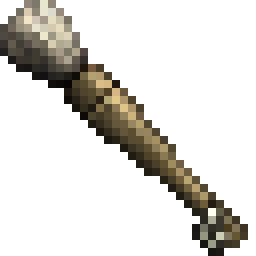
Conquest Reforged Paintbrush
Conquest Reforged Paintbrush adds a creative paintbrush that allows the user to "copy" and "paste" the material of a block onto another block while maintaining it's variant and properties.
截图

介绍
Conquest Reforged Paintbrush
Conquest Reforged Paintbrush adds a creative paintbrush that allows the user to “copy” and “paste” the material of a block onto another block while maintaining it’s variant and properties. It also adds a Paintknife which allows the user to change the layer properties of a targeted block.
Usage
Primary click:
- With a paintbrush to copy the targeted block’s material to the paintbrush.
- With a paintknife will decrease the layer of a targeted block if it has layer properties.
Secondary click:
- With a paintbrush to paint the selected material onto the targeted block. This attempts to find the same block variant in a material’s conquest family.
- With a paintknife will increase the layer of a targeted block if it has layer properties.
Hold “Left Ctrl”:
- With a paintbrush while selecting a material to select in strict mode. All painted blocks will be an exact copy.
- With a paintknife will change layers for a block adjacent to the blockface targeted.
Crouching will show the material that is currently selected on a paintbrush.
Credits
Credit to Monsterfish_ for the paintbrush and paint knife textures.
常见问题
Conquest Reforged Paintbrush 支持哪些 Minecraft 版本?
Conquest Reforged Paintbrush 支持 Minecraft Java 版 1.19.2–1.20.6,共 7 个版本,可用的加载器:Fabric。下载时注意选择和你游戏版本一致的文件。
Conquest Reforged Paintbrush 怎么安装?
先用 PCL2 或 HMCL 启动器安装对应版本的 Fabric,再把下载的 .jar 文件放进游戏目录的 mods 文件夹,重新启动游戏即可。开启了版本隔离的,mods 文件夹在 versions/版本名 下面。运行环境:客户端和服务端都要装。
Fornad 的其他作品
查看全部 →
ArdaCraft
ArdaCraft 服务器的整合包。ArdaCraft 是一个《指环王》项目,旨在 Minecraft 中重现 J.R.R. Tolkien 笔下的中土世界。

ArdaCraft Resource Pack
ArdaCraft 服务器的资源包叠加层。下载 ArdaCraft 整合包即可加入服务器。除非你清楚自己在做什么,否则请勿下载此文件。

Hísëa
Adds configurable fog-generating blocks for atmosphere and detail

Caelum – ArdaCraft Edition
More realistic celestial bodies movement and stars ported to Fabric for ArdaCraft
评论
登录后评论和评分