
Customize Early Loading Window – Neoforge
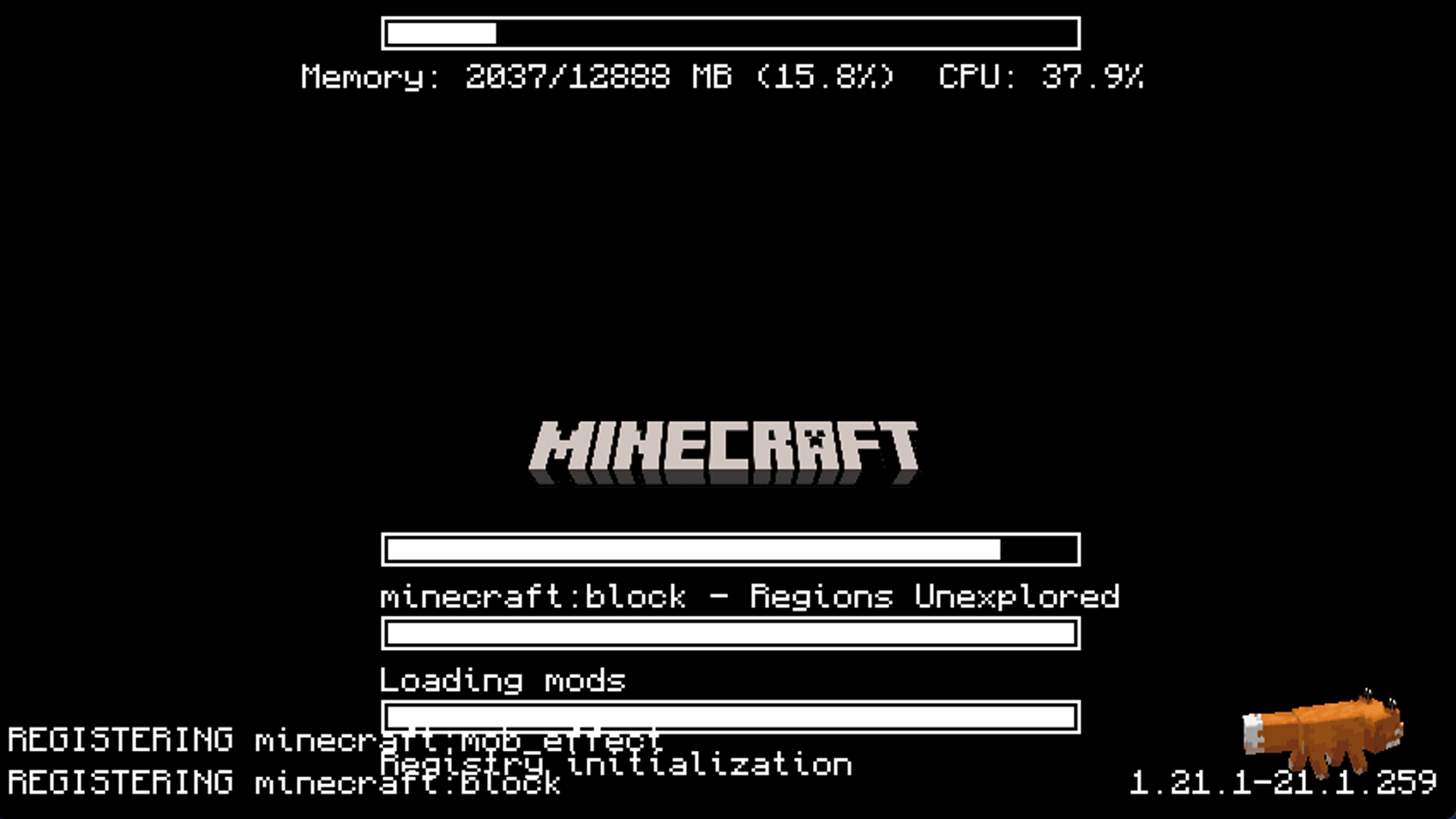
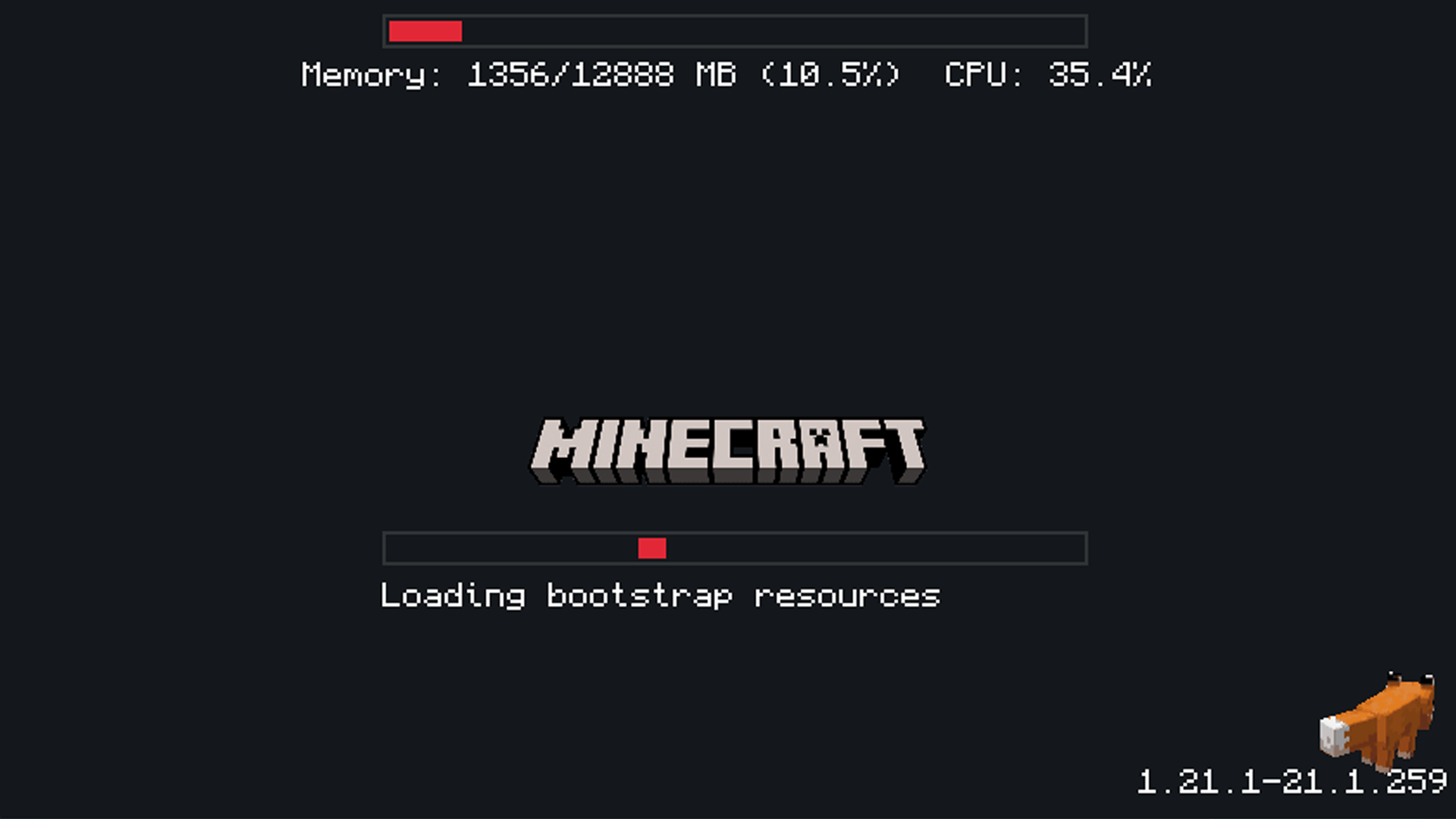
Customize your fml early window as you like. Now finally for Neoforge !
截图
介绍
Customizable FML Early Loading Progress for Neoforge !

Hello everyone !
After some time of thinking how to make every element of fml early loading window customizable it finally happened 🙂
I must say it was quite a bit challange for me since I really don’t know that much about programming but here we are !
I was inspired by this mod betterloadingscreen by shedaniel
And also by this one Simple Custom Early Loading by lukaskabc
After launching game with this mod the config file will be created with the name:
“dark-edition-early-neoforge-window.json”.
And also your default colors for fml early loading screen will be black and white so don’t freakt out 😉
As for me I really like combination of colors from this one Dark Loading Screen Neoforge By CraisinLord
And actually those two mods mine and that one are my favourite combination.
For changes to appear you have to set this in fml.toml file:
earlyWindowProvider = “darkfmlneoforgewindow”
Here are things you can set in this file and it will effect said fml early loading window:
– main background color,
– performance bar background color, general color, frame color [ this is a bar with ram usage at the top ] ,
– progress bars background colors, general colors, frame colors and set how many of them are visible,
– turn on and off log messages in the left corner,
– turn on and off the fox animation in right corner,
– turn on and off the text for what neoforge version is used,
– and you can change the image that is over progress bars and under mojang studio logo
When it comes to setting different images and custom ones here is instruction:
a) Go to the config folder,
b) Look for “dark-edition-early-neoforge-window.json”,
c) If you want the simple logo, look for the line that says “image: logoplain.png”,
d) Options for built-in images:
– logoplain.png – is simple,
– logof.png – is the game’s most recent logo,
– loading.apng – is an animation of the word “loading”
If you want to use custom images, you can create a folder inside the config/dark-edition-early-neoforge-window-loading,put yours images there, and go to modify “dark-edition-early-neoforge-window.json”, then change name of your file in this line “image:”
常见问题
Customize Early Loading Window – Neoforge 支持哪些 Minecraft 版本?
Customize Early Loading Window – Neoforge 支持 Minecraft Java 版 1.21.1,可用的加载器:NeoForge。下载时注意选择和你游戏版本一致的文件。
Customize Early Loading Window – Neoforge 怎么安装?
先用 PCL2 或 HMCL 启动器安装对应版本的 NeoForge,再把下载的 .jar 文件放进游戏目录的 mods 文件夹,重新启动游戏即可。开启了版本隔离的,mods 文件夹在 versions/版本名 下面。
评论
登录后评论和评分