ConfigSync – Config & Preset Synchronizer
作者:Hilset
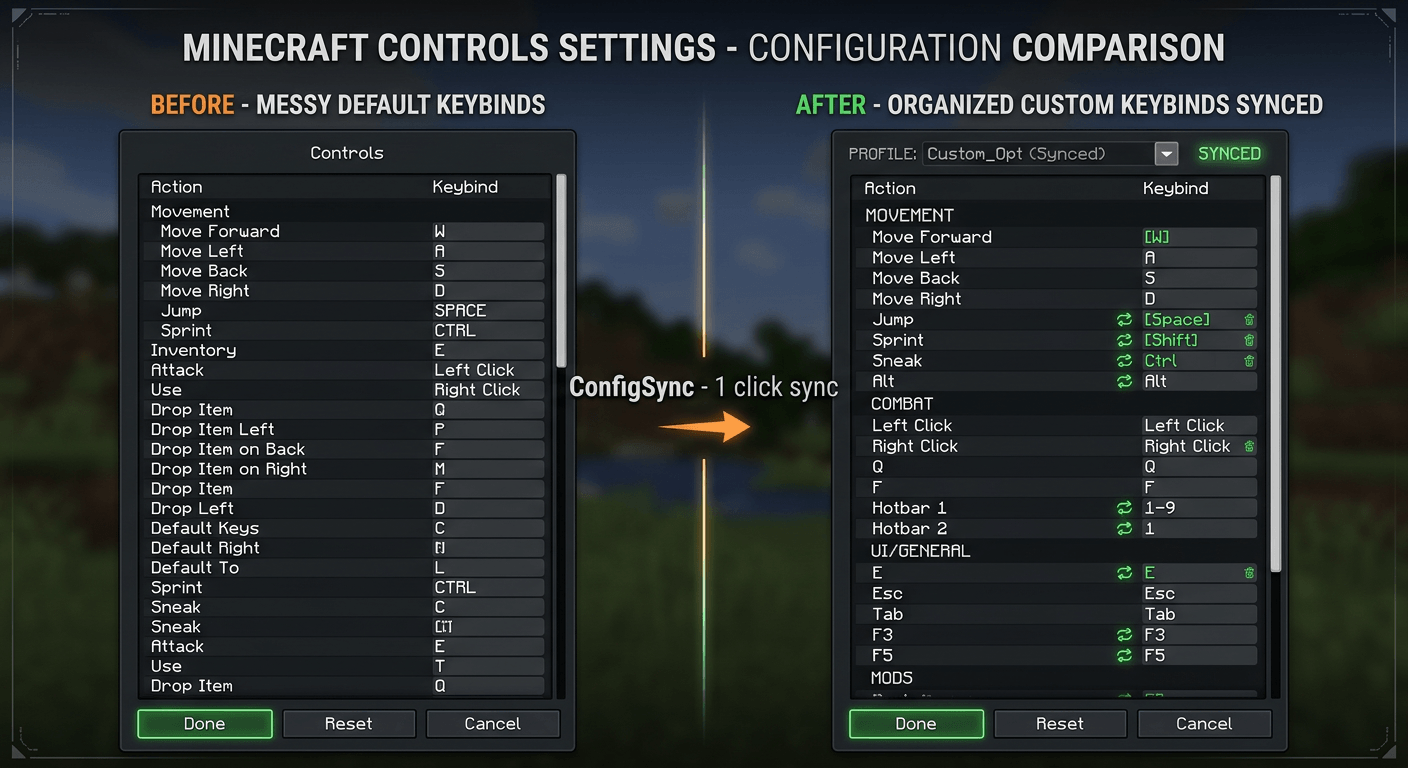
Sync controls, graphics, shaders & mod configs between PCs in 1 click via QR / LAN
截图
介绍
中文介绍正在准备中,下面暂时显示原文。
🔄 ConfigSync – Config & Preset Synchronizer
Transfer ALL Minecraft settings from your PC to your laptop in 5 seconds. Just use a QR code. Without cloud.
❗ What pain does it solve?
- 30-40 minutes of reconfiguring keybinds, graphics, and shaders when moving to a new PC/laptop
- Corrupted mod settings after update 1.20 → 1.21 → 1.22
- Manually sending config files to teammates on the server
✨ Features v1.0
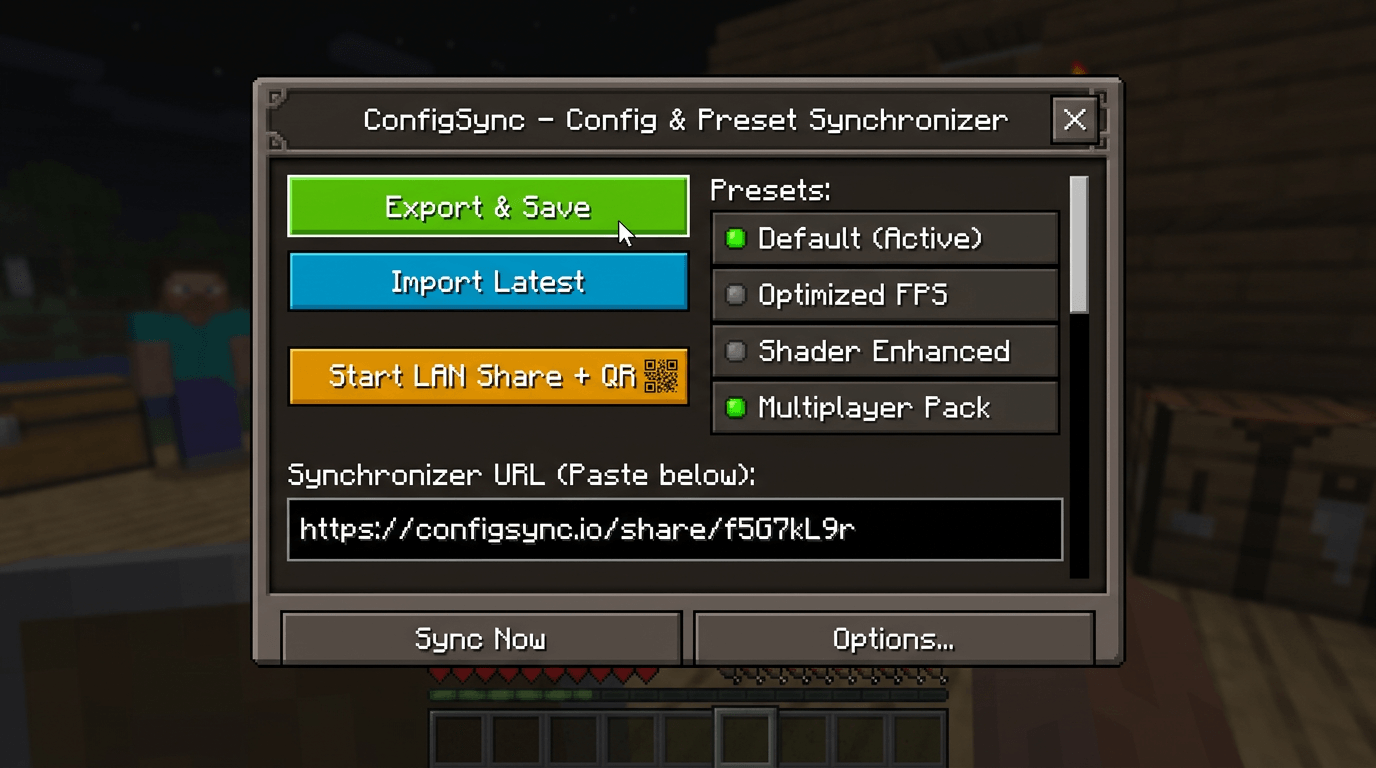
- 1-Click Export – collects options.txt, keybinds, servers.dat, config/, shaderpacks/, Iris/Oculus
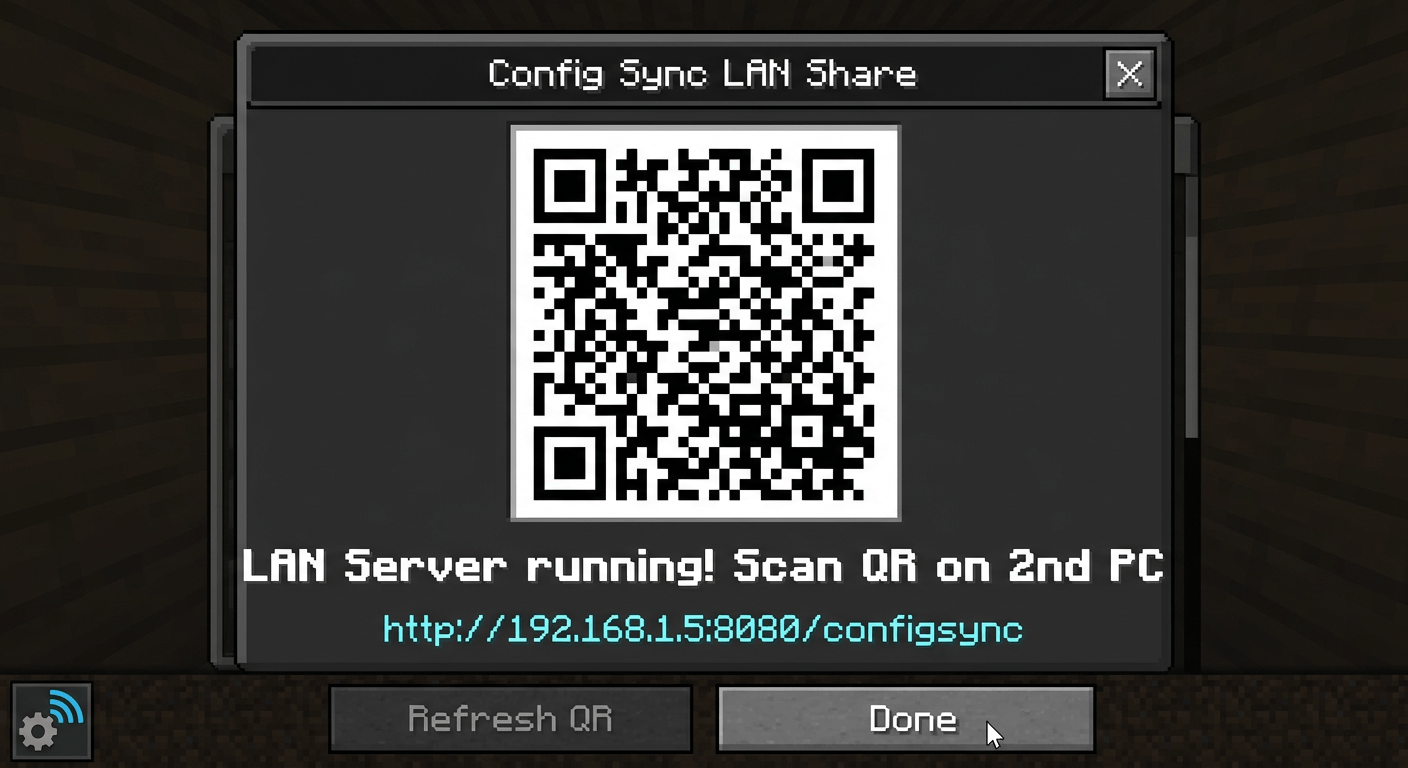
- LAN Sync + QR – built-in HTTP server :8080, scan the QR with a second scan PC
- Import via link – http://192.168.x.x:8080/configsync
- Auto-Backup – one-click rollback
- Client-side – no server needed
- Hotkey: C
📖 How to use
- PC #1: Press C → Export & Save → Start LAN Share
- Copy the link / scan the QR code
- PC #2: C → paste the link → Load → Restart
- Done. All settings are 1-in-1.
Support: NeoForge 1.21.1, Java 21
Planned: Fabric, Forge 1.20.1, 1.21.4, 1.22
常见问题
ConfigSync – Config & Preset Synchronizer 支持哪些 Minecraft 版本?
ConfigSync – Config & Preset Synchronizer 支持 Minecraft Java 版 1.21.1,可用的加载器:NeoForge。下载时注意选择和你游戏版本一致的文件。
ConfigSync – Config & Preset Synchronizer 怎么安装?
先用 PCL2 或 HMCL 启动器安装对应版本的 NeoForge,再把下载的 .jar 文件放进游戏目录的 mods 文件夹,重新启动游戏即可。开启了版本隔离的,mods 文件夹在 versions/版本名 下面。
评论
登录后评论和评分