
截图

介绍
中文介绍正在准备中,下面暂时显示原文。
Compresso adds a configurable optimization step to Minecraft’s screenshot saving. Every screenshot you take is encoded into a smaller file in the format that you choose, with control over quality, compression effort, and resolution.
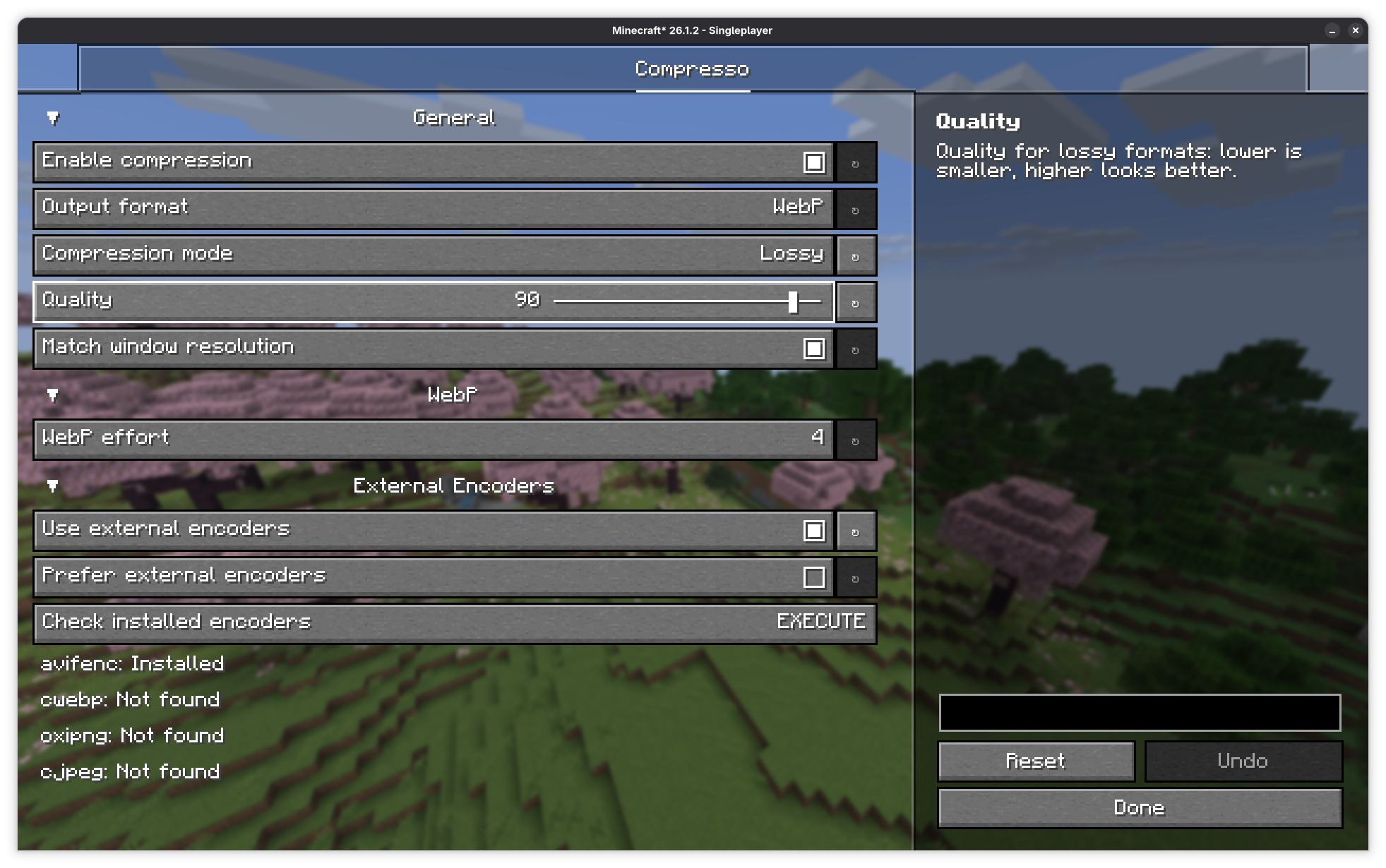
Supported formats
- PNG: lossless
- JPEG: lossy
- JPEG XL: lossless/lossy
- WebP: lossless/lossy
- AVIF: lossless/lossy
For users who want maximum compression or to use the AVIF/JPEG XL formats, this mod can call command-line encoders if it detects that you have them installed on your system. This includes avifenc, cwebp, oxipng, cjpeg, and cjxl.
常见问题
Compresso 支持哪些 Minecraft 版本?
Compresso 支持 Minecraft Java 版 1.21.1–26.3,共 8 个版本,可用的加载器:Fabric / NeoForge。下载时注意选择和你游戏版本一致的文件。
Compresso 怎么安装?
先用 PCL2 或 HMCL 启动器安装对应版本的 Fabric / NeoForge,再把下载的 .jar 文件放进游戏目录的 mods 文件夹,重新启动游戏即可。开启了版本隔离的,mods 文件夹在 versions/版本名 下面。运行环境:仅客户端。
评论
登录后评论和评分