
截图
介绍
Module introduction
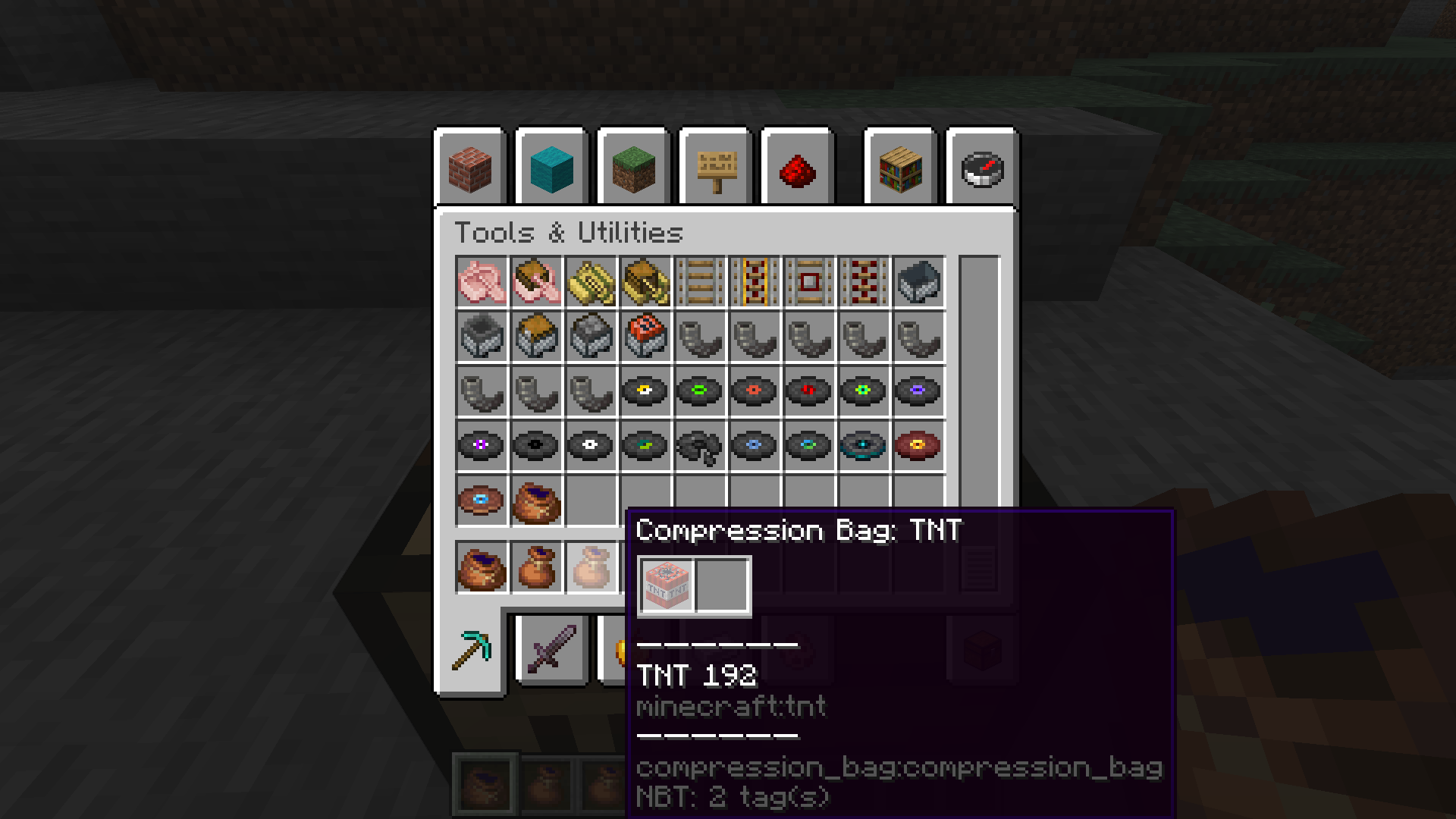
Added a compression bag that can store the same items indefinitely. Anything can be stored except itself.
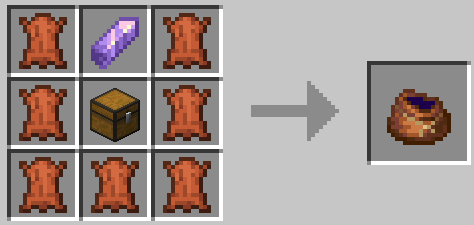
Crafting Recipe
0: leather 1: amethyst_shard 2:leather
3: leather 4: chest 5: leather
6: leather 7: leather 8:leather
Compression method
Synthetic compression (shapeless synthesis)
It is only necessary to combine a compression bag with any number of the same items to compress the items into the compression bag.
If there are already items in the compression bag, the items put in must be the same as those in the compression bag.
There is no limit to the order and number of items placed, but there must be at least one item.
Right-click compress
Right-click the item to compress the bag, and vice versa.
Decompression method
After the decomposition of the two methods, only the corresponding quantity is reduced, and the compression bag is not consumed.
Right-click to extract
Pick up the compression bag and right-click the blank item field to extract up to one group of items at a time.
Synthesis decompression
Directly decomposes the compression bag to decompose up to one group of items.
常见问题
Compression Bag 支持哪些 Minecraft 版本?
Compression Bag 支持 Minecraft Java 版 1.20.1,可用的加载器:Fabric。下载时注意选择和你游戏版本一致的文件。
Compression Bag 怎么安装?
先用 PCL2 或 HMCL 启动器安装对应版本的 Fabric,再把下载的 .jar 文件放进游戏目录的 mods 文件夹,重新启动游戏即可。开启了版本隔离的,mods 文件夹在 versions/版本名 下面。
imoonday1008 的其他作品
查看全部 →
Trade Enchantment Display
自动显示交易物品的附魔名称

Villager Enchanter
一位专门出售附魔书且可刷新交易的新村民

Advanced Skills: Remastered
大量技能让你的战斗体验更加畅快。

Personal Cloud Storage
Create your own personal cloud storage with endless expansion and seamless item management
评论
登录后评论和评分