介绍


Find me on Discord under #dhyces-mods in the community mods channel section
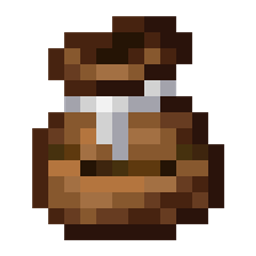
The compost bag is a utility item that allows you to compost items on the go, without needing to place down any pesky blocks!
In GUI
While in a GUI, the bag can be right-clicked to compost an item, input bonemeal, or remove bonemeal. Holding down right-click will speed up the process! You can also carry the bag with the mouse and right-click on slots to compost many items at once, pick up bonemeal, or remove bonemeal.
In World
In the world, the item can be used just like bonemeal to grow crops and saplings, grass and other flora. It also works in dispensers.
Updating to 1.20.5+
On updating to 1.20.5 or 1.21, all of the NBT data that compost bags originally had in old worlds will be stored as a custom_data component.
This data is no longer used by Compost Bag in favor of new data components compostbag:max_bonemeal_count,
compostbag:bonemeal_count, compostbag:max_compost_level, and compostbag:compost_level. To fix old bags, the world must be opened with an NBT
editor and manually converted to use the new components. Unfortunately, there is no way to perform these conversions of
data in the mod. Another change to note, configs no longer exist in favor of the compostbag:max_bonemeal_count
component. On the GitHub page for the mod, there is a folder ExtraDatapacks which contains a default datapack to
double the max size. Simply copy this datapack and change the max bonemeal count to your desired amount and enable the
datapack. This also allows creators to add more recipes for custom compost bags of varying capacity and varying fill
levels, if they so desire.

常见问题
Compost Bag 支持哪些 Minecraft 版本?
Compost Bag 支持 Minecraft Java 版 1.18.2–1.21.1,共 13 个版本,可用的加载器:Fabric / Forge / NeoForge / Quilt。下载时注意选择和你游戏版本一致的文件。
Compost Bag 怎么安装?
先用 PCL2 或 HMCL 启动器安装对应版本的 Fabric / Forge / NeoForge / Quilt,再把下载的 .jar 文件放进游戏目录的 mods 文件夹,重新启动游戏即可。开启了版本隔离的,mods 文件夹在 versions/版本名 下面。
dhyces 的其他作品
查看全部 →
Waxable Coral
Wax your coral! Stays alive even when it's dry!

Trimmed
Allows you to make trims that work with other mods!

Witchy Wearables
Adds some fun cosmetic items for your adventures!

Trimmed
Allows you to make trims that work with other mods!
评论
登录后评论和评分