
Command R
Adds search functionality to your Minecraft chat messages and commands, inspired by reverse-i-search.
介绍
In three words, this is “_reverse-i-search for Minecraft_”.
Command R is a mod that brings search functionality to your Minecraft chat messages and commands. If you’ve ever used reverse-i-search in a Bash, Zsh, or Powershell terminal, this is basically the same.
IMPORTANT: This mod requires Balm installed in order to work.
Here is a 30-second video showcasing the mod:
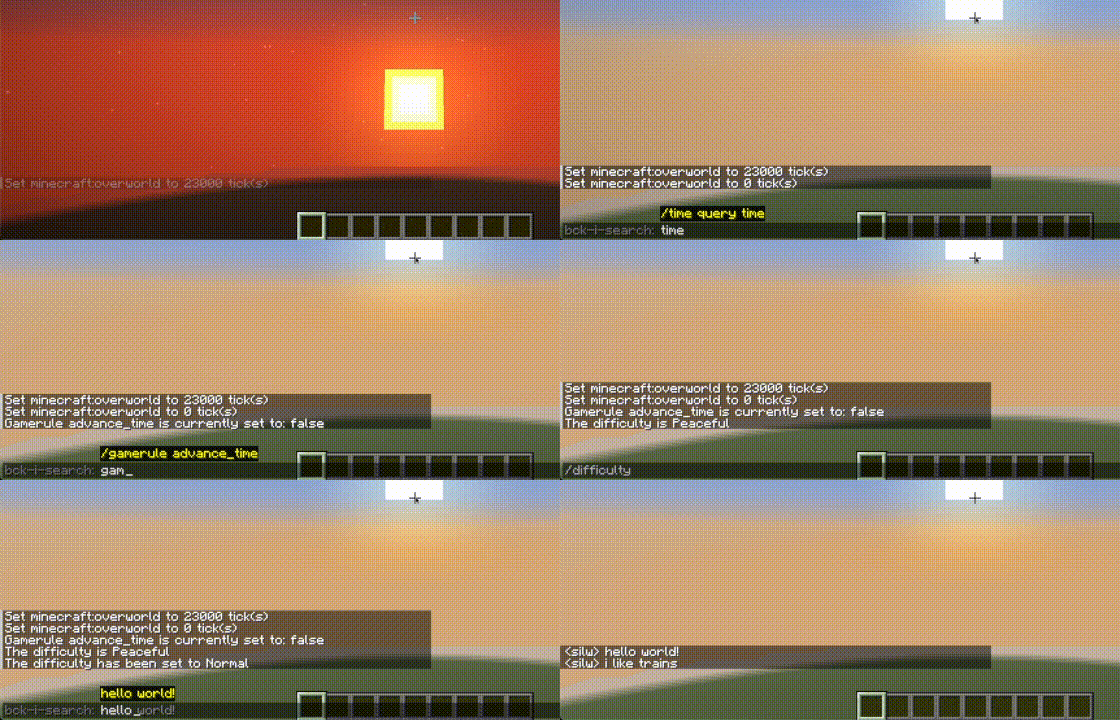
How to Use
- Activate Search: Activate Search Mode while the chat is open. Use the “Next” keybind (CTRL + R default)
- Next: Find the next item (in reverse) that matches your search query.
- Previous: Go back to the previous item (go forward) that last matched your search query. Use the “Previous” keybind (CTRL + SHIFT + R default)
- Change Keybinds: You can change the keybinds above in Options > Controls > Keybinds > Command R
Support & Contribution
Feel free to go through GitHub issue tracker or create a new Issue. However, If there is a change you want made, consider contributing!
常见问题
Command R 支持哪些 Minecraft 版本?
Command R 支持 Minecraft Java 版 26.1–26.3,共 5 个版本,可用的加载器:Fabric / Forge / NeoForge。下载时注意选择和你游戏版本一致的文件。
Command R 怎么安装?
先用 PCL2 或 HMCL 启动器安装对应版本的 Fabric / Forge / NeoForge,再把下载的 .jar 文件放进游戏目录的 mods 文件夹,重新启动游戏即可。开启了版本隔离的,mods 文件夹在 versions/版本名 下面。运行环境:仅客户端。

评论
登录后评论和评分