
Command Presets
This Mod is perfect for people who need help with Commands. It adds a GUI that allows people to Use presets that run commands.
截图

介绍
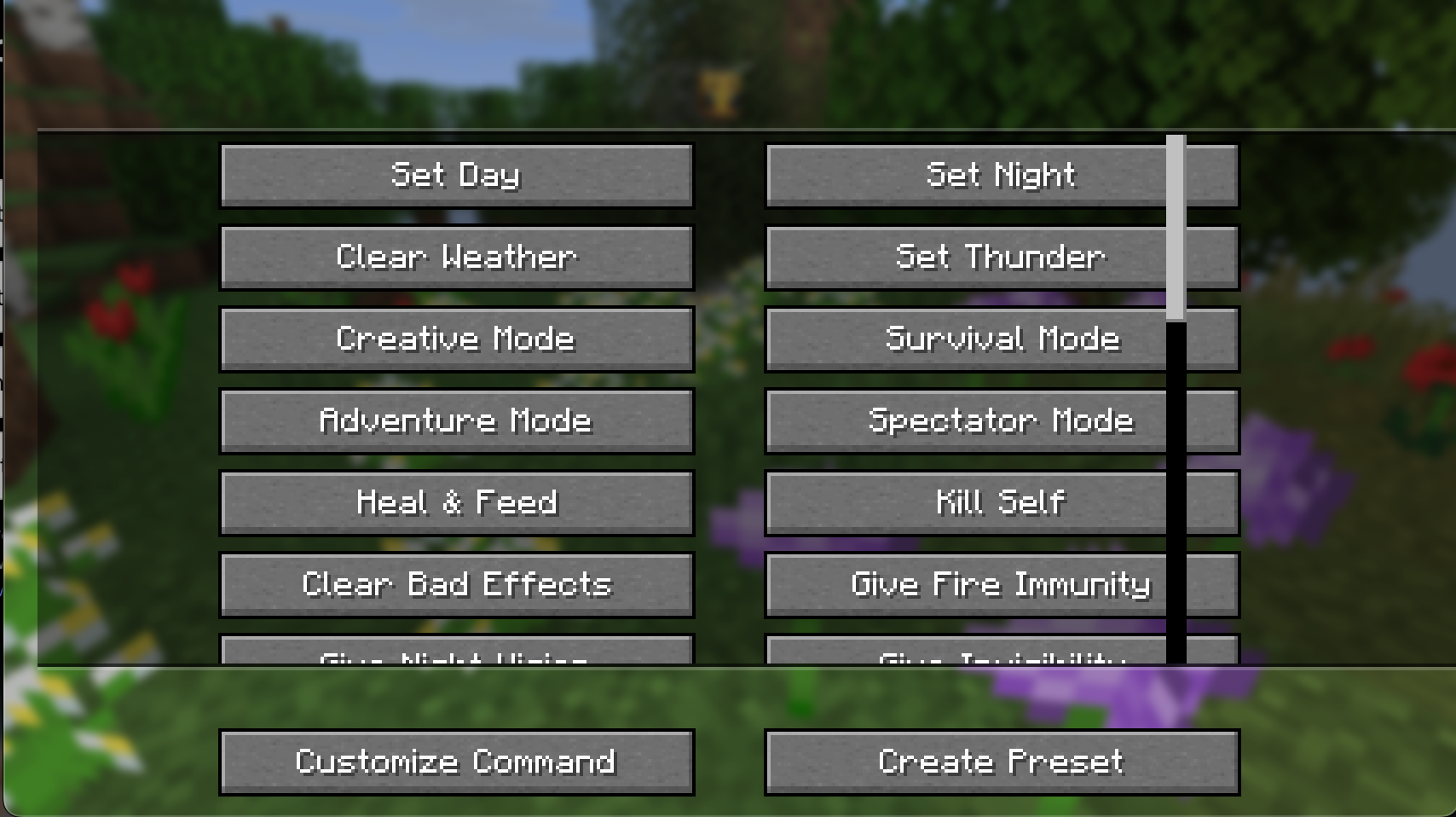
CommandHelper gives you an in-game menu to run common commands instantly instead of typing them out in chat every time. Just press Y to pull up a scrollable menu of shortcuts. You can change this keybind in your normal Minecraft controls settings.
Features:
32 Built-in Commands: Split into a clean, scrolling layout. Includes quick buttons for time, weather, gamemodes, item spawning, and potion effects.
100% Client-Side: You only need to install this on your own game. It works fine on servers without needing the mod installed on the server side.
Mob Purge Selector: Click “Customize Command” to open a sub-menu listing vanilla mobs. Select one to automatically run a /kill @e[type=…] command for that specific mob.
Custom Presets: Click “Create Preset” to type in your own custom command and give it a name. It saves directly to your computer so it stays there even after you close the game.
The current Preset Commands are:
- Time and Weather
–
- Set Day -> time set day
- Set Night -> time set night
- Clear Weather -> weather clear
- Set Thunder -> weather thunder
–
- Game Modes
–
- Creative Mode -> gamemode creative
- Survival Mode -> gamemode survival
- Adventure Mode -> gamemode adventure
- Spectator Mode -> gamemode spectator
–
- Player Health and Effects
–
- Heal and Feed -> effect give @s instant_health 1 255 and effect give @s saturation 1 255
- Kill Self -> kill
- Clear Bad Effects -> effect clear @s
- Give Fire Immunity -> effect give @s fire_resistance 9999 1
- Give Night Vision -> effect give @s night_vision 9999 1
- Give Invisibility -> effect give @s invisibility 9999 1
- Super Speed -> effect give @s speed 9999 5
- Super Jump Boost -> effect give @s jump_boost 9999 5
–
- Game Rules
–
- Keep Inventory ON -> gamerule keepInventory true
- Keep Inventory OFF -> gamerule keepInventory false
- Disable Mob Grief -> gamerule mobGriefing falseEnable
- Mob Grief -> gamerule mobGriefing trueStop
- Stop Weather Loop -> gamerule doWeatherCycle falseStart
–
- Items and Experience Drops
–
- Give 1 Diamond -> give @s diamond 1
- Give 64 Diamonds -> give @s diamond 64
- Give Netherite -> give @s netherite_ingot 1
- Give God Apple -> give @s enchanted_golden_apple 1
- Give 10 XP Levels -> xp add @s 10 levels
- Give 100 XP Levels -> xp add @s 100 levels
–
- Mechanics and Utilities
–
- Freeze Game Tick -> tick freeze
- Unfreeze Game Tick -> tick unfreezeSummon Lightning -> summon lightning_bolt
- Locate Village -> locate structure village
- Clear Inventory -> clear
常见问题
Command Presets 支持哪些 Minecraft 版本?
Command Presets 支持 Minecraft Java 版 1.21.11,可用的加载器:Fabric。下载时注意选择和你游戏版本一致的文件。
Command Presets 怎么安装?
先用 PCL2 或 HMCL 启动器安装对应版本的 Fabric,再把下载的 .jar 文件放进游戏目录的 mods 文件夹,重新启动游戏即可。开启了版本隔离的,mods 文件夹在 versions/版本名 下面。运行环境:仅客户端。
BaxtyBoi 的其他作品
查看全部 →
Rainbow Barriers
Changes the barrier block to Pride Colors! (happy pride month)

BaxtyBoi’s Commands
A few commands to help you in your daily MC life

Brain Dump
This is a ongoing mod of all my stupid and (maybe) good ideas. I hope you enjoy!

Better ReCrafting!
Ever really, really, really needed that one piece of diamond ore for your build, but just cant seem to find one? If so, this mod is for you! With just 4 diamonds and 5 stone or deepslate, easily craft up the ore in a crafting table!
评论
登录后评论和评分