
截图
介绍
Command Pouch
Command Pouch is a simple client-side mod that lets you open a command menu with a keybind and run saved commands with one click.
It is made for players who often use repeated commands, such as teleport commands, weather commands, gamemode commands, companion commands, server commands, or custom shortcuts.
Features
- Open a command menu with a keybind
- Add custom commands in-game
- Organize commands into categories
- Delete individual commands
- Delete entire categories
- Client-side only
How To Use
Controls > Key Binds menu.” loading=”lazy”>
The defult keybinds for this Mod menu is “R” (its editable)
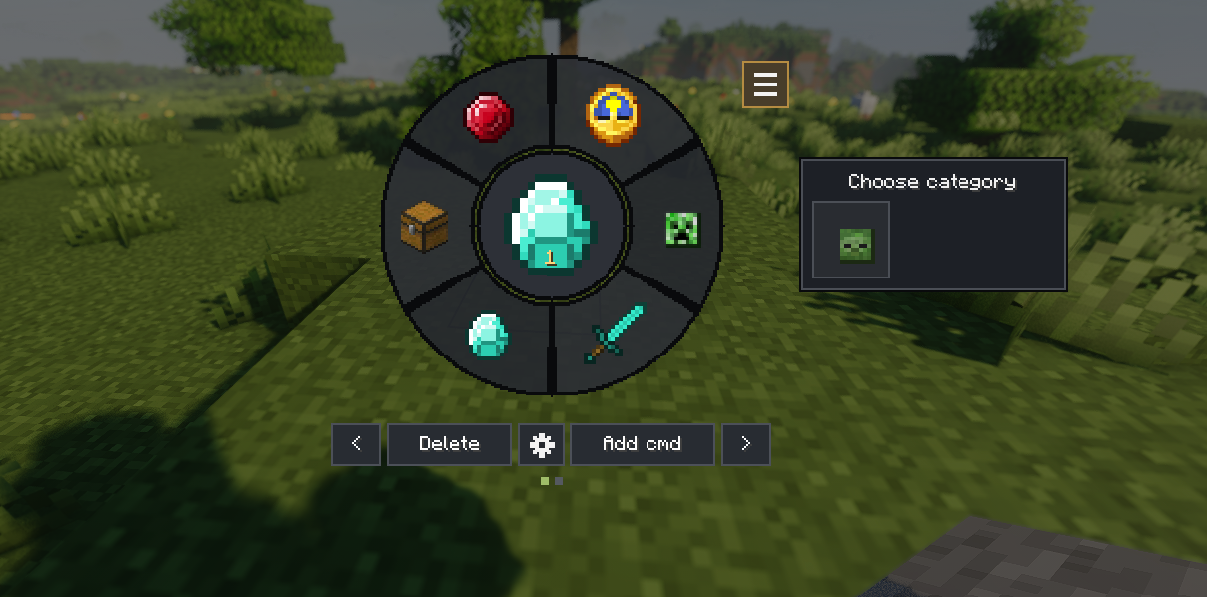
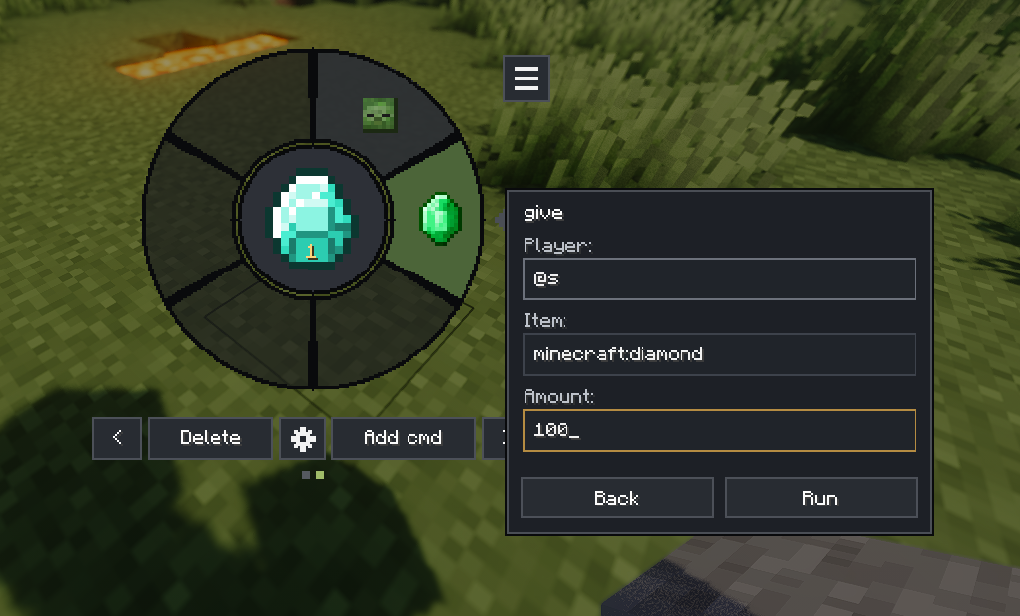
The left side is the categories and the right side is the /command preset that we put and can be edited too in “add cmd”
Setting change the size of the menu itself.
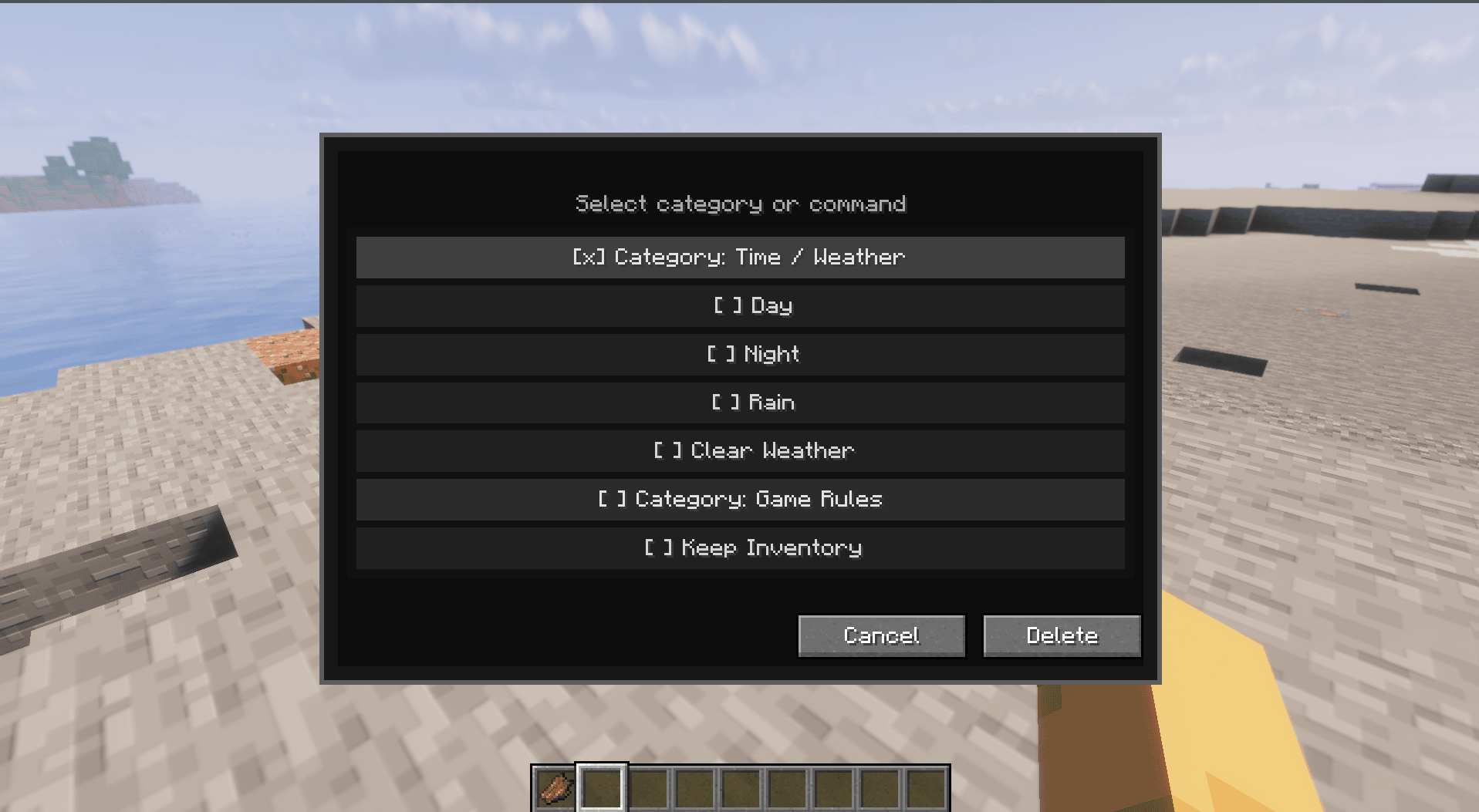
To delete a Category= deleting the whole command preset in them
Delete a command= delete just one command preset that you want to delete
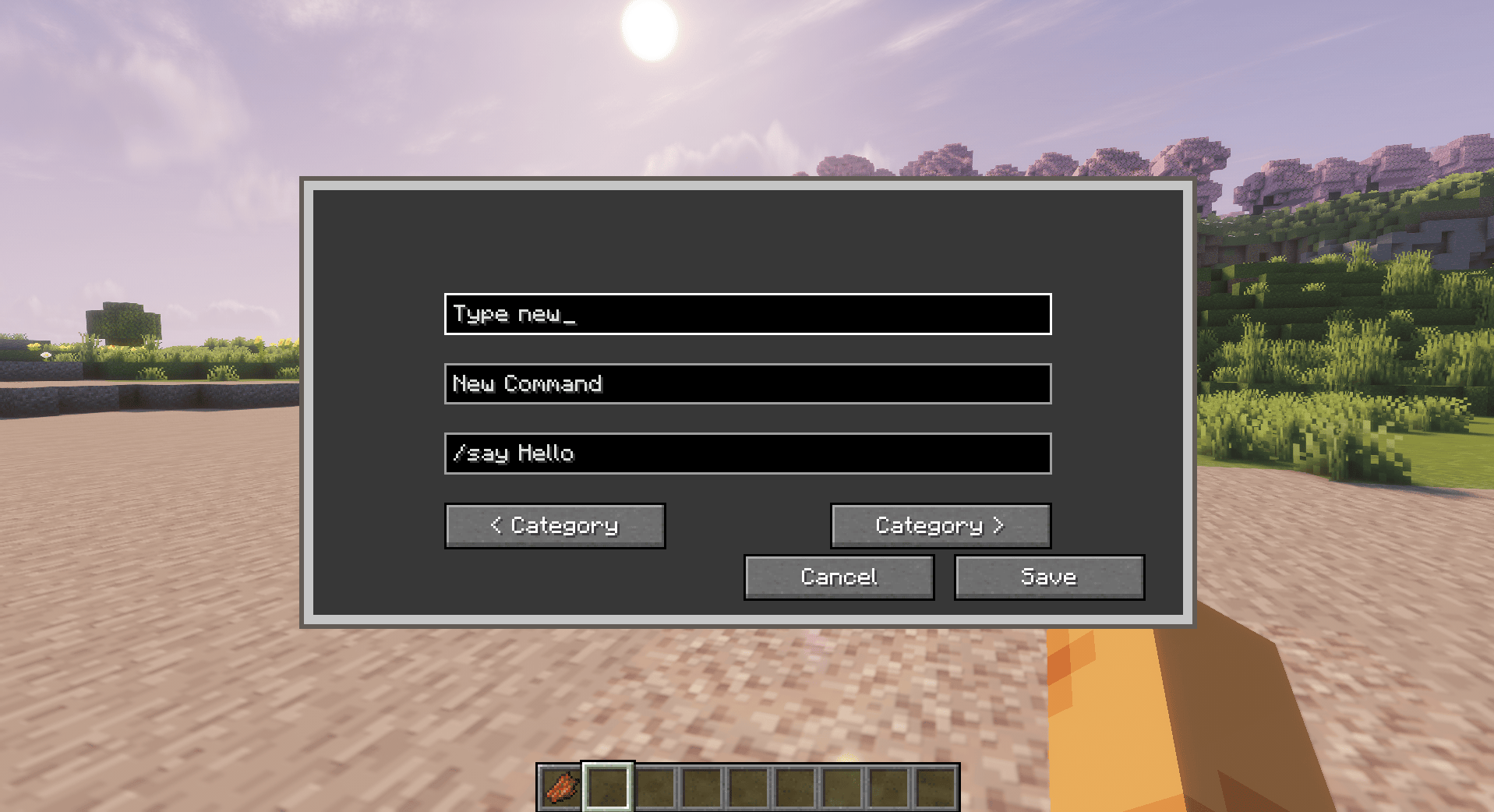
To Add new Category
To create a new category, type the category name you want in the first box.
You can also use the left and right category buttons to switch between existing categories.
The second box is for the command name. This is the label that will appear on the button in the menu.
The third box is for the command itself. Write the full command you want to save, including the / symbol.
After saving it, you can use the command from the menu next time instead of typing it manually in chat.
✨ New in 2.0.0 Alpha
Command Pouch is currently undergoing its biggest update yet, introducing a completely redesigned radial interface while keeping the familiar workflow that existing users know.
This alpha release focuses on modernizing the user experience and improving accessibility without changing the core purpose of the mod.
Highlights
- 🎯 Brand-new radial command menu
- ⭐ Faster access to your favorite commands
- 📂 Improved command organization
- 🖱️ Cleaner and more intuitive interface
- ⚙️ Better menu scaling and customization
- 🚧 Ongoing UI polish and feature improvements
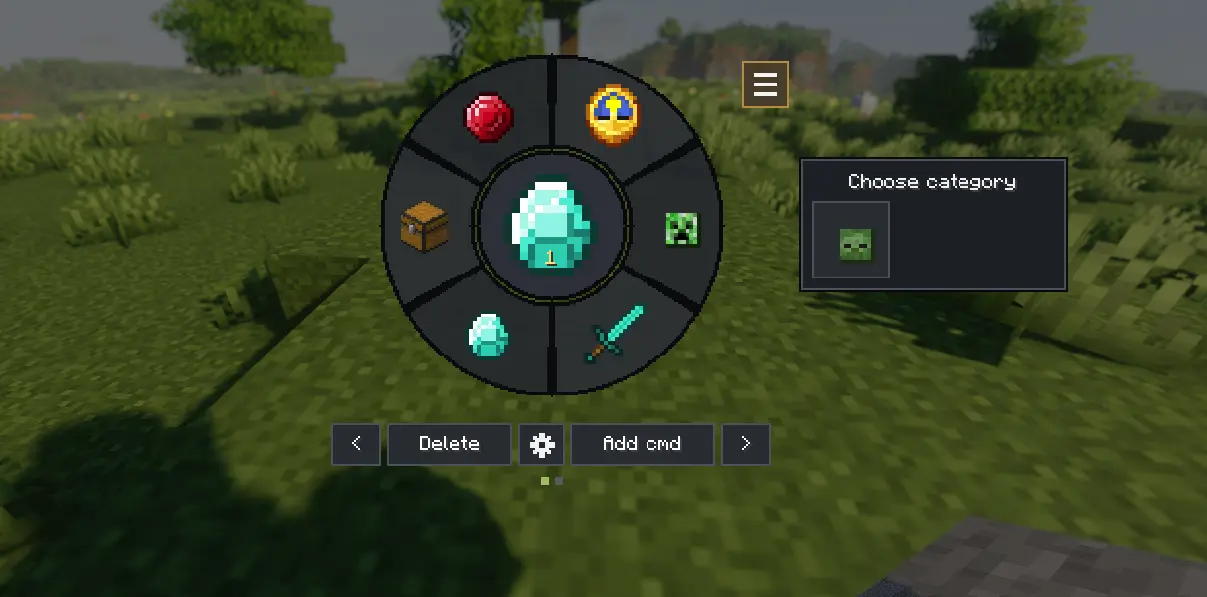
This is an Alpha release.
The classic Command Pouch functionality remains the same, but the new interface is still being refined. Some features and visuals may change before the full release.
Important note
Command Pouch does not add new server commands. It only sends commands as if the player typed them in chat.
This means commands will only work if the player has permission to use them in that world or server.
Tested in Multiplayer mode
Commands execute with your existing permissions—if a server doesn’t allow a command, Command Pouch cannot bypass those restrictions.
Dependencies
Required:
- Fabric API
Optional:
- Mod Menu
Download
Download the latest release from:
- GitHub Releases: https://github.com/Alin-J178/Command-Pouch/releases
If you encounter any bugs, have suggestions, or would like to request a new feature, please open an issue on GitHub:
GitHub Issues:
https://github.com/Alin-J178/Command-Pouch/issues
Every report helps improve Command Pouch. Thanks for your support! ❤️
常见问题
Command Pouch 支持哪些 Minecraft 版本?
Command Pouch 支持 Minecraft Java 版 1.21.1–26.2,共 3 个版本,可用的加载器:Fabric。下载时注意选择和你游戏版本一致的文件。
Command Pouch 怎么安装?
先用 PCL2 或 HMCL 启动器安装对应版本的 Fabric,再把下载的 .jar 文件放进游戏目录的 mods 文件夹,重新启动游戏即可。开启了版本隔离的,mods 文件夹在 versions/版本名 下面。运行环境:仅客户端。

评论
登录后评论和评分