
Command Bookmarks
A client-side Fabric mod that lets you bookmark and execute frequently used commands and chat messages with a single click.
截图
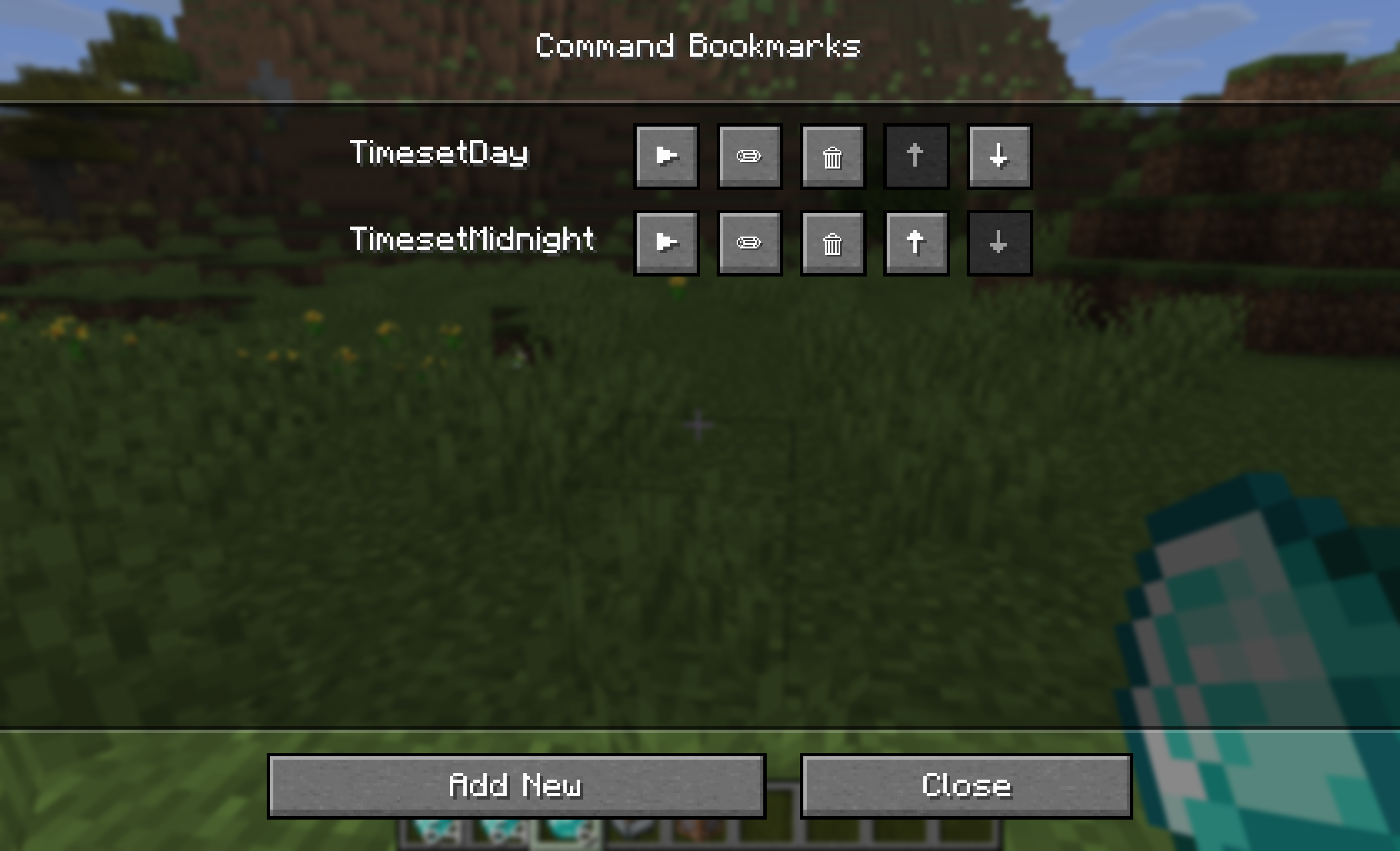
介绍
Command Bookmarks
A client-side Fabric mod that allows you to bookmark frequently used commands and chat messages for one-click execution via a dedicated GUI.
Stop typing the same long commands over and over again!
Features
- Easy Access: Press the
Vkey (customizable in controls) to open the bookmark list anytime. - Save & Execute: Register any commands (e.g.,
/time set day) or regular chat messages and execute them with a single click▶. - Edit & Delete: Easily modify existing bookmarks
✏or remove them🗑when no longer needed. - Reordering: Move your most important bookmarks to the top using the
↑and↓buttons. - Smart Tooltips: Hover over long commands in the list to view their full text.
- Client-Side Only: Works everywhere. You don’t need to install this mod on the server to use it in multiplayer!
Supported Versions
- Minecraft: 1.21.11 (Fabric)
- Requirements: Fabric Loader & Fabric API
How to Use
- Press
V(default) to open the Command Bookmarks GUI.
- Changing the Keybind: You can change this key at any time by going to Minecraft’s Options -> Controls -> Key Binds -> Miscellaneous -> Open Command Bookmarks.
- Click [Add New].
- (Optional) Enter a label to easily identify what the command does.
- (Required) Enter your command (starting with
/) or a chat message. - Click [Save].
- The next time you need it, simply open the GUI again and press the
▶execute button next to your bookmark!
License
MIT License. Feel free to use this in your modpacks!
常见问题
Command Bookmarks 支持哪些 Minecraft 版本?
Command Bookmarks 支持 Minecraft Java 版 1.21.11–26.1,共 2 个版本,可用的加载器:Fabric。下载时注意选择和你游戏版本一致的文件。
Command Bookmarks 怎么安装?
先用 PCL2 或 HMCL 启动器安装对应版本的 Fabric,再把下载的 .jar 文件放进游戏目录的 mods 文件夹,重新启动游戏即可。开启了版本隔离的,mods 文件夹在 versions/版本名 下面。运行环境:仅客户端。
AcaciaTide 的其他作品
查看全部 →
Who has Mending?
Displays villager trade information (only enchanted books and their costs) above their heads. Useful for finding mending books!

Who has Mending?
Displays villager trade information (only enchanted books and their costs) above their heads. Useful for finding mending books!
评论
登录后评论和评分