
Command Block UI Overhaul
A lightweight command block UI overhaul with multiline editing, hierarchy highlighting, customizable formatting, and a floating color palette for easier command editing.
截图


介绍
CommandBlockUIOverhaul
Make command block editing clearer and easier.
CommandBlockUIOverhaul is a lightweight client-side mod that improves the editing interface for command blocks and command block minecarts, making long commands and nested structures easier to read and edit.
Features
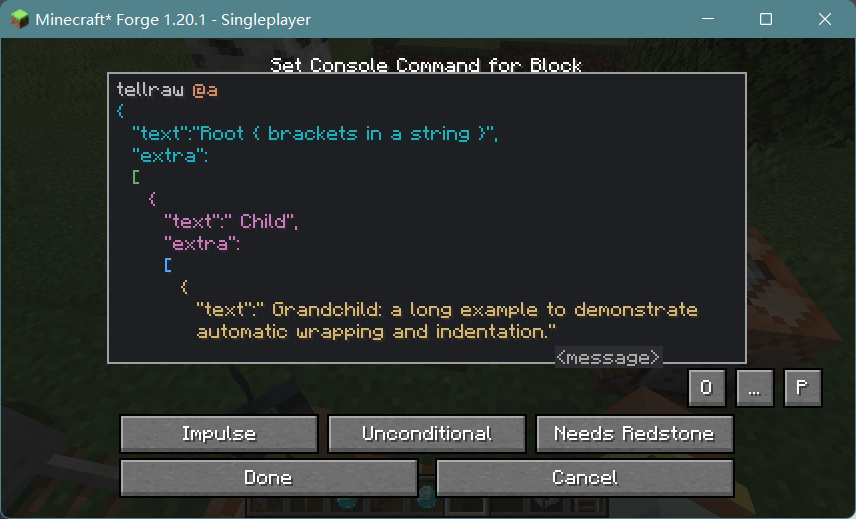
- Multiline editing — Automatic wrapping, indentation, mouse drag selection, and scrolling.
- Hierarchy highlighting — Distinguish command and bracket nesting levels with IDEA Dark or vanilla color schemes.
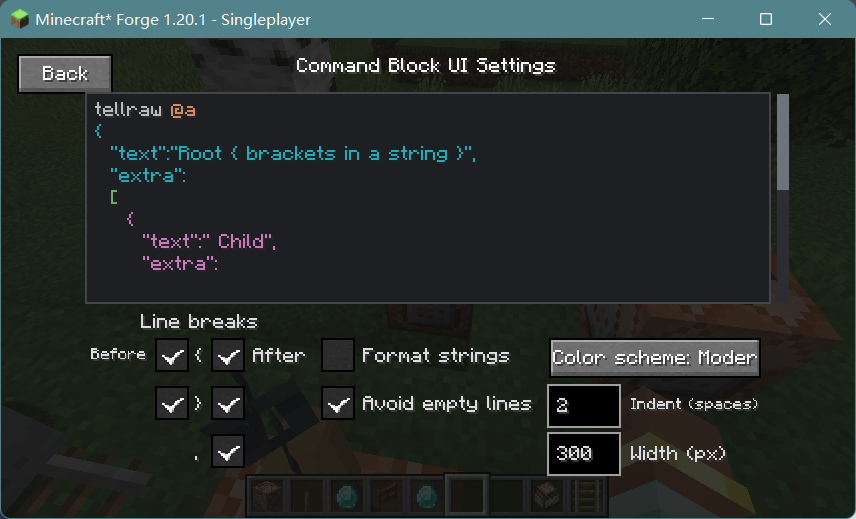
- Configurable formatting — Customize bracket and comma line breaks, string formatting, empty lines, indentation, and line width.
- Live preview — Preview formatting and colors directly in the settings screen.
- Undo and redo — Keep up to 100 editing snapshots.
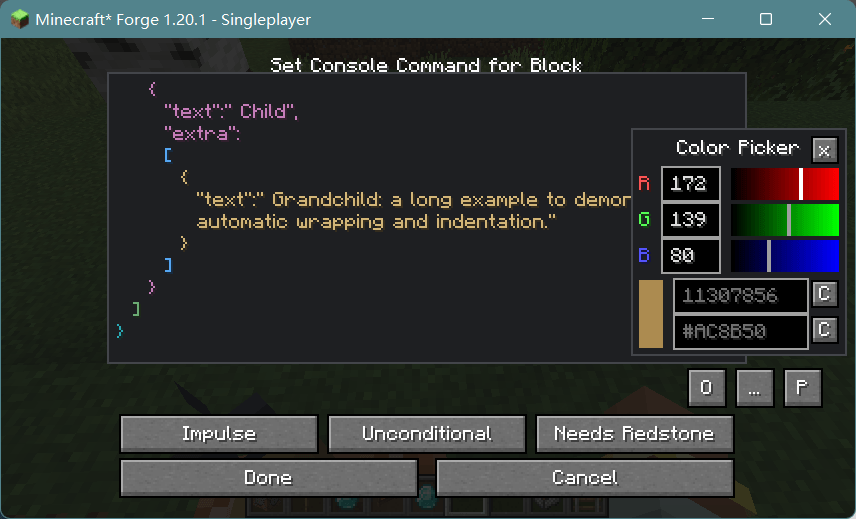
- Floating RGB palette — Adjust colors and copy decimal or hexadecimal values while continuing to edit commands.
- Improved command suggestions — Better popup visibility, positioning, and focus handling.
Formatting only changes how commands are displayed; it does not insert extra line breaks or indentation into the original command.
Supported Versions
- Minecraft 1.20.1 · Forge
- Minecraft 1.21.1 · NeoForge
Inspired by BetterCommandBlockUI, with a focus on a lightweight and practical editing experience.
常见问题
Command Block UI Overhaul 支持哪些 Minecraft 版本?
Command Block UI Overhaul 支持 Minecraft Java 版 1.20.1–1.21.1,共 2 个版本,可用的加载器:Forge / NeoForge。下载时注意选择和你游戏版本一致的文件。
Command Block UI Overhaul 怎么安装?
先用 PCL2 或 HMCL 启动器安装对应版本的 Forge / NeoForge,再把下载的 .jar 文件放进游戏目录的 mods 文件夹,重新启动游戏即可。开启了版本隔离的,mods 文件夹在 versions/版本名 下面。
Cyanhana_Neko 的其他作品
查看全部 →
AE2 Favorites
Adds a favorite items feature to AE2 terminals, allowing you to pin items to the very top of the list.

CrystallineFlowerSearch
A search box has been added to the Crystalline Flower, allowing for convenient searching of enchantments.

Command Block UI Overhaul
A lightweight command block UI overhaul with multiline editing, hierarchy highlighting, customizable formatting, and a floating color palette for easier command editing. 轻量级命令方块界面改进模组,提供多行编辑、层级着色、自定义排版和悬浮调色板,让复杂命令更易读、更易写。
Command Block UI Overhaul
A lightweight command block UI overhaul with multiline editing, hierarchy highlighting, customizable formatting, and a floating color palette for easier command editing. 轻量级命令方块界面改进模组,提供多行编辑、层级着色、自定义排版和悬浮调色板,让复杂命令更易读、更易写。
评论
登录后评论和评分