
Combat Dash
💨Adds a Combat Dash Ability, inspired by combatroll and meant to be used with it. (can be used separatley)
介绍

This mod is now no longer being updated.
This mod adds The Dash Mechanic From Movement Arrows as a standalone mod
Press X to Dash!
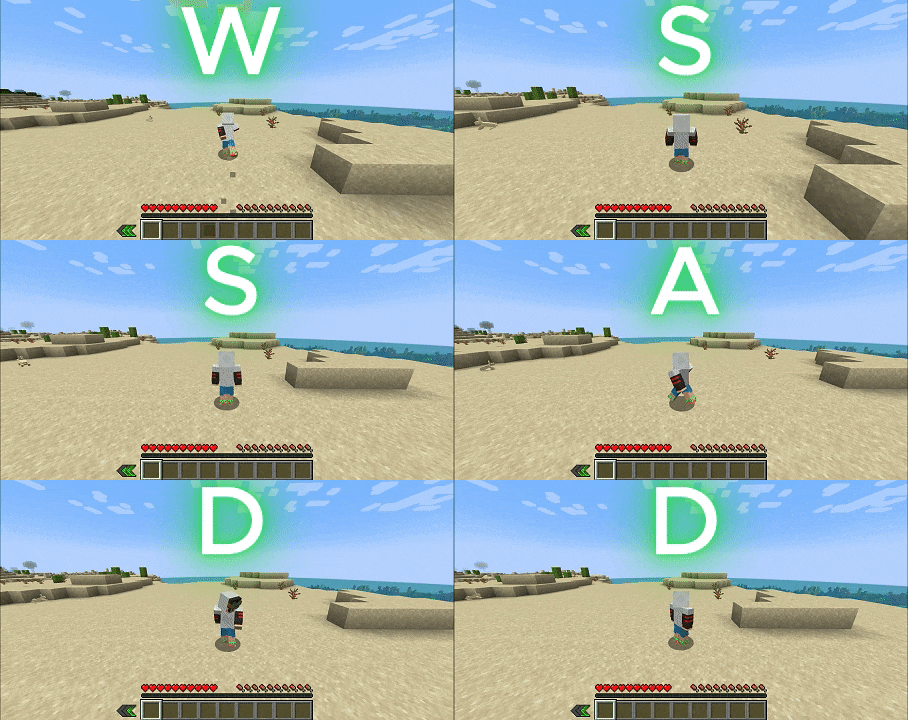
Dashing while on the ground will result in a groundash,
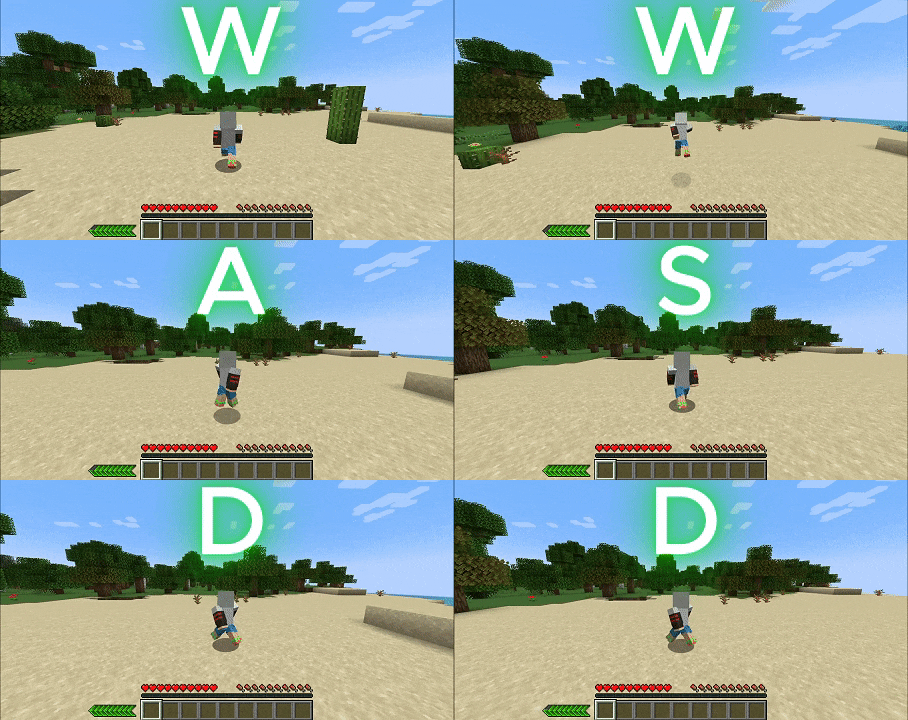
jumping right after a groundash will cause a dashjump, Dashjumps are the strongest type of dash,
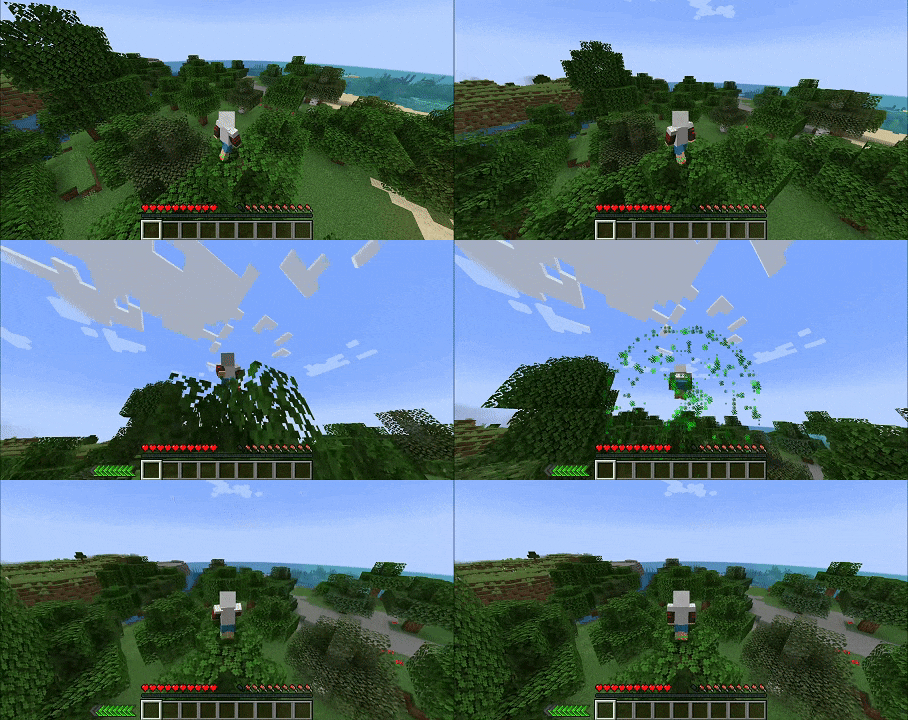
Dashing while in the air will result in an airdash (You can even use airdashes to move upwards)
here’s a gif showing each type of dash:
Groundash
DashJump
AirDash

Example usage:
Note: if the dashcooldoown is max for more than 1 second and a half then the gui will start fading away and will become fully invisible untill dash is used again so this wont clog your Ui as much as you might think
this mod is supposed to be as configurable as possible, if you have any suggestion/request feel free to request it in the comments
here’s a quick rundown on how the config and attributes work:
all of the attributes default to ”-992”, every time a player joins the world and one of their attributes equals ”-992” said attribute will be set to the value it has in the config, the attributes
”enable airdash” and ”enablegroundash” are supposed to be either true or false, to set them to true set the attributes 1, to set them to false set the attributes to any other number, the -992 = default rule applies to those attributes too,
to use either the ”airdash” or ”groundash” enabledash must be true (= 1)
to use attributes ”should config override attributes” needs to be set to ‘false’
here’s all of the modifiable attributes: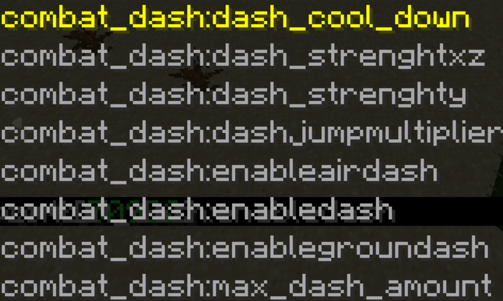
and here’s example an usage of ”maxdashamount” set to 99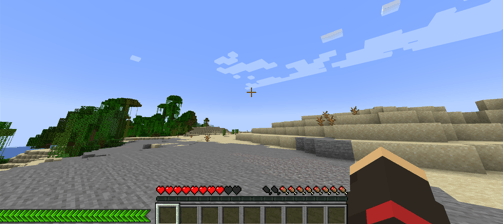
This mod is NOT Made by the same devs that made ”combatroll”
it is however Heavily inspired by it.
Here’s the link for the ”real” combatroll in case you need it
you can also join my lil discord server here if you feel like it!
(You can use CombatDash in any modpack you want)
And Don’t forget to Leave a Comment!, i always read those
if you want any extra config in the mod, just ask me in the discord!
hey, yes i know this looks like just another random Ad for a bad overpriced Hosting Service
but there must be a reason if Bisetcthosting has enough money to burn on these sponsorships right?
i assure you, an unhappy customer dosent make a company money!
these banners are plastered everywhere for a reason,
bisecthosting offers one of the highest performance/price ratios in the industry and has by a
Looong shot the best customer service i have ever interacted with!
if that wasn’t enough you can get all of this with a 25% DISCOUNT, wich let’s be real is actually a
99% discount since you are also supporting your favourite mod developer, am i right or am i right?
Bisecthosting, the banner even has a cute axoltl, come on dude click on me!!
常见问题
Combat Dash 支持哪些 Minecraft 版本?
Combat Dash 支持 Minecraft Java 版 1.20.1,可用的加载器:Forge / NeoForge。下载时注意选择和你游戏版本一致的文件。
Combat Dash 怎么安装?
先用 PCL2 或 HMCL 启动器安装对应版本的 Forge / NeoForge,再把下载的 .jar 文件放进游戏目录的 mods 文件夹,重新启动游戏即可。开启了版本隔离的,mods 文件夹在 versions/版本名 下面。
thebugger4 的其他作品
查看全部 →
Just Parry
adds a fun parry mechanic wich is a fusion of ultrakill's parry/projectile parry and most souls-like time window-based parries

Hyperslide – a movement mod
all your favourite game's movement mechanics!

just parry
Just parry is a mod that adds the parry mechanic that was previously part of the mod ''movement arrows'' as a standalone mod

NoCrits
Fully Removes Critical Hits From Minecraft.
评论
登录后评论和评分