介绍
Colossal Furnaces
Need stacks of glass, plenty of iron, or enough food to feed a village? Our machines got you covered.
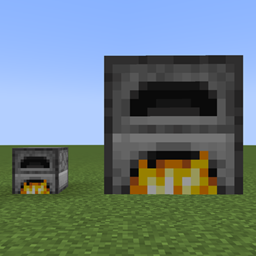
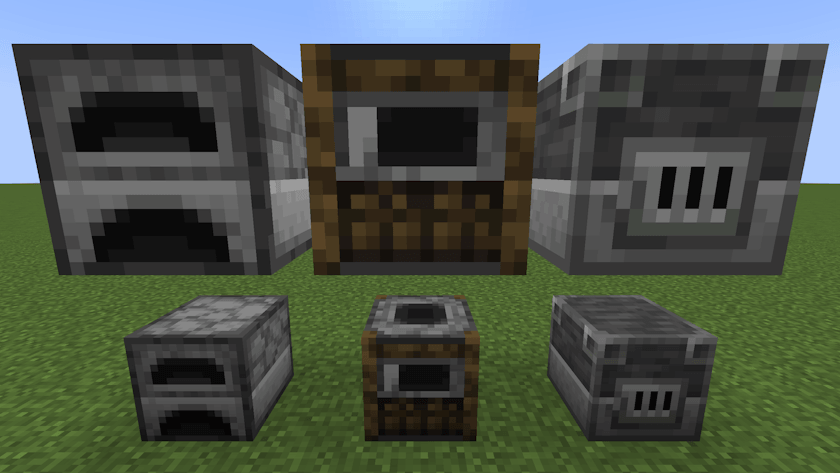
Colossal Furnaces adds multiblock versions of the Furnace, Smoker, and Blast Furnace. They keep the familiar vanilla look, but bring faster processing, more inventory space, and configurable automation to your builds.
How to build
Craft a Wall with four cobblestone around one smooth stone. Combine a Wall shapelessly with a furnace, smoker, or blast furnace for its Core, or with a hopper for an Interface.
Build a hollow cube from Walls and one Core, optionally you can replace walls with Interfaces for automatic input/output. The Core determines whether your structure becomes a furnace, smoker, or blast furnace; Walls and Interfaces are shared between all three.
If it will not form, right-click the Core to find out what is wrong.
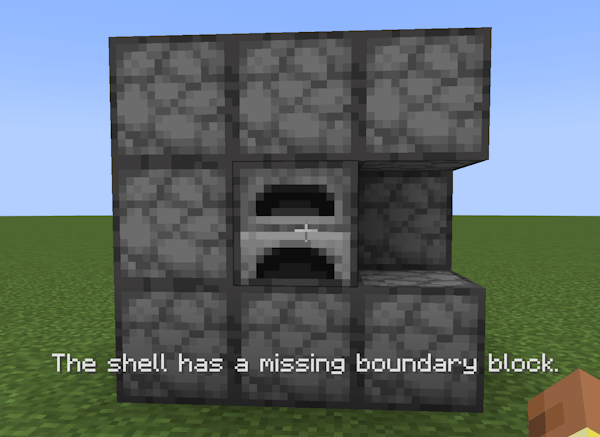
- Sizes from 2x2x2 to 5x5x5 by default.
- Forms automatically when the structure is complete.
- Right-click any assembled block to open the inventory.
Familiar Inventory, More Room
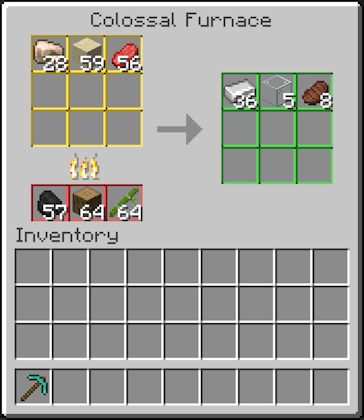
Every machine has vanilla-like GUI with 9 input slots, 3 fuel slots, and 9 output slots.
Colored slot borders match the automation markers.
Built-In Automation
Place Interfaces in the shell and connect adjacent inventories. Choose how each connection works:
| Mode | Marker | Behavior |
|---|---|---|
| Input | Yellow | Automatically pulls items the machine can cook. |
| Fuel | Red | Automatically pulls valid fuel. |
| Output | Green | Automatically pushes finished items. |
| Universal | Neutral | Passive access for hoppers and compatible item pipes; no automatic pulling or pushing. |
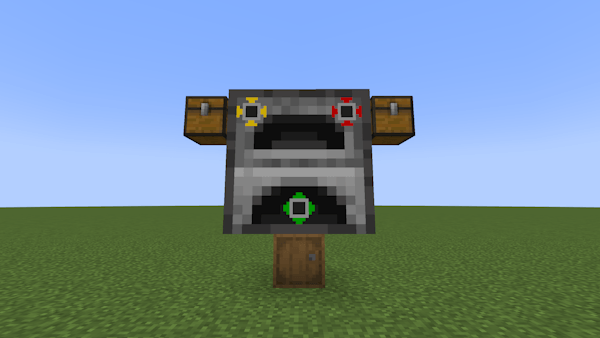
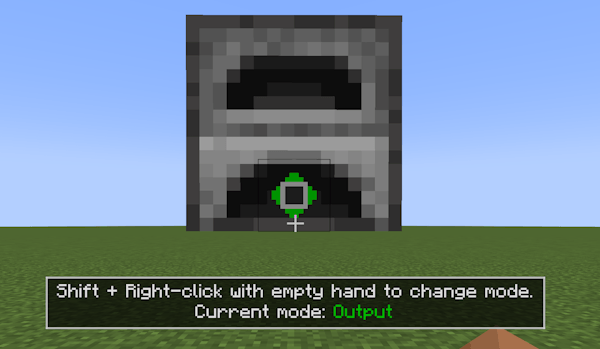
Shift + right-click an assembled Interface with an empty hand to cycle its mode. Looking at an Interface shows a small hint with its current mode.
Configuration lets you lower the maximum structure size, toggle automatic structure validation, and toggle construction error messages.
Links
- Report bugs/suggest features: GitHub Issues Page
- Source code: GitHub Page
Inspired by Colossal Chests, built for cooking and smelting.

常见问题
Colossal Furnaces 支持哪些 Minecraft 版本?
Colossal Furnaces 支持 Minecraft Java 版 1.20.1–26.1.2,共 5 个版本,可用的加载器:Forge / NeoForge。下载时注意选择和你游戏版本一致的文件。
Colossal Furnaces 怎么安装?
先用 PCL2 或 HMCL 启动器安装对应版本的 Forge / NeoForge,再把下载的 .jar 文件放进游戏目录的 mods 文件夹,重新启动游戏即可。开启了版本隔离的,mods 文件夹在 versions/版本名 下面。
GoldskinMC 的其他作品
查看全部 →
Create: Geo-Resonance
Uncover the depths of the world with seismic prospecting!
Create: Geo-Resonance
Uncover the depths of the world with seismic prospecting!

Living Sponge
Drain and Fill the Oceans with Living Sponges!
评论
登录后评论和评分