
ColorfulBlock
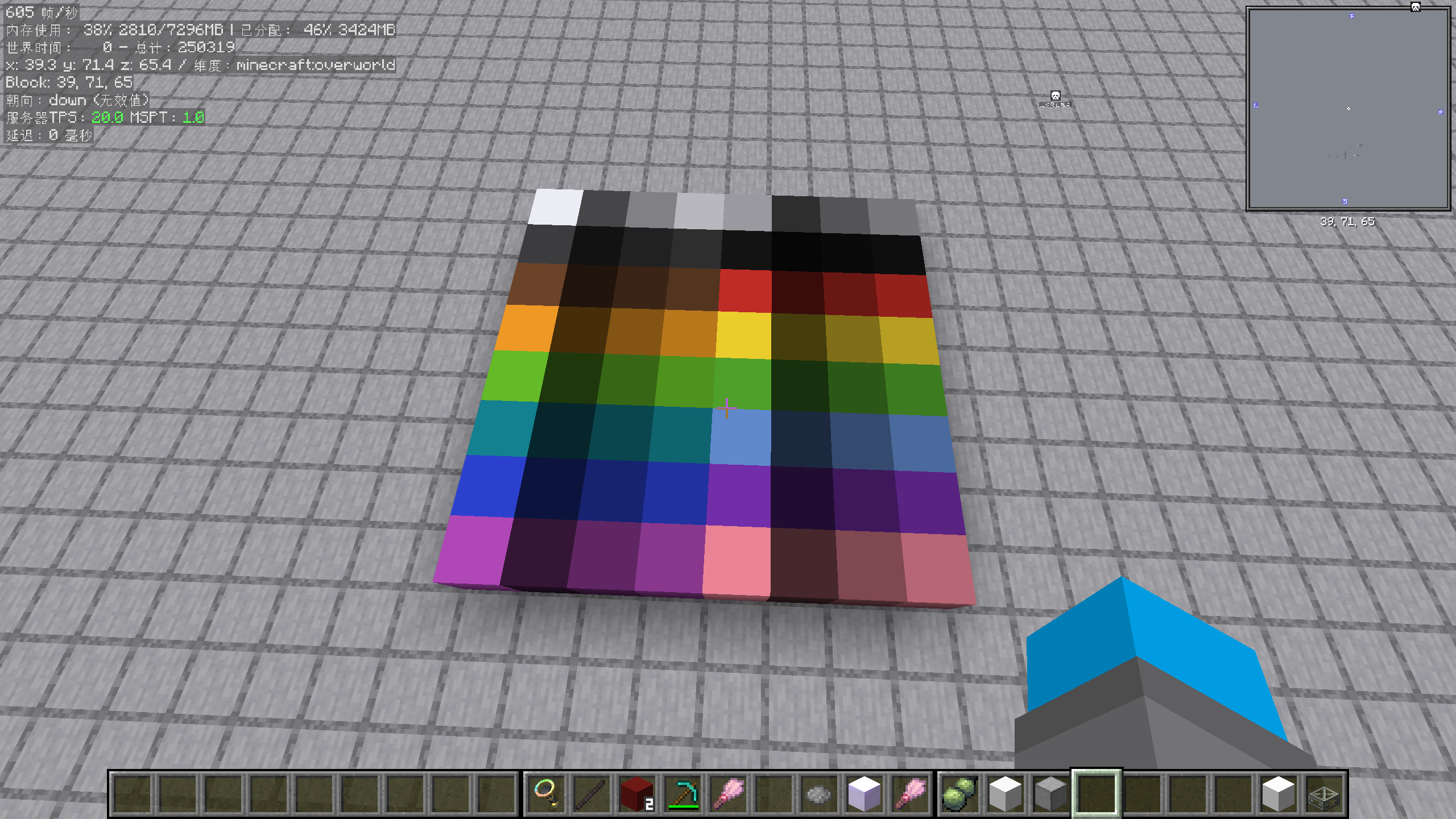
A lightweight NeoForge mod adding paint-able blocks with 6 independently colorable faces, 64 solid color variants, and a color brush tool.
截图
介绍
ColorfulBlock
ColorfulBlock is a lightweight NeoForge mod that adds vibrant, fully paint-able blocks to Minecraft. No other mod dependencies required — just NeoForge!
Features
🎨 Color Block
A block with 6 independently color-able faces — perfect for custom building accents, pixel art, and signage.
- Right-click with an empty hand to open the color picker GUI
- Interact with the 3D preview: drag to rotate, click a face to select it
- Adjust colors via HSL sliders, HEX input, or image color picking (paste an image path!)
- Apply colors per-face or all at once
- Sneak + right-click while holding the block to edit its colors before placing
- Colors are preserved when mined or picked with middle-click
🖌️ Color Brush
A tool for picking and applying colors directly in the world.
- Sneak + right-click to open the color picker GUI
- Right-click a Color Block face to pick up its color
- Right-click again with a color stored to paint the face (consumes durability)
- Right-click on air with a color stored to clear it
- Glows (enchantment glint) when holding a color
🧱 Solid Color Blocks
64 separate block variants (16 dye colors × 4 brightness levels: dark/medium/light/bright) for maximum mod compatibility.
- Fully compatible with Copycats+, Create’s Copycat Block, and all block-modeling mods
- Uses standard block tint-index rendering — no block entity overhead
- Right-click with any vanilla dye to change color
- Sneak + right-click with empty hand to cycle brightness
- Use the Color Brush to pick and apply any color
- Crafted from Color Blocks: 4 Color Blocks → 4 White Bright Solid Blocks
🖼️ Color Picker GUI
A feature-packed color picker accessible from both the Color Block and the Color Brush:
- 3D block preview — drag to rotate and inspect every face
- HSL sliders for intuitive color tuning
- HEX input for precise color values
- Image color picking — paste a file path to load an image, then click to pick colors
- Enlarge mode — click “放大” to zoom the image 4× for precise pixel picking, auto-restores after picking
Dependencies
- NeoForge 21+ (required)
No other mod dependencies! Works standalone or alongside any other mod.
Recommended Complementary Mods
- Copycats+ — use Solid Color Blocks as copycat materials
- Create — use Solid Color Blocks with Create’s Copycat Block
- Any mod that uses the standard block tint-index system
常见问题
ColorfulBlock 支持哪些 Minecraft 版本?
ColorfulBlock 支持 Minecraft Java 版 1.21.1,可用的加载器:NeoForge。下载时注意选择和你游戏版本一致的文件。
ColorfulBlock 怎么安装?
先用 PCL2 或 HMCL 启动器安装对应版本的 NeoForge,再把下载的 .jar 文件放进游戏目录的 mods 文件夹,重新启动游戏即可。开启了版本隔离的,mods 文件夹在 versions/版本名 下面。运行环境:客户端和服务端都要装。
MyDebugStick 的其他作品
查看全部 →
Aeronautics:Wind Tunnel
Wind Tunnel is a NeoForge add-on for Minecraft 1.21.1 built around Create, Sable, Simulated, and Create: Aeronautics. The project focuses on controllable airflow sources and repeatable aircraft test setups for tuning, debugging, and gameplay experiments.

Aero-Reformation
Added a SubLevel-adapted chunk loader for Aeronautics, several useful changes, and new blocks, such as a chair that outputs redstone signals based on the player's view angle.

Aero-Reformation
Added a SubLevel-adapted chunk loader for Aeronautics, several useful changes, and new blocks, such as a chair that outputs redstone signals based on the player's view angle.
评论
登录后评论和评分