介绍
中文介绍正在准备中,下面暂时显示原文。
Colored HUD
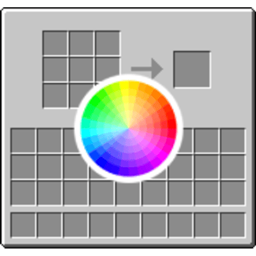
Customize the background color of your inventory and chest GUIs in Minecraft with simple commands. No more boring default gray – make your HUD match your style.
Features:
-
Change inventory GUI color to any RGB value
-
Change chest GUI color to any RGB value
-
Adjust transparency/opacity levels
-
Quick presets for common colors
-
Real-time changes without restarting
-
Works in singleplayer and multiplayer (client-side)
Commands:
Set inventory color with RGB values (0-255): /hudcolor inventory 255 0 0
Set color with transparency (0-255): /hudcolor inventory 255 0 0 128
Use color presets: /hudcolor inventory preset red /hudcolor chest preset blue
Available presets: red, green, blue, yellow, purple, cyan, orange, pink, black, white, gray, default, clear
Change only transparency: /hudcolor alpha inventory 100 /hudcolor alpha chest 200
Check current values: /hudcolor get
Reset to default: /hudcolor reset
Author: PunchbornMC
Version: 1.20.1 Forge
Version: 1.20.1 Forge
常见问题
ColoredHud 支持哪些 Minecraft 版本?
ColoredHud 支持 Minecraft Java 版 1.20.1,可用的加载器:Forge。下载时注意选择和你游戏版本一致的文件。
ColoredHud 怎么安装?
先用 PCL2 或 HMCL 启动器安装对应版本的 Forge,再把下载的 .jar 文件放进游戏目录的 mods 文件夹,重新启动游戏即可。开启了版本隔离的,mods 文件夹在 versions/版本名 下面。
PunchbornMC 的其他作品
查看全部 →
Infinite Lava Source
by PunchbornMC
Makes lava work like water and creates infinite lava sources.
3,676
7 个月前
CurseForge

OffhandEverything
by PunchbornMC
place blocks, eat food, throw projectiles, and use any item directly from your offhand
1,533
4 个月前
CurseForge
ArmoredFlight
by PunchbornMC
A mod that lets you wear both an Elytra and your chest plate simultaneously.
1,058
7 个月前
CurseForge
评论
登录后评论和评分