
截图


介绍
Tired of boring redstone lamp displays? Need something to spice up your redstone project? Well, you’re in luck! Colored Displays is a mod that adds a blocks that act similar to redstone lamps, but changes color depending on redstone signal.
Colored Display Block
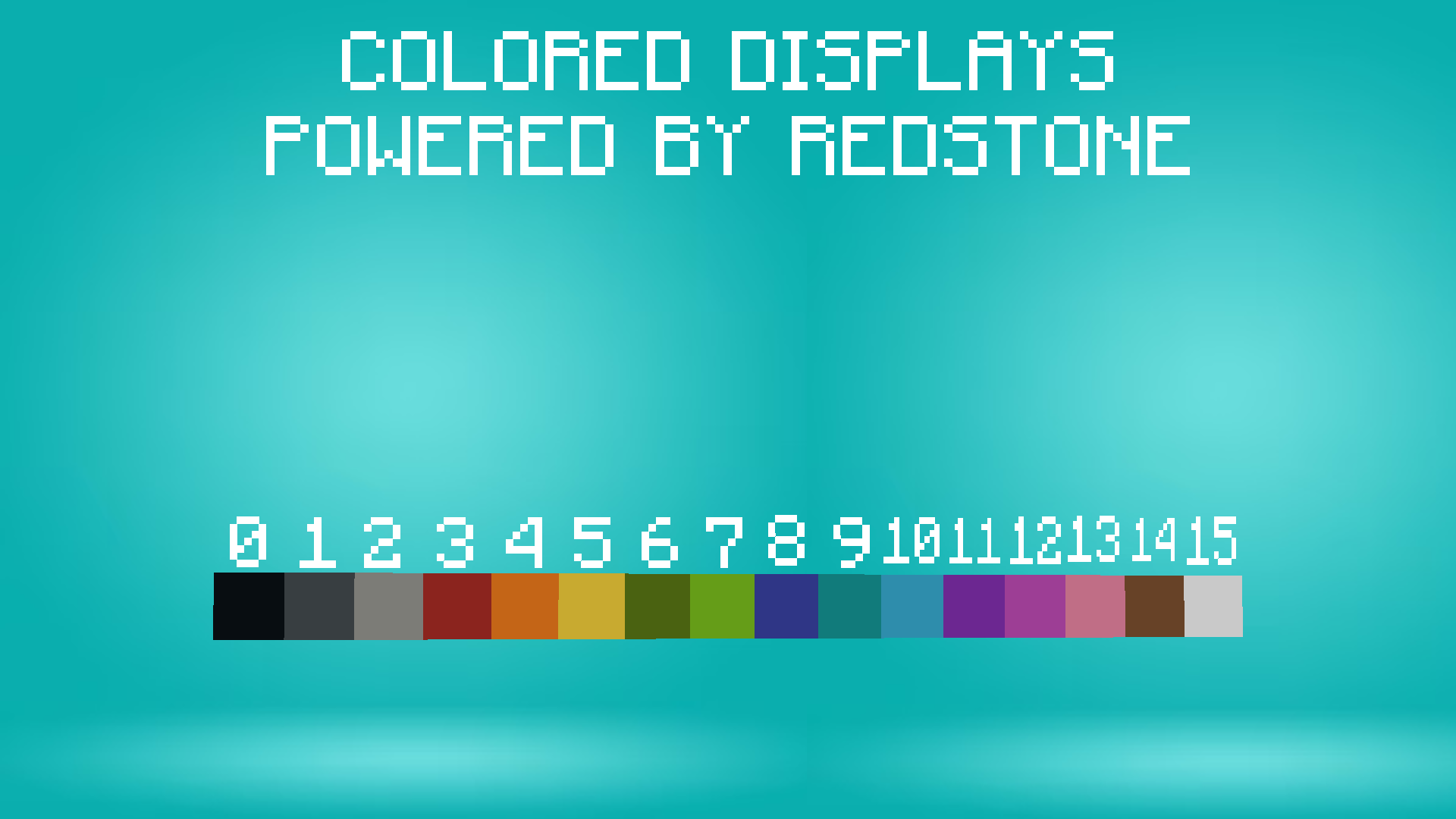
The Colored Display’s colors is based on Minecraft’s dye colors. So, depending on the given redstone signal, the block will change color. By default, or when the block is given a redstone signal of zero, the block is black. The colors go as such:
- 0 = Black
- 1 = Gray
- 2 = Light Gray
- 3 = Red
- 4 = Orange
- 5 = Yellow
- 6 = Green
- 7 = Lime
- 8 = Blue
- 9 = Cyan
- 10 = Light Blue
- 11 = Purple
- 12 = Magenta
- 13 = Pink
- 14 = Brown
- 15 = White
Monochrome Display Block
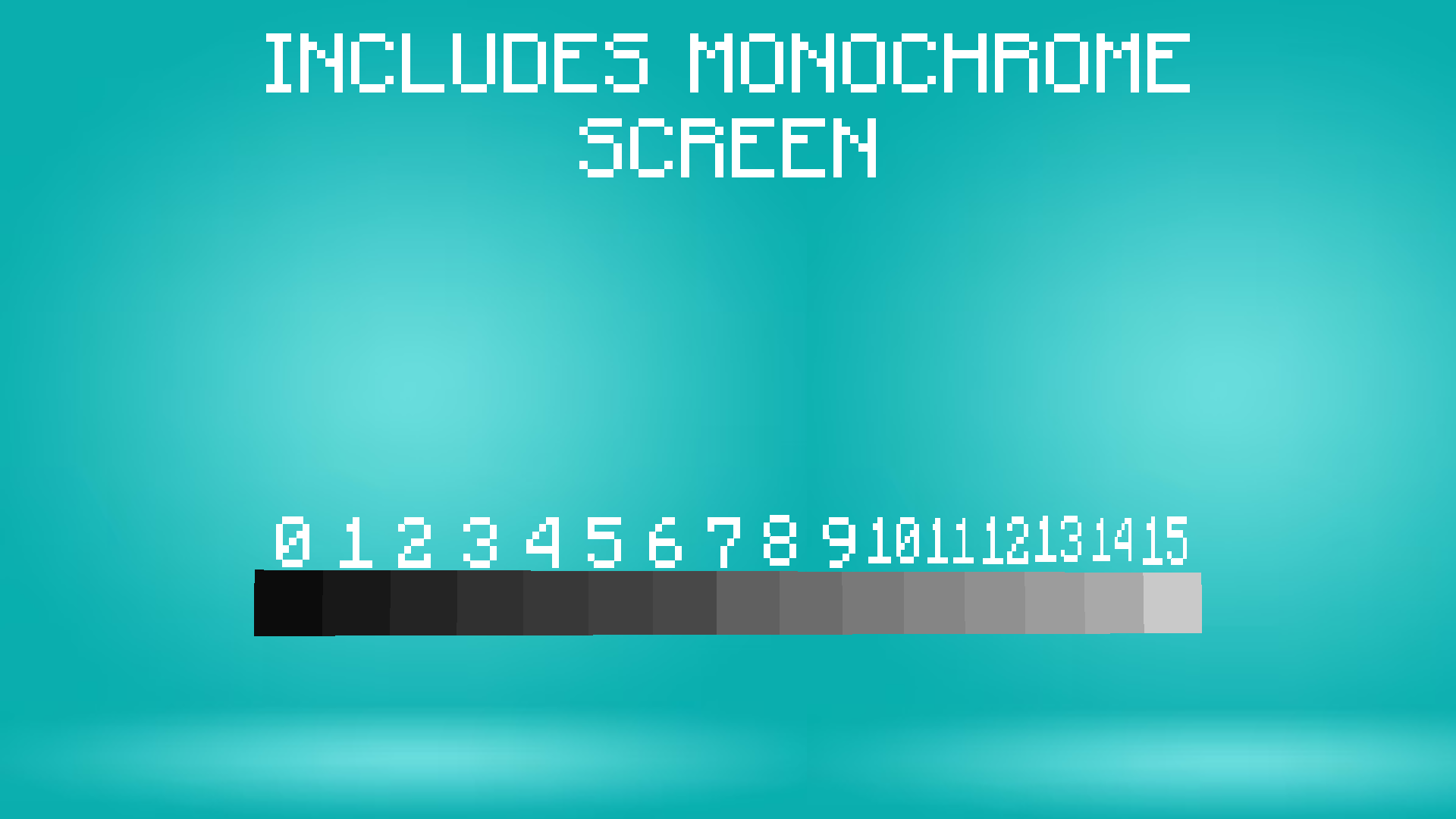
Along side the Colored Display block, Colored Displays adds the Monochrome Display Block, which is similar to the Colored Display block, but instead of colors, it’s various 16 shades of gray. Of course, the stronger the redstone signal, the lighter the color. So, a redstone signal of 0 is black (though a signal of 1 has a darker black) and a redstone signal of 15 is white.
#
please note,
this mod is still in development, so bugs are very likely
常见问题
Colored Displays! 支持哪些 Minecraft 版本?
Colored Displays! 支持 Minecraft Java 版 1.20.1,可用的加载器:Forge。下载时注意选择和你游戏版本一致的文件。
Colored Displays! 怎么安装?
先用 PCL2 或 HMCL 启动器安装对应版本的 Forge,再把下载的 .jar 文件放进游戏目录的 mods 文件夹,重新启动游戏即可。开启了版本隔离的,mods 文件夹在 versions/版本名 下面。运行环境:客户端和服务端都要装。
评论
登录后评论和评分