
ColonyChat
Brings AI conversation to MineColonies: chat with your citizens, let them talk to each other, and have them act on your requests. Works with any OpenAI-compatible API, including local models.
截图
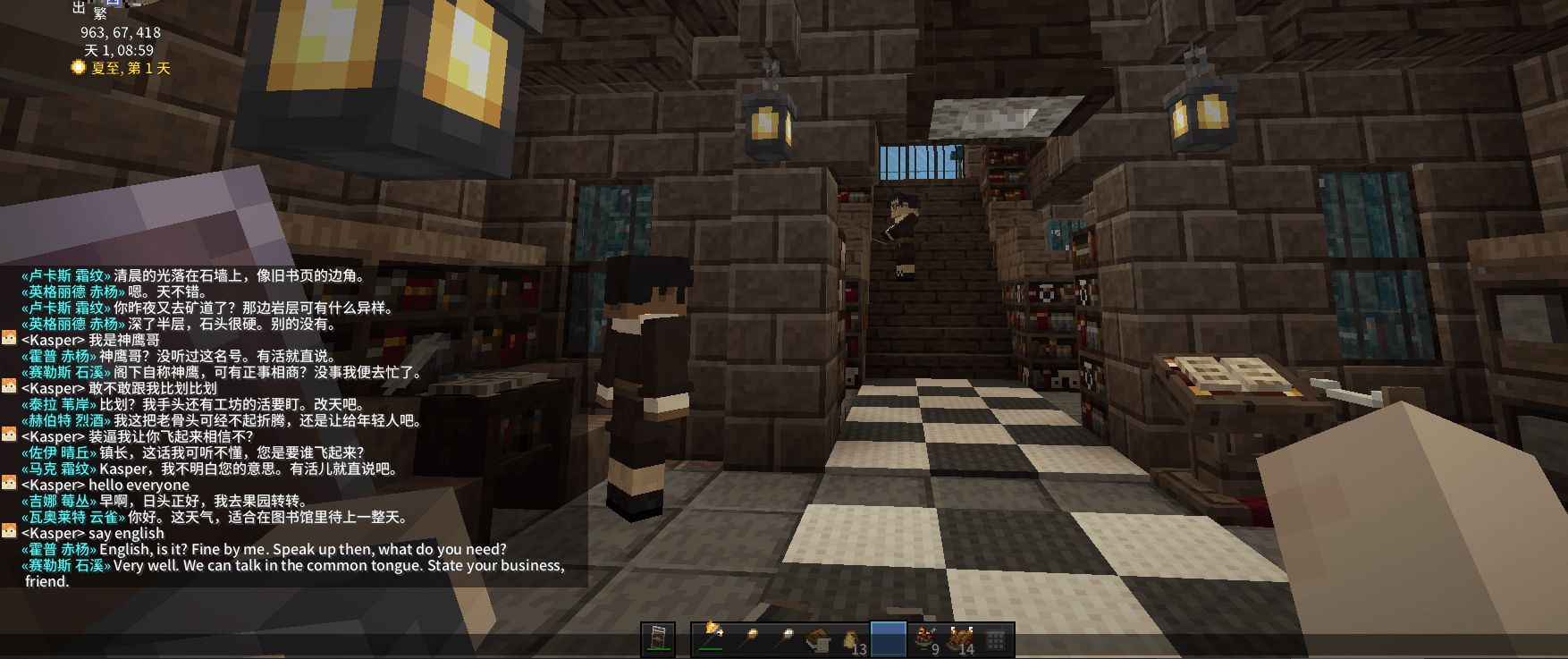
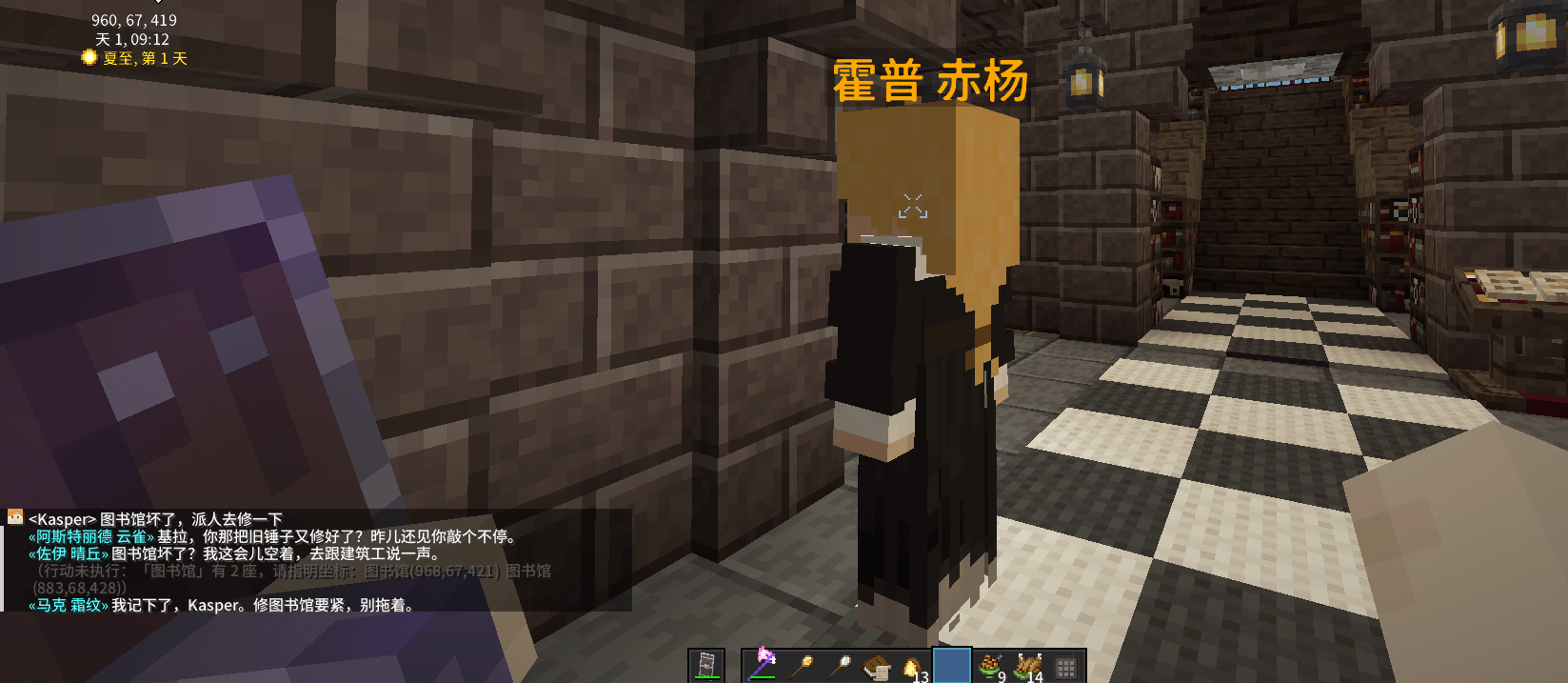
介绍
ColonyChat
Give your MineColonies citizens a brain. ColonyChat connects your colonists to a large language model, so they can talk with you, chat among themselves, and actually act on what you ask.
No vendor lock-in. It works with any OpenAI-compatible endpoint — including a local model in Ollama on your own machine. Run it completely offline with zero API cost.
What it does
Talk to your citizens
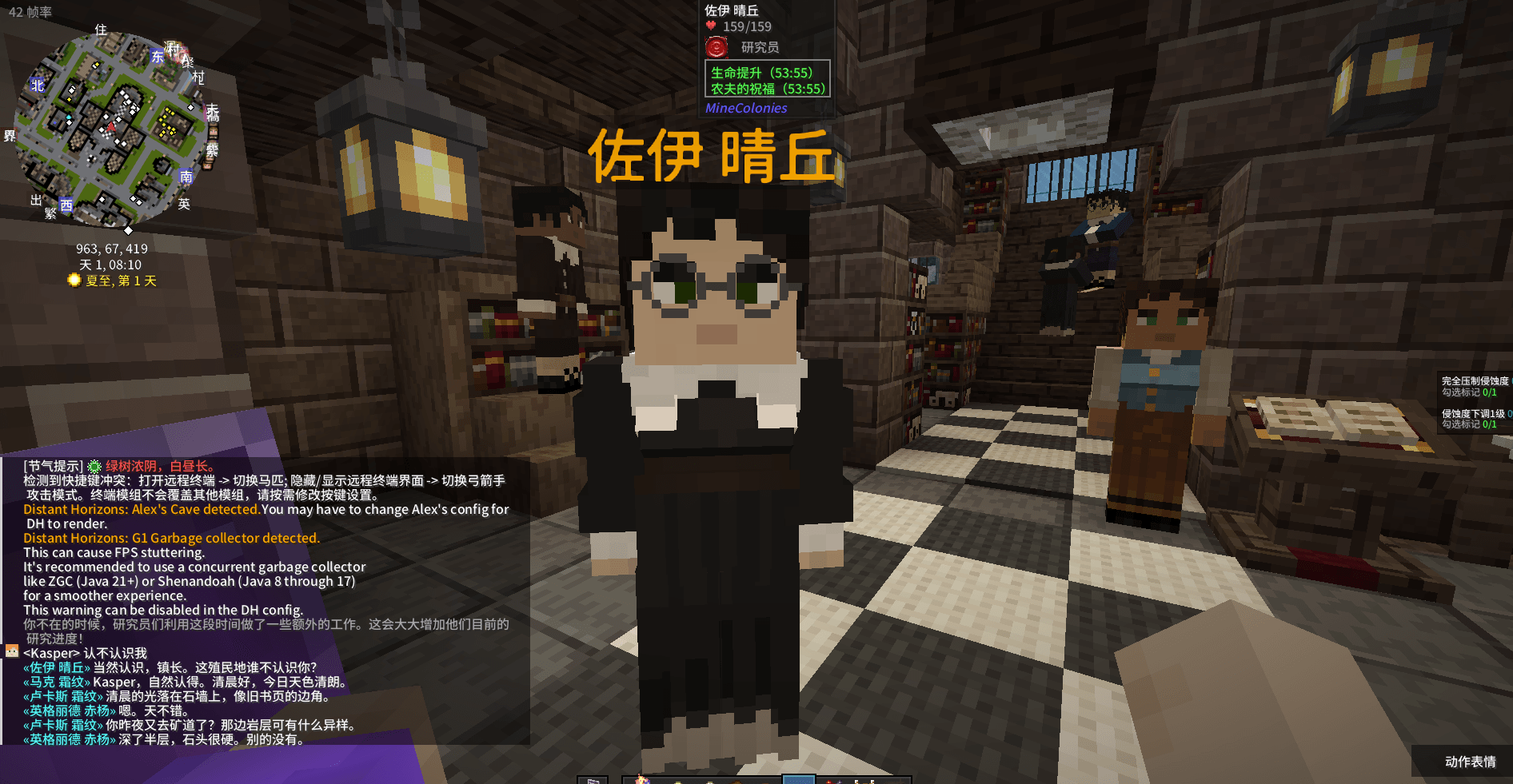
Type in chat and nearby colonists answer — in character, aware of the in-game time and weather, and remembering earlier conversations.
Call someone by name and they answer
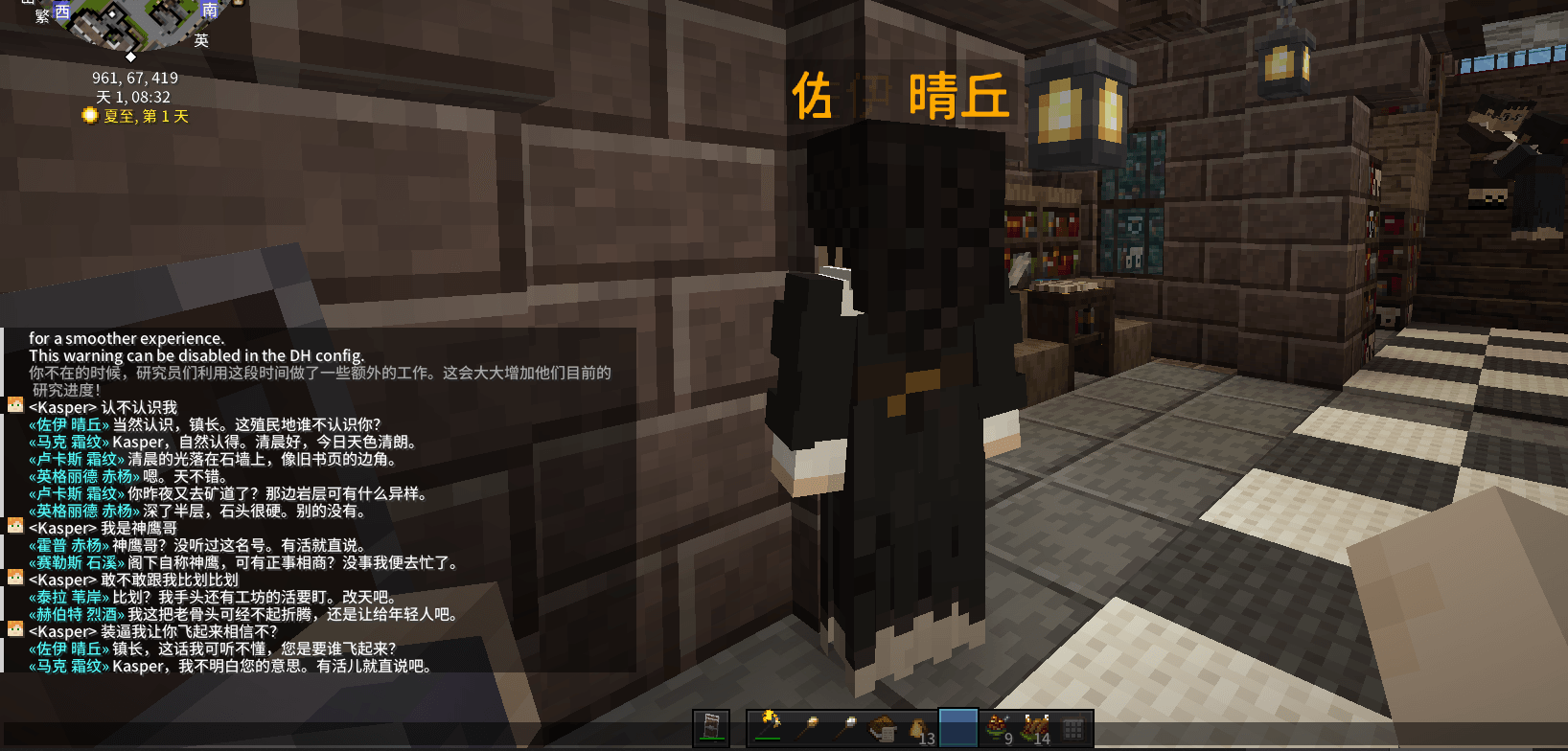
Address a colonist by name and that specific colonist replies, even if other citizens are standing closer.
Citizens talk to each other
Idle colonists standing near each other start their own conversations, delivered line by line so it reads like a real exchange. Family and partners are preferred.
They act on what you say
Ask for supplies, a building repair or upgrade, or to put idle hands on an open job. The request is passed to the right colonist and the colony’s own work system handles it.
Persistent personalities
Each colonist gets a personality on first contact, then fixed forever and stored with your save. A Personality tab is added inside the standard MineColonies citizen window.
In-game settings screen
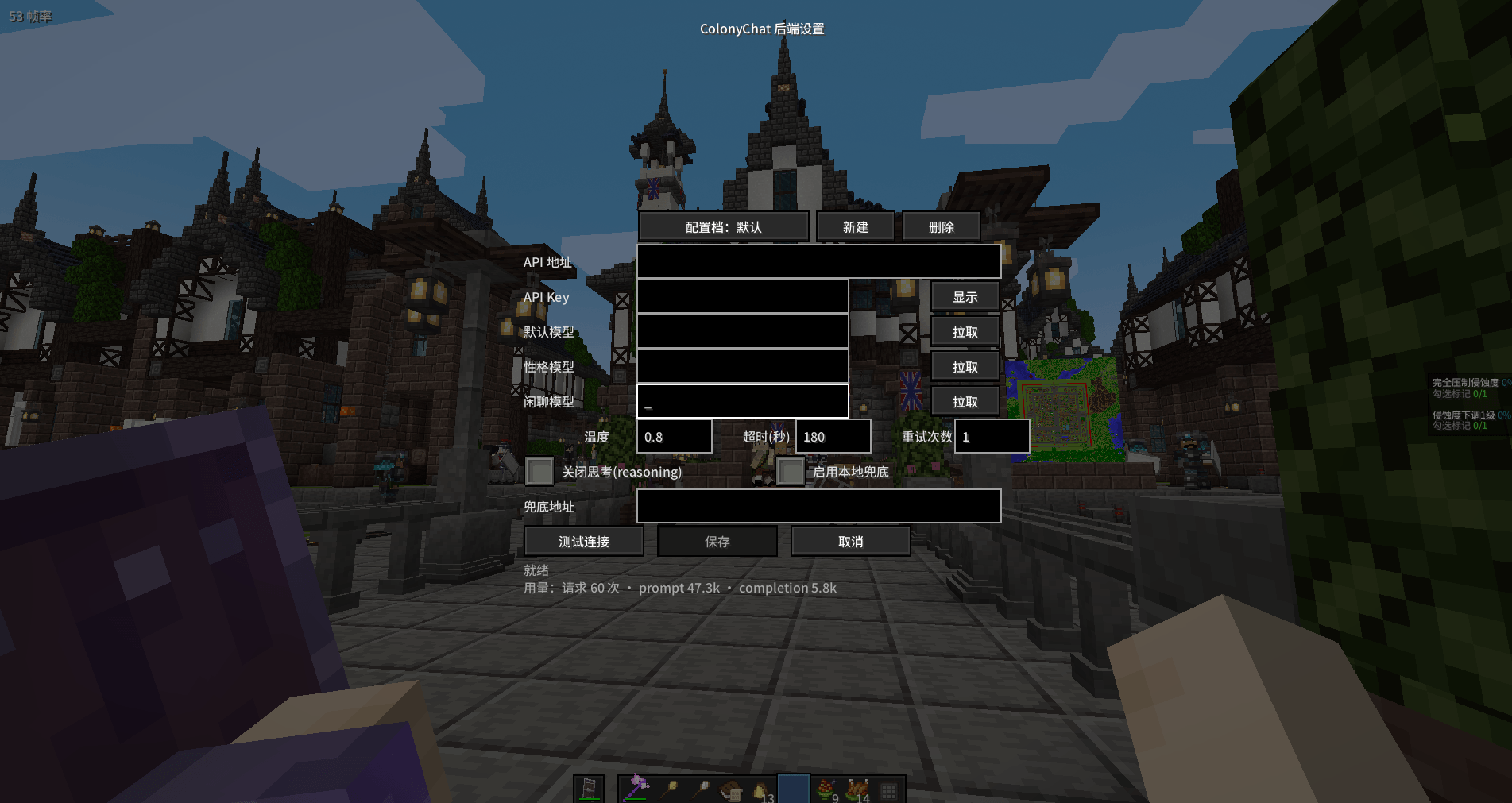
Change endpoint, key and model without editing config files. Includes a connection test button, model list fetching, multiple switchable profiles, and token usage tracking.
Setup
- Install MineColonies and its dependencies.
- Put ColonyChat in your mods folder.
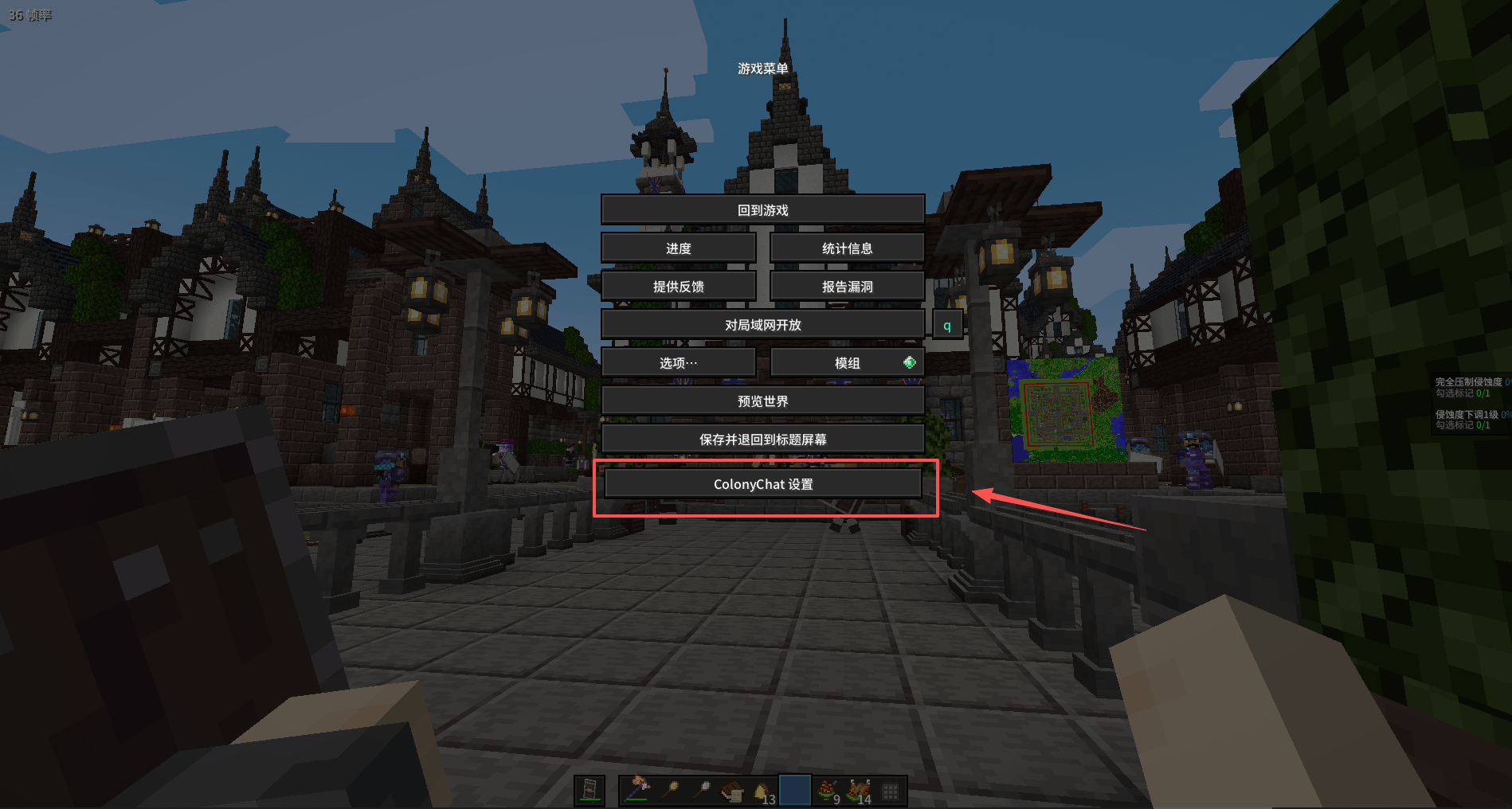
- Open the settings screen: press Esc and choose ColonyChat Settings, or run /colonychat config
- Fill in the base URL, API key and model, then press Test.
For a local model, set the URL to http://127.0.0.1:11434/v1 and use a model you have already pulled.
Commands
- /colonychat config – open the settings screen
- /colonychat info – show current status
- /colonychat npc – force a colonist conversation now (operator)
- /colonychat persona – inspect or regenerate a personality (operator)
Requirements
- Minecraft 1.20.1
- Forge 47.x
- MineColonies 1.1.1197 or newer (required)
- An OpenAI-compatible API endpoint, cloud or local
Single-player is fully supported. The personality viewer reads save data directly and is therefore single-player only.
ColonyChat 中文说明
给 MineColonies 的殖民者装上大脑。让殖民者能用大语言模型与你对话、彼此闲聊,并真正照着你的话去做事。
不绑定任何第三方服务。 支持任意 OpenAI 兼容接口,包括你本机运行的 Ollama,可完全离线、零 API 费用使用。
功能
与殖民者对话
在聊天框发言,附近殖民者会用符合性格的语气回话,能感知当前时间与天气,并记得之前的对话。
点名必答
直接喊某位殖民者的名字,他一定会回应,不会因为别人站得更近而被抢答。
殖民者之间自主闲聊
空闲且相邻的殖民者会自己聊起来,台词逐句出现而不是一次刷屏,优先让亲属与伴侣配对。
照着你的话去做
可以让他们取物资、报修或升级建筑、把闲散人手安排到空缺岗位。请求会转交给对应工种的殖民者,由殖民地自己的工作系统执行。
性格永久固定
每位殖民者在首次接触时生成性格,之后永久保存于存档。MineColonies 原版殖民者窗口里会多出一个性格页签,随时可查看。
图形化设置界面
不用改配置文件就能更换端点、密钥和模型。带连接测试、模型列表拉取、多套配置档一键切换,以及 token 用量统计。
安装
- 安装 MineColonies 及其前置。
- 把 ColonyChat 放进 mods 文件夹。
- 打开设置界面:按 Esc 选择 ColonyChat 设置,或输入 /colonychat config
- 填入 API 地址、密钥、模型,点测试连接。
用本地模型的话,地址填 http://127.0.0.1:11434/v1,模型填你已经拉取的名称。
命令
- /colonychat config – 打开设置界面
- /colonychat info – 查看当前状态
- /colonychat npc – 立即触发一次殖民者闲聊(需管理员)
- /colonychat persona – 查看或重新生成性格(需管理员)
前置要求
- Minecraft 1.20.1
- Forge 47.x
- MineColonies 1.1.1197 或更高(必需)
- 任意 OpenAI 兼容接口,云端或本地均可
完全支持单机。性格查看功能直接读取本地存档数据,因此仅单机可用。
制作 / Credits
本模组由 DeepSeek-4.1-flash 开发完成。
Developed by DeepSeek-4.1-flash.
ColonyChat 更新日志 / Changelog
0.3.0
新增 / New
- 一对一对话窗口:从殖民者窗口左栏最下面的 ColonyChat 页签打开
左对话、右性格并排;顶部状态条显示职业 / 空闲或正忙 / 睡眠 / 心情;
对方的回话只显示在窗口里,不进聊天框;超出 chatRadius 时输入自动禁用并说明原因;
等待回复时显示省略号,30 秒无响应自动收尾
One-on-one dialog window — open from the ColonyChat tab on a citizen’s window.
Conversation on the left, personality on the right; status bar shows job / busy / sleeping / mood.
Replies stay inside the window instead of the chat; input auto-disables beyond chatRadius with a reason;
an ellipsis is shown while waiting, and the exchange auto-closes after 30 seconds without a response. /colonychat say "名字" 文本:一对一窗口的发送通道,不需要管理员权限
/colonychat say "Name" text— the dialog window’s send channel; no OP permission required.- 窗口开着时,本轮的失败提示(后端未配置、超时等)也接进窗口,不再散落在聊天框
While the window is open, error feedback (backend not configured, timeouts, etc.) appears inside the window instead of the chat.
改进 / Improved
- 只给「正在对话的那一位」完整历史,其余接话者只带最近几轮,提示词开销明显下降
Full conversation history is attached only to the citizen being talked to; other speakers only get the last few turns — noticeably lower prompt cost. - 日志新增前缀缓存命中数(prompt_cache_hit_tokens / cached_tokens),成本可核实
Logs now include prompt cache hit counts (prompt_cache_hit_tokens / cached_tokens) so costs can be verified. - historyMaxTurns 默认 10 → 6;新增 historyKeepTurns = 20(存档保留轮数,供一对一窗口回溯)
historyMaxTurns default 10 → 6; new historyKeepTurns = 20 (turns kept in the save for dialog-window backfill). - 新增配置:dialogEnabled(窗口总开关)、dialogInputMaxChars(单条发言字数上限,默认 200)
New options: dialogEnabled (master switch) and dialogInputMaxChars (per-message cap, default 200).
修复 / Fixed
- 点名的人若在 chatRadius(默认 16 格)之外,点名不生效 → 被点名者改用 npcChatHearRadius(默认 48 格)
Calling a citizen by name outside chatRadius (16) had no effect; called citizens now use npcChatHearRadius (48). - 一次未被回应的主动搭话会压住全服闲聊 120 秒 → 不再阻塞扫描,该状态只约束发起者自身
An unanswered NPC greeting no longer blocks idle chatter server-wide for 120 seconds; the state now only constrains the initiator itself. - 行动待批准只有一个槽位,两人同时请求会互相覆盖 → 改为按玩家分槽
Pending action approvals now use one slot per player instead of a single shared slot. - 状态条与提示词里的「职业」取错字段(显示成 DECIDE / TRAINING_WANDER 之类)→ 改用职业注册项解析
The citizen’s job in the status bar / prompts was reading the wrong field (showing DECIDE / TRAINING_WANDER, etc.); it now resolves the proper job registry entry. - 回应主动搭话时,模型偶尔把开场白原样重发一遍 → 提示词里点明「历史是已发生的内容,只给下一句新台词」
When responding to an NPC-initiated greeting, the model occasionally replayed the opening line verbatim; the prompt now clarifies that history is settled content and only a fresh line should be produced. - 输入框此前被客户端硬截断在 200 字 → 上限交回配置判定;超长时红字提示,并保留已输入的内容
The input box was hard-truncated at 200 characters; the cap is back to config, overlong input shows a red warning and keeps what you typed.
已知问题 / Known Issues
- 行动误触发只是降低、未根除(小模型尤其明显);需要硬保障时把 actionRequireConfirm 设为 true
Misfired actions are reduced but not eliminated (small models especially); set actionRequireConfirm=true for hard guarantees. - 完全同名的两位殖民者无法区分,会取离玩家最近的一位
Two citizens with identical names cannot be told apart; the nearest one is used. - 一对一窗口的发送通道走原生命令,单人存档可用;多人服务器未验证
The dialog window’s send channel uses a native command; verified in singleplayer, not yet on dedicated servers. - 本地小模型(7B 级)对提示词的遵循不稳定
Small local models (7B class) follow prompts unreliably.
常见问题
ColonyChat 支持哪些 Minecraft 版本?
ColonyChat 支持 Minecraft Java 版 1.20.1,可用的加载器:Forge。下载时注意选择和你游戏版本一致的文件。
ColonyChat 怎么安装?
先用 PCL2 或 HMCL 启动器安装对应版本的 Forge,再把下载的 .jar 文件放进游戏目录的 mods 文件夹,重新启动游戏即可。开启了版本隔离的,mods 文件夹在 versions/版本名 下面。
评论
登录后评论和评分