
截图



介绍
Cobblemon Wiki Gui
一款适用于 Minecraft Java 版的开源模组,使用 Kotlin 编写,支持 Fabric 和 NeoForge。
这是一个适用于 Cobblemon
- 的附属模组——宝可梦百科:提供一个界面,用于查看宝可梦物种信息(例如图鉴)。
强烈建议仅在服务端或单人游戏中使用
功能
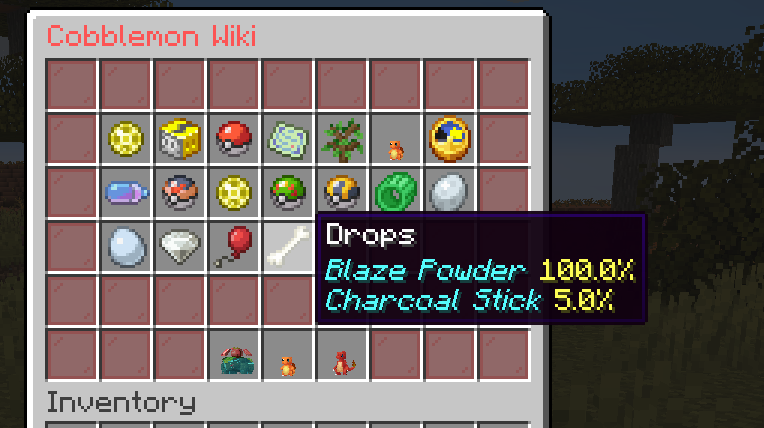
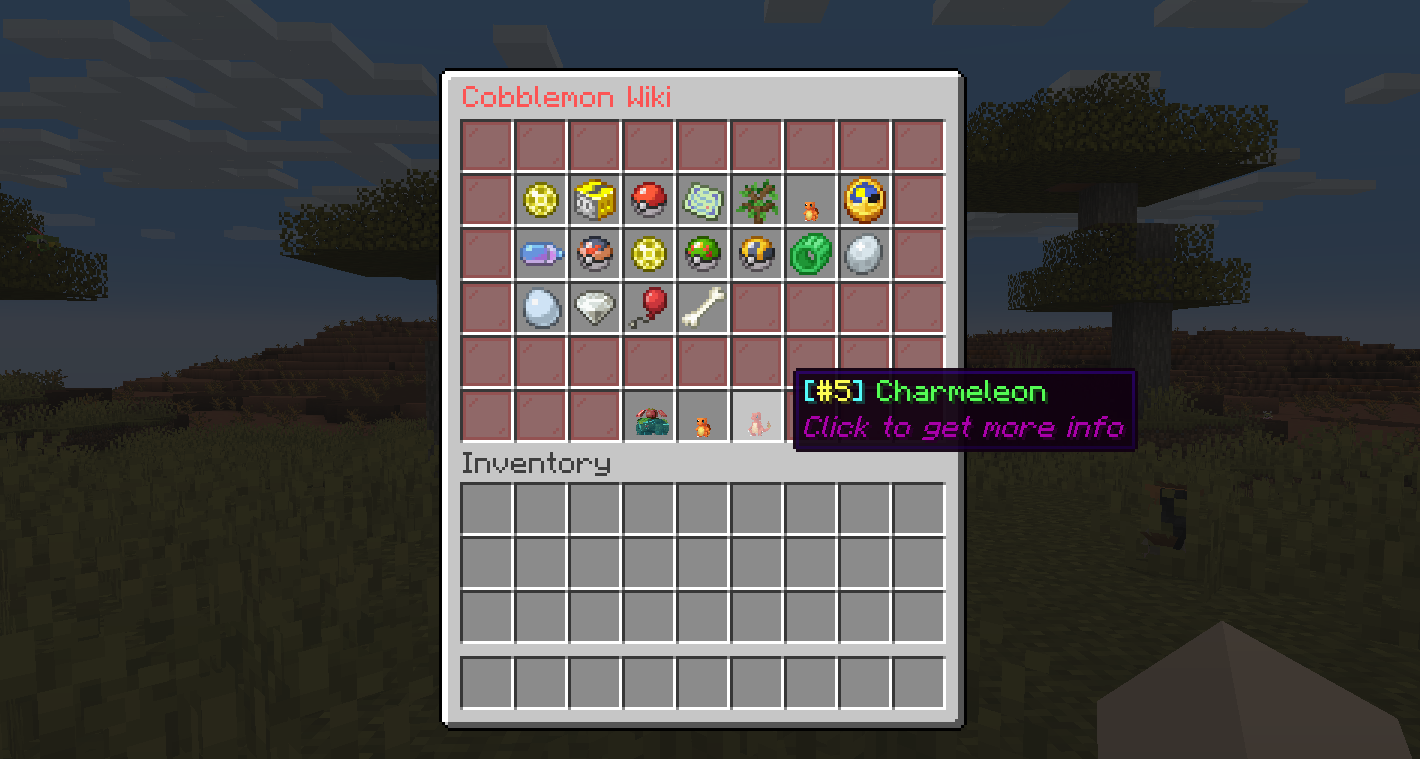
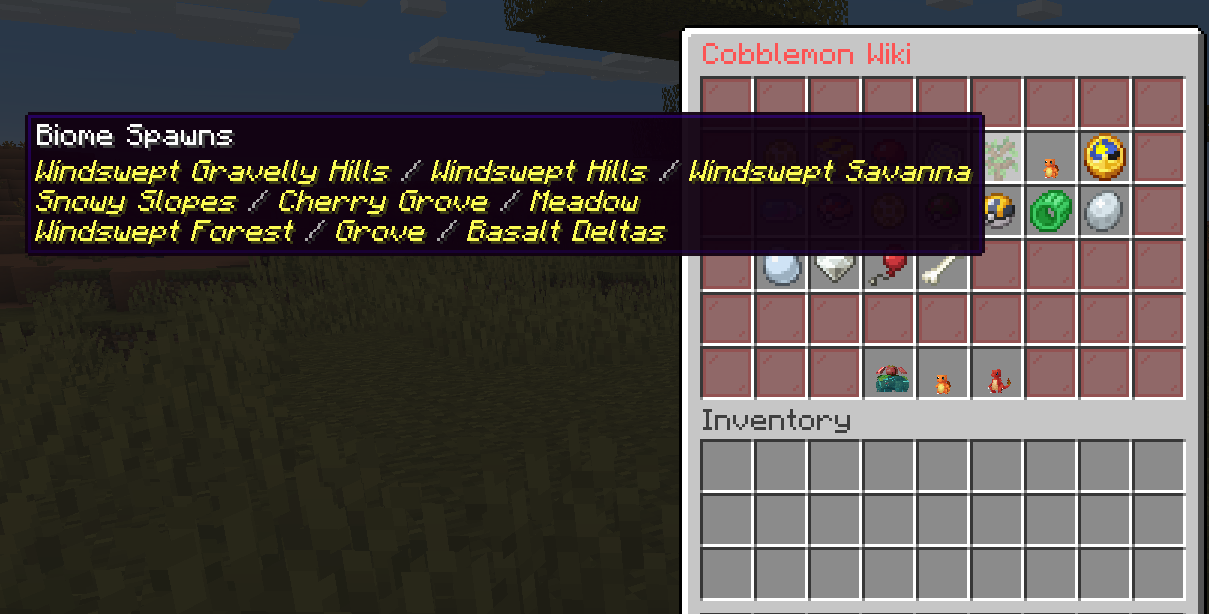
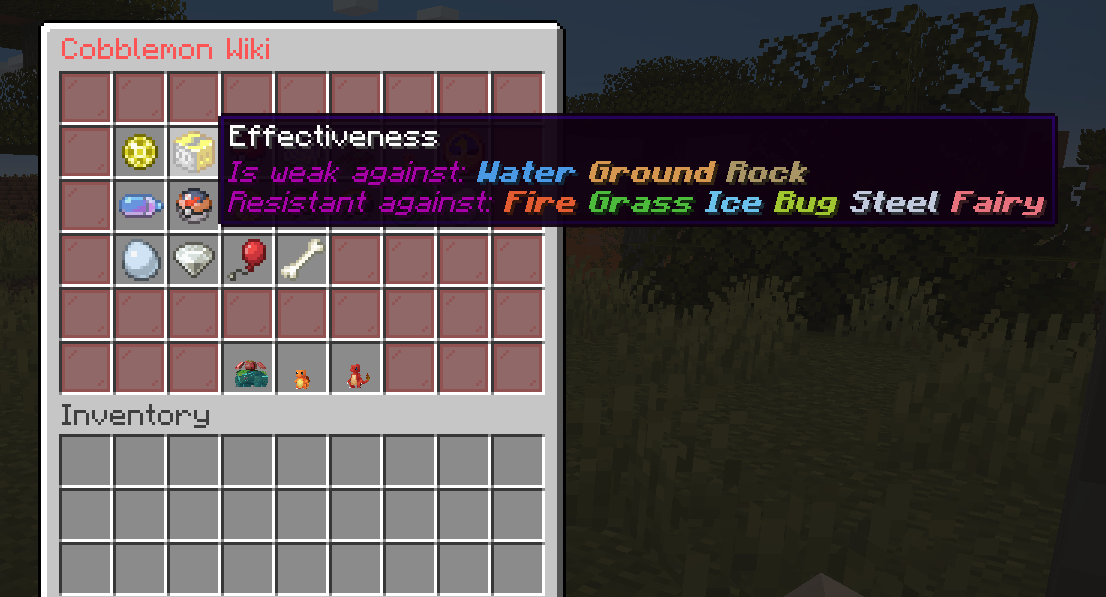
Cobblemon wiki gui 可让你查看:
- 宝可梦属性
- 种族值
- 捕获率
- 特性
- 生成生物群系
- 生成时间
- 进化
- 进化条件
- 升级招式
- 招式学习器招式
- 教授招式
- 蛋招式
- 进化招式
- 形态变化招式
- 蛋群
- 形态
- 极巨化
- 掉落物
截图
命令
PokeWiki — 为命令执行者打开宝可梦百科 GUI。
| 权限 | 命令 | 描述 |
|————|———|————–|
| cobblemon_wiki_gui.command.pwiki | /pwiki <pokemon> [form] | 打开某个物种的百科。可选的 form 仅显示该形态(例如 /pwiki zorua hisui)。 |
别名:/pokewiki、/pokemonwiki、/cobblemonwiki、/cobblewiki、/cwiki
PokeWiki (other player) — 为其他玩家打开宝可梦百科 GUI。
| 权限 | 命令 | 描述 |
|————|———|————–|
| cobblemon_wiki_gui.command.pwikianother | /pwikiother <player> <pokemon> [form] | 为指定玩家打开某个物种的百科。可选的 form 仅显示该形态(例如 /pwikiother Steve zorua hisui)。 |
别名:/pokewikiother、/pokemonwikiother、/cobblemonwikiother、/cobblewikiother、/cwikiother
PWikiDex — 打开一个分页浏览器,列出所有已实现的宝可梦物种,方便玩家直接进入百科,无需事先知道物种名称。此功能默认关闭(见权限说明),因为它会列出所有物种,无论玩家是否遇见过。
| 权限 | 命令 | 描述 |
|————|———|————–|
| cobblemon_wiki_gui.command.pwikidex | /pwikidex | 打开物种浏览器。 |
Reload — 在游戏中重新加载配置文件。
| 权限 | 命令 | 描述 |
|————|———|————–|
| cobblemon_wiki_gui.command.cwgreload | /cwg reload | 无需重启即可重新加载 lang.json 配置文件。 |
默认配置文件
位于 config/cobblemon_wiki_gui 下的 main.json 文件包含模组的常规设置:
{
  "version": "1.0.0",
  "fillerItem": "minecraft:red_stained_glass_pane",
  "showGithubIssuesButton": true
}fillerItem— 用作所有百科 GUI 边框/填充物的物品 ID。设为""或"none"可完全禁用填充物(空槽位将保持空白)。如果 ID 无效或未知,则回退使用minecraft:red_stained_glass_pane。showGithubIssuesButton— 在 Wiki 和图鉴界面的角落槽位显示“报告问题”按钮(打开 GitHub 问题页面)。设为false可移除该按钮,并将该槽位保留为普通填充物。
位于 config/cobblemon_wiki_gui 下的 lang.json 文件包含以下默认设置:
{
  "useItem": "Use a %s",
  "tradeAny": "Complete any trade or use a %s",
  "tradeSpecific": "Trade for an %s or use a %s",
  "level": "Level: %s",
  "friendship": "Friendship: %s",
  "heldItem": "Pokémon held item: %s",
  "anyRequirement": "Need any of these requirements:",
  "attackDefenceRatioAttackHigher": "Need more attack than defence",
  "attackDefenceRatioDefenceHigher": "Need more defence than attack",
  "attackDefenceRatioEqual": "Need equal value of attack and defence",
  "blocksTraveled": "Need %s blocks traveled",
  "defeat": "Need %s defeats",
  "moveSet": "Need %s move",
  "moveType": "Need any type %s move",
  "recoil": "Need %s recoil",
  "statEqual": "Stats %s and %s need to be equal",
  "statCompare": "Stat %s should be higher than %s",
  "timeRange": "Time of day: %s",
  "useMove": "Need to use %s movement %s times",
  "biomeCondition": "Need biome tag: %s",
  "biomeAntiCondition": "Blacklisted biome tag: %s",
  "structureCondition": "Need structure: %s",
  "structureAntiCondition": "Blacklisted structure: %s",
  "noEvolutionFound": "No evolution found for %s",
  "rightClick": "Right click a %s",
  "goBackClick": "Click to go back",
  "seeEvolutions": "Click to see evolutions",
  "basestats": "Base Stats",
  "type": "Type",
  "effectiveness": "Effectiveness",
  "catchrate": "CatchRate",
  "spawnbiome": "Biome Spawns",
  "spawntime": "Time Spawns",
  "evolutions": "Evolutions",
  "movesbylevel": "Moves by level",
  "tmMoves": "TM Moves",
  "tutorMoves": "Tutor Moves",
  "evolutionMoves": "Evolution Moves",
  "eggMoves": "Egg Moves",
  "formChangeMoves": "Form Changes Moves",
  "abilities": "Abilities",
  "drops": "Drops",
  "eggGroups": "Egg Groups",
  "forms": "Forms",
  "dynamax": "Dynamax",
  "baseFriendship": "Friendship",
  "weakness": "Is weak against:",
  "resistant": "Resistant against:",
  "immune": "Immune against:",
  "pokeInfo": "Click to get more info",
  "noDrops": "No Drops",
  "pokeWikiTitle": "Cobblemon Wiki",
  "pokeWikiTitleWithForm": "Cobblemon Wiki - %species% (%form%)",
  "githubIssuesButtonName": "Report an Issue",
  "githubIssuesButtonLore": "Click to get a link to report bugs or suggestions on GitHub",
  "githubIssuesLinkText": "Click here to open the GitHub issues page"
}
安装
- Minecraft 版本:1.21.1
- Cobblemon
Cobblemon 和 CobblemonWikiGui 常见问题(FAQ)
问:CobblemonWikiGui 是什么?
答:CobblemonWikiGui 添加了一个界面,可供你查看 Pokémon 信息(例如图鉴)。它主要面向 Cobblemon 服务器(建议在服务器上使用)
问:可以通过命令打开 Pokémon Wiki 界面吗?
A:是的,只需输入 /pokewiki <pokemon> 或 /pokewiki <pokemon> <form> 即可打开指定表单(例如 /pokewiki zorua hisui)。
A:你也可以使用以下命令为其他玩家打开 GUI:/pokewikiother <player> <pokemon> 或 /pokewikiother <player> <pokemon> [form]。
问:可以自定义配置文件吗?
答:可以,只要保留标准的 JSON 格式,并且不要更改文件键。
A:在游戏中输入 /cwg reload,即可加载修改后的 lang.json 文件。
许可证
作者
常见问题
Cobblemon Wiki Gui 支持哪些 Minecraft 版本?
Cobblemon Wiki Gui 支持 Minecraft Java 版 1.20.1–1.21.1,共 2 个版本,可用的加载器:Fabric / NeoForge。下载时注意选择和你游戏版本一致的文件。
Cobblemon Wiki Gui 怎么安装?
先用 PCL2 或 HMCL 启动器安装对应版本的 Fabric / NeoForge,再把下载的 .jar 文件放进游戏目录的 mods 文件夹,重新启动游戏即可。开启了版本隔离的,mods 文件夹在 versions/版本名 下面。运行环境:客户端和服务端都要装。
评论
登录后评论和评分