Cobblemon Extra Move Animations
Adds custom particle-based animations for seventeen Cobblemon moves that lack official visual effects.
截图
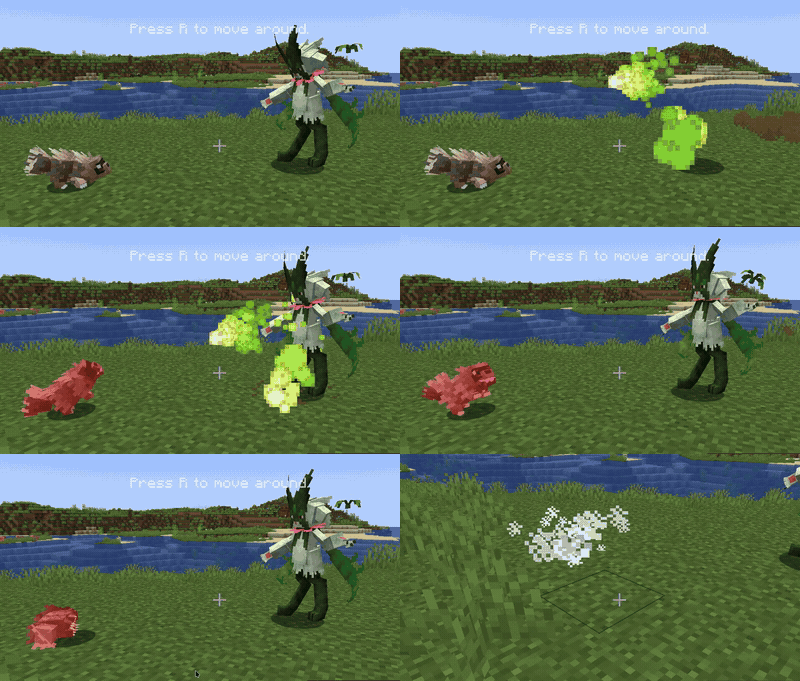
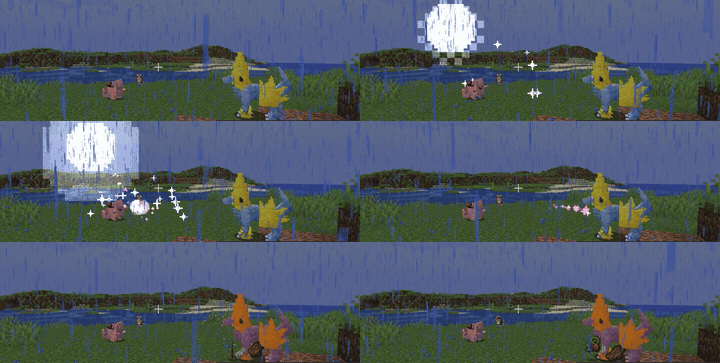
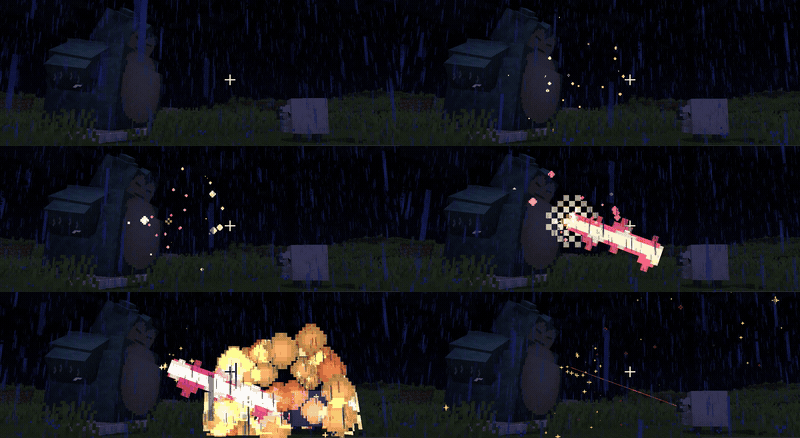
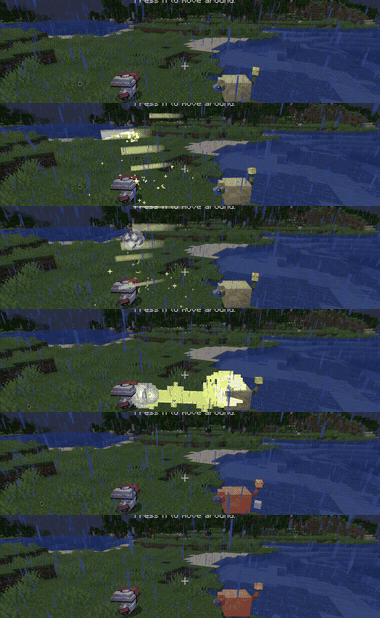
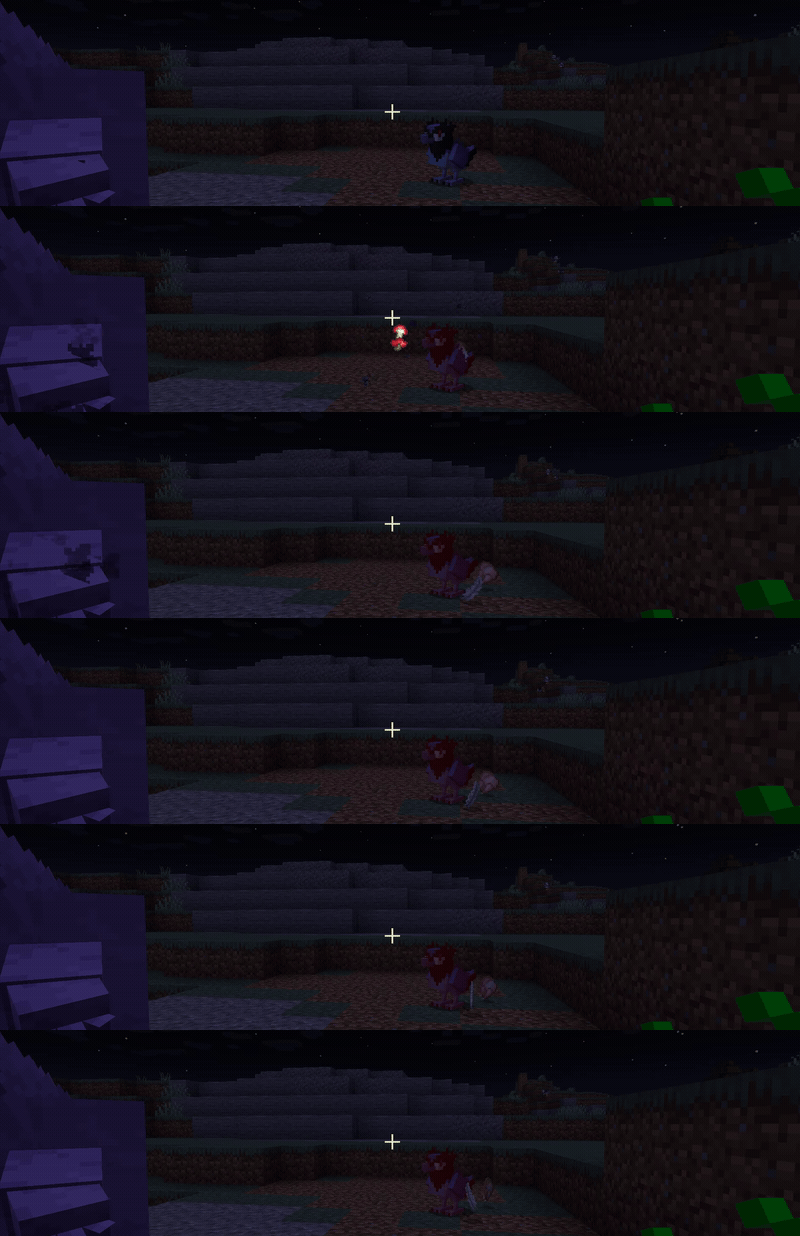
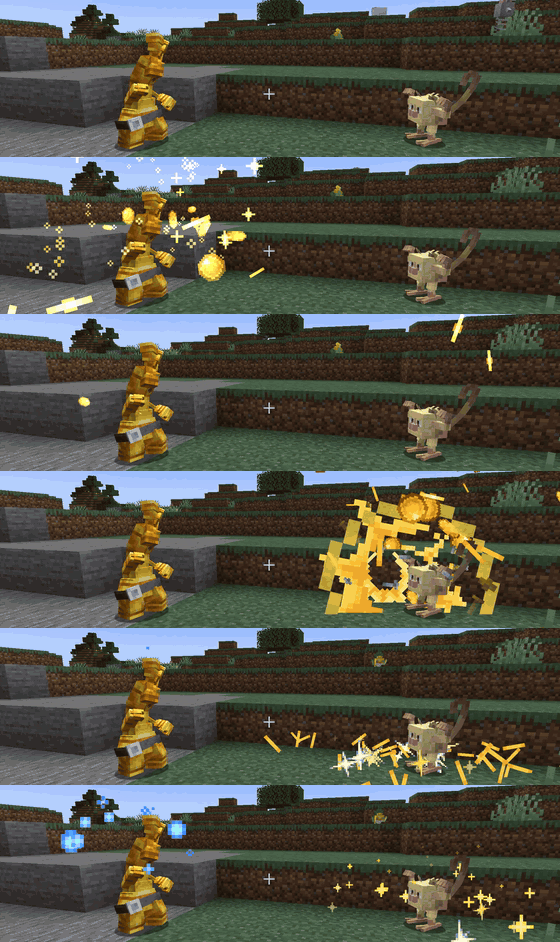
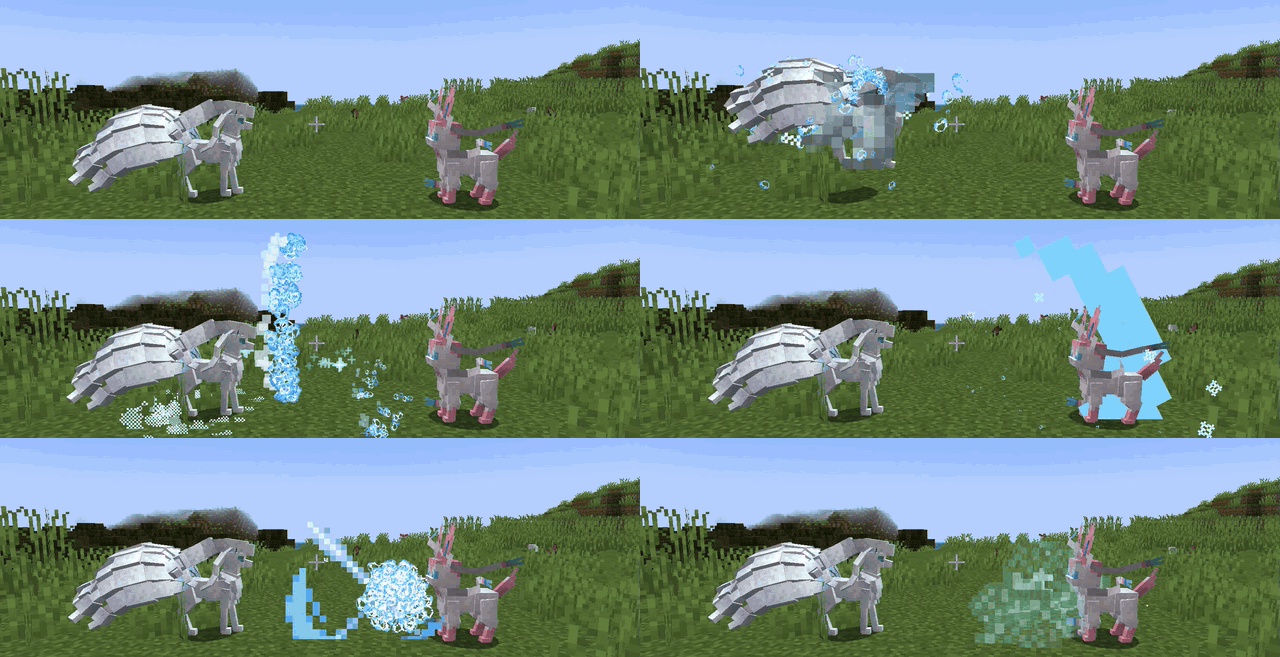
介绍
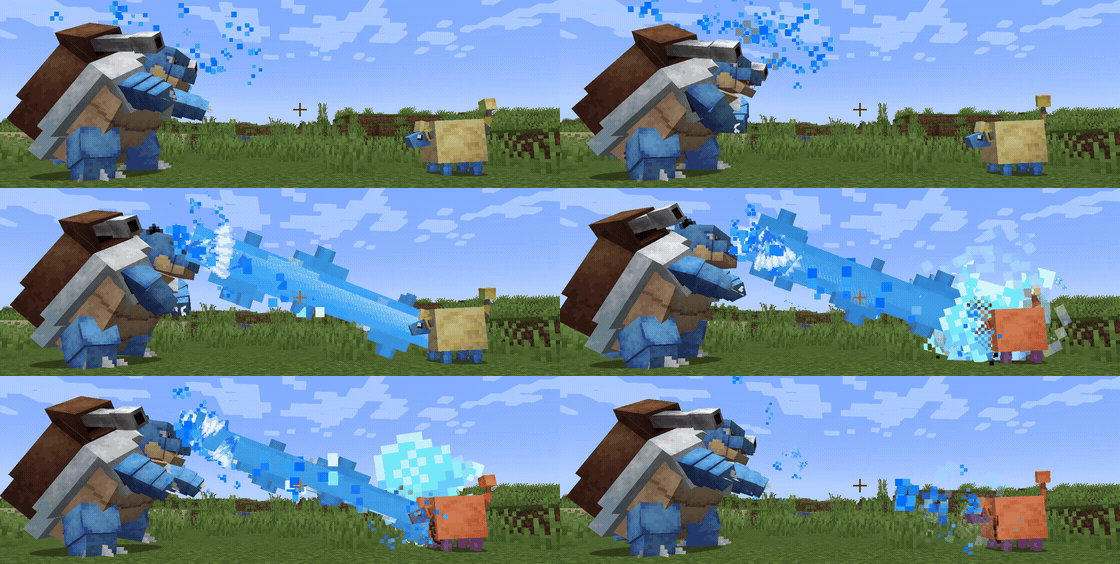
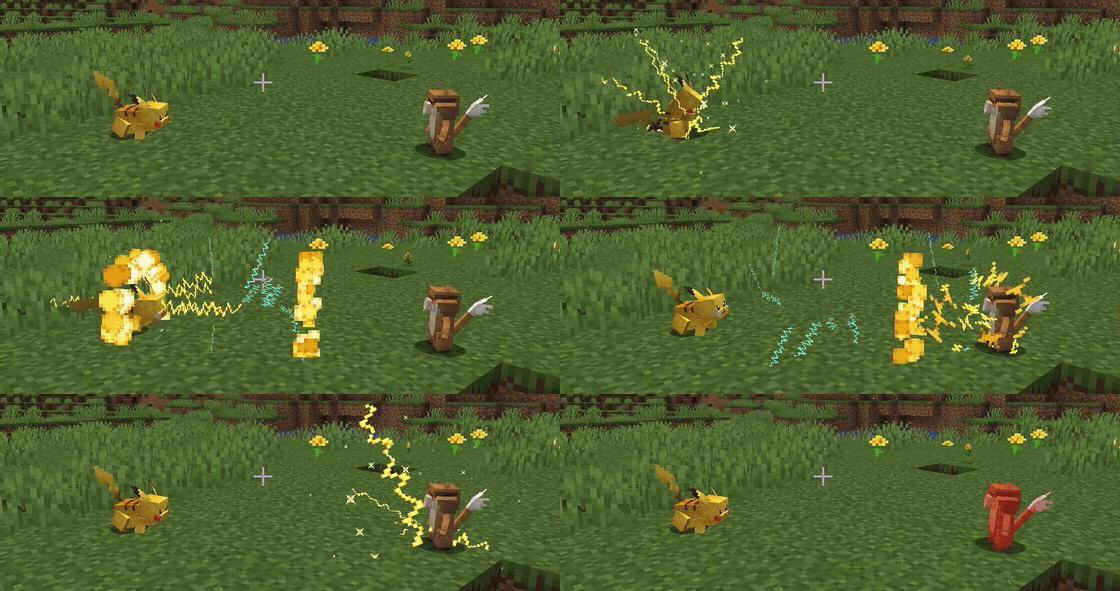
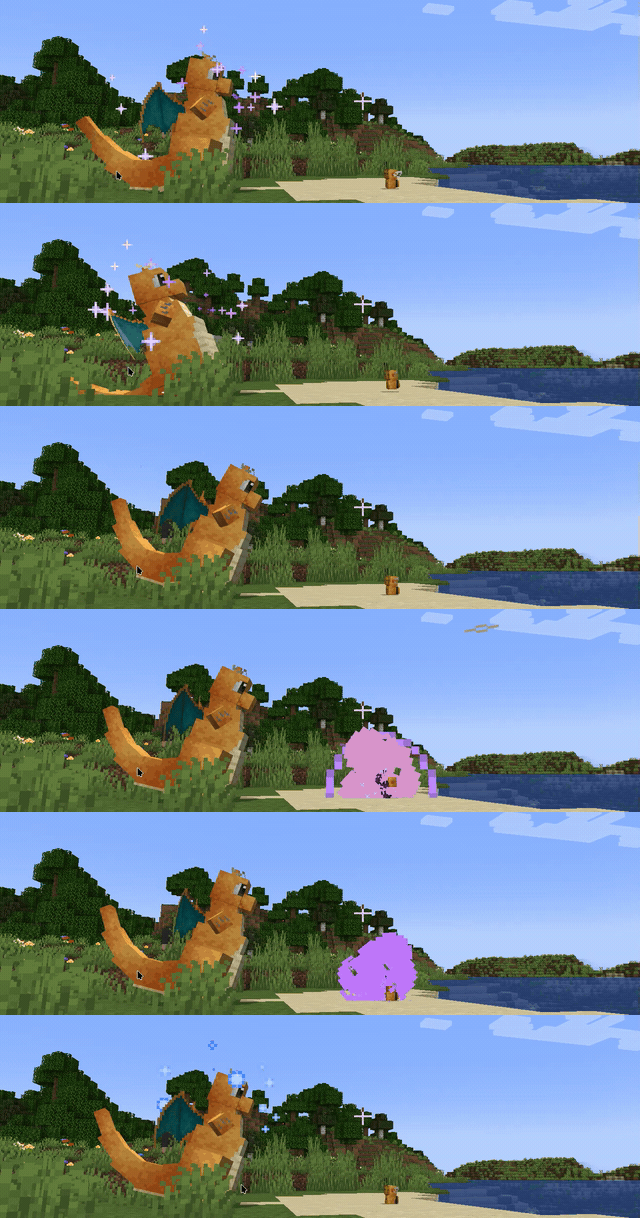
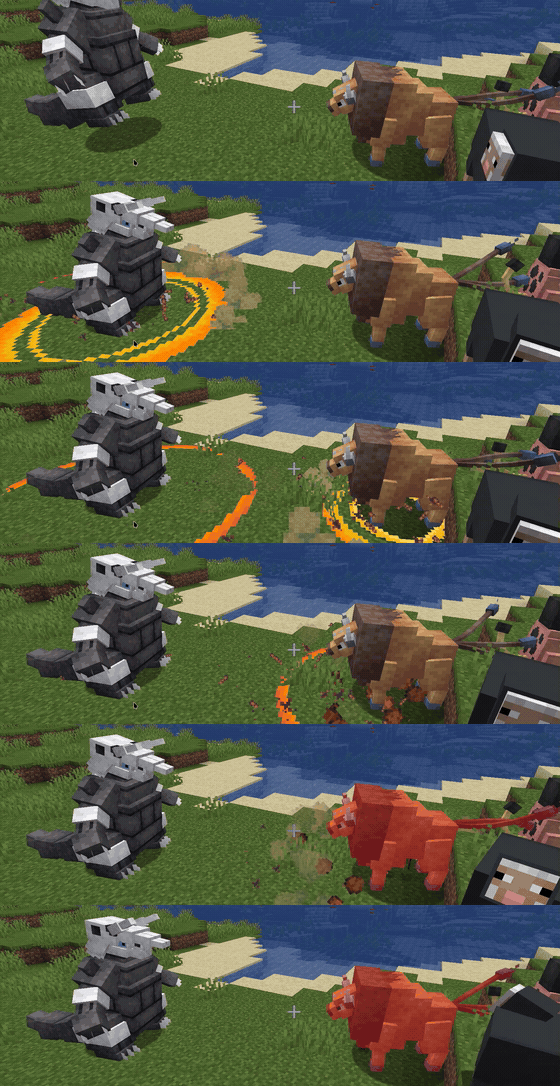
Cobblemon ships with animated effects for roughly 110 moves, but many popular moves still play with no visuals at all. This addon fills in seventeen of them with custom particle animations, built almost entirely in Cobblemon’s own data-driven animation format. Beat Up and Counter add a little Java to draw and tint real Pokémon models, and a settings screen lets you switch any move back to Cobblemon’s own animation. If a Cobblemon update ever breaks the Java side, only those extras switch off.
The moves
U-turn (Bug) – the user darts to the target and cuts back before switching out.
Moonblast (Fairy) – a charged lunar orb collapses into a beam of moonlight.
Hyper Beam (Normal) – a charged orb fires a sustained high-energy beam.
Hydro Pump (Water) – a charged jet blasts a volley of pressurized water.
Volt Switch (Electric) – a spinning ring of electricity volleys into the target before the user switches out.
Draco Meteor (Dragon) – a skyward orb calls down a rain of draconic meteors.
Earthquake (Ground) – a ground-slam sends a shattering ring of rock across the field.
Solar Beam (Grass) – a two-turn charge gathers sunlight before releasing a beam of solar energy.
Knock Off (Dark) – a dark, purple-tinged strike knocks the target’s held item loose.
Make It Rain (Steel) – a hoard of gold is hurled skyward, then pours back down through a golden void as a torrent of coins.
Triple Axel (Ice) – an axel spin into three rapid slashes, each throwing a crescent of ice that carves a glowing X and a vertical gash. The animation follows the move’s real hit count, so a miss on the second or third hit cuts it short.
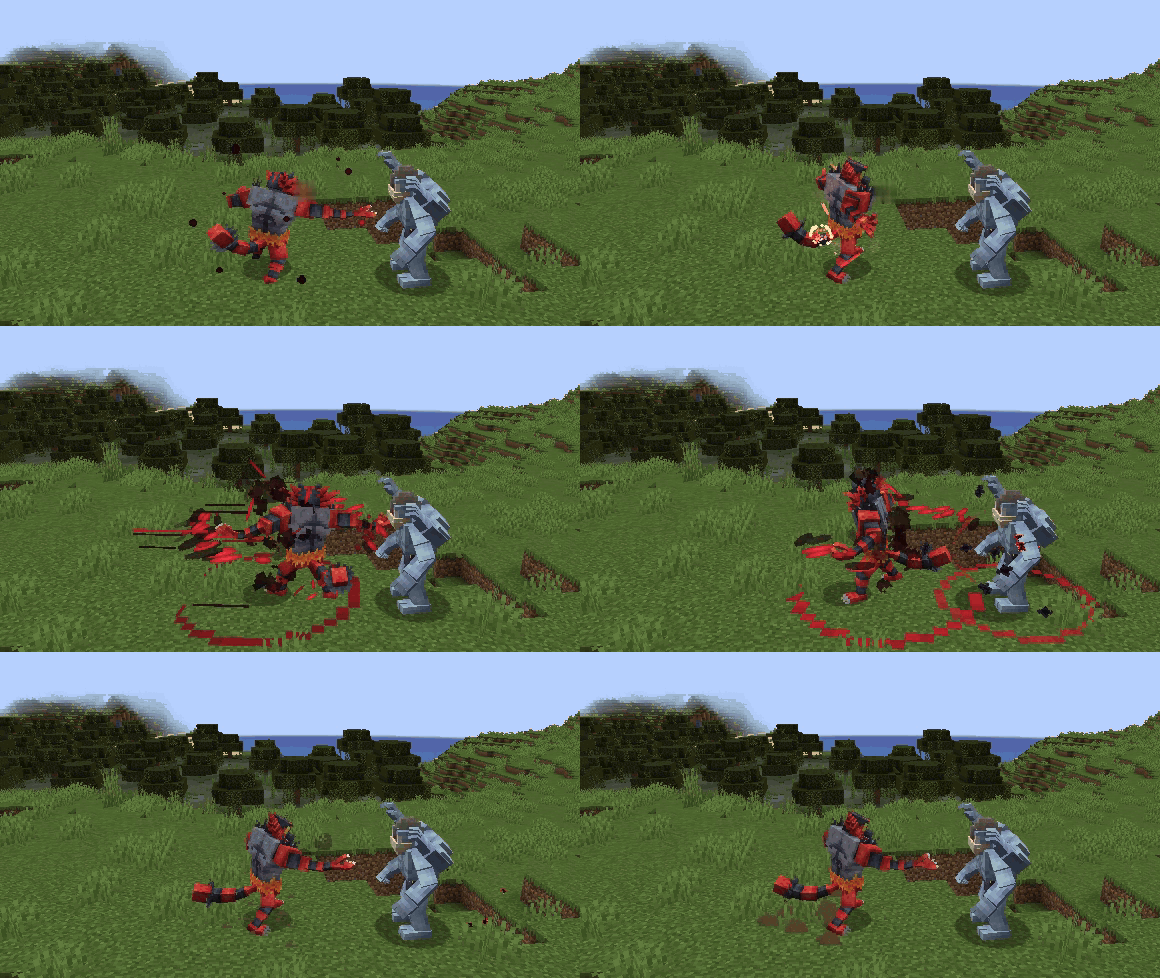
Darkest Lariat (Dark) – crimson orbs ignite at each fist as the user spins into the target, scattering black-and-red shards on impact.
Focus Blast (Fighting) – focused energy forms a white-hot orb with a cyan halo, which the user hurls at the target.
Brave Bird (Flying) – the user dives low in a bird of cyan light and crashes into the target, then recoil sparks crackle over it. The sparks only appear when the user actually takes recoil damage.
Flare Blitz (Fire) – flame streams pour into the user until it flares white-hot, then it charges as a fireball wrapped in spiralling rings of fire and explodes on the target in flame and black smoke. Recoil flames only appear when the user actually takes recoil damage.
Beat Up (Dark) – dark afterimages of the user and its real teammates, drawn with their own models, strike one after another. There is one strike per real hit, so fainted or statused teammates sit it out.
Counter (Fighting) – the user braces to absorb the blow, its body flushes red-orange, and it strikes back with a white-hot burst of orange sparks. If Counter fails, the user only braces.
Requirements
- Minecraft 1.21.1
- Fabric Loader 0.19.3 or newer
- Fabric API
- Fabric Language Kotlin
- Cobblemon 1.7.3 or newer (tested up to 1.8.4)
Install
Drop the jar into your mods folder alongside Fabric API, Fabric Language Kotlin and Cobblemon. There is nothing to set up: every move plays this mod’s animation straight away, and you can switch any of them back to Cobblemon’s (see below).
Playing on a server? Install the mod on the server as well as on every player’s client. Cobblemon runs move animations on the server, so if the mod is only on your client, nothing will show up.
This mod’s animation or Cobblemon’s
Each move can play either this mod’s animation or Cobblemon’s. Cobblemon 1.8 and later animate Hydro Pump and Draco Meteor themselves; for the other moves, “Cobblemon” means its generic move animation.
To switch, open Cobblemon’s settings (Mods → Cobblemon → Configure with Mod Menu, or type /cobblemonconfig) and click Extra Move Animations… next to Done. Click a move to flip it between This mod and Cobblemon; the change applies when you close the screen.
On a multiplayer server the server decides for everyone, so the screen only shows its choices. Server owners set them in the server’s config/cobblemon_extra_move_animation.json and then run /reload.
Source & issues: https://github.com/Ramoz2011/cobblemon-extra-move-animations
常见问题
Cobblemon Extra Move Animations 支持哪些 Minecraft 版本?
Cobblemon Extra Move Animations 支持 Minecraft Java 版 1.21.1,可用的加载器:Fabric。下载时注意选择和你游戏版本一致的文件。
Cobblemon Extra Move Animations 怎么安装?
先用 PCL2 或 HMCL 启动器安装对应版本的 Fabric,再把下载的 .jar 文件放进游戏目录的 mods 文件夹,重新启动游戏即可。开启了版本隔离的,mods 文件夹在 versions/版本名 下面。
评论
登录后评论和评分