
Cobblemon Evolution Helper
See every evolution a Pokémon can take, with a tick or cross for each requirement and your progress, right on Cobblemon's summary screen.
截图
介绍
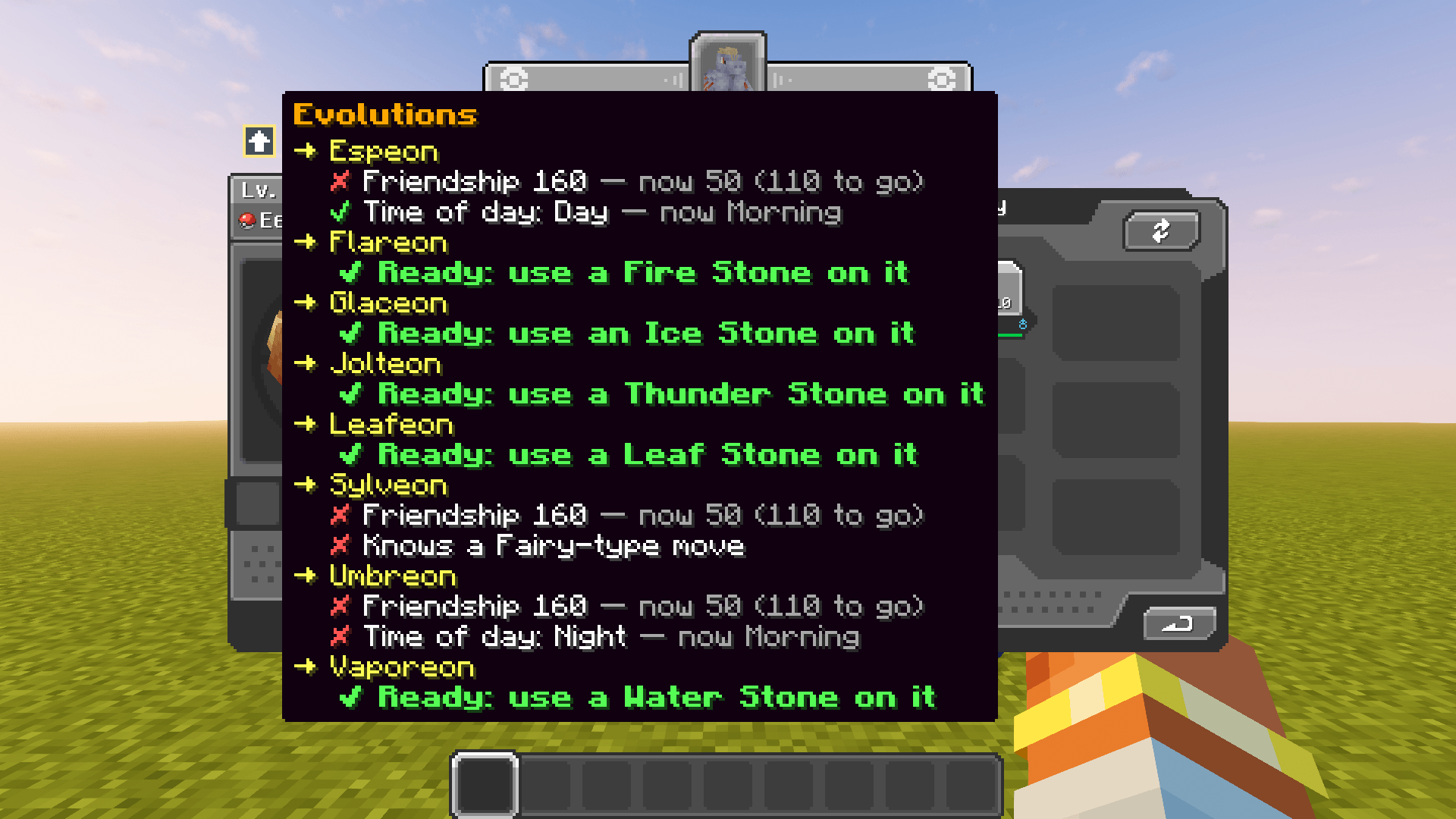
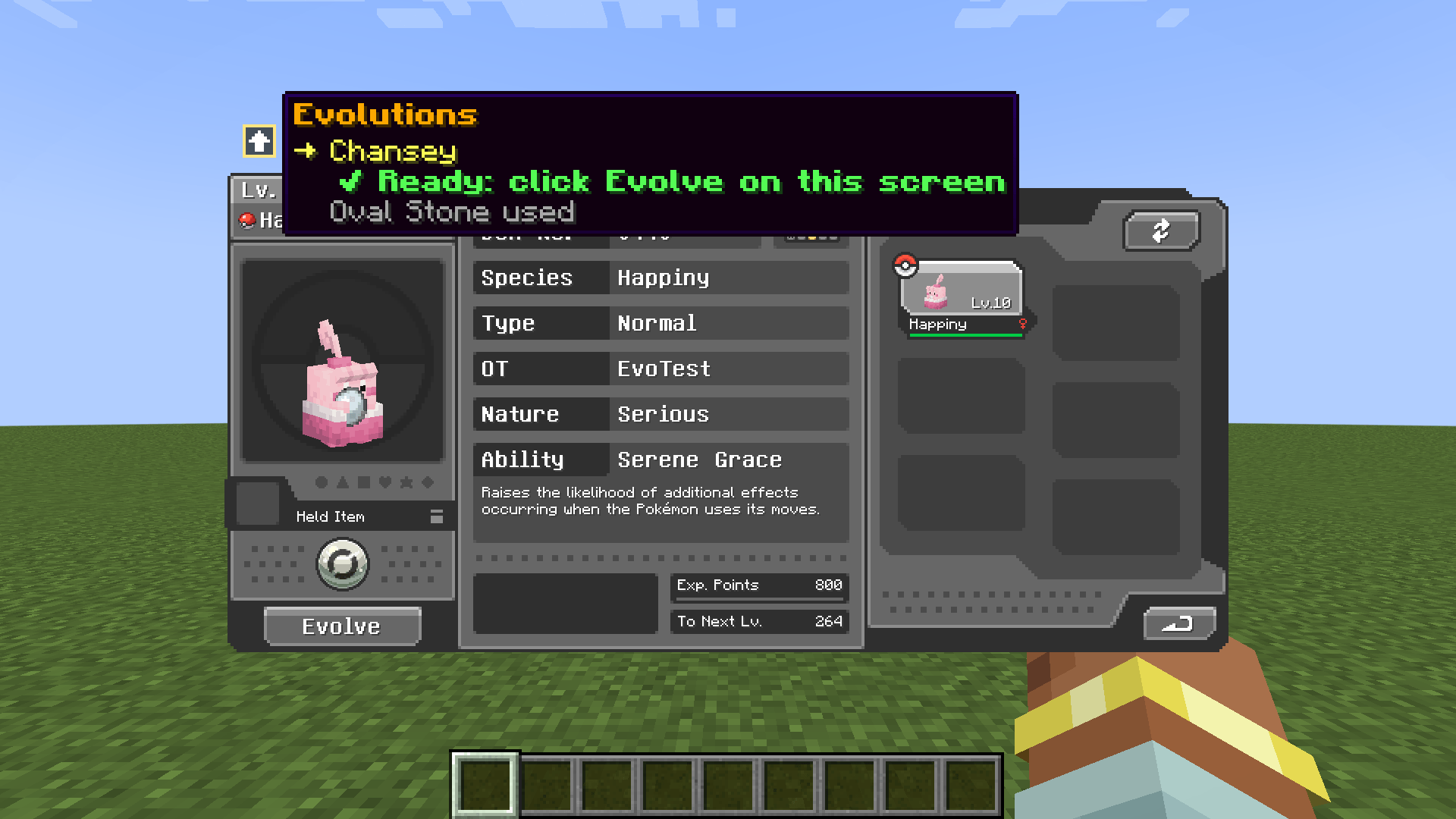
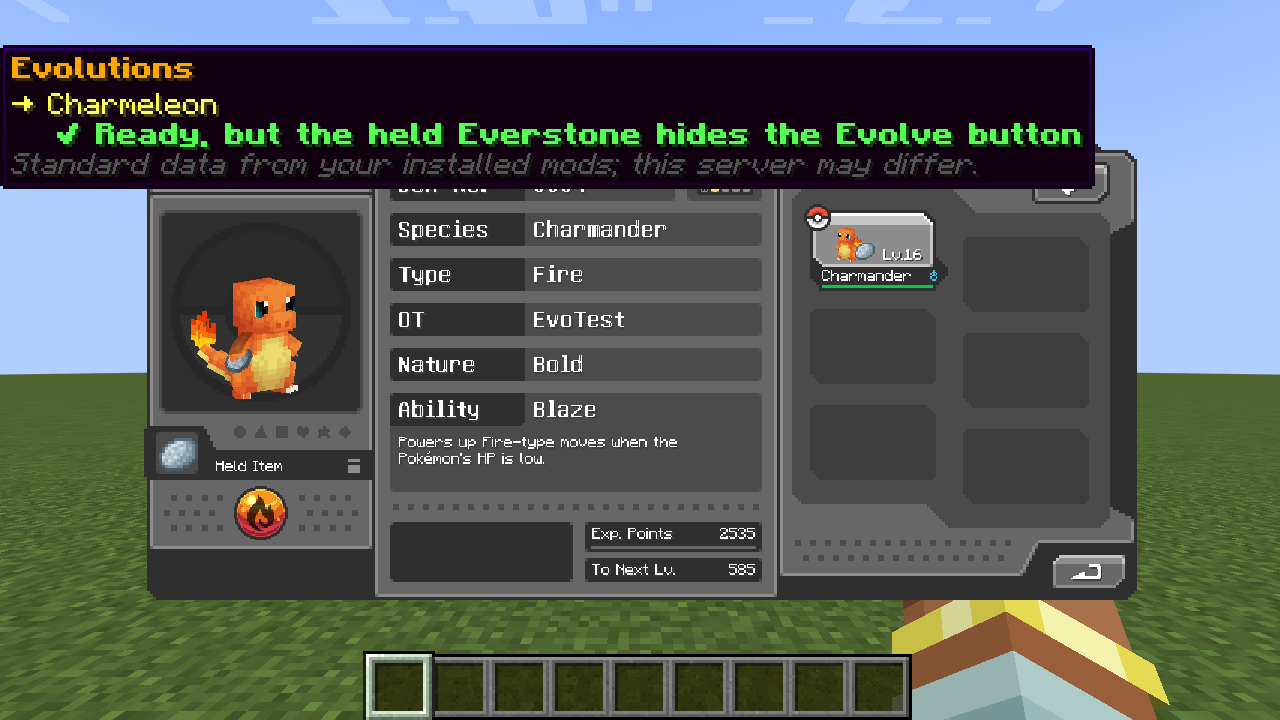
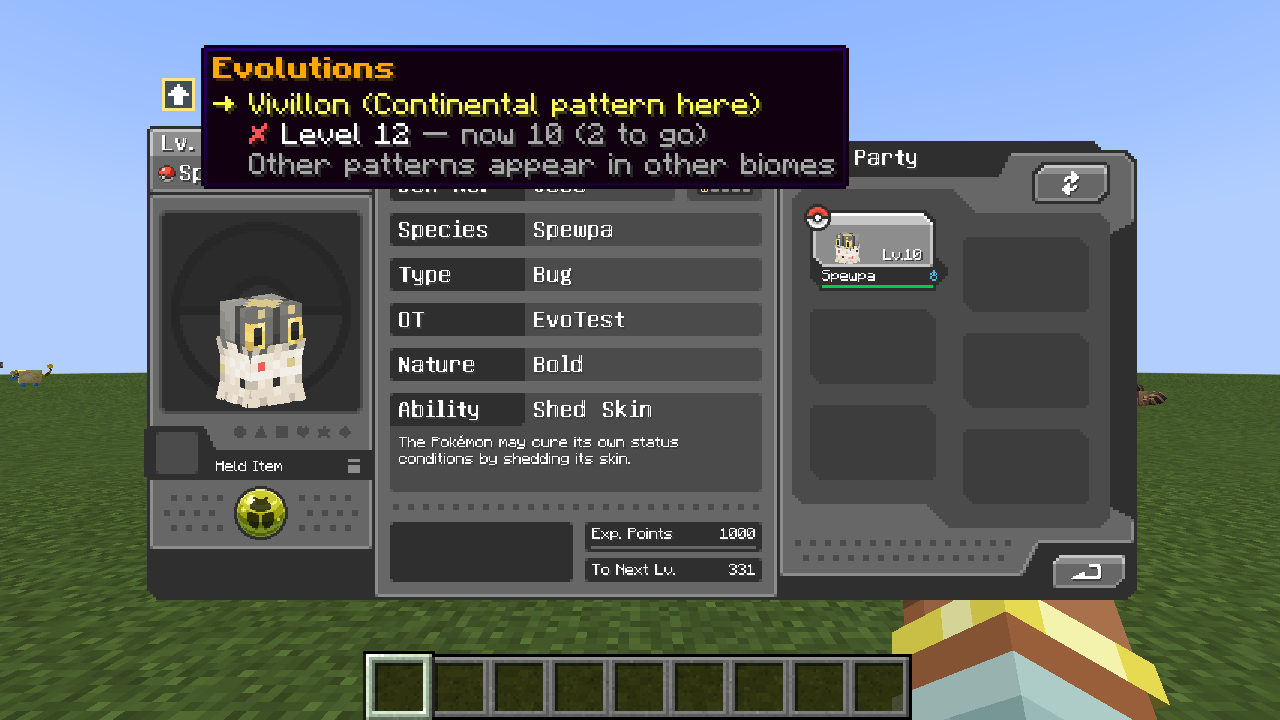
Hover the small arrow icon on Cobblemon’s summary screen to see every evolution at a glance.
What it shows
- Every evolution the Pokémon can take, including branches (all eight Eeveelutions at once)
- A green ✔ or red ✘ for each requirement, with your progress: Friendship 160 — now 50 (110 to go)
- What to do when it’s ready: Ready: use a Fire Stone on it, Ready: click Evolve on this screen
- Special cases: held items, time of day, moves known, Vivillon patterns, and an Everstone blocking the Evolve button
- Evolutions added by other mods (tested with Extra Eeveelutions)
Install
- Minecraft 1.21.1, Cobblemon 1.7.3 to 1.8.x (tested on 1.7.3, 1.8.1 and 1.8.2)
- Fabric (with Fabric API) or NeoForge
- Client-side: put it in your own game; servers don’t need it. On a server it shows the standard data from your installed mods, with a grey note that the server may differ.
Tested with
The Official Cobblemon Modpack and COBBLEVERSE, on both loaders, in singleplayer and on servers.
Good to know
- English only.
- If a future Cobblemon changes its summary screen, the icon switches itself off instead of crashing your game.
Modpacks
You may include it by linking to it on CurseForge or Modrinth. Please don’t re-upload the file elsewhere.
Support
Enjoying it? Support KingdomForge on Ko-fi: https://ko-fi.com/kingdomforge
Not affiliated with Cobblemon, Nintendo, Game Freak or The Pokémon Company.
常见问题
Cobblemon Evolution Helper 支持哪些 Minecraft 版本?
Cobblemon Evolution Helper 支持 Minecraft Java 版 1.21.1,可用的加载器:Fabric / NeoForge。下载时注意选择和你游戏版本一致的文件。
Cobblemon Evolution Helper 怎么安装?
先用 PCL2 或 HMCL 启动器安装对应版本的 Fabric / NeoForge,再把下载的 .jar 文件放进游戏目录的 mods 文件夹,重新启动游戏即可。开启了版本隔离的,mods 文件夹在 versions/版本名 下面。
KingdomForge 的其他作品
查看全部 →
Cobblemon Scanner Details
Extra labels on Cobblemon's Pokédex scanner: shiny, regional and special forms, color patterns, colored type names and a level color that compares with your party.

Forgiving Tags
Keeps the other entries of a tag when one entry in it does not exist, instead of throwing the whole tag away, and names the skipped entry in the server log.
评论
登录后评论和评分