Co-Op Overhaul
Provides several features to improve co-operative online play.
介绍
中文介绍正在准备中,下面暂时显示原文。
Co-Op Overhaul
Source: https://github.com/FatherToast/
Discussion: https://discord.gg/GFTzTdX
Co-Op Overhaul provides several features to improve co-operative online play, such as pinging and protections for friendly fire. Everything is configurable.
Co-ordination features:
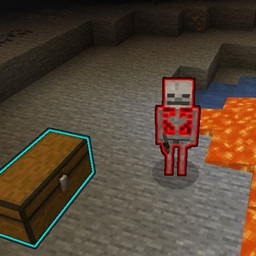
- Inspect – Default key bind: Hold V. Highlights (similar to the glow effect) the block/entity you are looking at. If you have Jade installed, its tooltip will display the block/entity you are inspecting. Using a spyglass increases your max inspect range.
- Ping – Default key bind: V + Left Mouse Button. Marks the inspected block or entity to be highlighted for a while with a nameplate above; all nearby players can see active pings.
- Find Players – Default key bind: Tab. Highlights players around you to make them easier to find.
- Party Overlay – Displays a panel in the HUD for each player in the world with you showing basic information like their name and current health.
- Revive – Not yet implemented.
Social features:
- Can link items in chat (work in progress, simply shows the tooltip when hovered).
Protection features:
- Friendly Fire Mitigation – Reduces damage that friendly players deal to each other.
Commands:
Available commands:
- None yet.
常见问题
Co-Op Overhaul 支持哪些 Minecraft 版本?
Co-Op Overhaul 支持 Minecraft Java 版 1.20.1,可用的加载器:Forge。下载时注意选择和你游戏版本一致的文件。
Co-Op Overhaul 怎么安装?
先用 PCL2 或 HMCL 启动器安装对应版本的 Forge,再把下载的 .jar 文件放进游戏目录的 mods 文件夹,重新启动游戏即可。开启了版本隔离的,mods 文件夹在 versions/版本名 下面。
FatherToast 的其他作品
查看全部 →
Special AI
by FatherToast
为生物添加新的AI模式,让你的游戏更有趣、更具挑战性。
803.6万
5 个月前
CurseForge
Mob Properties
by FatherToast
允许你对生物进行深度自定义,包括掉落物、属性、NBT 等!
660.4万
9 年前
CurseForge

Special Mobs
by FatherToast
添加了许多符合原版《我的世界》风格的 RPG 风格生物变种。
524.3万
6 个月前
CurseForge

Crust
by Sarinsa, FatherToast
一个用于模组开发和测试的工具包,附带一些其他小型实用功能。
262.4万
4 个月前
Modrinth · CurseForge
评论
登录后评论和评分