
截图
介绍
Requires CreativeCore
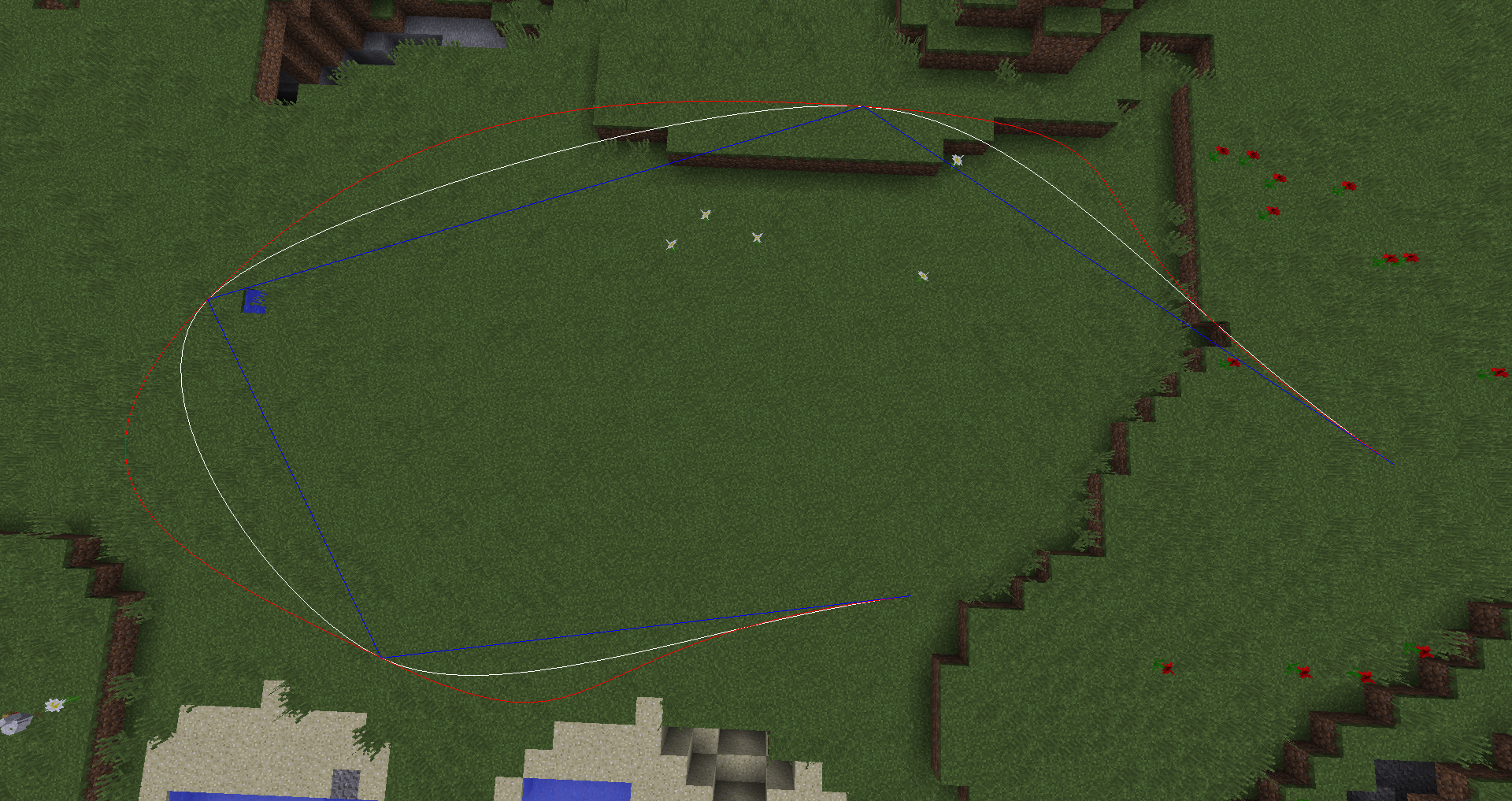
This mod adds a way to create smooth camera paths, including a zoom, tilt and follow target feature. Just keep in mind that you need an external tool to record it.
Server?
Furthermore it can also be installed on a server, to save paths server wide. Make a player follow a path by using a command. It’s even possible to create paths using commands!
Features
- smooth camera paths
- roll rotation
- zooming
- ‘outside’ mode (be camera & actor at the same time)
- following targets (block or entity)
- different interpolations
Feel free to suggest more features.
Looking for a server to play with your friends. Our sponsor got you covered:

Use the promo code teamcreative to get 25% off the first month on any of the gaming servers!
Usage
_ \[optional\]_
Press ‘P’ for adding a point.
Press ‘U’ to start the animation (default time is 10 seconds)
Press ‘V’ to zoom in, ‘N’ to zoom out and ‘B’ to reset the zoom.
Press ‘G’ to roll left, ‘J’ to roll right and ‘H’ to reset the roll.
_/cam add \[location:x,y,z\] \[rotation\] \[roll\] \[fov\]_ adds a point.
_/cam insert \[location:x,y,z\] \[rotation\] \[roll\] \[fov\]_ inserts point at given index.
_/cam stop_ stops the animation.
_/cam start _ starts the animation using the given time.
_/cam clear_ delete all registered points.
_/cam goto _ teleports to the given point.
_/cam set _ updates point to current location.
_/cam remove _ removes the given point.
_/cam target _ set the camera target to look at. On client side @a, @p, @e are not working.
_/cam follow _ set the camera target to follow (position). On client side @a, @p, @e are not working.
_/cam mode _ set current mode
_/cam interpolation _ set the camera interpolation. hermite interpolation is default.
_/cam duration _ sets the duration of the scene.
_/cam loops _ sets the loops of the scene.
_/cam distance_timing _ enables or disables distance based timing. Can be used to make camera go with constant speed.
_/cam smooth_start _ enables or disables smooth start. When enabled a small transition to the start of the scene is done.
_/cam spinning_fix _ determines how rotational values will be interpreted. Fix will ignore all 360 rotations between points and turn in the closest direction. Fix keep direction is the default and will ignore all 360 rotations as well, but keep the original turning direction if it is longer. No fix disable this correction feature entirely.
_/cam pitch step _ determines how agile the camera will correct pitch value to look at the target. 1 is instant, the higher the value the slower it will be. Default is 20.
_/cam yaw step _ determines how agile the camera will correct yaw value to look at the target. 1 is instant, the higher the value the slower it will be. Default is 20.
_/cam pos step _ determines how agile the camera will correct position value to follow the target. 1 is instant, the higher the value the slower it will be. Default is 20.
_/cam pause_ pauses playback of scene.
_/cam resume_ resumes playback of scene.
_/cam show _ shows the path using the given interpolation.
_/cam hide _ hides the path using the given interpolation.
_/cam list_ lists all saved paths.
_/cam load_ tries to load the saved path with the given name (stored per world).
_/cam save _ saves the current path (including settings) with the given name (stored per world).
_/cam-server start \[time|ms|s|m|h|d\] \[loops (-1 -> endless)\]_ starts the animation for the given players.
_/cam-server stop _ stops the animation for the given player.
_/cam-server create _ creates an empty scene.
_/cam-server get _ can be used to run /cam commands on server for the given scene.
_/cam-server list_ lists all saved paths.
_/cam-server remove _ removes the given path.
_/cam-server clear_ clears all saved paths.
_/cam-server pause _ pauses playback of scene for the given players.
_/cam-server resume _ resumes playback of scene for the given players.
Tutorial


常见问题
CMDCam 支持哪些 Minecraft 版本?
CMDCam 支持 Minecraft Java 版 1.7.10–26.3,共 46 个版本,可用的加载器:Forge / NeoForge。下载时注意选择和你游戏版本一致的文件。
CMDCam 怎么安装?
先用 PCL2 或 HMCL 启动器安装对应版本的 Forge / NeoForge,再把下载的 .jar 文件放进游戏目录的 mods 文件夹,重新启动游戏即可。开启了版本隔离的,mods 文件夹在 versions/版本名 下面。运行环境:客户端 / 服务端。




评论
登录后评论和评分