
ClipChat
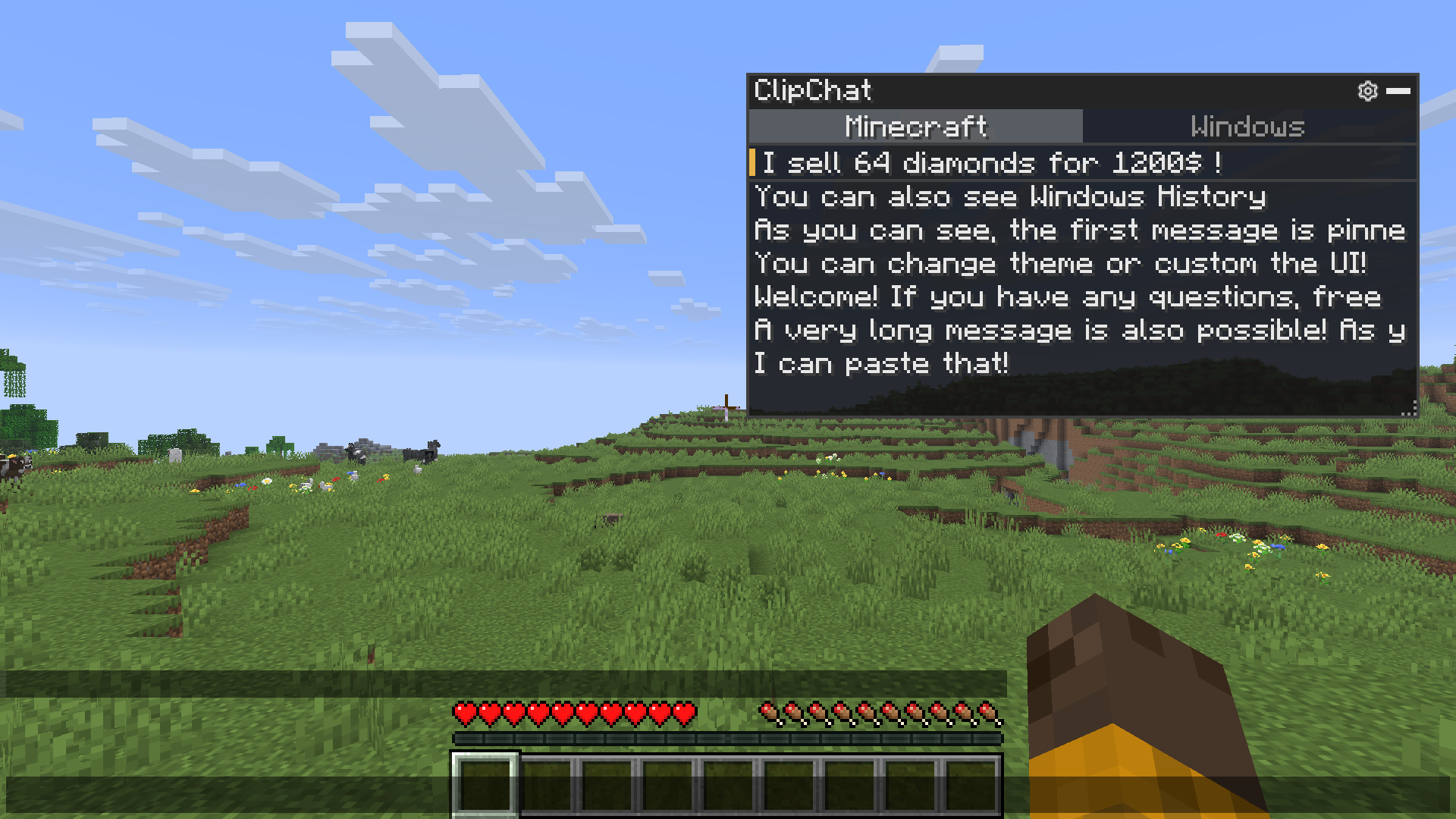
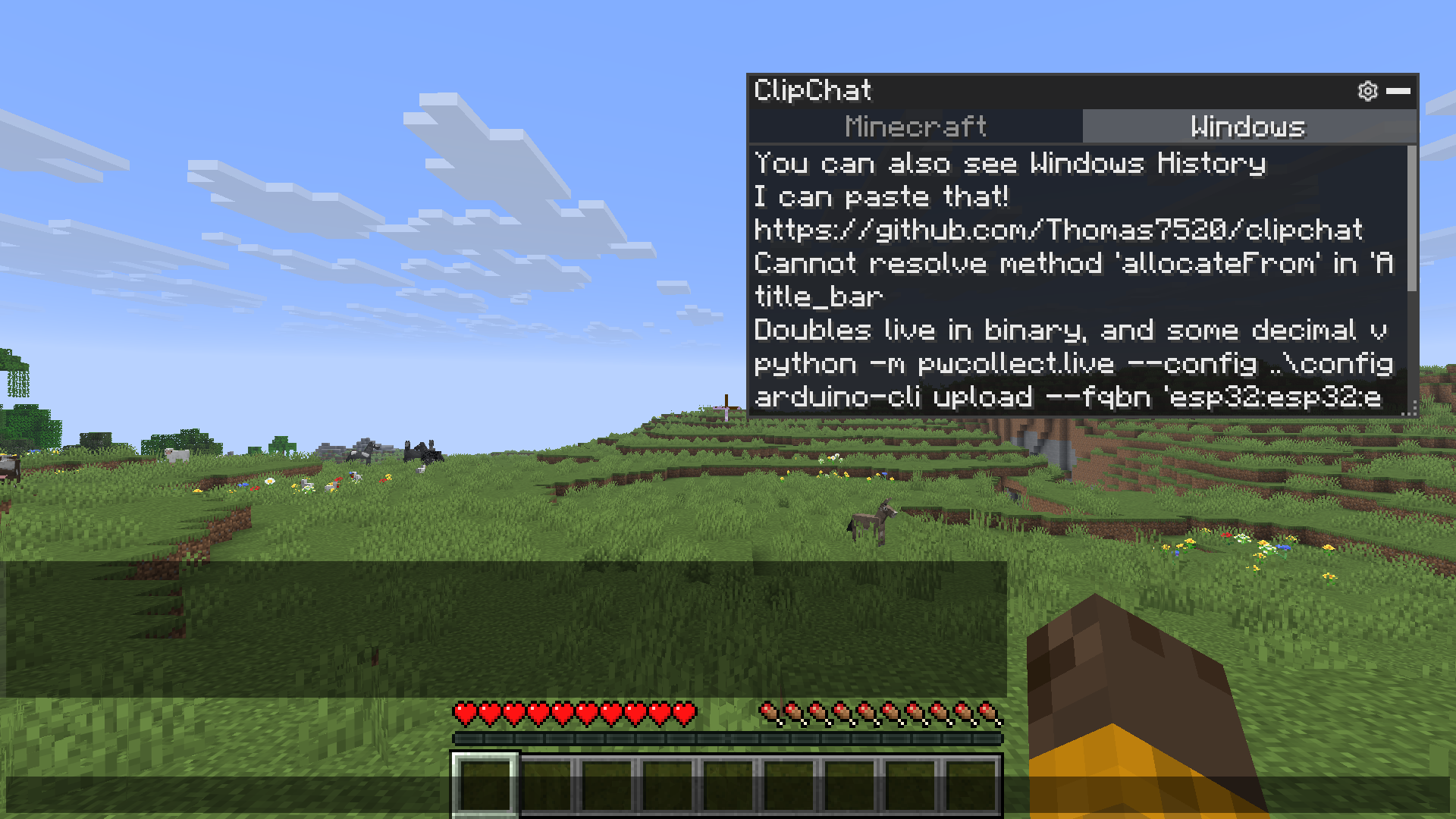
A clipboard manager that lives inside the Minecraft chat screen. Open chat, click an entry, and it is inserted at your cursor : no alt-tabbing to find that message, coordinate or command again.
截图
介绍
ClipChat
ClipChat is a client-side clipboard manager directly integrated into the Minecraft chat screen.
Anything you copy while playing can be quickly accessed from the chat. Simply open the chat, click an entry, and ClipChat inserts it directly at your cursor.
No more alt-tabbing to find a message, coordinate or command you copied earlier.

Features
- Clipboard history directly in the Minecraft chat
- Click an entry to insert it into your message
- Pin important entries so they always stay at the top
- Delete and manage entries directly from the panel
- Full keyboard controls
- Movable, resizable and collapsible interface
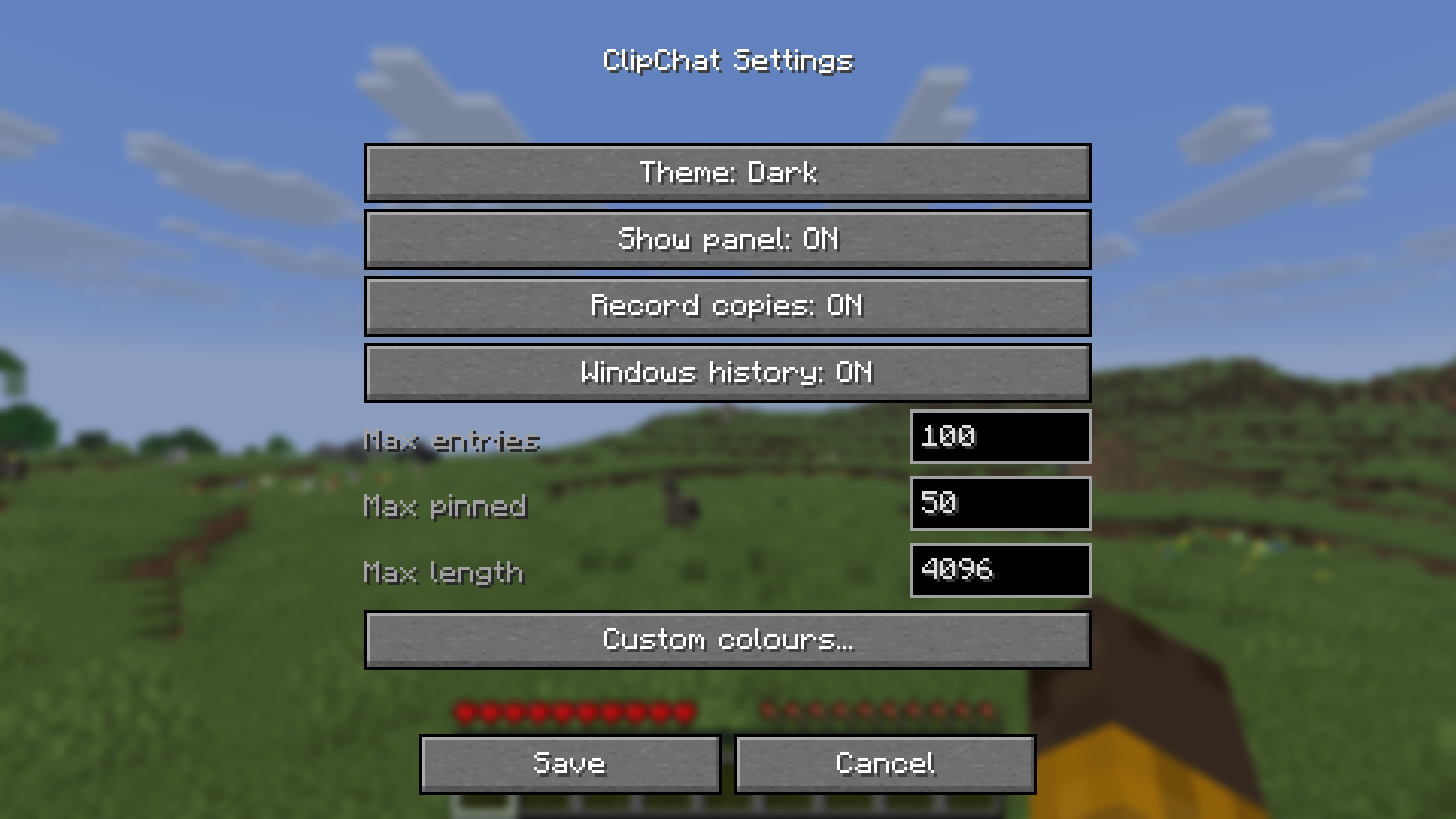
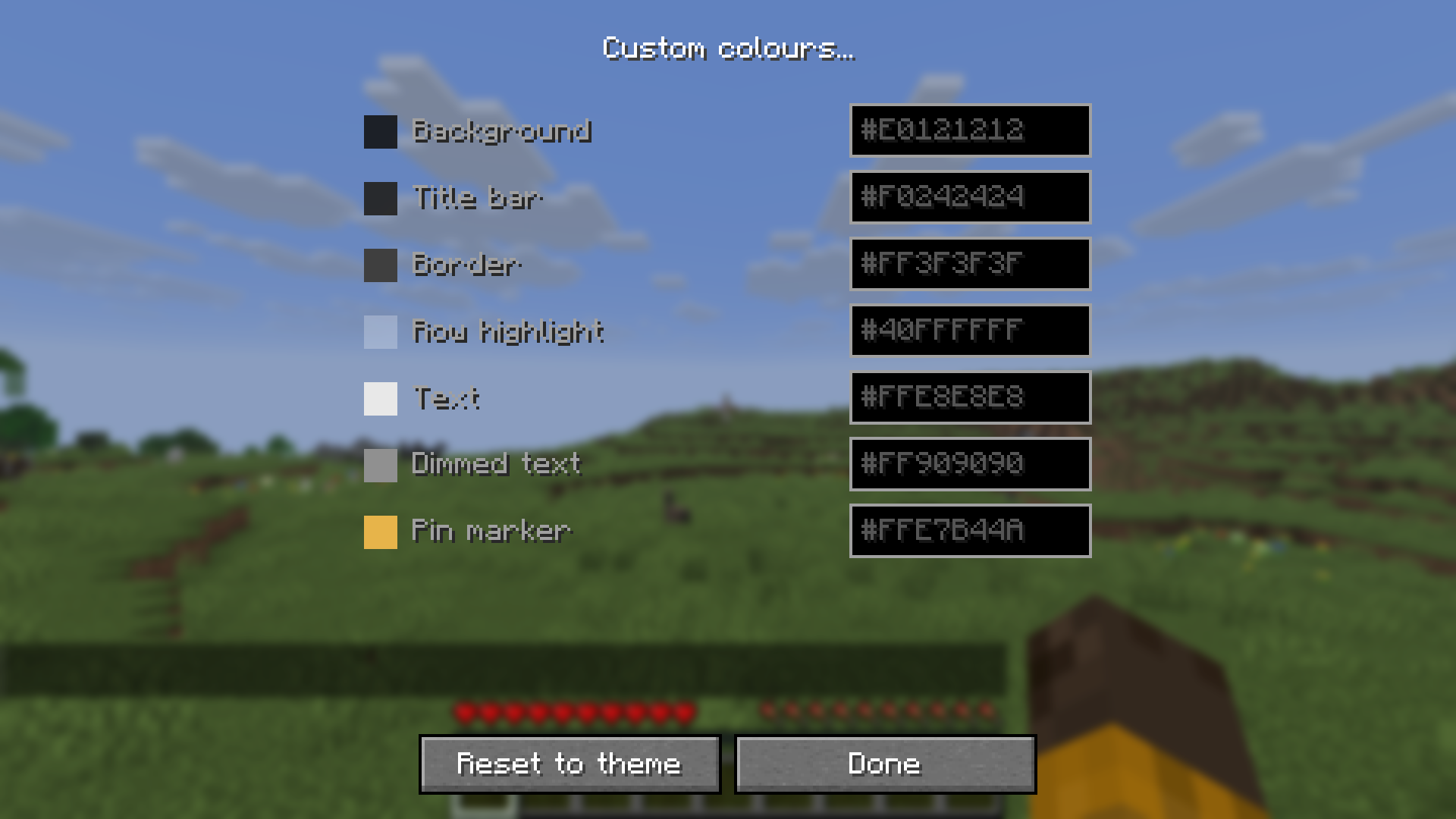
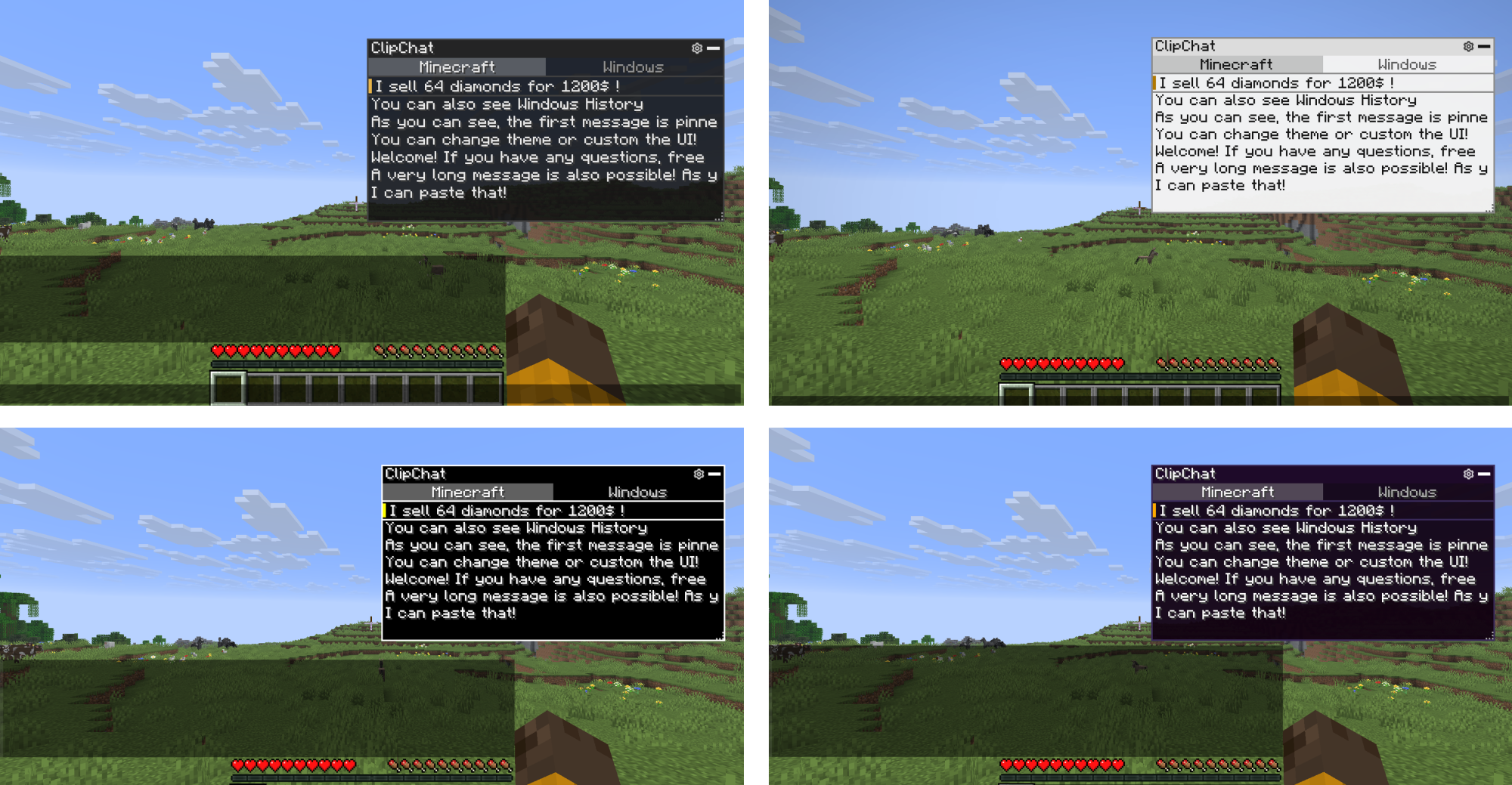
- 4 built-in themes with customizable colours
- Optional clipboard persistence between game sessions
- Optional Windows clipboard history integration
ClipChat is client-side only and does not need to be installed on the server.
Controls
The panel is displayed directly inside the chat screen.
Ctrl + Up / Down: Select an entryCtrl + Enter: Insert selected entryCtrl + P: Pin / unpinCtrl + Delete: DeleteCtrl + Left / Right: Switch clipboard tab
You can also use the mouse to insert, pin, delete, move or resize the panel.
Configuration
Open the settings using:
- the gear icon in the ClipChat panel
/clipchat- the ClipChat settings keybind
- Mod Menu, if installed

Windows Clipboard History
On Windows, ClipChat can optionally display the clipboard history provided by Windows directly inside Minecraft.
This feature is disabled by default and Windows clipboard history is only accessed when you enable and open the Windows tab.

Privacy
Clipboard history persistence and Windows clipboard history are disabled by default.
Windows clipboard history is read on demand and is never saved by ClipChat.
常见问题
ClipChat 支持哪些 Minecraft 版本?
ClipChat 支持 Minecraft Java 版 1.20.1–26.2,共 6 个版本,可用的加载器:Fabric / NeoForge。下载时注意选择和你游戏版本一致的文件。
ClipChat 怎么安装?
先用 PCL2 或 HMCL 启动器安装对应版本的 Fabric / NeoForge,再把下载的 .jar 文件放进游戏目录的 mods 文件夹,重新启动游戏即可。开启了版本隔离的,mods 文件夹在 versions/版本名 下面。运行环境:仅客户端。
Thomas7520 的其他作品
查看全部 →
Comics Bubbles Chat
以更有吸引力的方式与玩家交流

Macro Keybinds
创建宏,让操作更快
Macro Keybinds
创建一个能让操作更快的宏。

RemindClockHUD
Tired of missing out on things to do because you're too focused on playing? Remind Timer HUD is the solution. Clock, Chronometer, Reminders and Timers are available to keep you focused without missing tasks.
评论
登录后评论和评分