Client Functions
Execute your own functions on the fly without data packs and external tools
截图
介绍
Client Functions (Fabric)
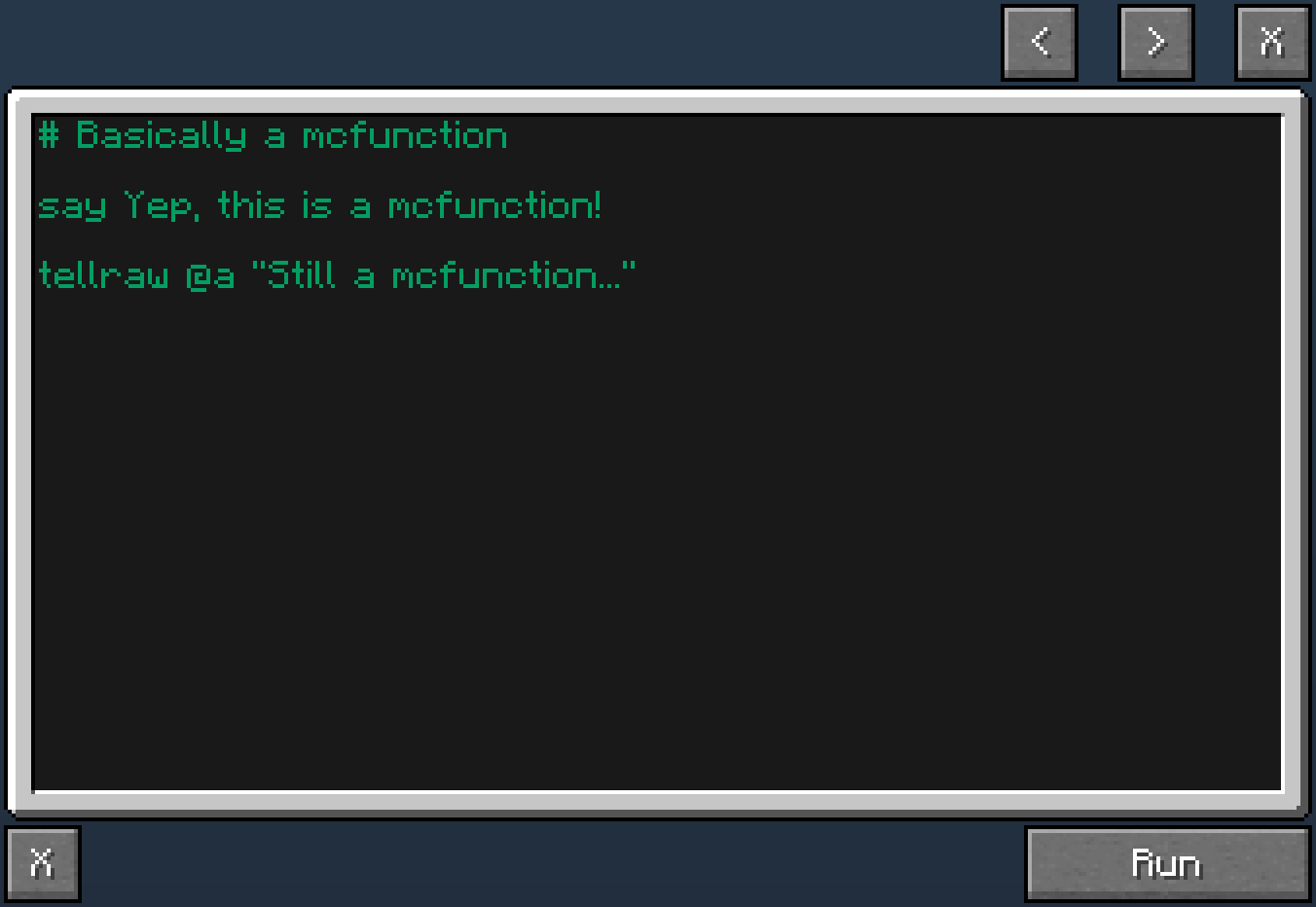
This mod allows players with sufficient permissions to execute bundles of commands(functions) on the fly without data packs. The default keybind for opening the GUI is B but you can change it. All functions you execute will be saved in a history. You can browse it in the GUI via the arrow buttons or via CTRL + SCROLL WHEEL. In the config file or the Mod Menu integration you can choose how you want your history to be saved.
Dependencies
This mod requires Fabric API and Cloth Config API. Additionally, you can install Mod Menu if you want more configuration. Alternatively, you can just modify the config file clientfunctions.json5 inside .minecraft/config.
Server and client
In order for this to work on dedicated servers the mod is required to be on it too.
GUI
There’s also a scroll bar!

Idea
Credit goes to SnaveSutit for commissioning the mod!
常见问题
Client Functions 支持哪些 Minecraft 版本?
Client Functions 支持 Minecraft Java 版 1.18–26.2,共 19 个版本,可用的加载器:Fabric。下载时注意选择和你游戏版本一致的文件。
Client Functions 怎么安装?
先用 PCL2 或 HMCL 启动器安装对应版本的 Fabric,再把下载的 .jar 文件放进游戏目录的 mods 文件夹,重新启动游戏即可。开启了版本隔离的,mods 文件夹在 versions/版本名 下面。运行环境:客户端和服务端都要装。
Velizar 的其他作品
查看全部 →
Suggestion Tweaker
改进输入命令时建议内容的筛选和排序方式。

Technical Utilities
Tech Utils is a mod providing client-side tweaks for Litematica, WorldEdit and other small utilities.
Technical Utilities
Tech Utils is a mod providing client-side tweaks for Litematica, WorldEdit and other small utilities.

Logtellraw Command
Log tellraw's output to the server console or game output
评论
登录后评论和评分