
Clear Third Person Aim
作者:yoima
Makes your own player model transparent only where it blocks your aim in third person view.
介绍
中文介绍正在准备中,下面暂时显示原文。
Clear Third Person Aim
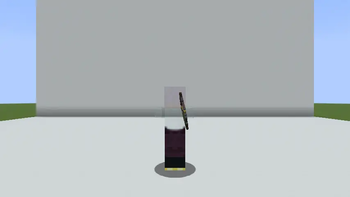
This mod makes your player model transparent when it blocks your aim while using a bow or other supported items in third-person view.
Your feet remain visible, so you can aim without losing the feel of playing in third person.
Features
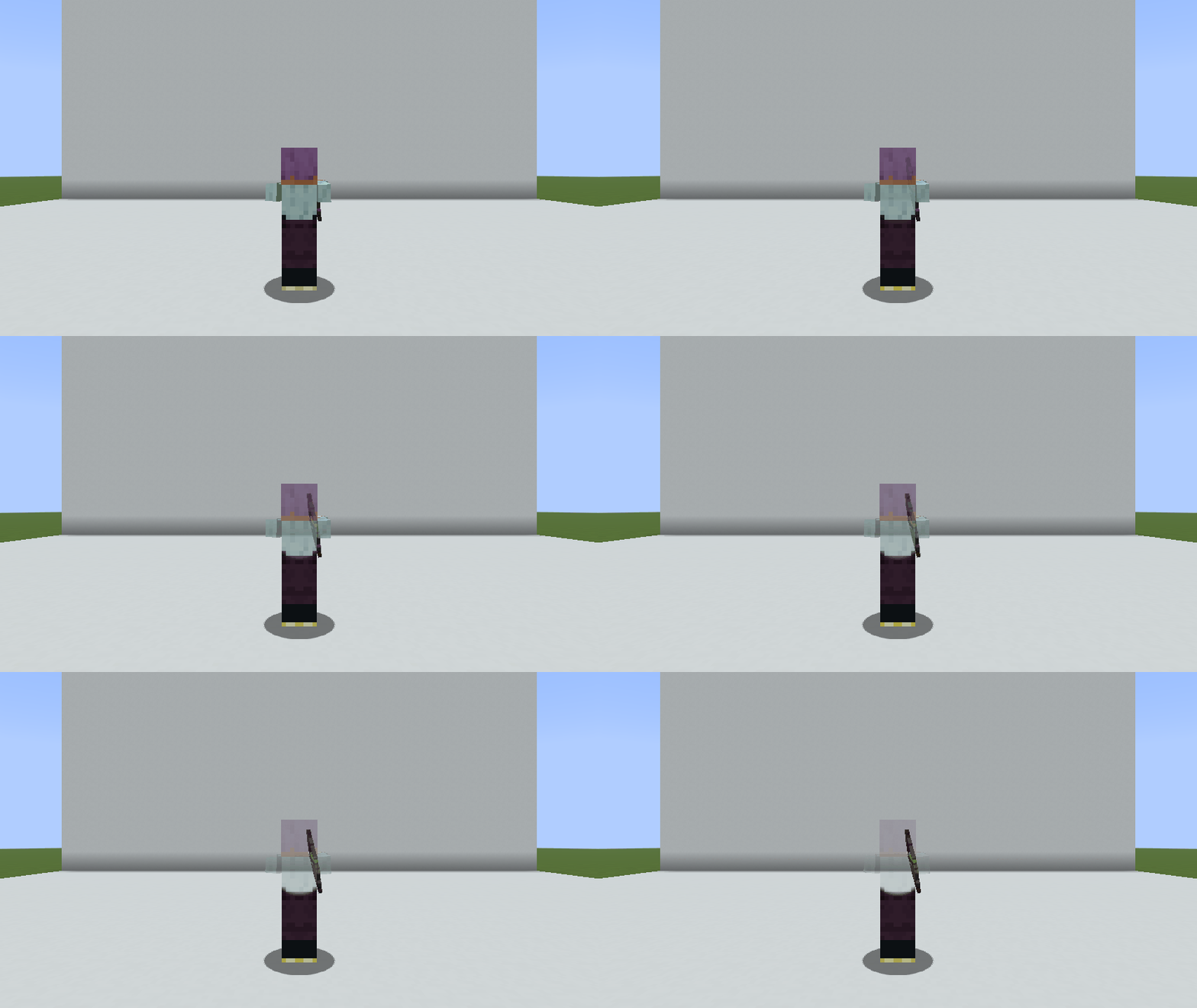
Three transparency modes
- Around crosshair (default): Softly fades the area around the crosshair.
- Upper body: Fades the head, torso, and arms while keeping the legs visible.
- Full body: Fades the entire player model.
Fine-tuned customization
- Opacity: Choose whether the model disappears completely or remains faintly visible.
- Area and edge softness: Adjust the size and softness of the transparent area.
- Camera distance adjustment: Automatically scales the transparent area with camera distance.
- Fade effect: Choose instant switching or smooth fading, with separate fade-in and fade-out durations.
Supported items
- Bows, crossbows (while loading or when loaded), and tridents.
- Optional support for throwable items such as snowballs and ender pearls.
- Add items from other mods by specifying their item IDs.
Details and notes
- Client-side only. It does not need to be installed on the server and works on vanilla servers. Other players will see you normally.
- Change settings through Mod Menu or the chat command /clearaim.
Bug reports and suggestions
Feel free to report bugs or suggest features on GitHub Issues!
常见问题
Clear Third Person Aim 支持哪些 Minecraft 版本?
Clear Third Person Aim 支持 Minecraft Java 版 1.21.1–26.3,共 5 个版本,可用的加载器:Fabric / NeoForge。下载时注意选择和你游戏版本一致的文件。
Clear Third Person Aim 怎么安装?
先用 PCL2 或 HMCL 启动器安装对应版本的 Fabric / NeoForge,再把下载的 .jar 文件放进游戏目录的 mods 文件夹,重新启动游戏即可。开启了版本隔离的,mods 文件夹在 versions/版本名 下面。
yoima 的其他作品
查看全部 →
Smooth Third Person Camera (STPC)
by yoima
一款轻量级客户端模组,让第三人称视角移动更加平滑。
14.8万
3 天前
Modrinth · CurseForge

Smooth Third Person Camera (STPC)
by yoima
轻量级客户端模组,可让第三人称视角的镜头移动更加平滑。
8.6万
3 天前
Modrinth

Manaita
by yoima
这是对“Manaita”的完整重制版,可将合成产出最多提升至 32 倍。
7,027
1 个月前
Modrinth · CurseForge

Chatglot – Chat Translation
by yoima
通过多种服务提供商实时翻译 Minecraft 聊天消息,并支持可选的自动翻译功能。
6,213
11 天前
Modrinth
评论
登录后评论和评分