
截图

介绍

CleanHUD
CleanHUD keeps your screen clean without taking useful information away. Core HUD elements can fade out when they are not needed, and optional Info HUD lines can stay visible exactly where you want them.
Health, hunger, armour, air, XP, the hotbar, the boss bar and even the crosshair each dissolve smoothly when nothing is happening, and fade back in the instant they matter — real transparency, not a hard on/off. Every element is configured on its own, in-game.
Supported versions
Minecraft 1.20.1 → 26.2, on Fabric, Forge and NeoForge — 22 Minecraft versions in total.
Every download is built for exactly one Minecraft version and one mod loader, so pick the file that matches your setup; the version page tells you which combination it is for. (A few combinations don’t exist — NeoForge doesn’t go back to 1.20.1, for instance.)
Requires CodxLib
CleanHUD needs CodxLib installed alongside it. Download the CodxLib file for your Minecraft version and loader too, or the game will report a missing dependency.
What CleanHUD Can Do
Fade the vanilla HUD
You can configure these HUD elements individually:
healthhungerarmorairexperiencemount_healthhotbarcrosshairheld_itemstatus_effectsboss_bar
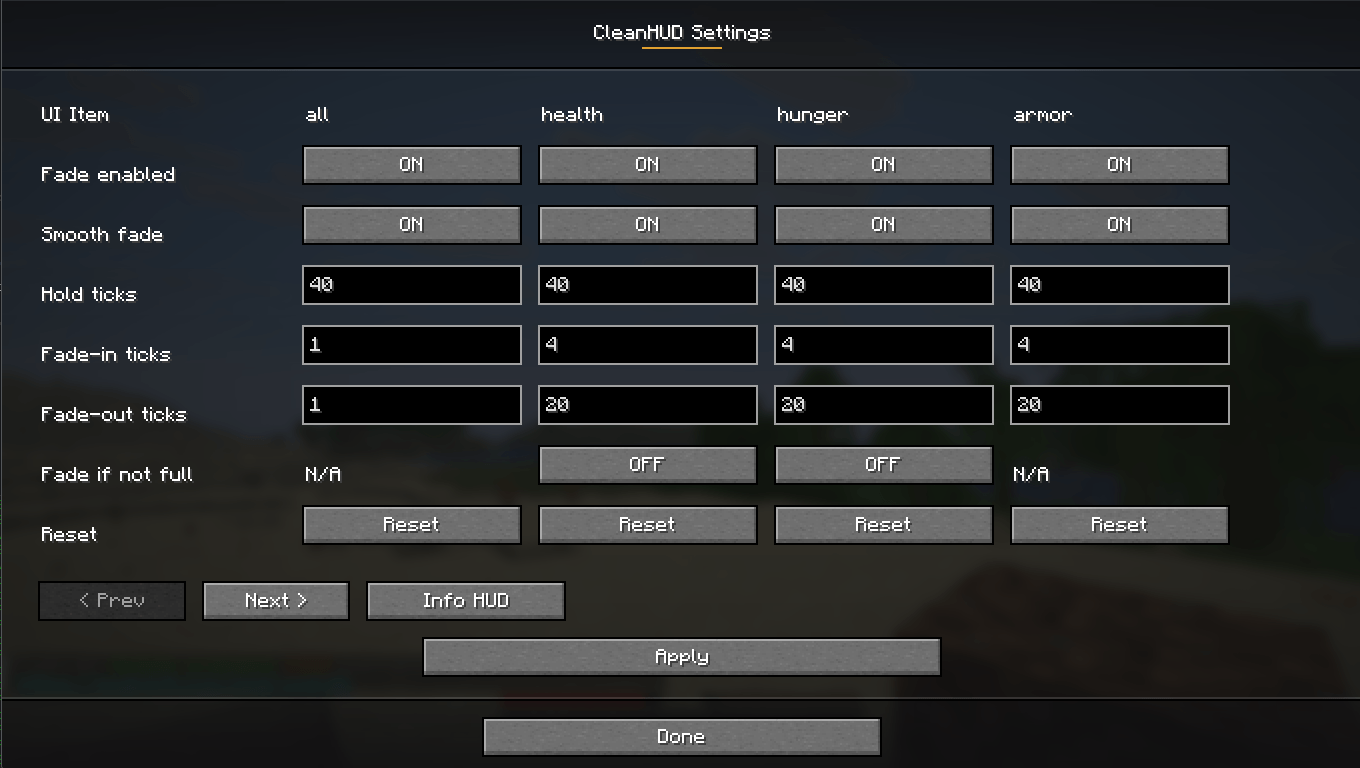
Each supported HUD element can be configured with:
- Fade enabled on/off
- Fade if not full on/off where it makes sense
- Hold ticks
- Fade ticks
- Reset to global/default behavior
Show an optional Info HUD
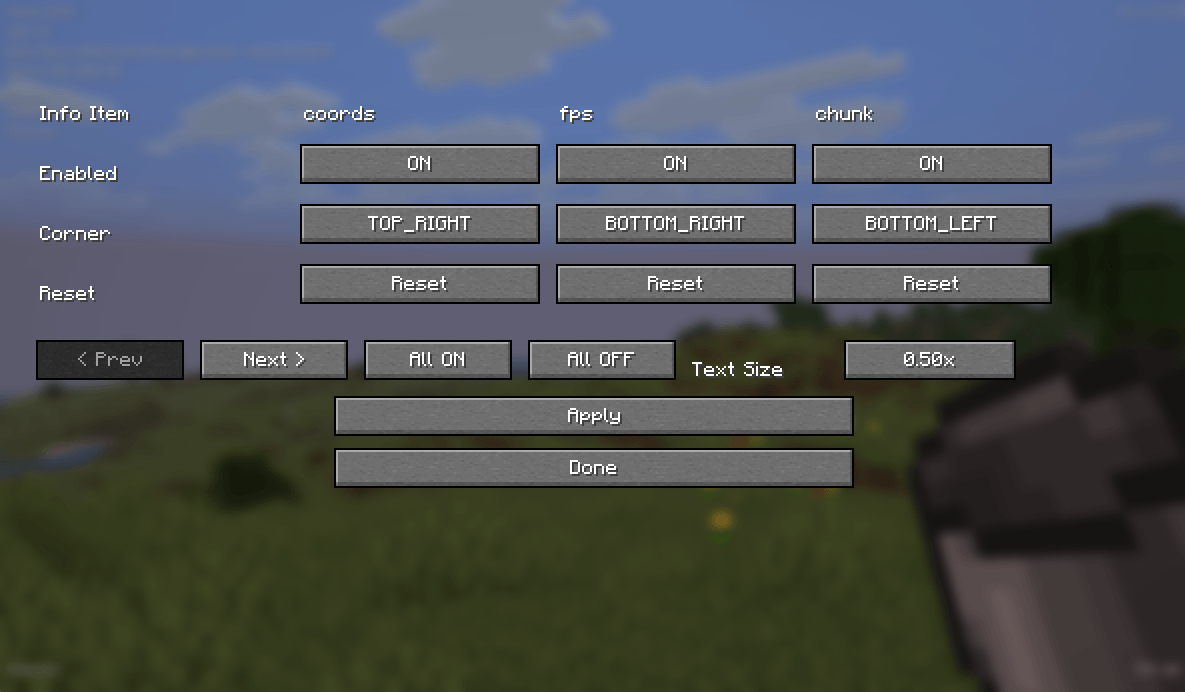
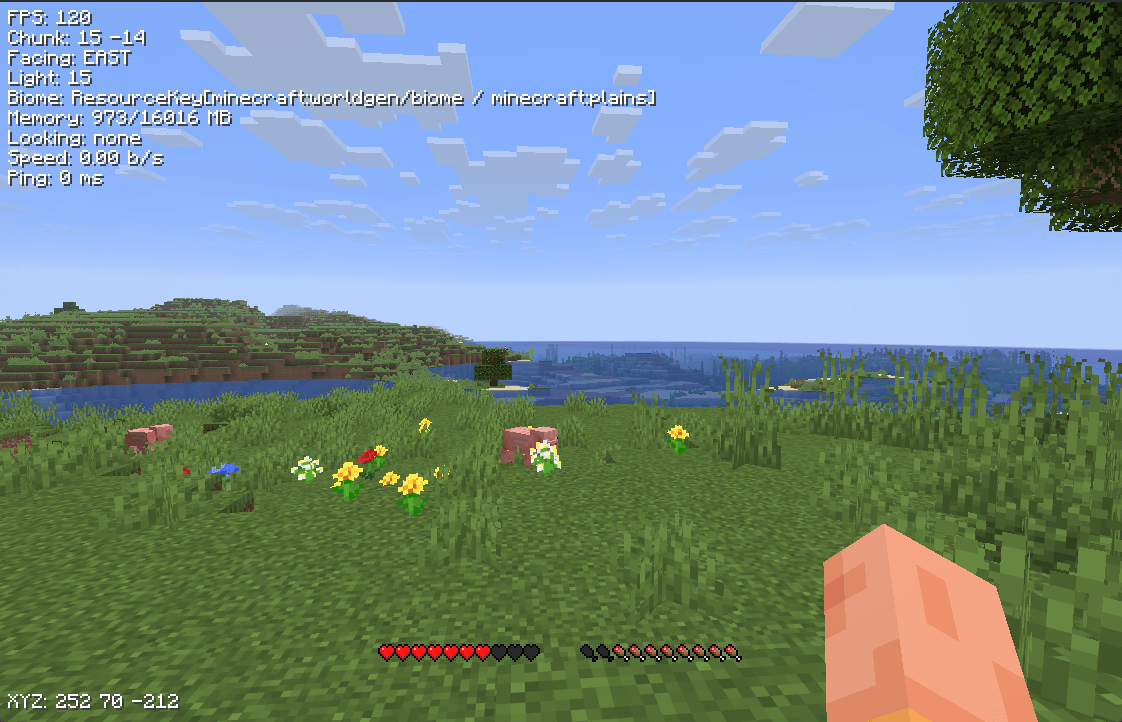
CleanHUD also includes an Info HUD with individually toggleable items:
coords— player coordinatesfps— FPS counterchunk— chunk coordinatesfacing— facing directionlight— light levelbiome— current biomememory— memory usagelooking— what you are looking at, with coordinatesspeed— movement speedping— player ping
Each Info HUD item can be:
- Enabled or disabled individually
- Placed in any corner:
top_lefttop_rightbottom_rightbottom_left
The Info HUD also has a single global text size setting shared by all info items.
Available text sizes currently include:
0.25x0.50x0.75x1.00x1.25x1.50x1.75x2.00x
In-Game Configuration
Open the menu with:
/cleanhud/ch
From the main config screen you can:
- Configure fading behavior for vanilla HUD elements
- Open the dedicated Info HUD screen
- Toggle each info item on/off
- Change each info item corner
- Change Info HUD text size
- Use All ON and All OFF for the Info HUD
Commands
Open the menu
/cleanhud/cleanhud menu/ch/ch menu
HUD fade commands
/cleanhud status [element]
/cleanhud fade <element|all> <true|false>
/cleanhud hold <element|all> <ticks>
/cleanhud fadeTicks <element|all> <ticks>
/cleanhud reset <element|all>
Info HUD commands
/cleanhud info status [item]
/cleanhud info toggle <item|all> <true|false>
/cleanhud info corner <item|all> <top_left|top_right|bottom_right|bottom_left>
/cleanhud info allOn
/cleanhud info allOff
The same commands are also available through /ch.
Why Use CleanHUD?
CleanHUD is made for players who want less clutter without losing useful information. You can keep the screen minimal during normal gameplay, while still showing the exact HUD and player info you care about.
常见问题
CleanHUD 支持哪些 Minecraft 版本?
CleanHUD 支持 Minecraft Java 版 1.20.1–26.2,共 22 个版本,可用的加载器:Fabric / Forge / NeoForge。下载时注意选择和你游戏版本一致的文件。
CleanHUD 怎么安装?
先用 PCL2 或 HMCL 启动器安装对应版本的 Fabric / Forge / NeoForge,再把下载的 .jar 文件放进游戏目录的 mods 文件夹,重新启动游戏即可。开启了版本隔离的,mods 文件夹在 versions/版本名 下面。
CodxIO 的其他作品
查看全部 →
Codxlib
Codxlib 是所有 Codx 模组的前置库,提供共享服务。
Alex’s Mobs Continued
Alex's Mobs Continued 旨在移植并更新这款最出色的模组之一,让它继续焕发生机。
Alex’s Caves Continued
Alex's Caves Continued 旨在移植并更新原版模组,让它在较新版本中继续焕发生机、正常运行。

The One Block.
The One Block mod
评论
登录后评论和评分