
Clean Armor HUD
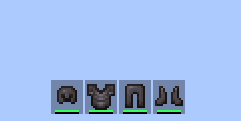
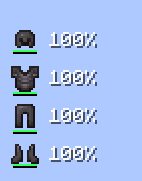
A clean/simple armour hud which is made in a modern style and can be used easily.
截图




介绍
Clean Armor HUD
A light weight client-side Fabric mod for Minecraft that adds a fully customizable, modern armor HUD.
check gallery for better understanding.
Features
- Offhand/Mainhand display
- Drag-and-drop repositioning anywhere on screen
- Rotation, scale, spacing, and alignment controls
- Durability display modes: percentage, numeric, or hidden
- Optional Durability Bar
- Hide vanilla armor bar option
- Automatically Adjusts the bars when placed horizontally and vertically
- Low durability warning with customizable time interval and iterations.
- Modern user friendly gui with customizable size and opacity.
Usage
- In-game, press ‘H’ to open the Armor HUD Editor
- Adjust settings in the left panel
- Click Move HUD to drag the HUD anywhere on screen
- Click Done to save
Spoiler


THANKS FOR 30k❤️!
if there is any issue or bug, contact me through discord or github I would love to hear back from y’all also feel free to add it to your modpack also –my other mod:D
Credits-
- AstroLDDD (Creator)
- HunterLeviathan (Contributor-icon, testing)bhind
- mqgrr (Mod Testing)
常见问题
Clean Armor HUD 支持哪些 Minecraft 版本?
Clean Armor HUD 支持 Minecraft Java 版 1.21–26.3,共 17 个版本,可用的加载器:Fabric。下载时注意选择和你游戏版本一致的文件。
Clean Armor HUD 怎么安装?
先用 PCL2 或 HMCL 启动器安装对应版本的 Fabric,再把下载的 .jar 文件放进游戏目录的 mods 文件夹,重新启动游戏即可。开启了版本隔离的,mods 文件夹在 versions/版本名 下面。运行环境:仅客户端。
astrolddd 的其他作品
查看全部 →
Simple Crosshair Editor
Custom crosshair editor with a drawble grid provided in a simple, easily understandable and modern fashon and many other utility features.
Time Weather Biome Changer
A Minecraft Fabric client-side mod that lets the player locally fake time, weather, and biome ambience.

Screenshot+
Screenshot+ is a lightweight client-side Fabric mod that transforms Minecraft's basic screenshot folder into a polished, in-game screenshot manager.
评论
登录后评论和评分