
截图
介绍
CleanView
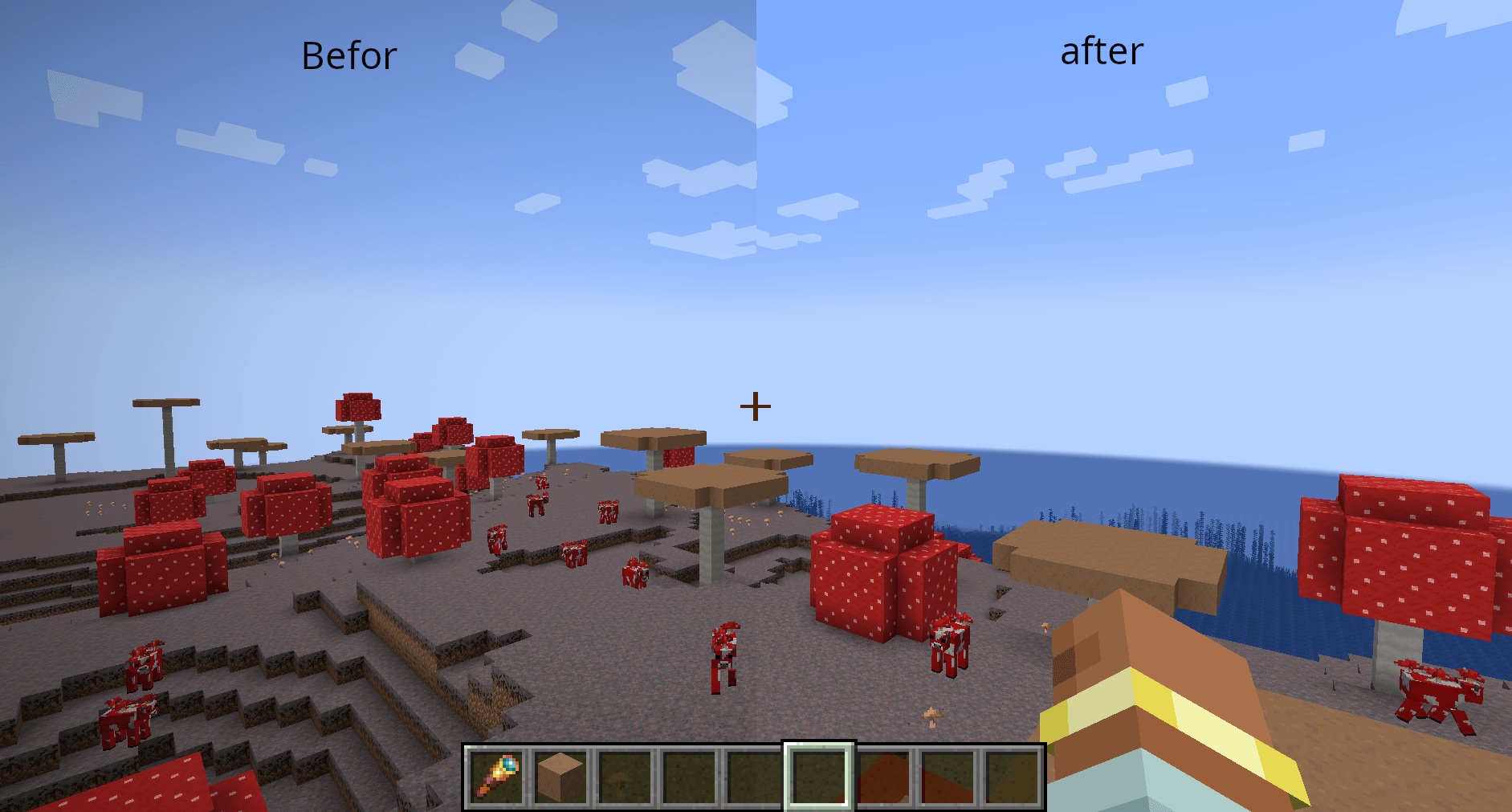
This mod removes the vignette effect around the edges of the screen. The vignette is the dark overlay that appears around the edges of your display.

Additional Features
BoderVignette
This option allows you to keep the red vignette effect that appears when you get close to the world border.

CustomVignetteColor
This option allows you to customize the vignette color using RGB values.

SpyglassEffekt
This option lets you choose whether the vignette effect should be displayed when looking through a spyglass. You can choose between the normal spyglass overlay, the vignette effect, or no overlay at all.

EquipmentEffekt
This option lets you choose how the screen should look when wearing equipment that applies a screen overlay, such as a carved pumpkin. You can choose between the normal overlay, a vignette effect, or no overlay at all.

FreezingEffekt
This option lets you choose how the screen should look when you are freezing in powder snow. You can choose between the normal freezing overlay, a vignette effect, or no overlay at all.

PortalEffekt
This option lets you choose how the screen should look when you are standing inside a portal. You can choose between the normal portal overlay, a vignette effect, or no overlay at all.

常见问题
Clean View 支持哪些 Minecraft 版本?
Clean View 支持 Minecraft Java 版 1.20.2–26.3,共 22 个版本,可用的加载器:NeoForge。下载时注意选择和你游戏版本一致的文件。
Clean View 怎么安装?
先用 PCL2 或 HMCL 启动器安装对应版本的 NeoForge,再把下载的 .jar 文件放进游戏目录的 mods 文件夹,重新启动游戏即可。开启了版本隔离的,mods 文件夹在 versions/版本名 下面。运行环境:仅客户端。
Quantum-mutnauQ 的其他作品
查看全部 →
Free Look or Perspective
Allows you to move your camera without moving the player's head.

no attack cooldown & damage delay
removes the attack cooldown and damage delay

Limitless options
This mod removes the Minecraft bug fix MC-51418.
评论
登录后评论和评分