
截图
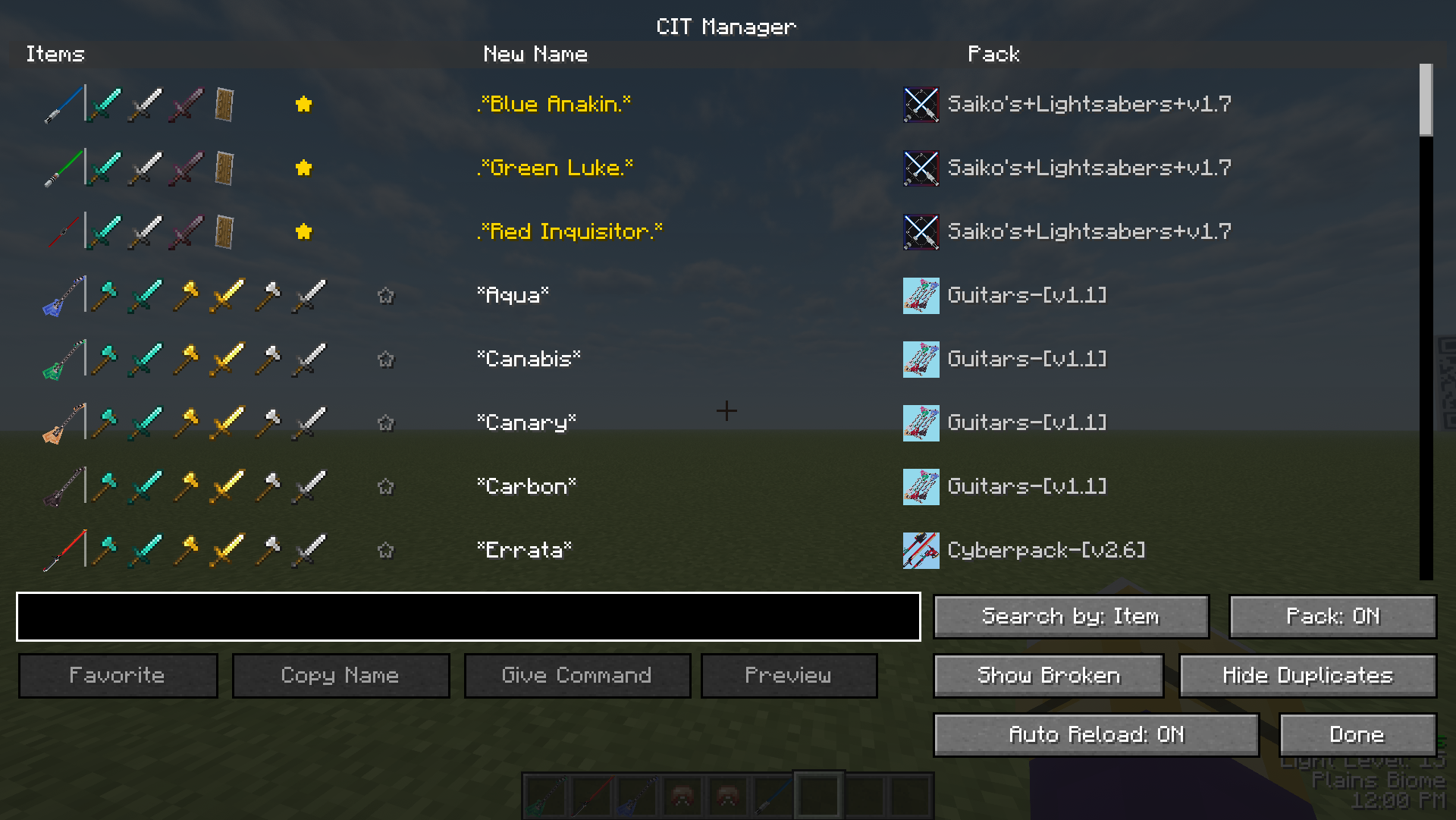
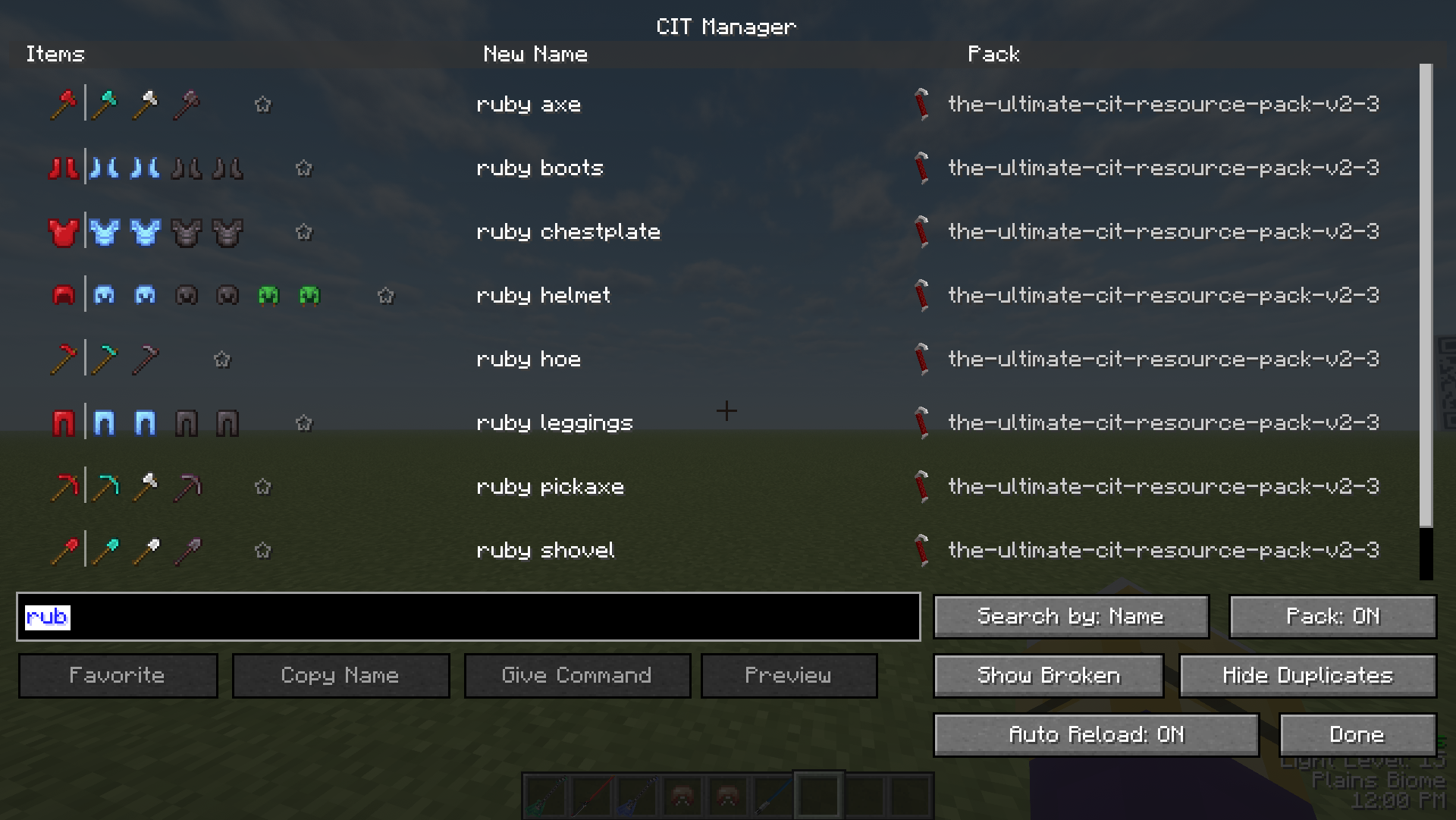
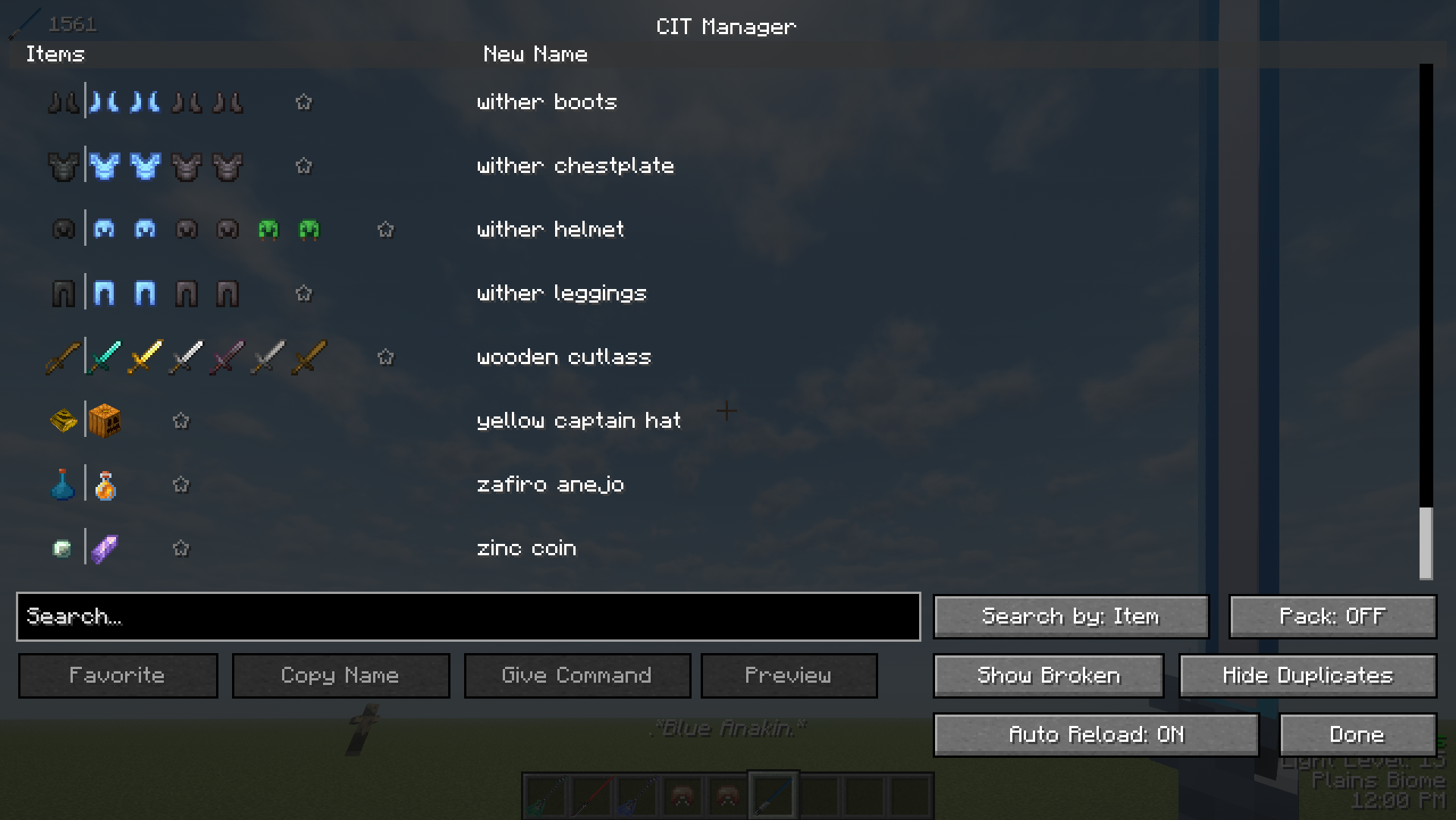
介绍
Inspired by CIT List
Use this instead of trying to remember every rename your CIT resource packs add!
CIT Manager reads your resource packs for textures that provide custom models upon renaming a vanilla item. This menu can be opened in-game or by going to Mod Menu’s config and finding this mod.
*
Features;
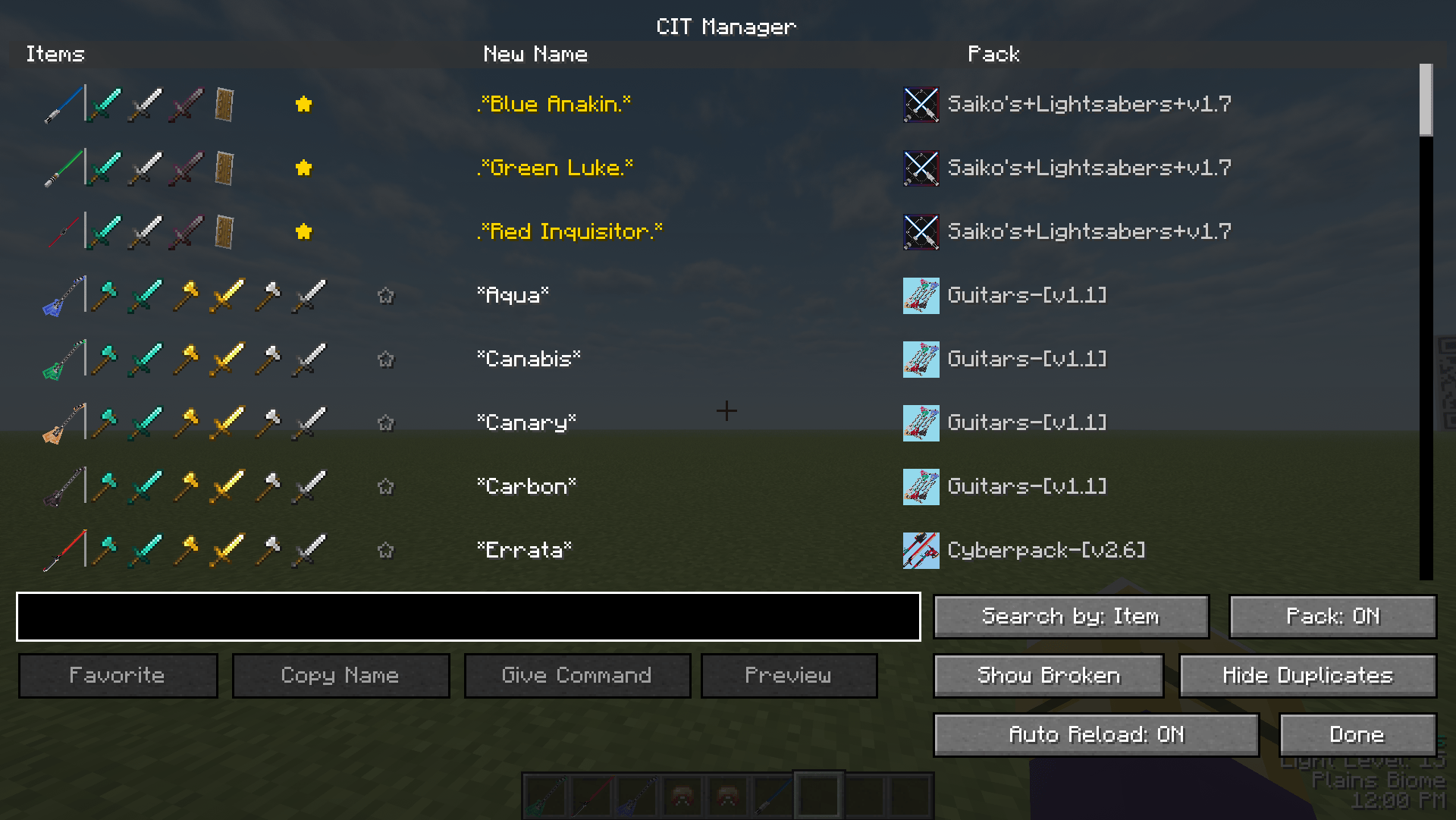
Adds a smart grouping system. Instead of showing 100 entries for a single name under several items, it shows you a single CIT texture and all items it can be applied to.
|
The “Copy Name” button adds the ability to copy the name of the item to your clipboard and paste it into an anvil and voila!
|
Alternatively, for creative players or people with commands, you can press “Give Command” and it will pull up a seperate screen for you to choose which item you want to get from the rename. Example; Clicking this button while having “Blue Anakin” selected will show you “Diamond Sword”, “Iron Sword”, “Netherite Sword”, and “Shield”.
|
My favorite feature; literally my favorite feature lets you pin CITs to the top for you to access on the fly.
*
Default key to open is “J”
Please report any bugs

Requires Mod Menu

Requires Fabric API

Requires CIT Resewn
常见问题
CIT Manager 支持哪些 Minecraft 版本?
CIT Manager 支持 Minecraft Java 版 1.20.1–1.21.1,共 2 个版本,可用的加载器:Fabric。下载时注意选择和你游戏版本一致的文件。
CIT Manager 怎么安装?
先用 PCL2 或 HMCL 启动器安装对应版本的 Fabric,再把下载的 .jar 文件放进游戏目录的 mods 文件夹,重新启动游戏即可。开启了版本隔离的,mods 文件夹在 versions/版本名 下面。运行环境:仅客户端。
Subsetgaming 的其他作品
查看全部 →
JCraft Additions
Enhances JCraft with custom skins, new mechanics, and content for addons.
Tusk (JCraft Addon)
Adds Tusk Acts 1-4 as new stands to JCraft 0.18.0+ (JOJO, JJBA)

JCraft Additions
Enhances JCraft with custom skins, new mechanics, and content for addons.

Create Aeronautics: Physics Gun (Garry’s Mod)
Physics Gun from Garry's Mod added into Create: Aeronautics.
评论
登录后评论和评分