
Choosey Painter
Adds a Easel and Canvas to the game that lets your turn random paintings into a select painting. Additionally, it's canvas can be filled with any painting and have its fit modified.
截图
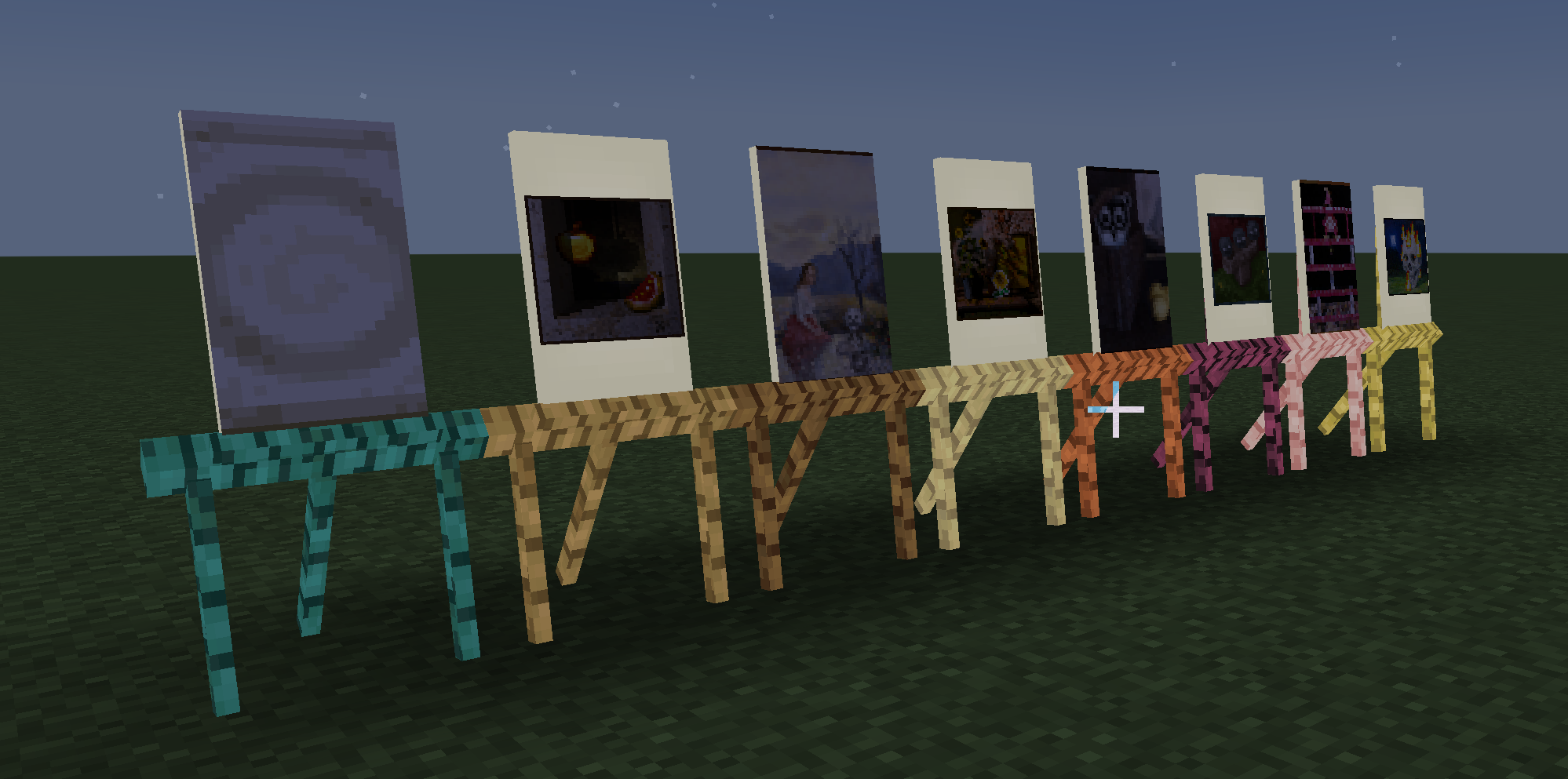
介绍
Choosey Painter
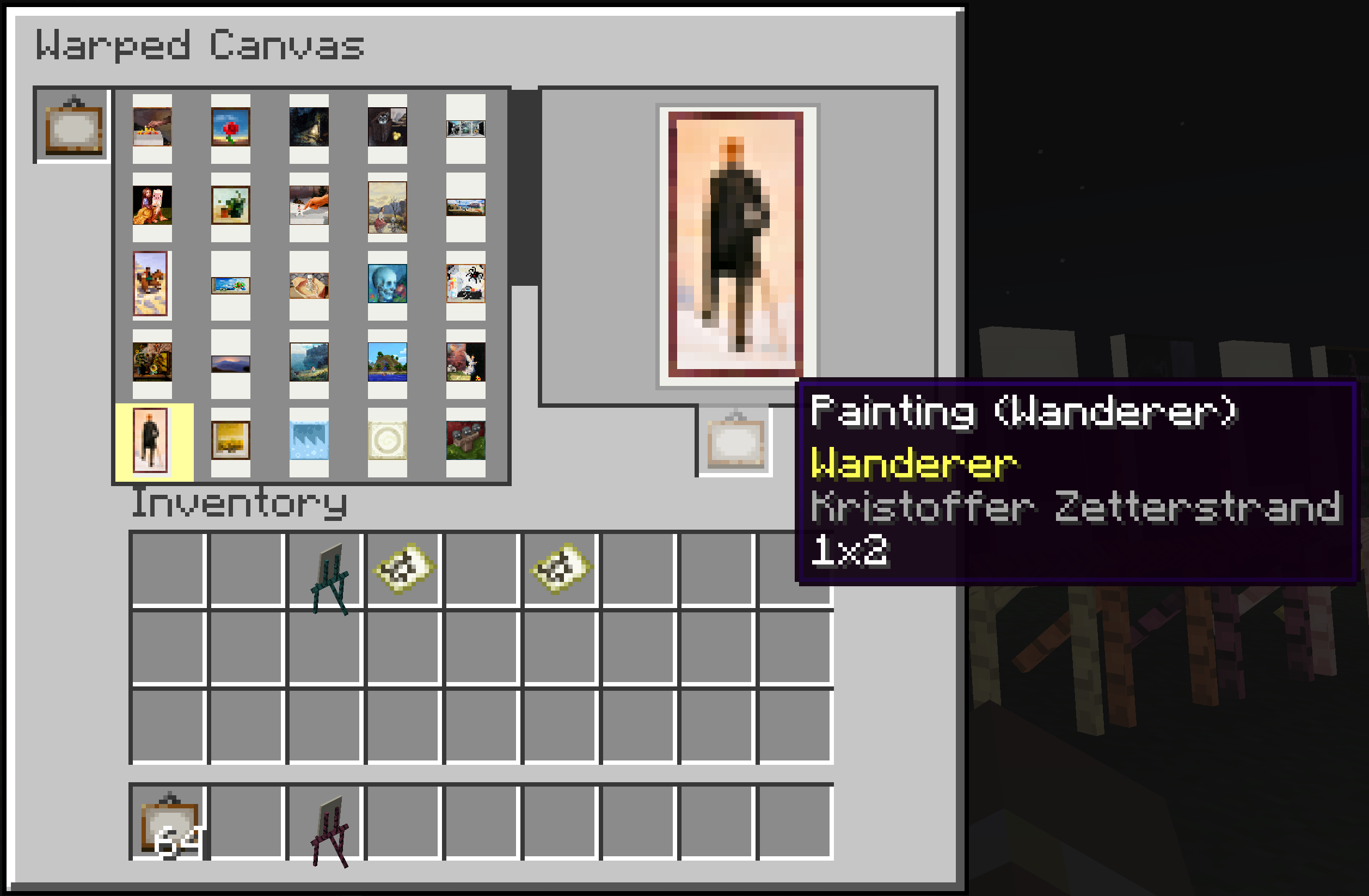
Choosey Painter adds a placeable Canvas and Easel that lets you choose which painting you want to display.
No more breaking and replacing them until the correct one appears.
Crafting recipie is
S W S
S W S
S P S
S = Stick
W = wool
P = any wood plank
Features
- Place a freestanding Canvas and Easel in your world.
- Shift-right-click the easel to change how the displayed painting fits the canvas.
- Open the canvas and select any available painting to display.
- Insert a painting item into the canvas and choose a specific painting to export.
- Exporting a selected painting produces that exact painting instead of a randomly selected variant.
How to Use
- Place the Canvas and Easel.
- Open the canvas interface.
- Add a crafted painting.
- Select the painting you want to display.
- Collect the New specific painting.
- Shift-right-click the placed easel to cycle through its available fitting options.
###
Todo:
Every Compact [Woods Good] support.
常见问题
Choosey Painter 支持哪些 Minecraft 版本?
Choosey Painter 支持 Minecraft Java 版 1.21.1,可用的加载器:NeoForge。下载时注意选择和你游戏版本一致的文件。
Choosey Painter 怎么安装?
先用 PCL2 或 HMCL 启动器安装对应版本的 NeoForge,再把下载的 .jar 文件放进游戏目录的 mods 文件夹,重新启动游戏即可。开启了版本隔离的,mods 文件夹在 versions/版本名 下面。运行环境:客户端和服务端都要装。
OmniPraxis 的其他作品
查看全部 →
Go Home Already!!!
Adds /home, /sethome and a /tobed command to TP you to your bed. Includes admin commands for managing other players home and respawn positions. Fully configurable.

Path Exponential
Lightweight path detection to increase the speed of you and your mounts on and around paths.

Pattern Parcel
An AE2 addon that lets you bundle multiple crafting requests into a reusable parcel, than you can than setup to automtically be fufilled.

Escrow Autobuilder
IOUEscrow is a vanilla/survival friendly schematic and autobuilder mod that allows you to pair creative world planning with honest survival gameplay.
评论
登录后评论和评分