
ChickTV’s Optimizer
A lightweight Mod that boosts your Minecraft FPS and lets you customize performance settings.
截图
介绍
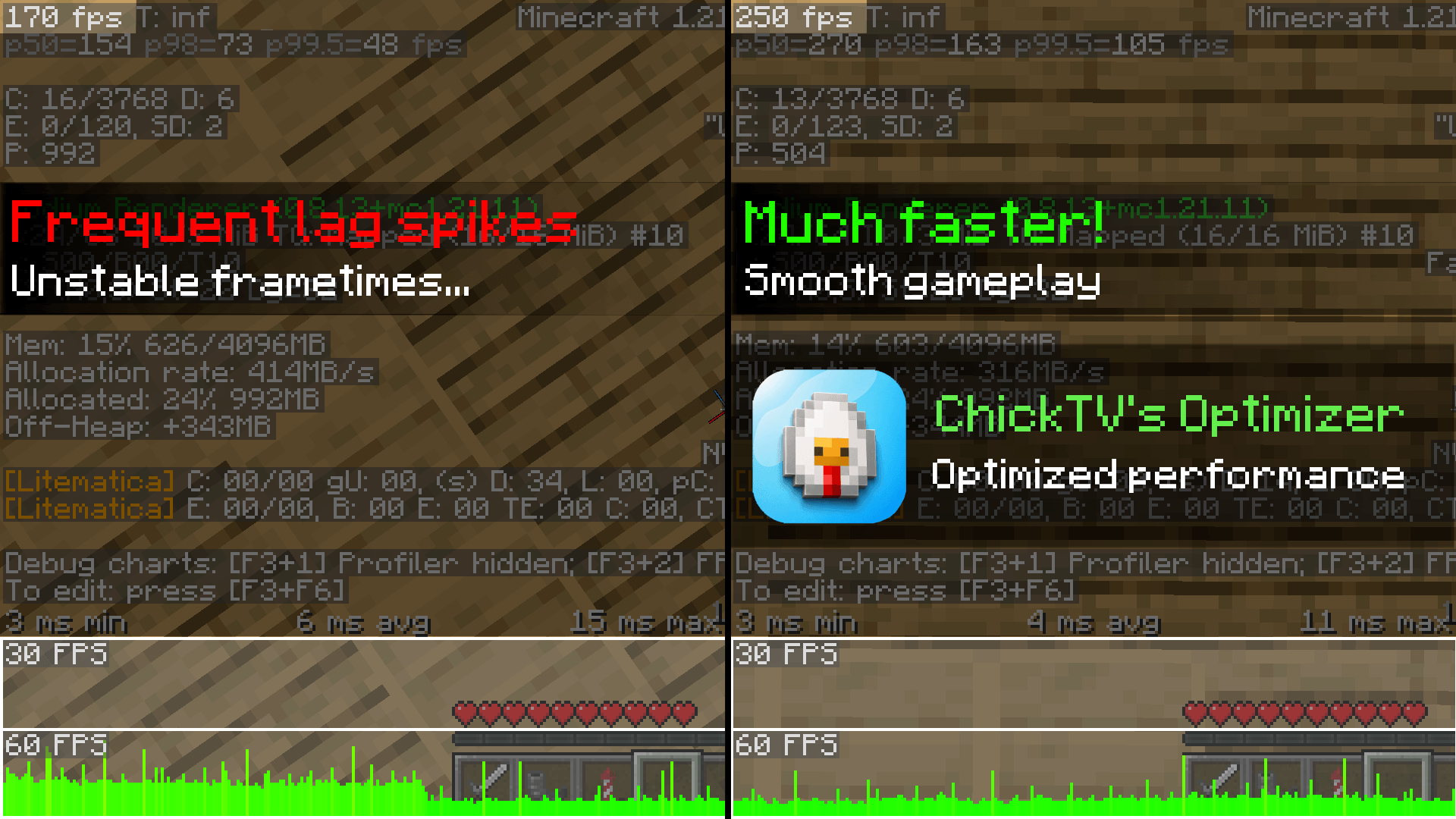
ChickTV’s Optimizer is a lightweight client-side Fabric mod designed to boost your Minecraft FPS, reduce lag, and give you full control over your performance settings directly in-game.
Features
– FPS Boost: Smooths out your gameplay and helps prevent sudden lag spikes.
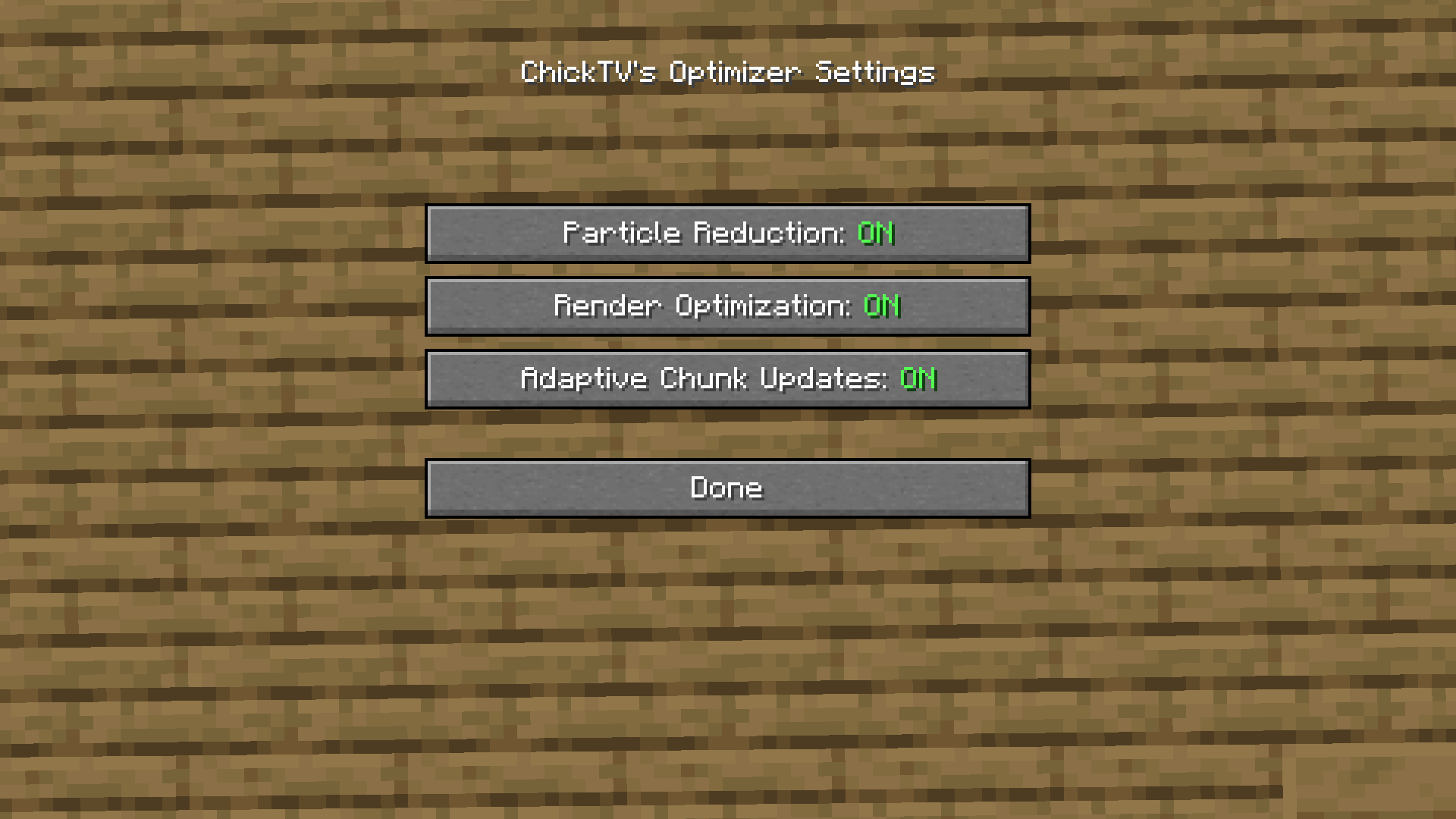
– Particle Reduction: Cuts down on heavy particle effects like explosions and potion swirls to keep your game running smoothly.
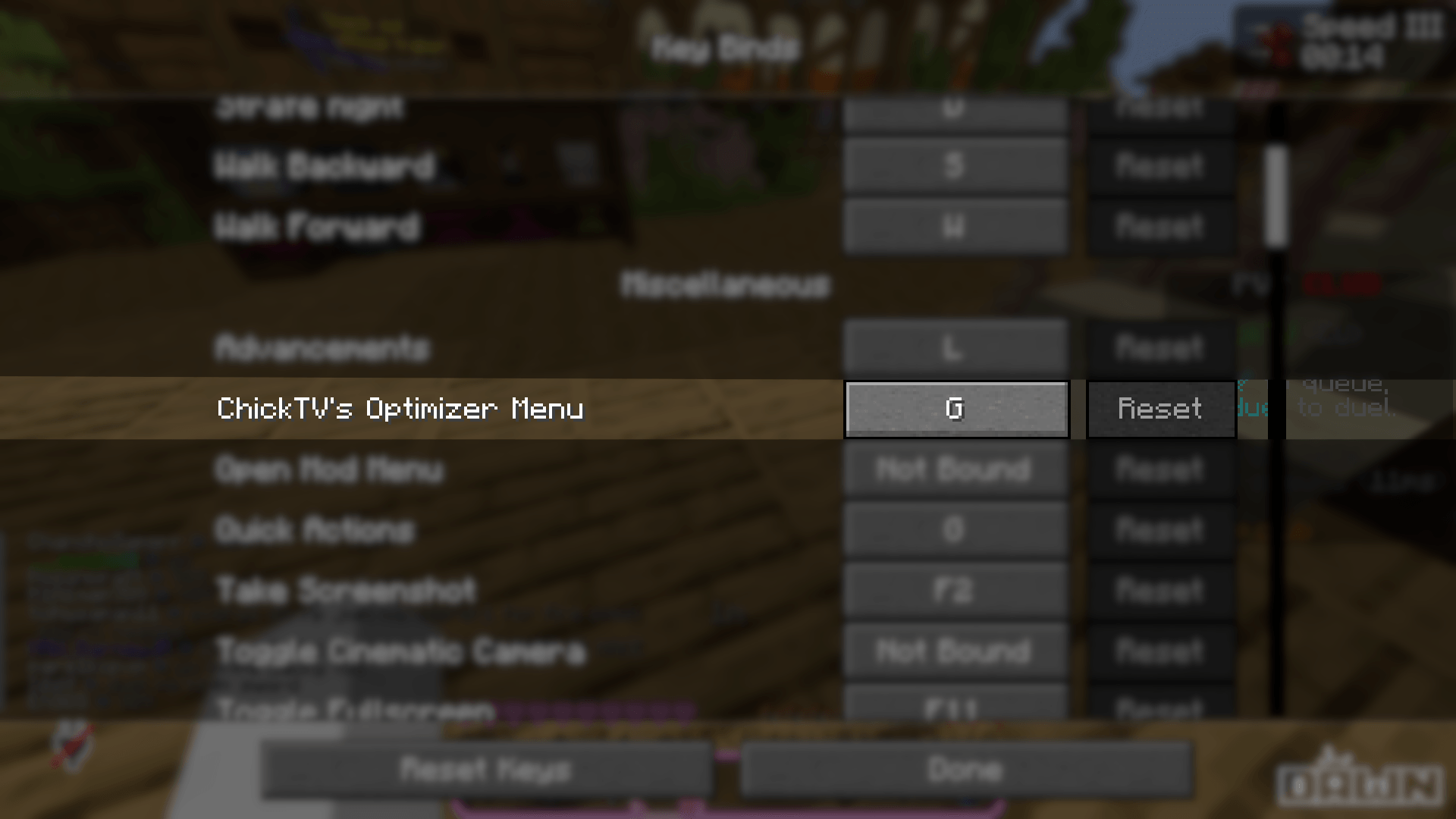
– In-Game Menu: Press G anytime in-game to easily toggle performance options on or off.
Installation
1. Make sure you have Fabric Loader installed for your Minecraft version.
2. Download Fabric API and place it in your mods folder.
3. Download ChickTV’s Optimizer and move the .jar file into your .minecraft/mods folder.
4. Launch Minecraft, press G, and enjoy your boost!
Also available on Modrinth: ChickTV’s Optimizer – Minecraft Mod
常见问题
ChickTV’s Optimizer 支持哪些 Minecraft 版本?
ChickTV’s Optimizer 支持 Minecraft Java 版 1.21.11,可用的加载器:Fabric。下载时注意选择和你游戏版本一致的文件。
ChickTV’s Optimizer 怎么安装?
先用 PCL2 或 HMCL 启动器安装对应版本的 Fabric,再把下载的 .jar 文件放进游戏目录的 mods 文件夹,重新启动游戏即可。开启了版本隔离的,mods 文件夹在 versions/版本名 下面。
ChickTV 的其他作品
查看全部 →
Mouse Blur
A mod that adds motion blur to the mouse cursor.

Sakurarized
A clean and aesthetic PvP resource pack.

Food Reminder
A lightweight client-side HUD mod that displays a highly visible food icon when your hunger drops below a configurable threshold. Press J to open the customization GUI!

Ground Distance
A lightweight client-side mod that displays your exact height above the ground in meters.
评论
登录后评论和评分