
Chicken Jockey Bombs
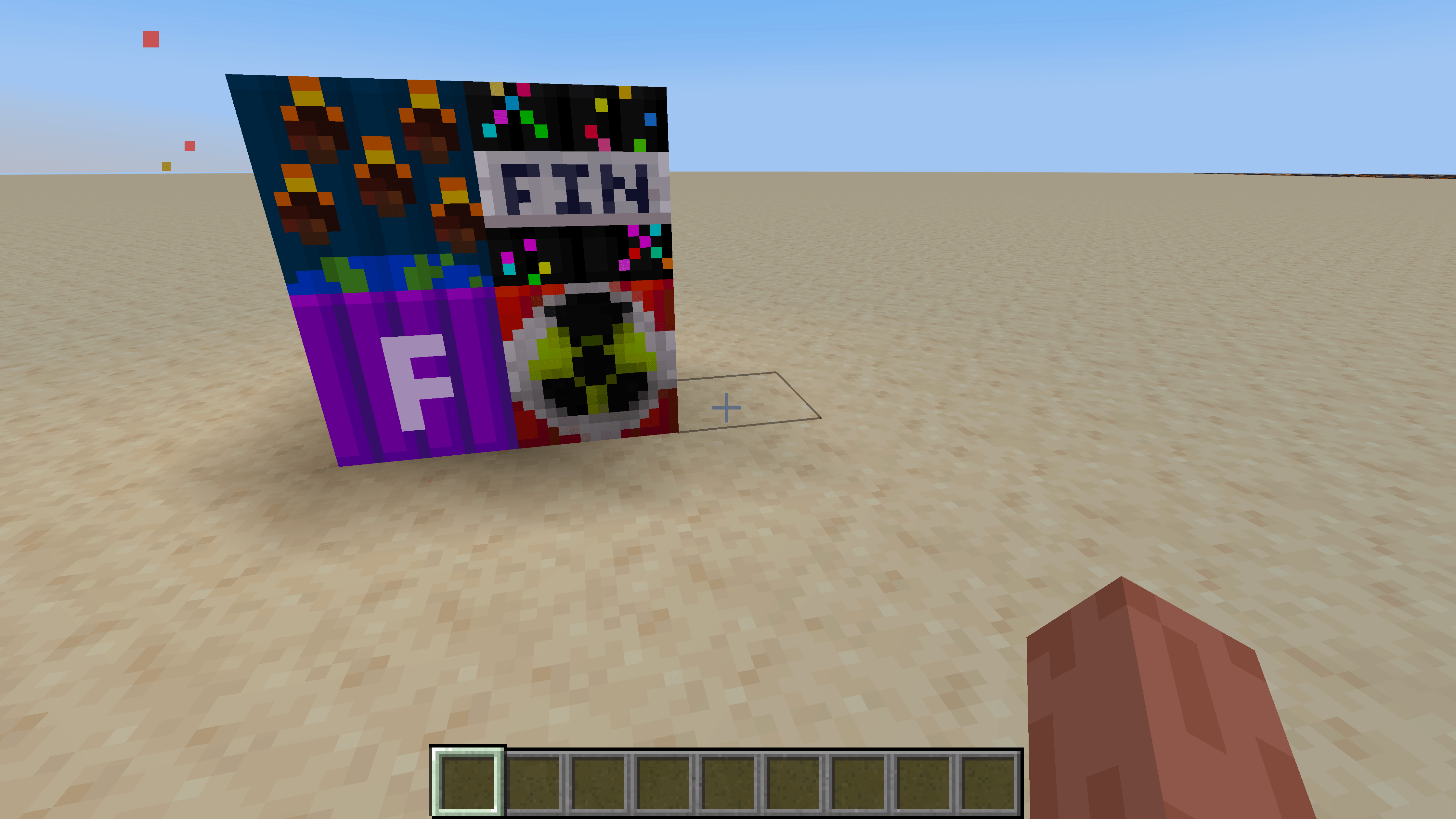
CHICKEN JOCKEY!!! Spawn four incredibly powerful bombs with one command, inspired by the viral Minecraft Movie theater meme!
截图
介绍
Chicken Jockey Bombs
CHICKEN JOCKEY!!!
Inspired by the viral Chicken Jockey scene from A Minecraft Movie and the chaotic reactions it caused in movie theaters, this mod brings that energy into Minecraft!
Instead of throwing popcorn, you can summon an entire collection of extremely powerful TNT blocks with one command!
Features
-
One simple command:
/chickenjockey -
Instantly places four powerful bombs directly in front of the player
-
All bombs spawn unprimed, so nothing explodes automatically
-
Players can activate the bombs themselves
-
Features a custom-built structure created using WorldEdit
-
Designed for Minecraft 1.20.1 Forge
Included Bombs
-
Formidi Bomb — Cracker’s Wither Storm Mod
-
Nuke — Unlucky TNT
-
Grande Finale TNT — Lucky TNT
-
Meteor Storm TNT — Lucky TNT
Required Mods
-
Cracker’s Wither Storm Mod
-
Lucky TNT Mod
-
Lucky TNT Lib
-
Unlucky TNT
Install all required mods for Minecraft 1.20.1 Forge.
How to Use
Enter this command in Minecraft:
/chickenjockey
The bomb structure appears directly in front of you!
The TNT blocks are not primed when placed. You decide when to activate them.
WARNING: These bombs can cause massive destruction and lag. Test them in a separate world and back up anything important!
About This Mod
I spent time experimenting with different TNT blocks to find a combination that worked well together. After testing the bombs and building the structure with WorldEdit, I turned it into a mod inspired by the Minecraft Movie Chicken Jockey meme.
Enjoy the chaos!
This is an unofficial fan-made Minecraft mod and is not affiliated with Mojang, Microsoft, or Warner Bros.
常见问题
Chicken Jockey Bombs 支持哪些 Minecraft 版本?
Chicken Jockey Bombs 支持 Minecraft Java 版 1.20.1,可用的加载器:Forge。下载时注意选择和你游戏版本一致的文件。
Chicken Jockey Bombs 怎么安装?
先用 PCL2 或 HMCL 启动器安装对应版本的 Forge,再把下载的 .jar 文件放进游戏目录的 mods 文件夹,重新启动游戏即可。开启了版本隔离的,mods 文件夹在 versions/版本名 下面。
The_wither_storm_fan 的其他作品
查看全部 →
the huge TNT pack
这个整合包新增了 200 多种 TNT 方块。

Crackers wither storm plus put together
即装即玩的模组集合,整合了 Cracker's Wither Storm Mod Plus 及其配套与性能优化模组,让安装更快捷、更轻松。

wither storm from 2017
我CurseForge上Old Wither Storm Java模组的官方Modrinth版本,重现了2017年经典基岩版凋灵风暴附属模组中的物品,适用于Minecraft 1.20.1。

wither storm spawn point for my 16 wither storm all add ons
我发现 1.16.5 没有破败房屋,所以我自己做了一个凋灵风暴生成点。
评论
登录后评论和评分