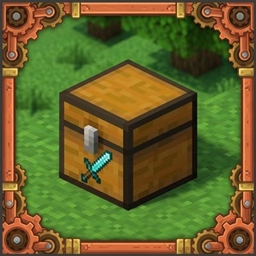
Chest Labels (SmartLabels)
Sneak-right click chests with any item to display a clean item icon. Lightweight, zero-entity lag, and never consumes your items.
介绍
Chest Labels (SmartLabels)
Chest Labels is a lightweight quality-of-life mod designed to keep your storage rooms organized without relying on item frames.
If you have ever built a sorting system or a large storage area, you know the frustration: dozens of item frames dropping your frame rate, getting knocked off by accident, or cluttering the space. This mod solves that by rendering item icons directly onto the front of your chests.
How to Use
- Add a label: Hold any item, sneak (Shift), and right-click the chest. A clean, prominent icon of that item will appear on the front of the chest body. The item is not consumed.
- Remove a label: Sneak and right-click the chest with an empty hand.
- Open the chest: Simply right-click normally. The chest opens as usual without interfering with the label.
Features
- Zero Entity Lag: Item frames are world entities that quickly cause performance drops in large numbers. Chest Labels does not spawn any entities; label data is saved directly into the chest’s block data.
- Clean Placement: The item renders directly onto the front body of the chest beneath the latch, making it easy to read from a distance even while the chest is being opened.
- Double Chest Support: Each half of a double chest can be labeled independently, keeping everything properly aligned.
- Compatible Chests: Works with vanilla wooden chests and trapped chests.
- Server Friendly: Fully synchronized between server and client with dedicated server support.
Modpacks
You are free to use this mod in any modpack, whether public or private. No special permission needed.
常见问题
Chest Labels (SmartLabels) 支持哪些 Minecraft 版本?
Chest Labels (SmartLabels) 支持 Minecraft Java 版 1.20.1,可用的加载器:Forge。下载时注意选择和你游戏版本一致的文件。
Chest Labels (SmartLabels) 怎么安装?
先用 PCL2 或 HMCL 启动器安装对应版本的 Forge,再把下载的 .jar 文件放进游戏目录的 mods 文件夹,重新启动游戏即可。开启了版本隔离的,mods 文件夹在 versions/版本名 下面。
Mevhatem 的其他作品
查看全部 →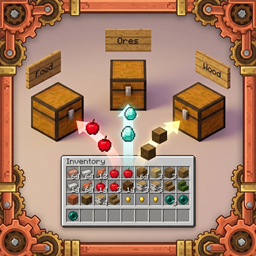
SmartSort – Chest & Inventory Sorter
自动将物品整理到附近带标签的箱子中,并支持锁定槽位。
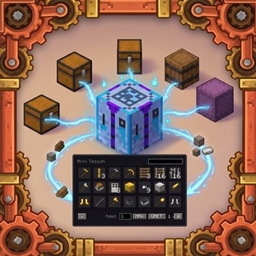
Smart Crafting Station – Craft From Nearby Chests
Craft items directly using materials from nearby chests within range! Lightweight, Terraria-style proximity crafting for Minecraft.
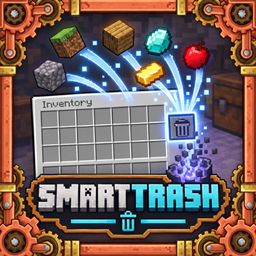
SmartTrash
Adds a Terraria-style, easy-to-use, and safe trash slot to your inventory
评论
登录后评论和评分