
Chest Frame+
作者:zikoqq
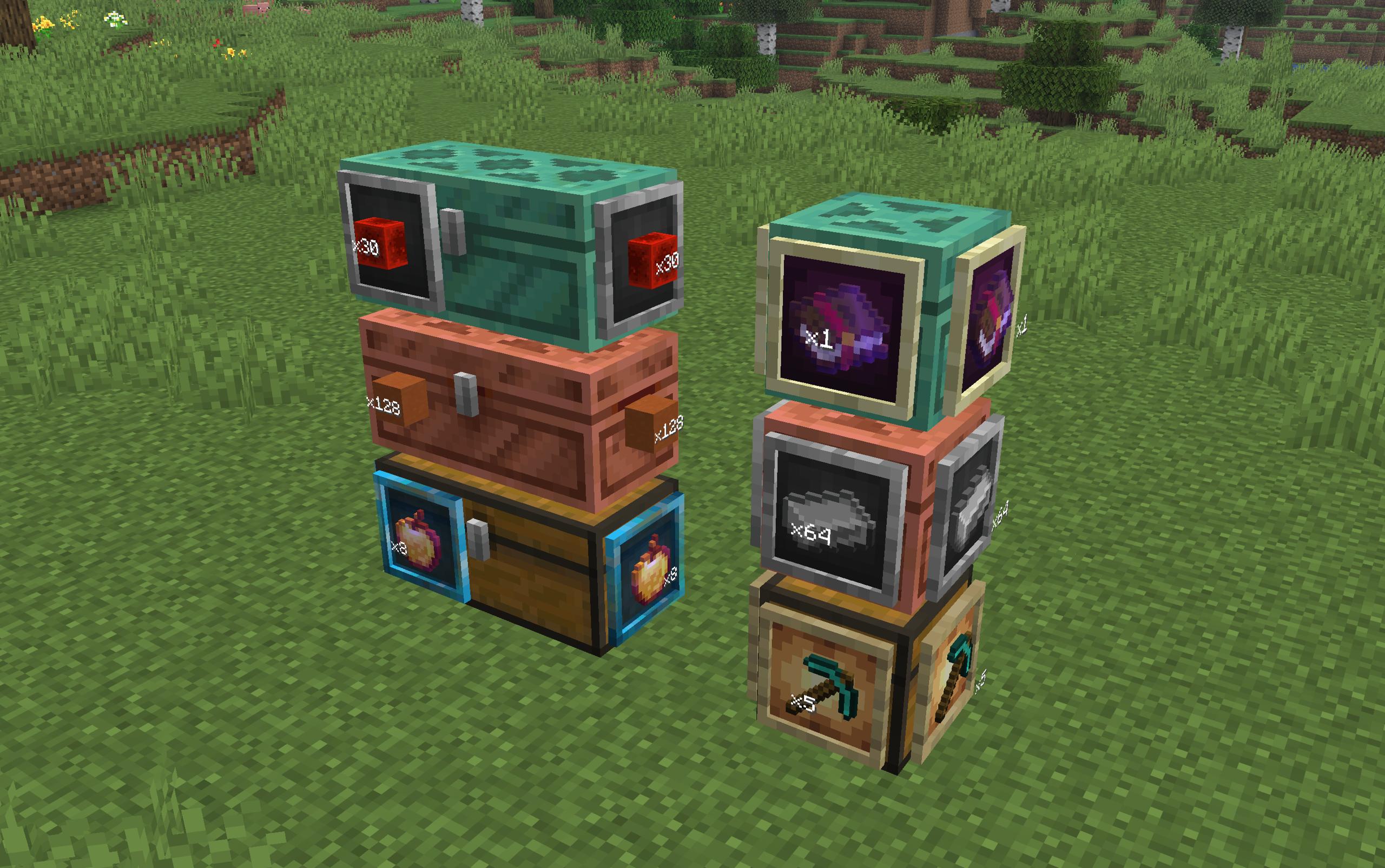
Shows chest contents on the outside using phantom item frames, so you can see what's inside without opening it.
截图

介绍
中文介绍正在准备中,下面暂时显示原文。
Chest Frame+
Chest Frame+ is a client mod for Fabric that shows the contents of chests directly on their faces through “phantom” frames. Without installing vanilla frames, without unnecessary blocks — just a visual hint of what lies inside.
A simple modification that makes viewing the contents of the chest much more convenient, adding new functionality to the familiar framework.
The J key in the world is the settings menu (or the button in the Mod Menu):
- turning on/off the mod
- face selection: front, back, left, right
- frame style: regular, luminous, transparent, stone, ender, hologram
- Item sorting: first slot or maximum number
- display of the number of items on the frame
- fine-tuning the frame position (offset, rotation, scale) for single and double chests
常见问题
Chest Frame+ 支持哪些 Minecraft 版本?
Chest Frame+ 支持 Minecraft Java 版 26.1.2–26.2,共 2 个版本,可用的加载器:Fabric。下载时注意选择和你游戏版本一致的文件。
Chest Frame+ 怎么安装?
先用 PCL2 或 HMCL 启动器安装对应版本的 Fabric,再把下载的 .jar 文件放进游戏目录的 mods 文件夹,重新启动游戏即可。开启了版本隔离的,mods 文件夹在 versions/版本名 下面。运行环境:仅客户端。
评论
登录后评论和评分