
截图
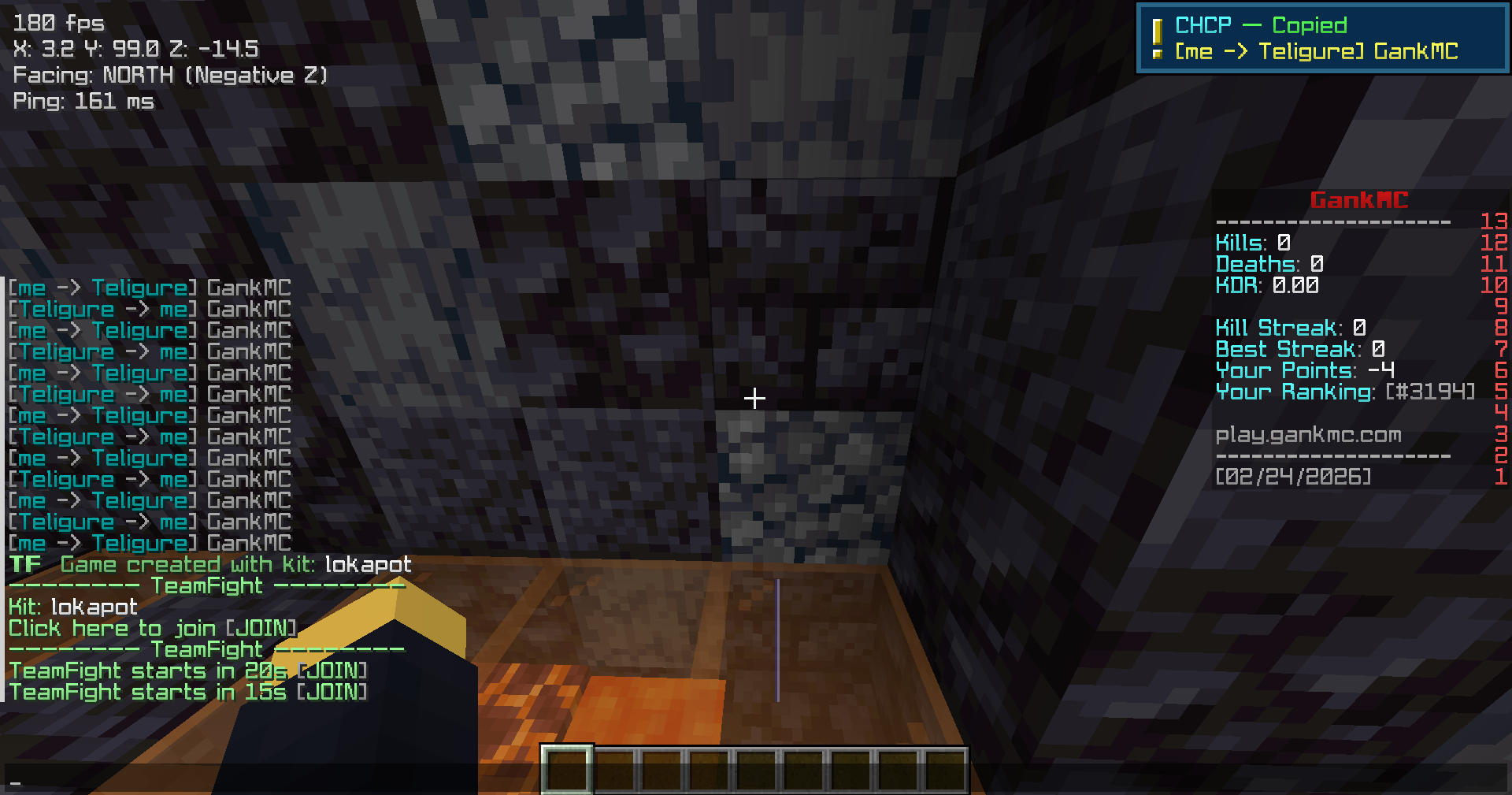
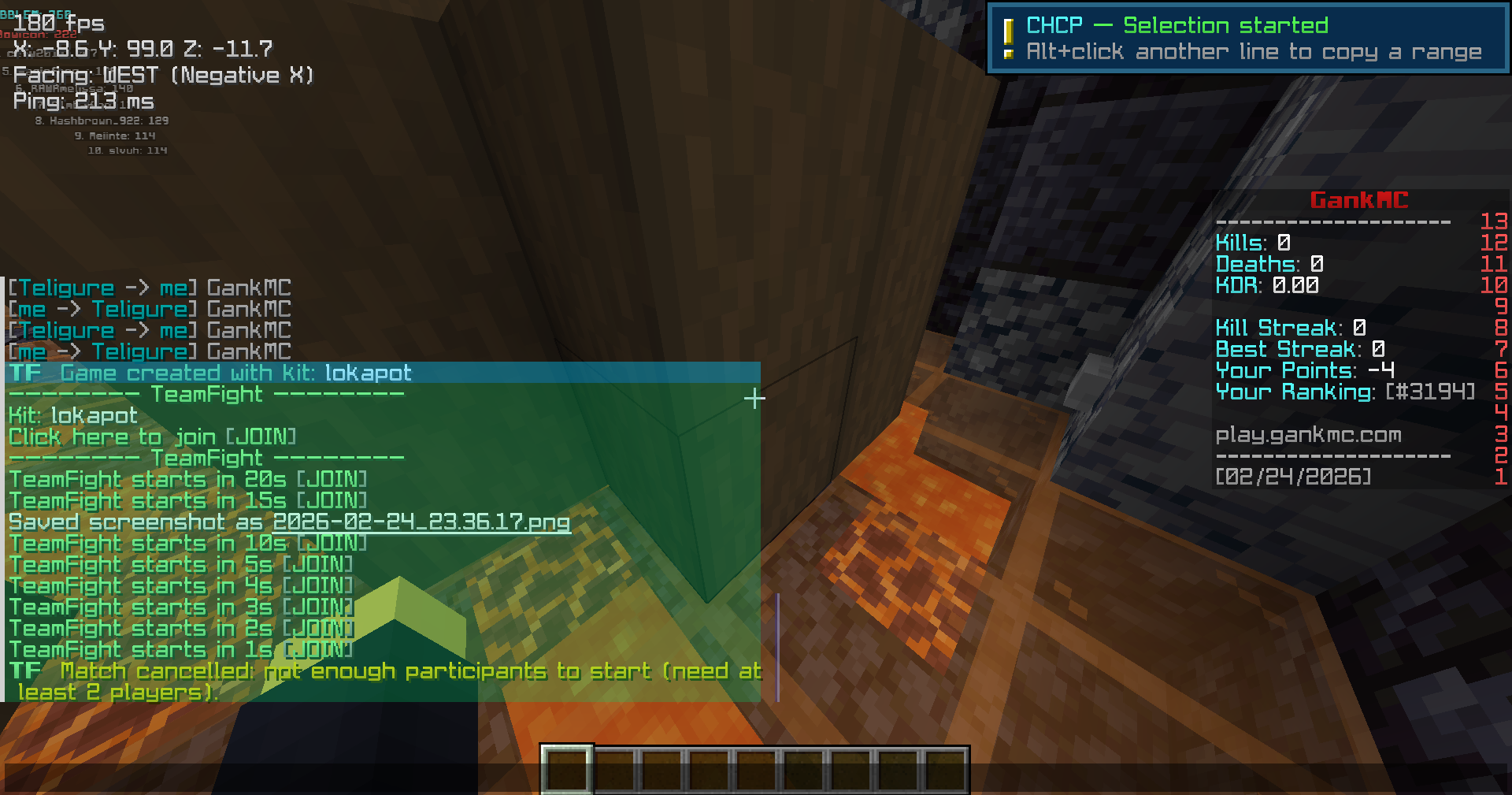
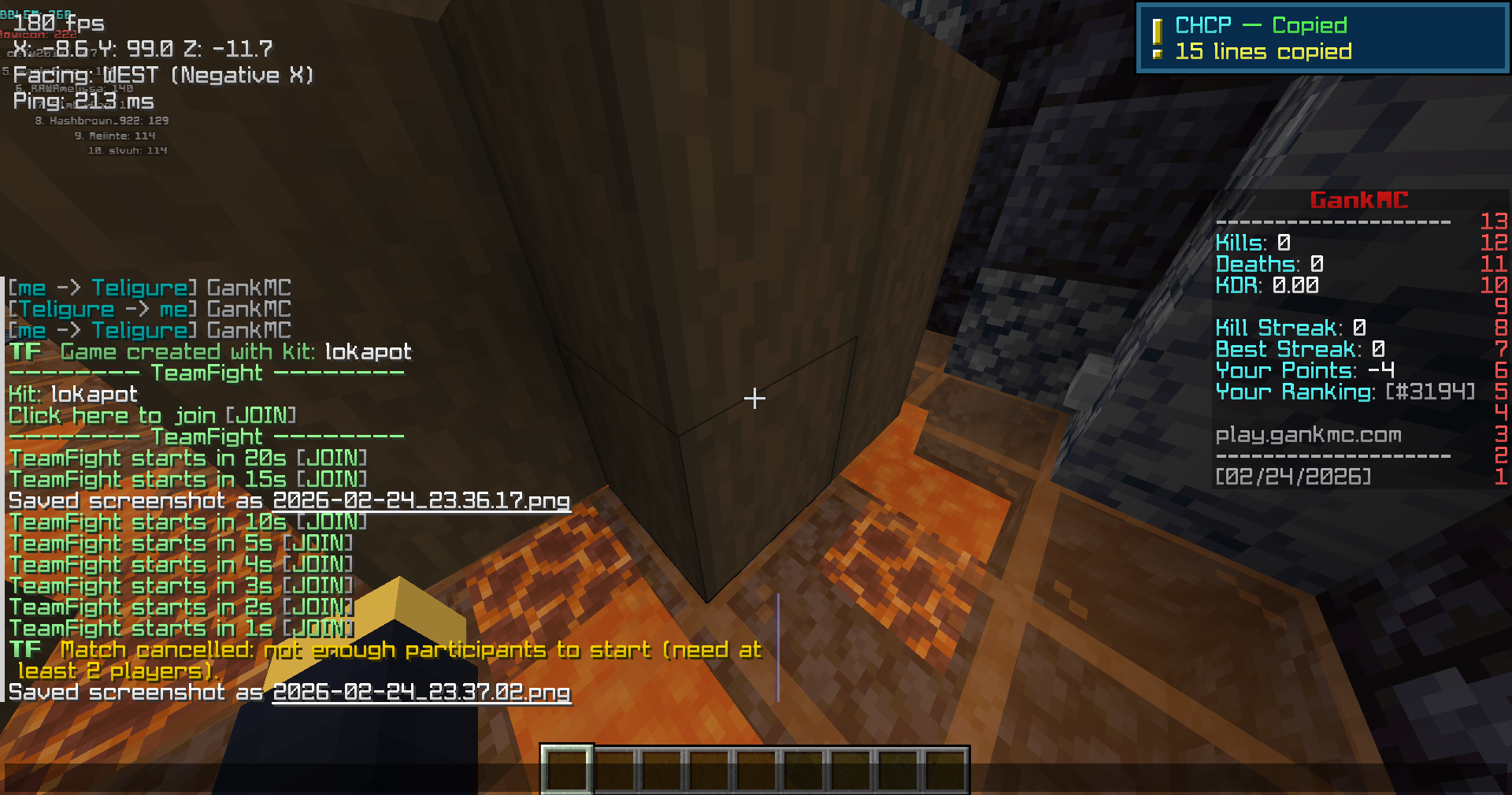

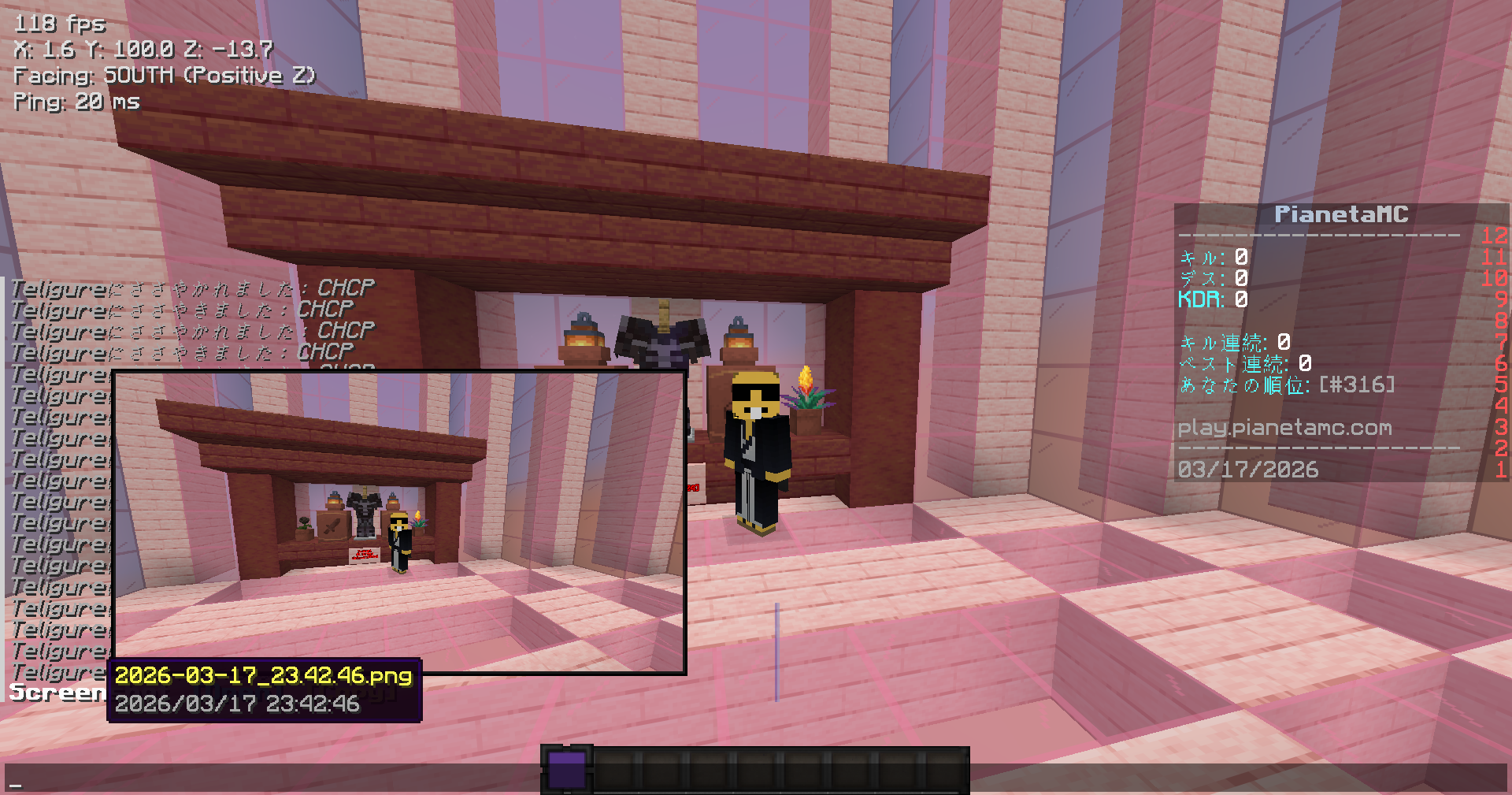
介绍
中文介绍正在准备中,下面暂时显示原文。
CHCP — Chat & Screenshot Clipboard
VIEW GALLARY
A client-side mod that lets you copy chat messages and screenshots directly
to your clipboard with a single click.
Features
Chat Copy
- Click to copy — Hold your configured modifier key and left-click any chat line to copy it as plain text
- Range selection — Click a start line, then click an end line to copy multiple lines at once
- Copy as image — Right-click a chat line (with modifier held) to copy it as a transparent PNG image, perfect for sharing
- Copy mode — Choose between copying the full line or message text only (strips sender prefix)
Screenshot
- Per-screenshot copy — Every screenshot notification in chat includes an
[Open]and[Copy]button, each linked to that specific screenshot - Hover preview — Hover over the “Screenshot” text in chat to see a thumbnail preview, filename, and timestamp
- Keybinding — Bind a key to instantly copy the latest screenshot to your clipboard
Configuration
Open the settings screen via ModMenu or the keybind to configure:
- Modifier key for single copy (
Ctrl/Alt/Shift) - Modifier key for range selection
- Copy mode (message only / full line)
常见问题
CHCP 支持哪些 Minecraft 版本?
CHCP 支持 Minecraft Java 版 1.20.1–1.21.11,共 4 个版本,可用的加载器:Fabric / Forge。下载时注意选择和你游戏版本一致的文件。
CHCP 怎么安装?
先用 PCL2 或 HMCL 启动器安装对应版本的 Fabric / Forge,再把下载的 .jar 文件放进游戏目录的 mods 文件夹,重新启动游戏即可。开启了版本隔离的,mods 文件夹在 versions/版本名 下面。运行环境:仅客户端。
Teliguree 的其他作品
查看全部 →
ArmorStatus
by Teliguree, humisan
Armor Status and Durability Use Block
2,034
6 个月前
Modrinth
CHCP
by Teliguree
Copy chat messages and screenshots to your clipboard
1,251
7 个月前
Modrinth

ICNT
by humisan, Teliguree
Shows the held item icon, total count of matching items, and durability on the HUD. Configure display position, warnings, sounds, and durability safety options through Mod Menu
115
8 个月前
Modrinth
评论
登录后评论和评分