
ChatUtility
This mod is extremely lightweight, yet it makes chatting more convenient and offers a wealth of features.
截图

介绍
ChatUtility
ChatUtility is a utility MOD that enhances the chat experience, allowing for more convenient and organized communication.
Key Features
1\. Tabbed Chat Display
Chat messages are automatically categorized and can be toggled through tabs.
- All: Displays all messages.
- Player: Displays only messages from players.
- Team: Displays only team chat (using the /team command).
- Whisper: Displays only private messages (DMs) between players.
- System: Displays server notifications and system messages.
- Command: Displays only command execution results.
- Whitelist: Displays only messages from players added to the whitelist.
- Pin: Displays messages that have been pinned.
2\. Context Menu
By right-clicking a message in the chat screen, you can perform the following actions:
- Copy Text: Copies the message content to the clipboard.
- Add/Remove Whitelist: Manages the player’s whitelist status.
- Add/Remove Pin: Pins or unpins a specific message.
3\. Timestamp Display
Displays the time each message was received. This can be toggled on or off in the settings.
4\. Marker Words
Register specific words to visually highlight messages containing them. This helps ensure you don’t miss important messages directed at you or containing key information.
Configuration
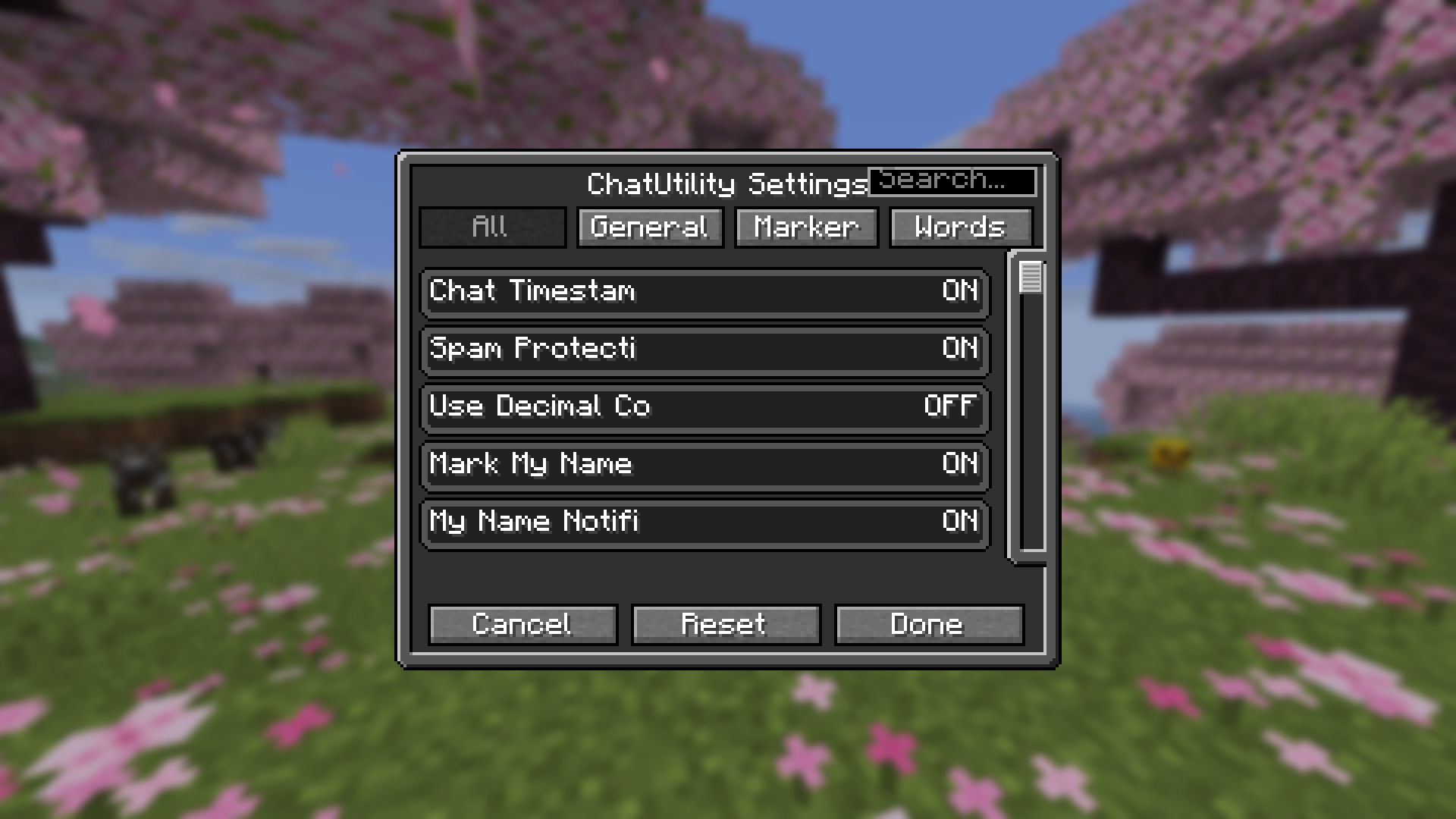
If you have ModMenu installed, you can open the settings screen from the mod list. The following items are customizable:
- Enable/Disable Tab functionality.
- Timestamp display settings.
- Default Chat HUD style settings.
- Register, edit, and delete Marker Words.
License
© 2026 MichiJP. All Rights Reserved.
常见问题
ChatUtility 支持哪些 Minecraft 版本?
ChatUtility 支持 Minecraft Java 版 1.21–26.3,共 17 个版本,可用的加载器:Fabric / Forge / NeoForge。下载时注意选择和你游戏版本一致的文件。
ChatUtility 怎么安装?
先用 PCL2 或 HMCL 启动器安装对应版本的 Fabric / Forge / NeoForge,再把下载的 .jar 文件放进游戏目录的 mods 文件夹,重新启动游戏即可。开启了版本隔离的,mods 文件夹在 versions/版本名 下面。运行环境:仅客户端。
ProjectMichi 的其他作品
查看全部 →
Simple GUI API
This is a GUI API dedicated to my own project.

DarkGUI
This is a resource pack that is a little darker without changing the look of vanilla

Trajectorys
Display the trajectory of the launch section.

Crops
We'll make it easy to see which vegetables are ready to harvest.
评论
登录后评论和评分