截图
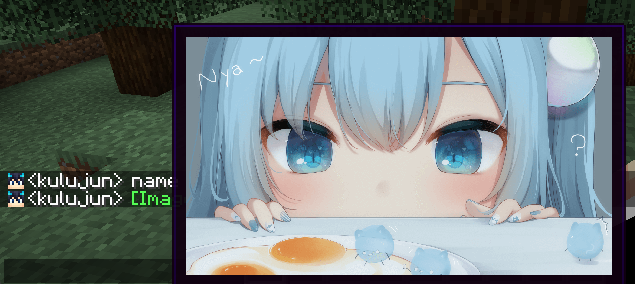
介绍
ChatImage
✨ Show image in Minecraft chat ✨



·
.
.
·
Quick Start
Enter [[CICode,url=https://blog.kituin.fun/img/bg.png,name=Image]] in the chat line
1.2.0 Could Transfer Http-Url To Image Directly
than it will transfer to image
Support display local image (need ServerSide Mod) and GIF
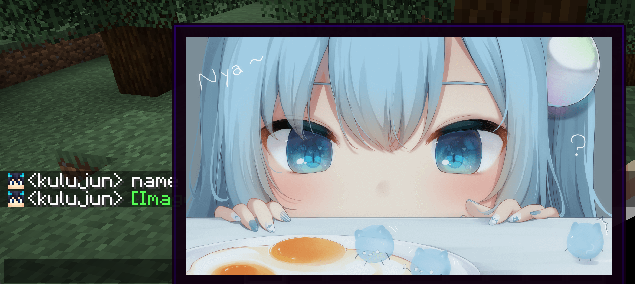
(image from 甘城なつき)
Compatibility
Support input method
- Manual Input
CICode - Send
CICodeWith Command - Drag Image Into Chat Screen
Specification
It use ChatImageCode ([[CICode,<arg>=<value>]])
| Arg | Require | Type | Remark |
|——|———|———|——————————————————-|
| url | true | String | Image address (please use file:/// for local files) |
| nsfw | false | boolean | Is it an nsfw image |
| name | false | String | The name displayed in the chat |
| pre | false | String | prefix(default:[)(can’t be,) |
| suf | false | String | suffix(default:])(can’t be,) |
nsfw will determine whether to display the image directly
if it is set to true, you need to click to view it (or open the nsfw mode in the configuration file to view it directly)
Example:
- Web Image
[[CICode,url=<Web Url>,name=Image]] - example:
[CICode,url=https://blog.kituin.fun/img/bg.png,name=Image]]
- Local Image
[[CICode,url=file:///<absolute file path>,name=Image]] - example:
[[CICode,url=file:///C:\blog\kituin\fun\img\bg.png,name=Image]]
Use Command to send [[CICode]]
/chatimage send <display name> <url>
Send CICode with display name and url
/chatimage url <url>
Send CICode with url (use default display name)
Config Settings
- manual configure
- The configuration file is located at:
.minecraft/conifg/fabric/chatimageconfig.json - After modifying the configuration file, please use
/chatimage reloadto reload the configuration file - Use key binding (default
Endkey) - Use Mod Menu, click the configuration button to configure
Support Image Type
- png
- jpg/jpeg
- jfif
- gif
- ico
- bmp
常见问题
ChatImage 支持哪些 Minecraft 版本?
ChatImage 支持 Minecraft Java 版 1.16.5–1.21.10,共 28 个版本,可用的加载器:Fabric / Forge / NeoForge / Quilt。下载时注意选择和你游戏版本一致的文件。
ChatImage 怎么安装?
先用 PCL2 或 HMCL 启动器安装对应版本的 Fabric / Forge / NeoForge / Quilt,再把下载的 .jar 文件放进游戏目录的 mods 文件夹,重新启动游戏即可。开启了版本隔离的,mods 文件夹在 versions/版本名 下面。运行环境:客户端和服务端都要装。

评论
登录后评论和评分