ChatGame Helper
Automatically solve Minecraft ChatGames with customizable answer delays and smart challenge detection.
截图
介绍
🎮 ChatGame Helper
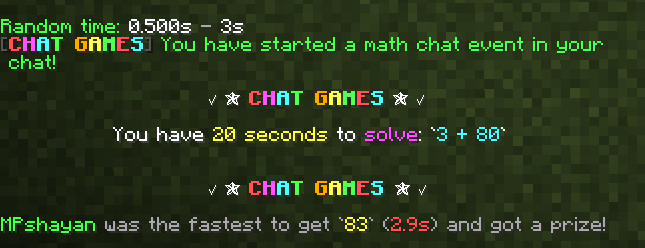
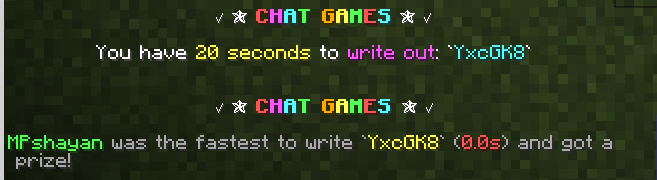
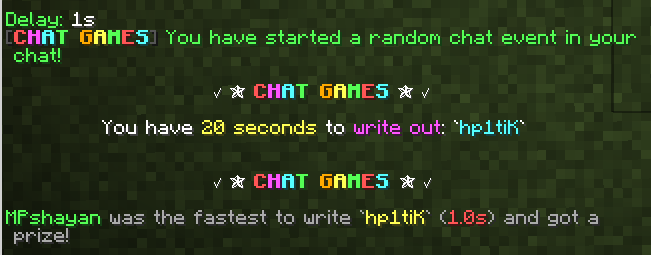
ChatGame Helper is a lightweight client-side Fabric mod designed to automatically detect and solve Minecraft ChatGame challenges.
The mod can recognize different ChatGame formats, including word challenges, mathematical expressions, and symbol-based equations, and automatically sends the correct answer after a configurable delay.
✨ Features
- 📝 Automatically detects and answers word-writing challenges
- 🔢 Automatically solves mathematical expressions
- 🔣 Supports symbol-based equations
- ⚡ Automatically sends answers after a configurable delay
- ⏱️ Fully customizable answer timing
- 🎲 Randomized answer timing with a customizable minimum and maximum range
- 🔧 Supports delays in milliseconds and seconds
- ⚙️ Easy in-game configuration through commands
- 💾 Settings are automatically saved
- 🪶 Lightweight and client-side
⏱️ Custom Answer Delay
You can set the answer delay to any positive value using milliseconds (ms) or seconds (s).
For example:
/cgedit settime 500ms
/cgedit settime 1.5s
/cgedit settime 2.75s
These are only examples — you can choose your own delay.
You can also use randomized timing and define your own minimum and maximum values:
/cgedit settime random
or:
/cgedit settime random 1.5s 3s
The random range is fully customizable.
🎛️ Commands
/cgedit help
Shows the available commands.
/cgedit stats on
Enables ChatGame Helper.
/cgedit stats off
Disables ChatGame Helper.
/cgedit settime <time>
Sets a custom answer delay.
/cgedit settime random
Enables randomized answer timing.
/cgedit settime random <min> <max>
Sets a custom randomized delay range.
📦 Compatibility
- Minecraft: 1.21.4
- Mod Loader: Fabric
- Java: 21+
- Environment: Client-side
👤 Creator
MPshayan
常见问题
ChatGame Helper 支持哪些 Minecraft 版本?
ChatGame Helper 支持 Minecraft Java 版 1.21.4–26.2,共 12 个版本,可用的加载器:Fabric。下载时注意选择和你游戏版本一致的文件。
ChatGame Helper 怎么安装?
先用 PCL2 或 HMCL 启动器安装对应版本的 Fabric,再把下载的 .jar 文件放进游戏目录的 mods 文件夹,重新启动游戏即可。开启了版本隔离的,mods 文件夹在 versions/版本名 下面。运行环境:仅客户端。
评论
登录后评论和评分