
截图

介绍
中文介绍正在准备中,下面暂时显示原文。
ChatConfirm
ChatConfirm is a lightweight client-side Fabric mod that helps prevent accidentally opening Minecraft chat. Instead of opening immediately, the chat screen only opens after you press your configured chat key twice within the confirmation period.
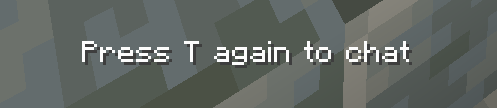
When you press the chat key for the first time, ChatConfirm displays a short reminder such as “Press T again to chat”, automatically using your current Minecraft chat keybind.
Features
- Requires two chat-key presses to open chat
- Displays your configured chat key in the reminder
- Enable or disable the mod with a customizable keybind
- Configurable confirmation time from 1–10 seconds
- Settings screen accessible through Mod Menu or an optional keybind
- Settings are saved between game sessions
- Completely client-side—servers do not need to install it
Requirements
- Minecraft Java Edition 1.21.11
- Fabric Loader
- Fabric API
- Mod Menu is optional but recommended
Created by lnfecting.
常见问题
ChatConfirm 支持哪些 Minecraft 版本?
ChatConfirm 支持 Minecraft Java 版 1.21.11–26.2,共 2 个版本,可用的加载器:Fabric。下载时注意选择和你游戏版本一致的文件。
ChatConfirm 怎么安装?
先用 PCL2 或 HMCL 启动器安装对应版本的 Fabric,再把下载的 .jar 文件放进游戏目录的 mods 文件夹,重新启动游戏即可。开启了版本隔离的,mods 文件夹在 versions/版本名 下面。运行环境:仅客户端。
评论
登录后评论和评分