
截图
介绍
Mod Introduction
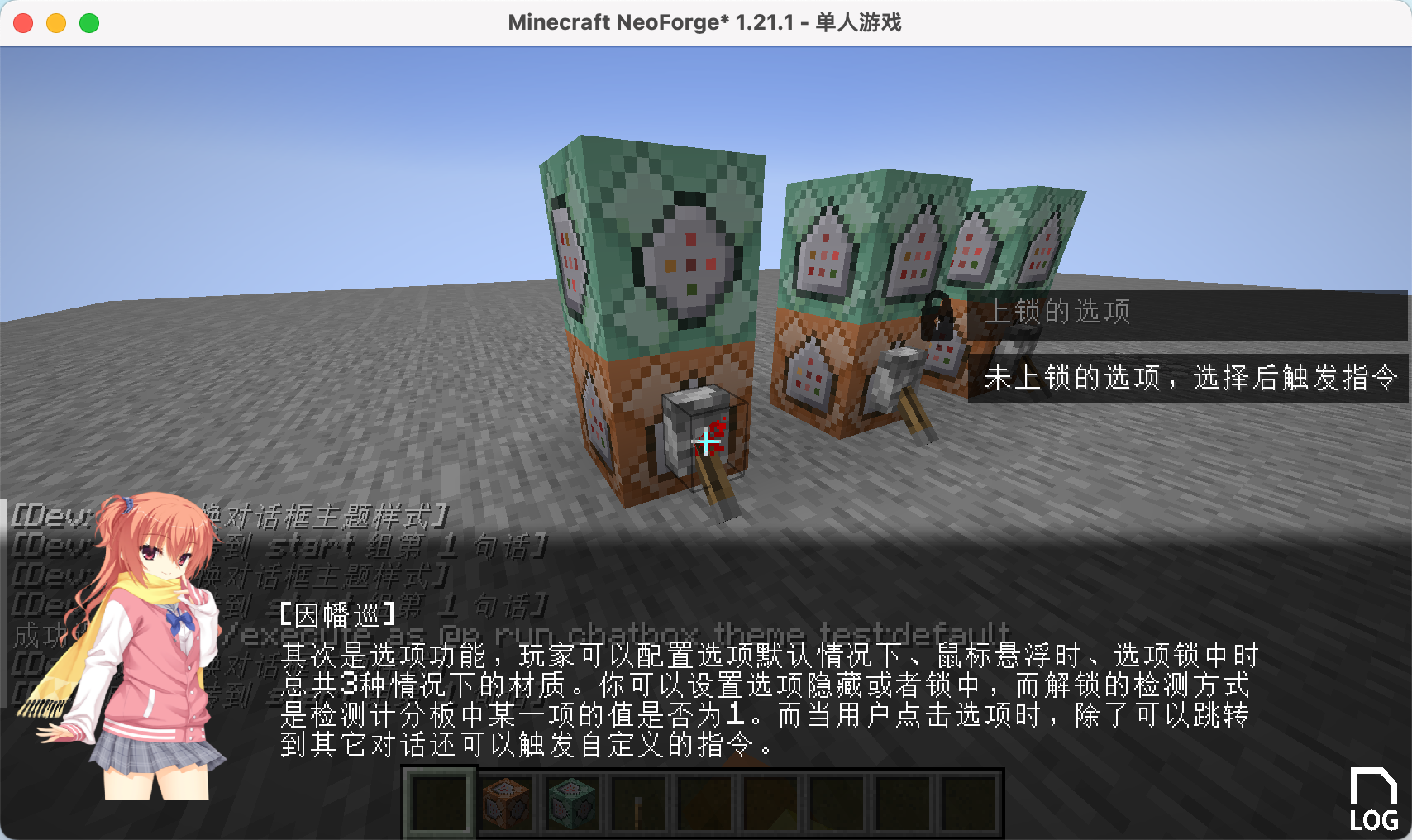
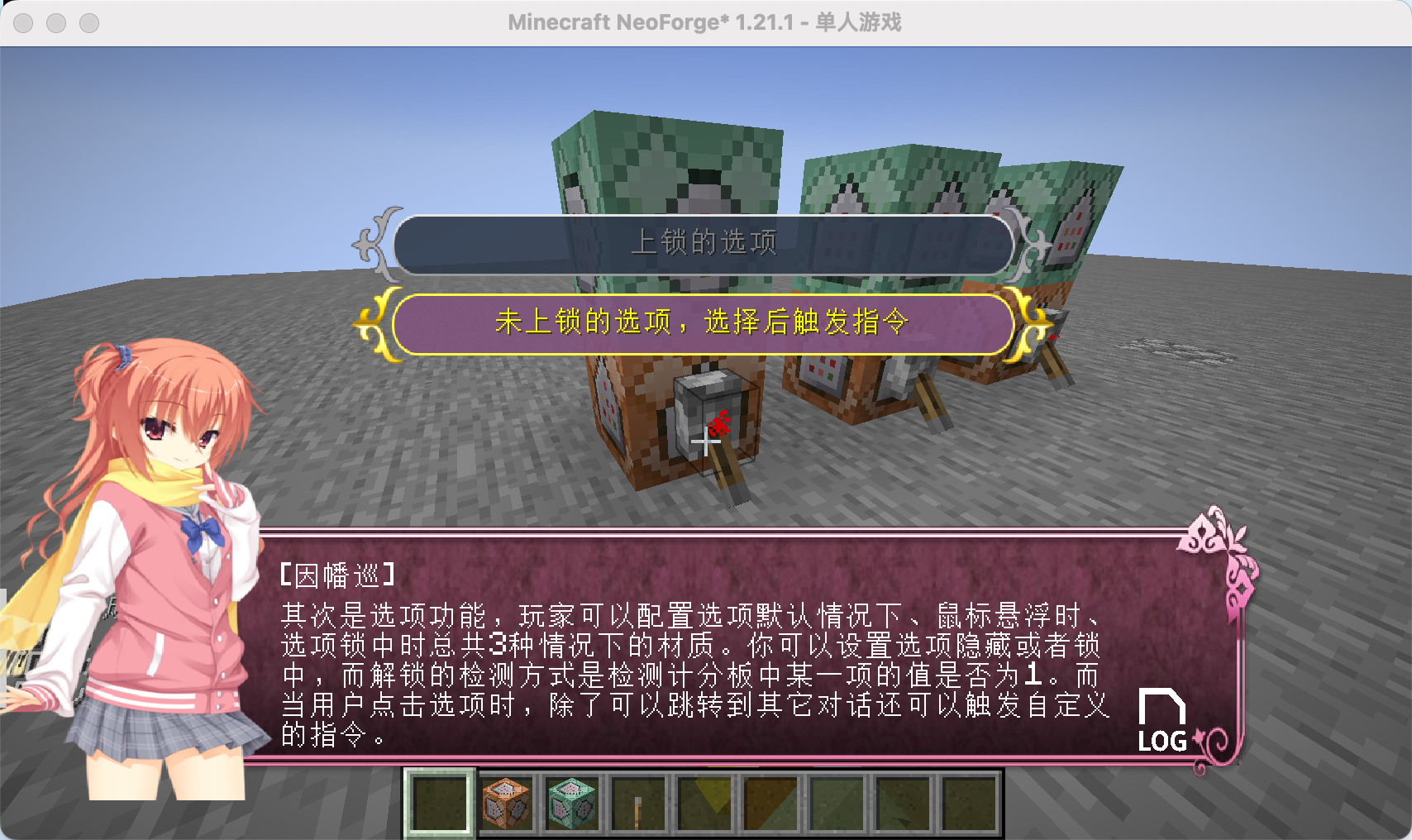
ChatBox is a dialog box mod designed for Minecraft, inspired by the dialog systems found in Galgames. You can configure it using data packs:
- Pre-set multiple themes for dialog boxes and switch between them anytime using commands.
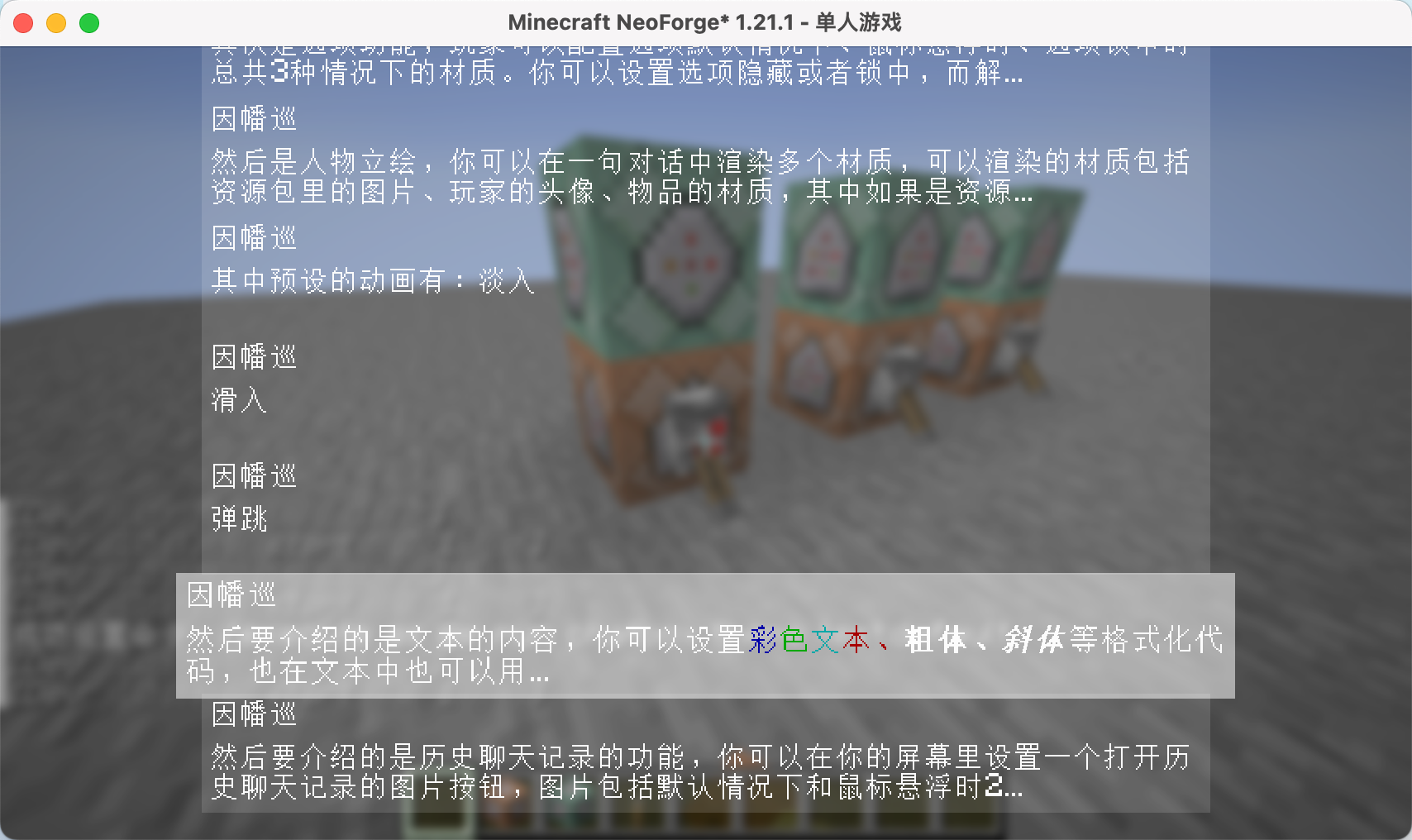
- Customize the appearance, position, and size of dialog boxes, option boxes, history buttons, and character portraits.
- Character portraits support multiple types: images, player avatars, and item textures. You can define custom entry animations for these portraits, with images having 3 preset animations.
- Configure dialog text and multiple options for each line. Clicking options can trigger custom commands and jump to other dialogs.
- All text elements (dialogs, options) support translation keys.
Since all dialog configurations are implemented through data packs, you can reload all dialog settings directly using the /reload command. Create beautiful dialog systems without modifying any code!
Built-in Commands
Switch themes:
/chatbox theme
Jump to a specific dialog:
/chatbox skip
Open dialog box:
/chatbox open
Event System
For KubeJS users, the mod provides predefined events:
//client_script

// Triggered BEFORE dialog rendering. Provides GuiGraphics for custom rendering. Cancellable.
ChatBoxEvents.renderPre(event=>{
  let getGuiGraphics = event.getGuiGraphics()
  event.cancel()
})

// Triggered AFTER dialog rendering. Provides GuiGraphics for custom rendering.
ChatBoxEvents.renderPost(event=>{
  let getGuiGraphics = event.getGuiGraphics()
})

// Triggered when jumping to a dialog. Provides dialog metadata for custom functionality.
ChatBoxEvents.skipChat(event => {
  let { chatBoxScreen, resourceLocation, group, index } = event
})
Additional Information
Example data packs and documentation are available on GitHub.
Upcoming feature: The author is developing a web-based JSON generator to simplify dialog configuration. Stay tuned for its release!
常见问题
chatbox 支持哪些 Minecraft 版本?
chatbox 支持 Minecraft Java 版 1.20.1–26.3,共 7 个版本,可用的加载器:Fabric / Forge / NeoForge。下载时注意选择和你游戏版本一致的文件。
chatbox 怎么安装?
先用 PCL2 或 HMCL 启动器安装对应版本的 Fabric / Forge / NeoForge,再把下载的 .jar 文件放进游戏目录的 mods 文件夹,重新启动游戏即可。开启了版本隔离的,mods 文件夹在 versions/版本名 下面。运行环境:客户端和服务端都要装。
amotassic 的其他作品
查看全部 →
Explosion Breaks No Block
A simple utility mod that allows you to toggle whether explosions break blocks (still cause damage) and whether explosions damage item entities.

Explosion Breaks No Block
A simple utility mod that allows you to toggle whether explosions break blocks (still cause damage) and whether explosions damage item entities.
Explosion Breaks No Block
A simple utility mod that allows you to toggle whether explosions break blocks (still cause damage) and whether explosions damage item entities.

ViScriptShop
An advanced shop mod featuring a built-in visual editor and a modern shopping cart experience.
评论
登录后评论和评分