
截图
介绍
ChatBlocker — Smart Local Player Ban in Chat!
ChatBlocker is a lightweight, fully client-side mod for Fabric (Minecraft 1.21–1.21.4), designed to permanently ban spam, flooding, and toxic players from your chat.
The mod runs exclusively on your computer, meaning you can use it on absolutely any public server. The server won’t even know you have the mod, and your chat will be clean and comfortable!
Main Features
- ** One-Click Blocking:** Spotted a toxic player? Simply click on their message directly in the chat, and they’ll instantly be added to your personal blocklist.
- ** Absolute Locality:** The mod doesn’t send any requests to the server. The blocking occurs visually only on your PC. * ** Nice Sounds:** Each successful block or unblock is accompanied by a vanilla interface sound effect.
User-Friendly Built-in GUI
Forget complicated third-party libraries! The mod has a built-in settings menu powered by the pure Minecraft engine. Simply join a world or server and press the English key O on your keyboard:
- ** “Full Hiding” Toggle:**
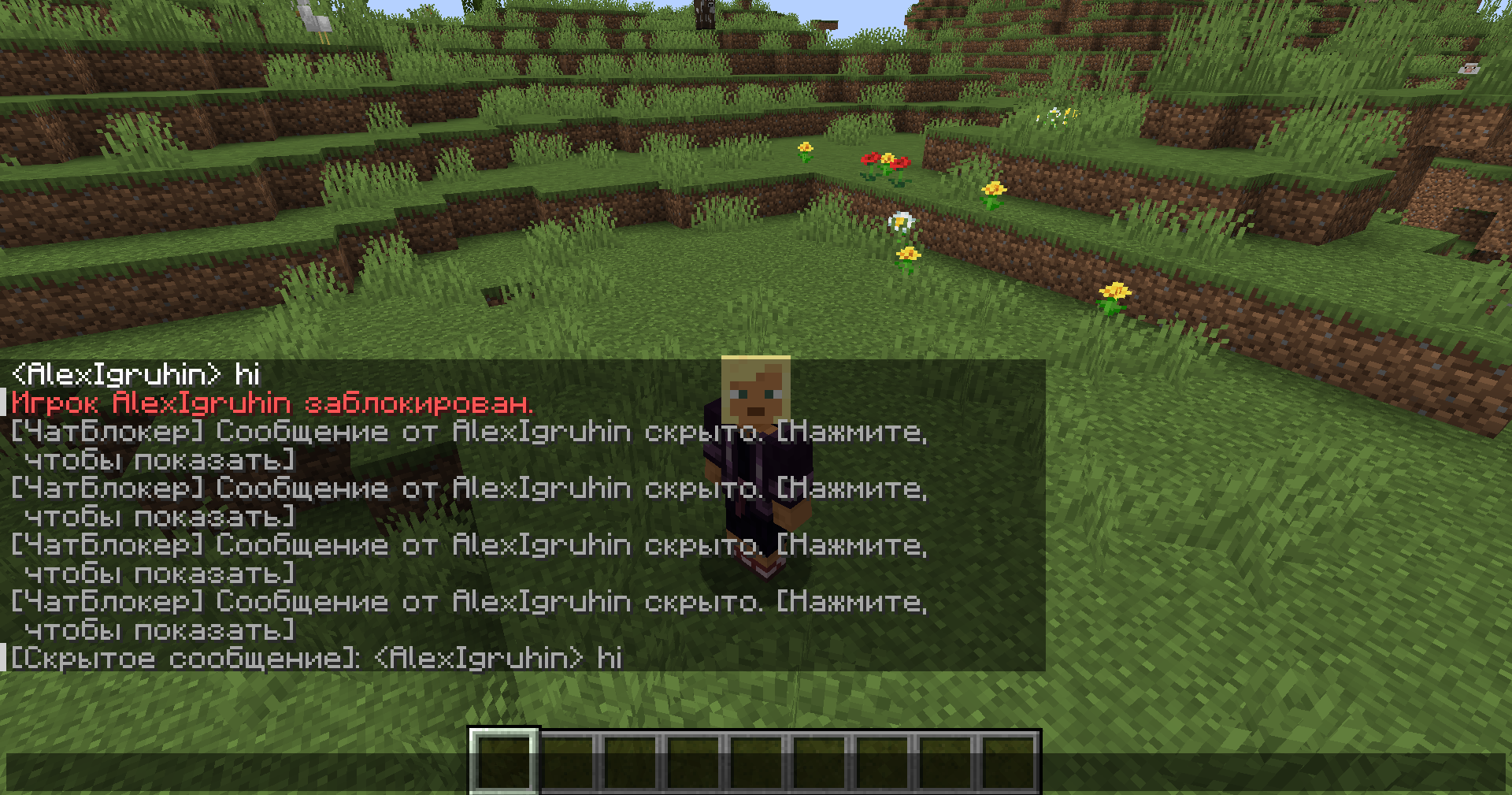
- ON: Messages from blocked players disappear from the chat without a trace (no blank lines or spaces).
- OFF: Messages are replaced with a neat gray box. Clicking it allows you to read the hidden text one-time.
- ** “Mod Sounds” Toggle:** Allows you to easily enable or disable sound clicks when banning.
- ** Interactive Player List:** View a list of all blocked players directly from the menu, with convenient unblock crosses automatically displayed in the chat.
Mod Commands
All commands are executed locally on your client:
/blockplayer <nickname>— manually block a player by nickname./unblockplayer <nickname>— unblock a player./blocklist— display a list of all blocked players in the chat with interactive buttons for quick removal[❌]with a mouse click.
Dependencies
This mod requires only the Fabric API.
常见问题
ChatBlocker 支持哪些 Minecraft 版本?
ChatBlocker 支持 Minecraft Java 版 1.21–1.21.4,共 5 个版本,可用的加载器:Fabric。下载时注意选择和你游戏版本一致的文件。
ChatBlocker 怎么安装?
先用 PCL2 或 HMCL 启动器安装对应版本的 Fabric,再把下载的 .jar 文件放进游戏目录的 mods 文件夹,重新启动游戏即可。开启了版本隔离的,mods 文件夹在 versions/版本名 下面。运行环境:仅客户端。
评论
登录后评论和评分