
Chat Resizer
Take full control of your chat resize, reposition, and customize with live preview.
截图
介绍
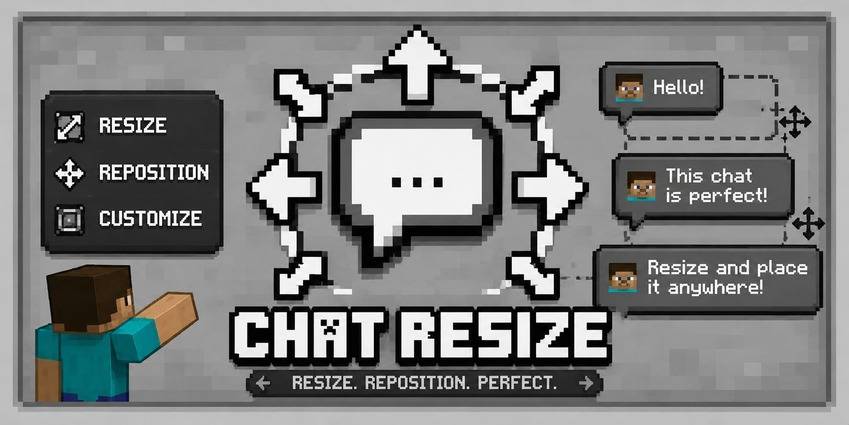
Chat Resizer
A client-side mod to resize, reposition, and customize your Minecraft chat.
Chat Resizer gives you full control over the in-game chat interface. Adjust scale, position, opacity, and background settings with instant real-time previews.
Features
Scaling Control
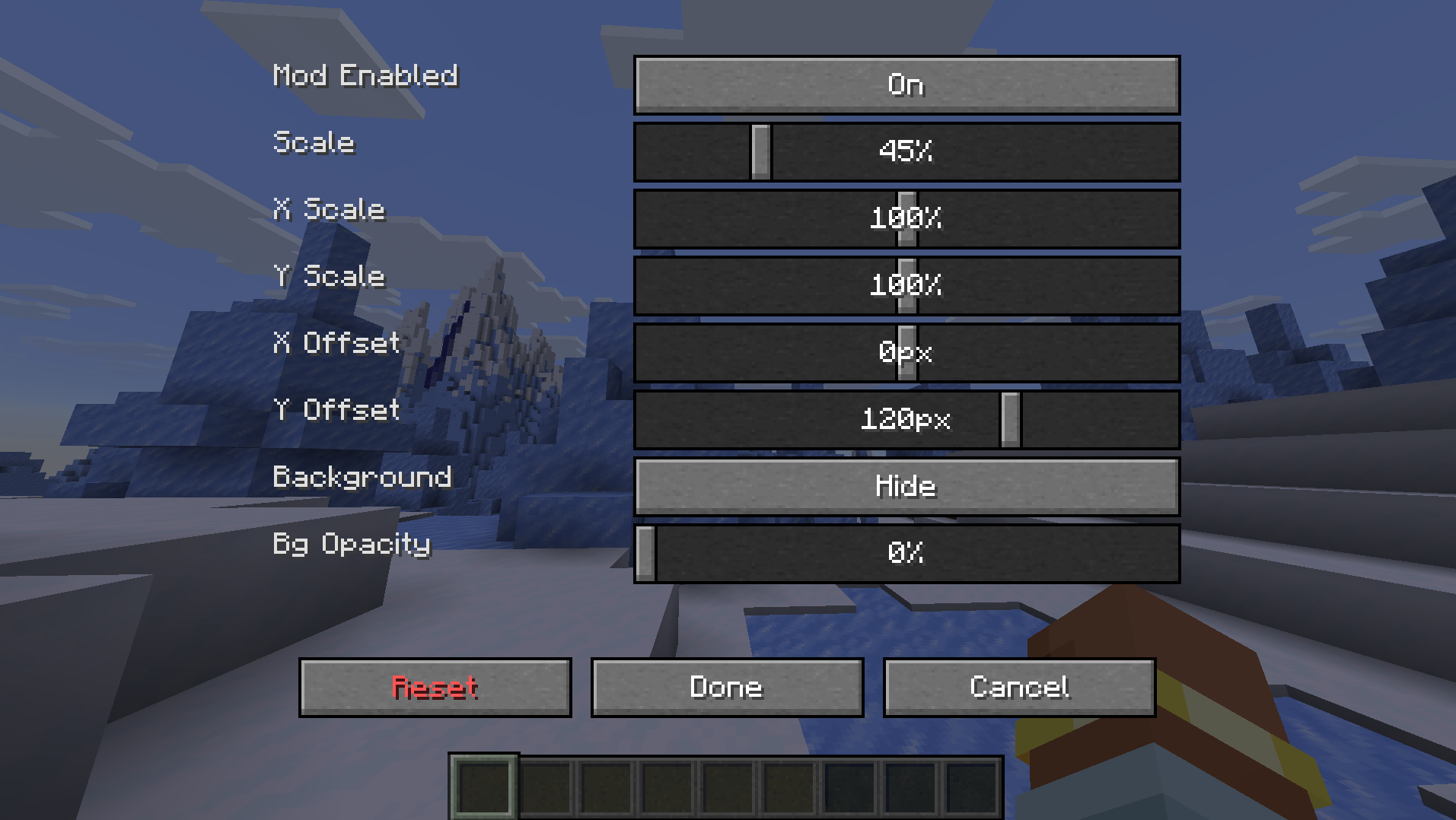
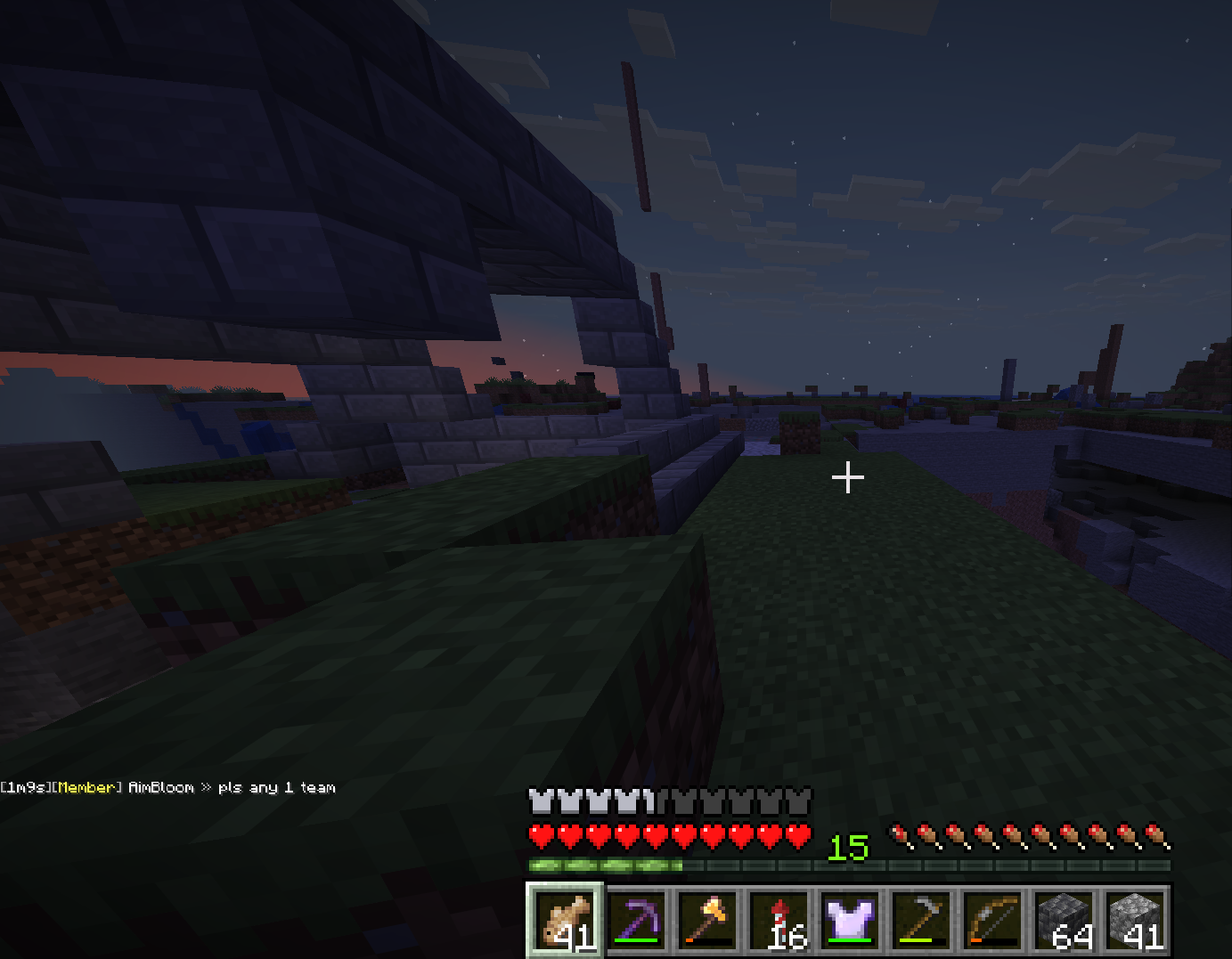
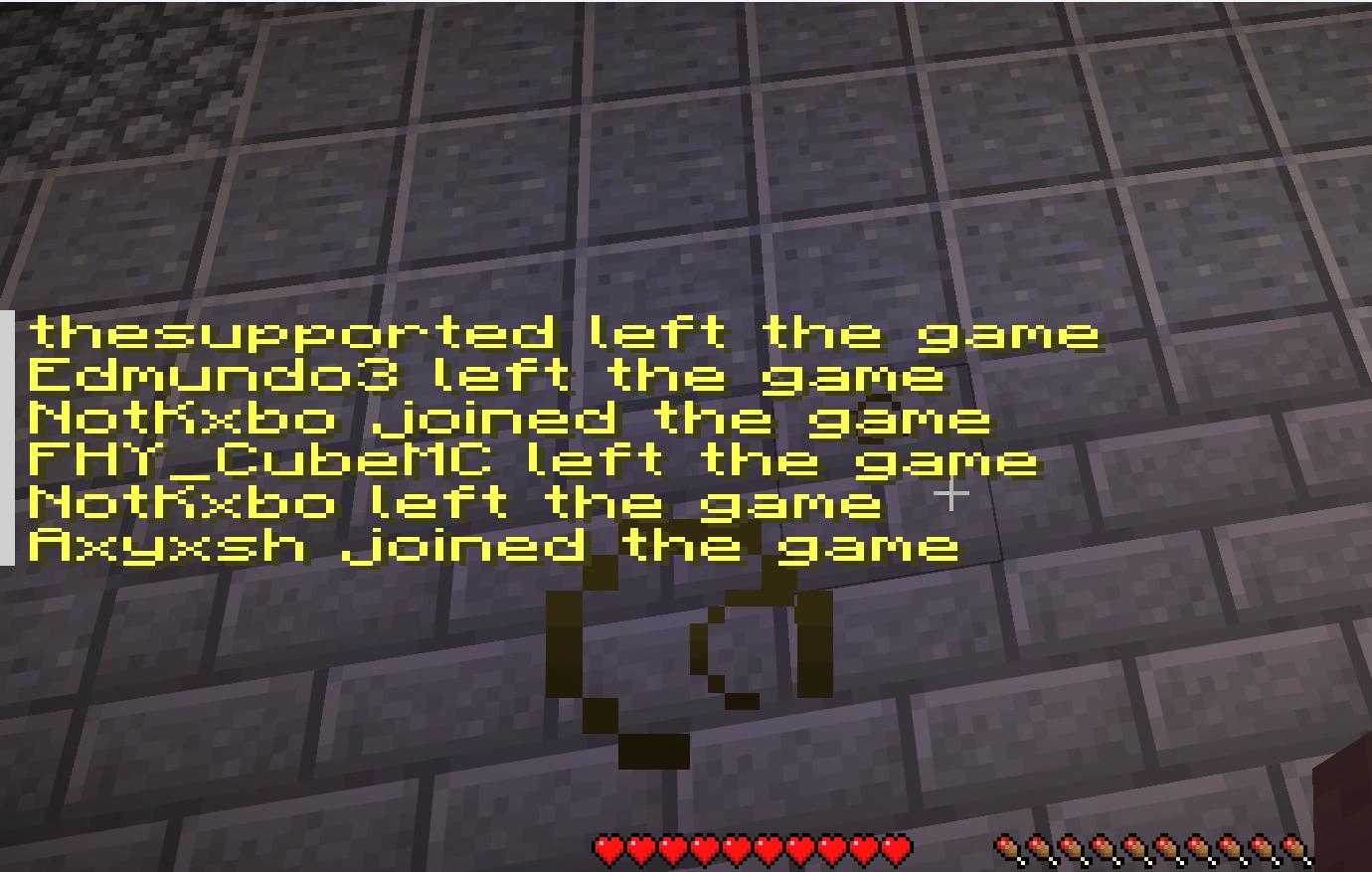
- Uniform Scale: Adjust overall chat size while preserving the original aspect ratio.
- X / Y Scale: Stretch or compress horizontal width and vertical height independently.
- Range: Adjust all scales anywhere from 0% to 200%.
Positioning
- X Offset: Shift chat left or right (±300px).
- Y Offset: Shift chat up or down (±300px).
Appearance & Input
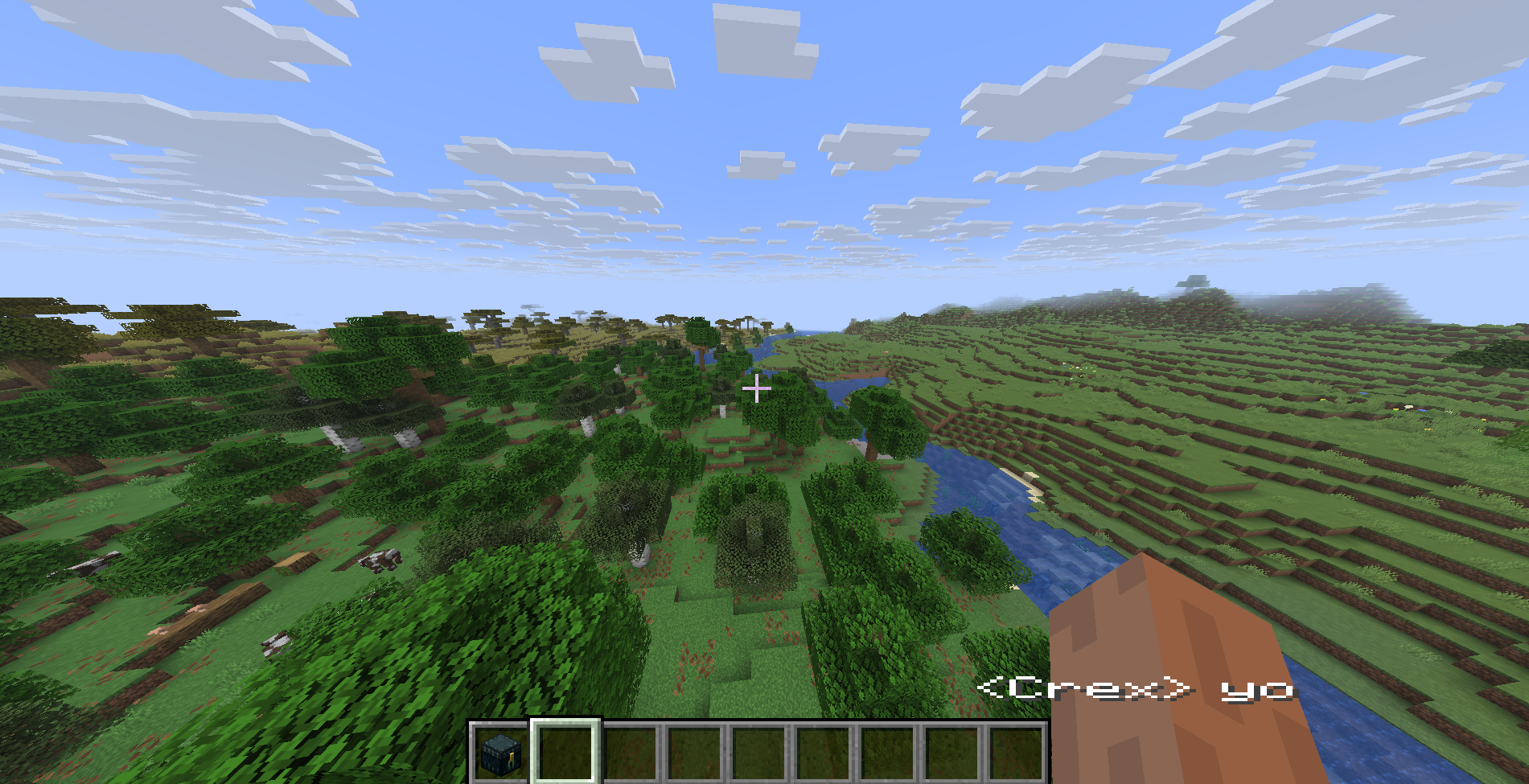
- Background Control: Toggle the chat background panel on or off, or adjust transparency from 0% to 100%.
- Typing Bar Support: The chat input box (<kbd>T</kbd>) automatically resizes to match your custom chat width.
- Live Preview: See layout changes instantly in the background while adjusting settings.
Config Screen
Features a two-column config menu with a semi-transparent overlay, letting you see the game in real time while tuning sliders. Includes standard Reset (vanilla defaults), Done (save), and Cancel options.
Highlights
- Client-Side Only: Works on any server without requiring server-side installation.
- Lightweight: Uses minimal mixins with zero impact on frame rates.
- Multi-Loader: Supports Fabric, Forge, and NeoForge standalone with no required dependencies.
Compatibility
| Mod Loader | Status |
|---|---|
| Fabric | Supported |
| Forge | Supported |
| NeoForge | Supported |
How to Use
- Install the mod for your preferred loader.
- Launch Minecraft and join any world or server.
- Open the config menu via Mod Menu (Fabric) or the Mods screen (Forge / NeoForge). You can also set a dedicated hotkey in Options > Controls.
- Adjust sliders to your preferred layout and press Done to save.
Tip: Set Scale to 45% and Y Offset to 120px for a compact chat window that sits right above the hotbar.
Frequently Asked Questions
Q: How do I access the config in fabric?
You need to get a mod menu installed than access the config of the mod.
Q: Does the server need this mod installed?
No. It is 100% client-side and works on any vanilla server, Realm, or modded server.
Q: Can I put this in my modpack?
Yes. You are free to include Chat Resizer in any public or private modpack on Modrinth, CurseForge, or other launcher platforms.
Q: Does this work with other chat mods?
Yes. Chat Resizer only modifies the scale, position, and background container of the chat overlay. It works alongside formatting, timestamp, and chat history mods.
Q: What if I lose my chat or set bad values?
Open the config screen and click Reset at the bottom left to instantly bring back vanilla defaults.
Modpack Policy
You are welcome to include Chat Resizer in any modpack. No explicit permission is needed.
Bug Reports & Source
Report bugs, request features, or check out the source code on the GitHub repository issue tracker.
License
Distributed under the MIT License.
Created by Xeonz.
常见问题
Chat Resizer 支持哪些 Minecraft 版本?
Chat Resizer 支持 Minecraft Java 版 1.21.11–26.3,共 6 个版本,可用的加载器:Fabric / Forge / NeoForge。下载时注意选择和你游戏版本一致的文件。
Chat Resizer 怎么安装?
先用 PCL2 或 HMCL 启动器安装对应版本的 Fabric / Forge / NeoForge,再把下载的 .jar 文件放进游戏目录的 mods 文件夹,重新启动游戏即可。开启了版本隔离的,mods 文件夹在 versions/版本名 下面。运行环境:仅客户端。
Xeonz 的其他作品
查看全部 →
Shulker Peek
Hover over any shulker box to instantly preview its full 9x3 contents in the tooltip. Color matched background tint, optional title and item counts, Shift-to-preview mode, keybind toggle, and in-game config support.

ShulkerPeek
Shulker box tooltip preview mod see the full shulker box contents on hover in a clean 9x3 grid. Color-matched background, item counts, Shift-to-show mode, keybind toggle, and in-game config. Fabric, Forge, and NeoForge.

Zoomly
The lightweight OptiFine zoom alternative for modern Minecraft. Smooth adjustable zoom, customizable controls, multi-loader support, and zero unnecessary bloat.
Armor Glance
A compact, customizable armor display mod that shows your equipped gear with durability percentages and progress bars next to the hotbar — fully configurable via Mod Menu.
评论
登录后评论和评分