
截图
介绍
Chat colors
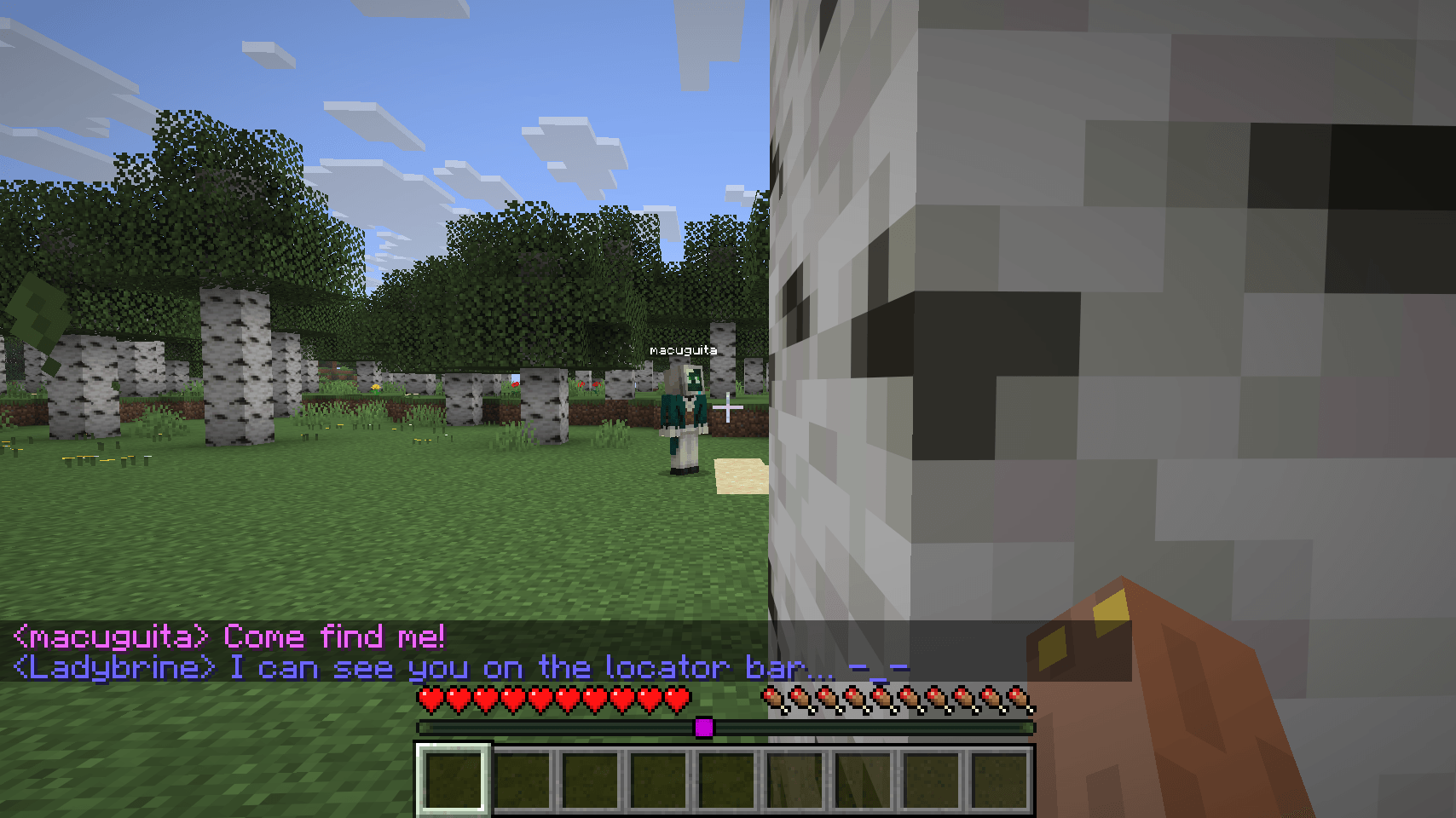
💬🌈 Brings some color into the Minecraft chat! 🌈💬
This mod colors every player’s messages for easier reading! the colors persist between sessions
Features
-
Colors player’s names, preferably uses the locator’s bar colors

-
You can disable coloring player’s names to distinguishing them better from the body of the message

-
The locator bar colors can be disabled to use the mod’s custom algorithm that allows for more colors (255 colors in total!)

-
You can disable chat coloring for yourself so you can see your own messages with the server’s default colors

Support
If you encounter any issues or have suggestions, feel free to:
-
Open an issue on GitHub.
-
Send me a DM on Discord @macuguita
-
You are free to use this mod in any Modpack in this platform
Credits
-
Developer: macuguita
-
FormatUtils.java developer: TerminalMC
常见问题
Chat colors 支持哪些 Minecraft 版本?
Chat colors 支持 Minecraft Java 版 1.21.11–26.1.2,共 4 个版本,可用的加载器:Fabric / NeoForge / Quilt。下载时注意选择和你游戏版本一致的文件。
Chat colors 怎么安装?
先用 PCL2 或 HMCL 启动器安装对应版本的 Fabric / NeoForge / Quilt,再把下载的 .jar 文件放进游戏目录的 mods 文件夹,重新启动游戏即可。开启了版本隔离的,mods 文件夹在 versions/版本名 下面。
macuguita 的其他作品
查看全部 →
Unusual Furniture
✨最原版风格的家具模组!

Fabric Seasons: Nature’s Spirit Compat
Nature's Spirit 对 Fabric Seasons 的兼容支持

Chat colors
为 Minecraft 聊天增添一抹色彩!

Spanish Delight Refabricated
为 Fabric 版 Farmer's Delight 添加西班牙料理和食材!
评论
登录后评论和评分